How to start saving money
Lorem ipsum dolor sit amet, consectetur adipiscing elit lobortis arcu enim urna adipiscing praesent velit viverra sit semper lorem eu cursus vel hendrerit elementum morbi curabitur etiam nibh justo, lorem aliquet donec sed sit mi dignissim at ante massa mattis.
- Neque sodales ut etiam sit amet nisl purus non tellus orci ac auctor
- Adipiscing elit ut aliquam purus sit amet viverra suspendisse potent
- Mauris commodo quis imperdiet massa tincidunt nunc pulvinar
- Excepteur sint occaecat cupidatat non proident sunt in culpa qui officia
Why it is important to start saving
Vitae congue eu consequat ac felis placerat vestibulum lectus mauris ultrices cursus sit amet dictum sit amet justo donec enim diam porttitor lacus luctus accumsan tortor posuere praesent tristique magna sit amet purus gravida quis blandit turpis.

How much money should I save?
At risus viverra adipiscing at in tellus integer feugiat nisl pretium fusce id velit ut tortor sagittis orci a scelerisque purus semper eget at lectus urna duis convallis. porta nibh venenatis cras sed felis eget neque laoreet suspendisse interdum consectetur libero id faucibus nisl donec pretium vulputate sapien nec sagittis aliquam nunc lobortis mattis aliquam faucibus purus in.
- Neque sodales ut etiam sit amet nisl purus non tellus orci ac auctor
- Adipiscing elit ut aliquam purus sit amet viverra suspendisse potenti
- Mauris commodo quis imperdiet massa tincidunt nunc pulvinar
- Adipiscing elit ut aliquam purus sit amet viverra suspendisse potenti
What percentege of my income should go to savings?
Nisi quis eleifend quam adipiscing vitae aliquet bibendum enim facilisis gravida neque. Velit euismod in pellentesque massa placerat volutpat lacus laoreet non curabitur gravida odio aenean sed adipiscing diam donec adipiscing tristique risus. amet est placerat in egestas erat imperdiet sed euismod nisi.
“Nisi quis eleifend quam adipiscing vitae aliquet bibendum enim facilisis gravida neque velit euismod in pellentesque”
Do you have any comments? Share them with us on social media
Eget lorem dolor sed viverra ipsum nunc aliquet bibendum felis donec et odio pellentesque diam volutpat commodo sed egestas aliquam sem fringilla ut morbi tincidunt augue interdum velit euismod eu tincidunt tortor aliquam nulla facilisi aenean sed adipiscing diam donec adipiscing ut lectus arcu bibendum at varius vel pharetra nibh venenatis cras sed felis eget.
Managing vehicles, drivers, and field operations can get complicated without the right tools. Verizon Connect makes this easier with software that handles fleet tracking, compliance, and productivity in one platform.
It helps businesses see their fleet activity, cut costs, and boost efficiency.

With Verizon Connect Reveal and Fleet, companies can track assets, schedule jobs, and manage dispatching in real time. Secure online access lets users view data and manage operations from almost anywhere.
Key features include integrations, APIs, accurate tracking, automated workflows, and insights that support smarter fleet management.
What Is Verizon Connect?

Verizon Connect offers cloud-based software for managing vehicle fleets, mobile workers, and operations. It uses telematics, GPS tracking, and AI to improve safety, compliance, and productivity.
Company History and Evolution
Verizon Connect began after Verizon acquired companies like Fleetmatics and Telogis in 2016. These acquisitions brought GPS and mobile workforce technology into Verizon’s business services.
In 2018, Verizon combined these telematics services under the name Verizon Connect. The company is based in Atlanta, Georgia, and serves customers in North America, Europe, and other regions.
Its website, verizonconnect.com, is the main source for product info, customer portals, and support. Verizon Connect shows Verizon’s ongoing commitment to connected vehicle services.
Core Features Overview
Verizon Connect provides Software-as-a-Service (SaaS) tools for fleet tracking, driver safety, and operations. Its systems use telematics data from vehicles and assets for real-time visibility and automation.
Main features include:
- GPS tracking for monitoring locations and routes
- AI dashcams to spot unsafe driving
- Geofencing and alerts for unauthorized use
- Fuel and idle-time reports to lower costs
- Compliance tools for HOS and DOT rules
The platform works with built-in telematics from many vehicle makers, eliminating extra hardware. Fleet managers use dashboards and mobile apps to analyze trends, schedule maintenance, and manage drivers.
Industries Served
Verizon Connect supports industries that use vehicle fleets or field teams. This includes logistics, construction, utilities, public safety, and field service.
Logistics companies use it to manage deliveries and driver performance. Construction firms track equipment and fuel use.
Service businesses like HVAC or plumbing assign jobs and confirm time on site. Government and transportation agencies use it for safety and route efficiency.
These examples show the platform’s focus on transparency and better performance.
Verizon Connect Fleet
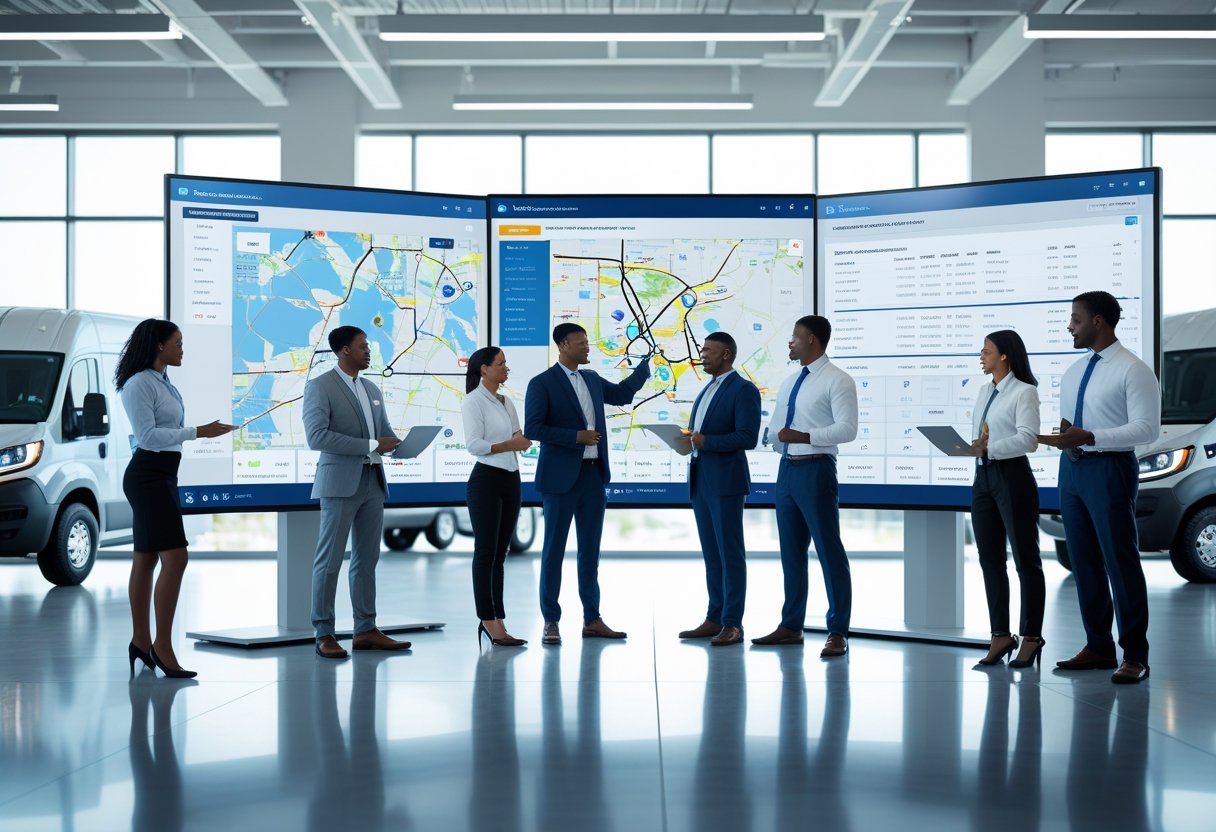
Verizon Connect Fleet helps organizations track vehicles, monitor drivers, and manage field operations from one software platform. It gives businesses clear visibility into mobile assets for better safety, efficiency, and cost control.
Platform Capabilities
The Fleet platform combines real-time GPS tracking with reporting and analytics. Managers can view live vehicle locations, route history, and get alerts about maintenance or unsafe driving.
Users log in at login.telogis.com or the Verizon Connect portal to see dashboards with fleet metrics. Reports can be customized by vehicle, route, or driver.
Automated notifications flag issues like speeding or long idle times. Managers use these insights to provide training or adjust routes.
Role-based access keeps data secure while letting staff work together.
Fleet Management Technology
Verizon Connect Fleet uses GPS devices and AI dashcams to collect data from vehicles. It records speed, location, fuel use, and engine health.
This data supports predictive maintenance and helps prevent breakdowns. Dashboards show key metrics in simple charts and tables.
A sample view might include:
MetricFunctionBenefitVehicle LocationGPS-enabled trackingReduces lost time and improves routingDriver BehaviorAI dashcam monitoringEnhances safety performanceMaintenance AlertsEngine diagnosticsPrevents breakdowns and saves costs
This technology helps organizations meet DOT standards and keep accurate electronic logs. It also makes managing large, spread-out fleets easier.
Integration with Business Operations
Verizon Connect Fleet connects with dispatch, scheduling, and invoicing systems. Dispatchers can assign jobs, track arrivals, and confirm completion from one platform.
Integration cuts down on manual data entry and improves billing with automatic updates. Businesses use these tools to keep service times and customer communication consistent.
The platform also works with ERP and CRM systems to sync operational and financial data. With scalable options, Verizon Connect Fleet fits both small teams and large logistics networks.
Verizon Connect Reveal
Verizon Connect Reveal lets organizations monitor vehicles, drivers, and assets in real time. It uses GPS tracking and data analysis to boost efficiency, ensure compliance, and improve safety.
Real-Time Vehicle Tracking
Reveal offers real-time vehicle tracking with digital maps and live updates. Managers can see routes, speeds, and idle times as they happen, making it easy to adjust schedules or routes.
Alerts notify teams when vehicles leave set areas, speed, or idle too long. This helps improve safety and cut fuel waste.
For dispatch, location tracking means faster response to jobs. Managers can send the closest driver, saving time and fuel.
Key BenefitDescriptionLocation AccuracyGPS updates keep fleet visibility currentGeofencingCustom zones help monitor vehicle movementRoute ReplayReview past trips for audit or training
These tools make daily fleet coordination easier and give better control over field activity.
Performance Reporting and Analytics
Reveal’s analytics turn trip data into useful insights. It tracks driving habits, fuel use, time on site, and route efficiency in reports.
Custom dashboards show key metrics like idle time or on-time deliveries. Reports can be set up for automatic delivery to keep performance in view.
Comparisons between vehicles or drivers encourage accountability. Combined with maintenance schedules, analytics help predict service needs before problems happen.
Reveal also works with video telematics for more context around incidents. Managers use this data to support compliance and control costs.
Mobile App Solutions
The Reveal mobile app brings fleet tracking to smartphones and tablets. Drivers can log trips, view routes, and talk to dispatch in one app.
They can also complete vehicle checks and submit forms digitally. Fleet managers get live updates, alerts, and can monitor drivers while away from their desks.
Push notifications provide real-time updates on delays or policy issues. The app syncs with the web platform for consistent data, and offline mode keeps it working even without cell coverage.
These mobile tools help drivers and managers stay connected to fleet operations at all times.
Fleet Management Solutions
Verizon Connect offers tools to help companies manage vehicles, drivers, and operations more efficiently. Its systems use routing intelligence, real-time telematics, and compliance automation to support cost control, safety, and performance for fleets of any size.
Routing and Dispatch Optimization
The platform uses precise routing to cut travel times and save fuel. Managers create optimized routes with GPS algorithms that consider traffic, weather, and job priority.
Dispatchers assign and update tasks through a central dashboard, so drivers get new instructions instantly. The dispatch system links with digital work orders and mobile apps, helping drivers confirm job status.
A typical workflow includes:
FeatureBenefitRoute optimizationMinimizes idle time and fuel costAutomated dispatchReduces manual scheduling effortLive trackingAllows real-time response to route changes
These features help companies manage trips efficiently and keep delivery standards steady, even when schedules change.
Telematics and Data Insights
Verizon Connect uses telematics sensors and AI dashcams to record driving, engine, and location data. Managers see this info in near real time on dashboards.
The system stores trip histories and creates detailed reports for cost analysis. Metrics like idle time, speeding, and route changes can trigger alerts or driver coaching.
Data can link to maintenance systems for automatic service reminders. By combining GPS and telematics, organizations get a full view of fleet health and boost asset use.
Compliance Management
The platform supports DOT and HOS compliance with electronic logging tools. Automatic recordkeeping removes paper logs and cuts reporting errors.
Verizon Connect tracks driver hours, inspections, and certifications in one place. Managers can check for violations or missing paperwork quickly.
It also helps manage fuel tax records and IFTA submissions. This setup saves time and helps fleets keep accurate data for audits.
Accessing and Using Verizon Connect
Efficient user access, account configuration, and support availability are key for teams using Verizon Connect. The platform offers secure login options, administrative controls, and resources for learning or troubleshooting.
Account Setup and Login Process
New users start by completing the provisioning process after getting credentials from their company administrator. They can log in through login.telogis.com or the Verizon Connect portal.
Single sign-on (SSO) is available for organizations with external identity providers. This improves security and makes access easier.
After logging in, users can view dashboards, manage vehicles or assets, and handle account tasks in My Account. Password policies usually follow company IT rules, and session timeouts help prevent unauthorized access.
Administrators should review login attempts and audit reports regularly to spot issues and keep accounts secure.
A quick access checklist for new users:
- Confirm account activation email and credentials.
- Bookmark the official login page.
- Set up multi-factor authentication if available.
- Test access to both mobile and desktop versions of Verizon Connect.
User Permissions and Administration
Administrators assign roles, permissions, and visibility for team members. Access levels can be set by function, such as driver, dispatcher, or manager, so each user only sees the tools and data needed for their job.
Group-based permissions help with larger fleets by reducing repetitive setup. User rights include view, edit, or manage privileges.
These settings apply to features like GPS tracking, job dispatching, and driver reports. Regular reviews of user lists help remove accounts that are no longer needed.
Administrators often document internal standards for permissions to keep access consistent. Logging and audit trails can be generated automatically for review and compliance.
Demo and Support Resources
Verizon Connect offers training and support tools to help users learn the platform. Prospective customers can request an interactive demo to see system features like fleet visibility, driver coaching, and automated reporting.
After onboarding, users can access online help portals with knowledge articles, configuration guides, and tutorial videos. The Learning Portal and video lessons show how to use advanced tools such as driver behavior analysis or scheduling automation.
Support options include live chat, email, and phone help through the Help Portal or My Account. For complex setups, technical support can assist with hardware, API connections, or login issues.
Product Integrations and API Offerings
Verizon Connect supports data exchange between its telematics solutions and other business systems. These integrations connect fleet and asset data with platforms for workforce management, finance, CRM, and more.
Integration Marketplace
The Verizon Connect Marketplace is a central hub for discovering and managing integrations for Verizon Connect Reveal and Verizon Connect Fleet. It features verified partner applications that help with fuel management, maintenance tracking, and driver safety.
Each listing shows integration scope, compatibility, and pricing. Integrations connect Verizon Connect data—like vehicle status or driver metrics—with third-party systems, including payroll, billing, and compliance platforms.
Approved partners are evaluated for technical reliability and security. Users can install or manage these integrations within their Reveal or Fleet portals.
This marketplace approach helps businesses keep a single operational ecosystem instead of using many separate applications.
APIs and Developer Tools
For organizations needing custom solutions, Verizon Connect offers a robust API suite and developer resources. These APIs provide secure access to vehicle, driver, and asset data.
Common uses include automating data synchronization with internal dashboards. They can also trigger workflows in enterprise software such as HR and maintenance systems.
The available tools include detailed documentation and code samples. A quick start guide helps developers create and test requests easily.
Verizon Connect TDE (Telematics Data Exchange) acts as the middleware layer. It gives standardized access to telematics data across connected applications.
Developers can use RESTful methods to retrieve trip summaries or GPS positions. Event reports are also available.
Webhooks allow real-time alerts to be pushed to custom systems. This ensures timely updates about fleet activities.