- Free U.S. shipping
- No monthly fees, ever
- 30-day money-back guarantee

Your tracker's here.
Let's get it live.
Four steps, no tools, no subscription. By the end of this page your vehicle is on the map and alerts are running.
Four steps to your first trip
Do them in order. Step 3 needs you at the vehicle — everything else you can do from the couch.
Download the app
Same account works on phone, tablet and the web dashboard. Grab it before you head out to the vehicle.
Have ready
- Your phone, charged, or a PC
- The card in the box with your code & PIN
Create your account & register the device
Sign up with any email address — it doesn't have to match your order. Then register the device using the code and PIN printed on the card in the box, and add your vehicle's year, make and model.
Keep the card. The code and PIN are the only way to register this device.
You'll enter
- Your email & a strong password
- Registration code & PIN from the box
- Vehicle year / make / model
Install the device
Plug-in units push firmly into the OBD-II port under the dash — it seats snugly, but there's no click, so make sure it's fully in. Hardwired units tap constant 12V, ignition and ground. Magnetic pucks go anywhere metal and out of sight.
How you know it worked
- Blue light blinking — cellular connected
- Yellow light blinking — GPS connected
- Your current location is shown in the app
Blinking is good. A light that stays solid means that connection hasn't been made yet.
Take a short drive or walk
Five minutes is enough — a short drive, or a walk with a battery-powered unit. The first trip calibrates location — you'll know it's done when your address shows on the vehicle in the app.
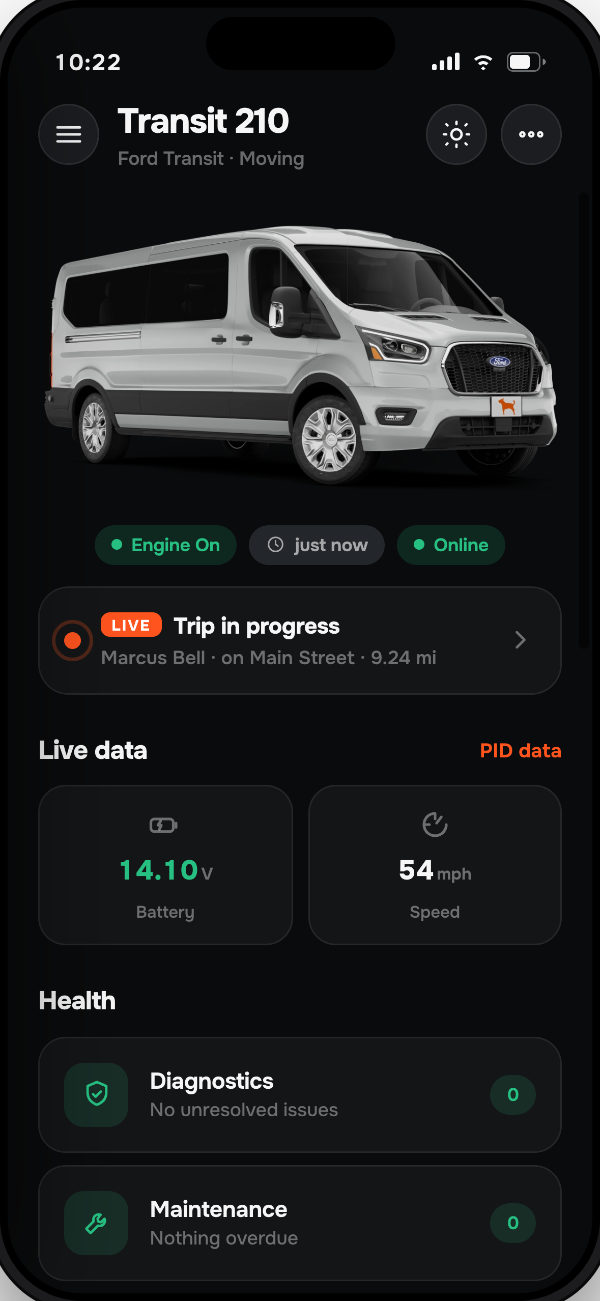
What the app does for you
Everything below is included. No tiers, no add-ons, no monthly fee.
Live location
Where the vehicle is right now, refreshing as it moves. Share a live link with anyone.
Trip history
Every drive logged with route, distance, duration and top speed.
Alerts & geofences
Draw a zone, get pushed the moment the vehicle enters or leaves it. Plus movement and speed alerts.
Health & maintenance
Battery voltage, idle time and service reminders before they turn into a tow truck.
If something looks wrong
Nine out of ten setup issues are one of these. Still stuck after trying? Support answers below.
The status lights never come on+
The port isn't powered. Try the vehicle's cigarette lighter to confirm the fuse for accessory circuits is good — many vehicles share it with the OBD-II port. A blown fuse is a two-dollar fix.
Location is off or my address isn't showing+
Normal before the first full trip, and in parking garages or dense downtown. Once the device has a clear sky view and completes a drive, your address appears on the vehicle in the app — that's your confirmation it's calibrated.
I can't find my registration code and PIN+
They're on the card packed in the box with the device. If the card is gone, email support a photo of the back of the device showing the barcode and we'll look them up and register the device to your account.
No alerts on my phone+
Check notifications are allowed for Moto Watchdog in your phone settings, then confirm the specific alert is toggled on in the app under Notification settings. iOS Focus modes silence them too.
Can I move the device to another vehicle?+
Yes. Unplug it, plug it into the new vehicle, then update the make, model and year in Vehicle Studio in the app or on the web.
Do I ever pay a monthly fee?+
No. Cellular service is included for the life of the device. There's no plan to choose and nothing expires.