How to start saving money
Lorem ipsum dolor sit amet, consectetur adipiscing elit lobortis arcu enim urna adipiscing praesent velit viverra sit semper lorem eu cursus vel hendrerit elementum morbi curabitur etiam nibh justo, lorem aliquet donec sed sit mi dignissim at ante massa mattis.
- Neque sodales ut etiam sit amet nisl purus non tellus orci ac auctor
- Adipiscing elit ut aliquam purus sit amet viverra suspendisse potent
- Mauris commodo quis imperdiet massa tincidunt nunc pulvinar
- Excepteur sint occaecat cupidatat non proident sunt in culpa qui officia
Why it is important to start saving
Vitae congue eu consequat ac felis placerat vestibulum lectus mauris ultrices cursus sit amet dictum sit amet justo donec enim diam porttitor lacus luctus accumsan tortor posuere praesent tristique magna sit amet purus gravida quis blandit turpis.

How much money should I save?
At risus viverra adipiscing at in tellus integer feugiat nisl pretium fusce id velit ut tortor sagittis orci a scelerisque purus semper eget at lectus urna duis convallis. porta nibh venenatis cras sed felis eget neque laoreet suspendisse interdum consectetur libero id faucibus nisl donec pretium vulputate sapien nec sagittis aliquam nunc lobortis mattis aliquam faucibus purus in.
- Neque sodales ut etiam sit amet nisl purus non tellus orci ac auctor
- Adipiscing elit ut aliquam purus sit amet viverra suspendisse potenti
- Mauris commodo quis imperdiet massa tincidunt nunc pulvinar
- Adipiscing elit ut aliquam purus sit amet viverra suspendisse potenti
What percentege of my income should go to savings?
Nisi quis eleifend quam adipiscing vitae aliquet bibendum enim facilisis gravida neque. Velit euismod in pellentesque massa placerat volutpat lacus laoreet non curabitur gravida odio aenean sed adipiscing diam donec adipiscing tristique risus. amet est placerat in egestas erat imperdiet sed euismod nisi.
“Nisi quis eleifend quam adipiscing vitae aliquet bibendum enim facilisis gravida neque velit euismod in pellentesque”
Do you have any comments? Share them with us on social media
Eget lorem dolor sed viverra ipsum nunc aliquet bibendum felis donec et odio pellentesque diam volutpat commodo sed egestas aliquam sem fringilla ut morbi tincidunt augue interdum velit euismod eu tincidunt tortor aliquam nulla facilisi aenean sed adipiscing diam donec adipiscing ut lectus arcu bibendum at varius vel pharetra nibh venenatis cras sed felis eget.
Keeping accurate mileage records helps drivers manage expenses and follow tax rules. A mileage tracker template provides a clear way to record trips and calculate mileage.
Instead of using scattered notes or memory, a template keeps travel data organized and easy to find. This helps with reimbursements or tax deductions.
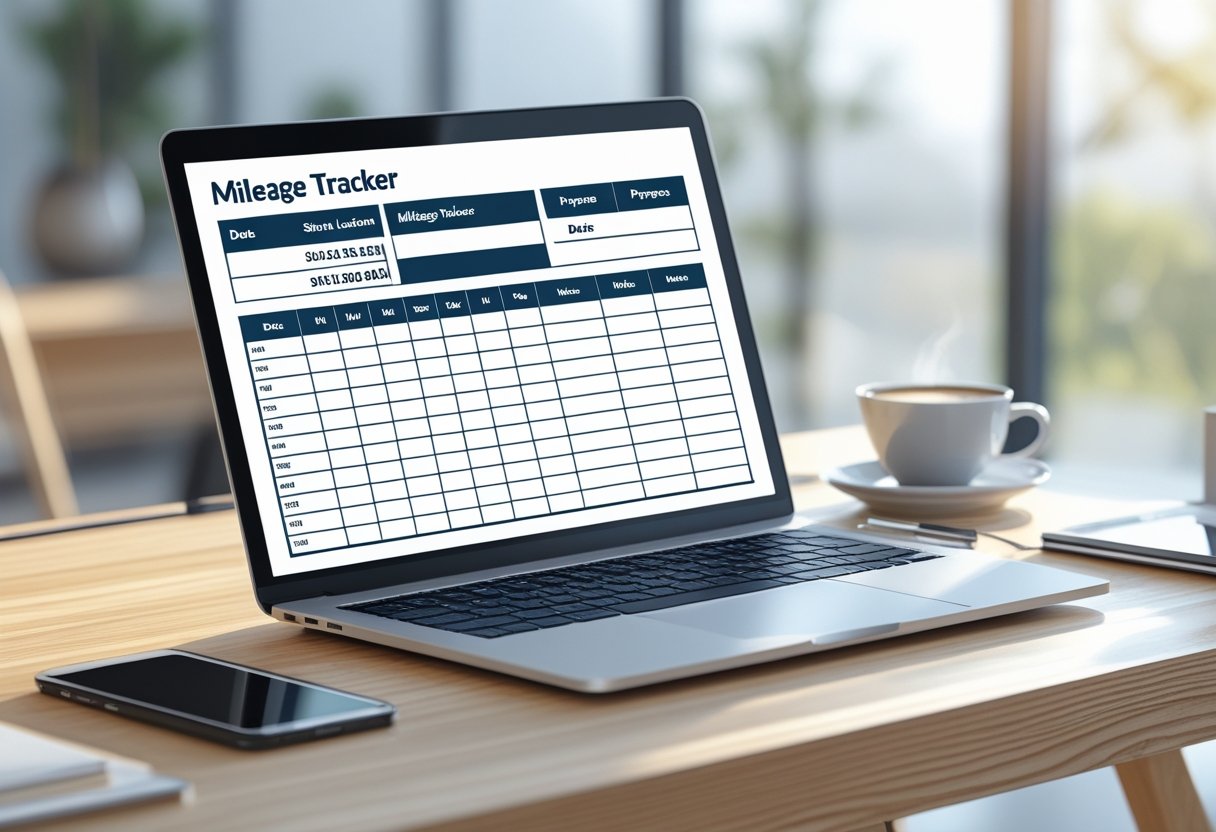
With IRS requirements getting stricter, mileage tracking templates remove guesswork. They include sections for dates, destinations, business purposes, and mileage totals.
When used correctly, these tools save time and improve financial accuracy.
This article explains what a mileage tracker template is and how it matches IRS standards. It also covers how to choose, use, and customize a template for different needs.
What Is a Mileage Tracker Template?

A mileage tracker template helps people and businesses record vehicle use for tax or reimbursement. It organizes trip information like dates, destinations, and miles driven in a clear format.
Templates can be printed or managed digitally for accurate records.
Key Components of a Mileage Tracker Template
A mileage tracker template includes important data fields for consistent entries. These usually cover the date of the trip, starting point, destination, purpose of travel, starting and ending odometer readings, and total miles driven.
Some templates add vehicle identification, driver name, or client codes for business use. Structured templates are easy to audit.
Many users choose spreadsheet-based templates for automatic formulas that total mileage. Printable versions use a simple table for handwritten records.
Some templates include space for signatures or approvals. This supports accountability and aligns with IRS documentation standards.
Templates in Excel, Google Sheets, or PDF offer a consistent framework for recordkeeping.
Types of Mileage Log Templates
Mileage log templates come in several forms. The most common are printable mileage logs in PDF or Word and digital spreadsheet templates in Excel or Google Sheets.
Printable trackers suit drivers who prefer manual entries or lack computer access. They are simple and easy to store.
Spreadsheet templates offer automatic calculations and can create summaries.
Some platforms offer integrated templates that sync with apps or GPS. These log trips automatically and reduce errors.
Digital templates are especially helpful for keeping IRS-compliant records.
Benefits of Using a Mileage Tracker Template
A structured mileage tracking template improves accuracy and compliance. It captures all trip details and reduces errors.
A consistent log makes tax preparation easier. Businesses benefit from standardized templates for employee reporting.
For self-employed users, templates support credible mileage claims.
Digital templates calculate totals automatically. Printable logs serve as reliable backups.
IRS Requirements for Mileage Logs

Accurate mileage logs help taxpayers claim deductions and comply with IRS rules. Proper recordkeeping allows individuals and businesses to prove vehicle expenses during an IRS audit.
Required Information for IRS Compliance
The IRS requires mileage logs to show each trip’s business purpose. Drivers should record the date, destination, starting and ending odometer readings, total miles driven, and purpose of the trip.
Adding the client or project name increases credibility.
A simple spreadsheet or printable log helps keep records organized. Most taxpayers use the standard mileage rate set by the IRS or the actual expense method.
To claim the standard deduction, the log must show only business miles. Personal travel should be excluded.
Records can be paper or digital, but they must be created at or near the time of the trip. Estimating distances at year-end is not allowed and may cause deductions to be denied.
Common Mistakes to Avoid
Incomplete logs are a common problem. Missing trip purposes, wrong odometer readings, or mixing business and personal miles can make a log non-compliant.
Using round numbers instead of exact mileage looks unreliable to auditors.
Some people forget to update logs regularly. Not recording trips right away increases errors.
A good IRS mileage log template or an app can help by reminding users to enter trips.
Credit card receipts or calendars do not replace a proper mileage log. These can support records but are not enough for IRS standards.
IRS Audit Considerations
During an IRS audit, mileage logs are important evidence. The IRS checks if records are complete and made close to the time of travel.
Logs with irregularities, such as inconsistent odometer readings or vague trip details, may get extra scrutiny.
Backup data helps defend during an audit. GPS-based apps can verify trip routes.
Fuel receipts or maintenance invoices dated near trips also support the records.
Auditors compare annual mileage totals with IRS rates used on tax returns. If logs are incomplete or appear made after the fact, deductions may be denied.
How to Use a Mileage Tracker Template Effectively
A mileage tracker template helps keep records organized and supports accurate tax reporting. Clear entries and regular tracking are key to keeping information useful.
Filling Out a Mileage Log Sheet
A mileage log sheet should include the date, starting odometer reading, ending odometer reading, total miles driven, and the trip purpose.
Updating this information daily reduces errors.
Templates in Google Sheets or Excel often calculate total distance automatically. This lowers the chance of mistakes.
Users should fill in the log right after each trip.
Include starting and ending locations for clarity. Adding notes about the trip helps during audits.
A sample layout:
DateTrip PurposeStart OdometerEnd OdometerMiles DrivenNotes
Accurate entries make reviewing and preparing for taxes or reimbursement easier.
Best Practices for Accurate Mileage Tracking
Consistency is important. The tracker should include every business-related trip, even short ones.
Drivers should reset or note odometer readings at the start and end of each trip.
When using digital or GPS tools, check that data matches actual odometer readings.
Templates that total weekly or monthly mileage make tracking easier.
Limit changes to the log after completion. If corrections are needed, add notes instead of deleting data.
A record of changes helps keep mileage records trustworthy.
Check logs regularly to ensure totals are correct and all trips are included.
Tips for Record-Keeping and Organization
Save logs in organized folders or cloud storage labeled by vehicle or year. Back up digital files to avoid data loss.
Keep both printable and digital copies for easy access if needed.
Label files clearly, like “2025_Business_Mileage_Log_SalesDept.xlsx.” This makes finding records easier.
Keep old logs for at least three years, matching audit retention periods.
Pair mileage logs with receipts for parking, tolls, or fuel by date. This links expenses to trips.
Use color coding or spreadsheet filters to track which trips have receipts or reimbursement claims.
If more than one employee or vehicle is involved, use a separate template for each. Consistent formats reduce confusion.
Mileage Tracker Templates for Different Purposes
Mileage tracker templates help document business mileage, manage reimbursement forms, and create monthly mileage logs for compliance or budgeting.
Business Mileage Tracking
A business mileage tracker lets employees and self‑employed people record miles driven for work. It captures the date, starting and ending odometer readings, trip purpose, and total miles driven.
Accurate business mileage records support IRS requirements and make tax deductions easier.
Templates come in Excel, Google Sheets, and PDF. Many have built‑in formulas to total miles.
Some templates use the IRS standard mileage rate (for example, $0.70 per mile for 2025) to estimate deductible expenses.
A typical business log may look like:
DateTrip PurposeStart OdometerEnd OdometerMiles DrivenClient or Project
This format keeps records consistent and easy to verify.
Mileage Reimbursement and Forms
Organizations use a mileage reimbursement form for employees to claim travel expenses. A good form standardizes data and reduces disputes.
It usually asks for employee name, vehicle type, total miles driven, and rate per mile.
Accurate tracking supports fair reimbursement and company policy. Reimbursement templates are often in fillable PDF or Excel formats.
These may include automatic calculations based on the current rate.
Some businesses use digital submission systems, letting employees attach receipts or maps. This improves accountability and reduces errors.
Monthly Mileage Logs and Summaries
A monthly mileage log organizes trip data into manageable segments. This makes it easier to track frequent driving and review patterns over time.
Each month’s log helps identify business travel frequency and total distance covered. It also highlights possible cost trends.
Templates may summarize each month in a simple table. The table shows total business miles, personal miles, and reimbursable miles.
For example:
MonthBusiness MilesPersonal MilesReimbursable MilesNotes
This approach keeps reporting efficient. It supports yearly summaries without re-entering daily data.
Excel-based logs can include automatic totals and charts for quick analysis. Printable PDF versions are useful for manual entry or official submission.
Many professionals prefer maintaining one log per month for clarity. This allows prompt updates and minimizes missed entries.
Monthly logs also help align records with company reimbursement cycles or tax periods.
Choosing and Customizing Your Mileage Tracker Template
A suitable mileage tracker template helps record business and personal trips accurately. It keeps documentation ready for tax deductions or reimbursements.
It also ensures consistent tracking of miles traveled, vehicle expenses, and trip purposes.
Digital vs. Printable Templates
Digital templates, such as Excel or Google Sheets, allow users to update and back up records instantly. These versions support built-in formulas, automatic mileage rates, and cloud synchronization.
Platforms like Driversnote offer digital mileage tracking. They log trips automatically and export IRS-compliant logs for 2025’s standard 70 cents per mile rate.
Printable templates are useful for quick, handwritten entries without relying on devices. They work well for small businesses or individual drivers with fewer trips.
A free mileage log template in PDF format provides blank spaces for date, destination, odometer readings, and trip purpose. Though less dynamic, printable trackers ensure accessibility even without internet access.
Some users combine both formats. They record data on paper and keep a digital backup for calculations and summaries.
This approach balances security with convenience.
Popular Template Formats and Tools
Mileage tracker templates appear in several formats: Excel, Google Sheets, PDF, and mobile apps.
Each option has functional differences that affect workflow.
FormatStrengthsLimitationsExcelSupports formulas and customizationRequires spreadsheet softwareGoogle SheetsAccessible on multiple devicesDepends on internet connectionPDFEasy to print and distributeManual calculations neededMobile AppsAutomates trip loggingMay include subscription costs
Excel and Sheets versions are popular for businesses seeking organized summaries of vehicle expenses. These tools calculate totals for miles, reimbursements, and personal vs. business use.
Mobile apps like Driversnote often include automatic GPS-based tracking. This reduces manual entry time.
Users should choose based on their preferred device, driving frequency, and data management habits.
Customizing Fields and Automating Calculations
A well-designed mileage tracker should match the user’s workflow. Custom fields add flexibility, such as start and end odometer readings, client names, or trip categories.
Color-coded columns or drop-down lists make data review faster.
Automation improves accuracy and reduces repetitive work. Spreadsheet templates can use built-in formulas to calculate total miles traveled, reimbursement amounts, and cost summaries instantly.
Conditional formatting highlights missing or inconsistent entries.
Users should align the mileage rate with the current IRS or local reimbursement rate. Adding summary sheets or pivot tables offers insights into travel patterns.
These improvements make a mileage tracking system more efficient and reliable.
Maximizing Tax Deductions and Reimbursements
Accurate mileage tracking determines the size of business-related tax deductions. It also supports any reimbursement claims.
Well-documented vehicle records help substantiate expenses and reduce audit risk. They ensure compliance with IRS or employer policies.
Standard Mileage Rate vs. Actual Expense Method
Taxpayers may choose between the standard mileage rate and the actual expense method to claim deductions for business driving.
The standard rate offers simplicity by multiplying the total business miles by the annual IRS rate. For 2025, the rate applies per mile driven for business purposes and covers operating costs like fuel, maintenance, and depreciation.
The actual expense method allows calculation based on real costs of owning and operating the vehicle. That includes expenses for gas, repairs, insurance, registration, lease payments, and depreciation.
Using the actual expense method requires retaining receipts and records for every vehicle-related payment. The mileage rate only needs a verified mileage log.
A mileage tracker template records trip dates, distances, and purposes for both approaches.
Taxpayers often compare results from both methods to see which yields a higher deduction.
MethodBasis of DeductionRecordkeeping NeededComplexityStandard Mileage RateBusiness miles × IRS rateMileage log onlyLowActual Expense MethodActual operating costsReceipts + mileage logHigh
Documenting Vehicle Expenses
Clear records are essential for legitimate tax deductions. A compliant mileage tracker log should list date, starting location, destination, trip purpose, and miles driven.
These details support the calculation of business versus personal use. This determines deductible portions of expenses.
In addition to mileage, tracking receipts for fuel, oil changes, tires, parking, and tolls creates an audit-ready record.
Digital mileage templates—such as those available through Google Sheets or PDF forms—help store this information securely and maintain consistency year-round.
Individuals using company vehicles or applying for reimbursements should match recorded miles to trip purposes. Employers often require submitted logs to verify that claimed reimbursements align with policies and federal guidelines.
Preparing for Tax Filing and Audits
Before filing a tax return, organize all mileage and expense records. Support these records with physical or digital evidence.
This helps ensure that the mileage deduction matches the actual business use of the vehicle.
When using the standard mileage rate, check the annual IRS rate changes. If you use the actual expense method, add up all expenses and divide them based on business and personal use.
During an IRS audit, keep detailed logs and receipts as proof of deductible vehicle expenses. Store these records for at least three years after filing to reduce the risk of disputes.
A structured mileage template helps with calculations and supports compliance. This gives taxpayers more confidence in their reported deductions.