How to start saving money
Lorem ipsum dolor sit amet, consectetur adipiscing elit lobortis arcu enim urna adipiscing praesent velit viverra sit semper lorem eu cursus vel hendrerit elementum morbi curabitur etiam nibh justo, lorem aliquet donec sed sit mi dignissim at ante massa mattis.
- Neque sodales ut etiam sit amet nisl purus non tellus orci ac auctor
- Adipiscing elit ut aliquam purus sit amet viverra suspendisse potent
- Mauris commodo quis imperdiet massa tincidunt nunc pulvinar
- Excepteur sint occaecat cupidatat non proident sunt in culpa qui officia
Why it is important to start saving
Vitae congue eu consequat ac felis placerat vestibulum lectus mauris ultrices cursus sit amet dictum sit amet justo donec enim diam porttitor lacus luctus accumsan tortor posuere praesent tristique magna sit amet purus gravida quis blandit turpis.

How much money should I save?
At risus viverra adipiscing at in tellus integer feugiat nisl pretium fusce id velit ut tortor sagittis orci a scelerisque purus semper eget at lectus urna duis convallis. porta nibh venenatis cras sed felis eget neque laoreet suspendisse interdum consectetur libero id faucibus nisl donec pretium vulputate sapien nec sagittis aliquam nunc lobortis mattis aliquam faucibus purus in.
- Neque sodales ut etiam sit amet nisl purus non tellus orci ac auctor
- Adipiscing elit ut aliquam purus sit amet viverra suspendisse potenti
- Mauris commodo quis imperdiet massa tincidunt nunc pulvinar
- Adipiscing elit ut aliquam purus sit amet viverra suspendisse potenti
What percentege of my income should go to savings?
Nisi quis eleifend quam adipiscing vitae aliquet bibendum enim facilisis gravida neque. Velit euismod in pellentesque massa placerat volutpat lacus laoreet non curabitur gravida odio aenean sed adipiscing diam donec adipiscing tristique risus. amet est placerat in egestas erat imperdiet sed euismod nisi.
“Nisi quis eleifend quam adipiscing vitae aliquet bibendum enim facilisis gravida neque velit euismod in pellentesque”
Do you have any comments? Share them with us on social media
Eget lorem dolor sed viverra ipsum nunc aliquet bibendum felis donec et odio pellentesque diam volutpat commodo sed egestas aliquam sem fringilla ut morbi tincidunt augue interdum velit euismod eu tincidunt tortor aliquam nulla facilisi aenean sed adipiscing diam donec adipiscing ut lectus arcu bibendum at varius vel pharetra nibh venenatis cras sed felis eget.
Managing multiple vehicles is easier when systems are organized and information is clear. A free fleet management template in Excel provides a simple way to track vehicles, maintenance, fuel costs, and schedules without expensive software.
It gives fleet managers an accessible, editable, and cost-free tool to streamline operations and make informed decisions.

Structured spreadsheets help record maintenance history, schedule preventive service, and calculate ownership costs. Templates often include automated formulas and customizable dashboards that turn raw data into useful insights.
This organization and accessibility improve efficiency for fleets of any size. Teams can use Excel templates to spot performance patterns, reduce downtime, and extend vehicle lifespans.
These tools form a foundation for more advanced fleet management systems. They support better decision-making and smoother operations.
Overview of Free Fleet Management Template Excel

A free fleet management template in Excel helps record, track, and analyze vehicle data in one place. It reduces manual work, improves consistency, and aids decisions for maintenance, fuel use, and cost control.
What Is a Fleet Management Template?
A fleet management template is a ready-made spreadsheet that organizes and monitors company vehicle information. It usually stores data on vehicle details, drivers, maintenance schedules, and expenses.
Structured tables and formulas turn numbers into clear insights. A basic Excel template for fleet management includes columns for vehicle ID, registration date, service history, mileage, and depreciation.
Conditional formatting can highlight overdue maintenance or upcoming inspections. This layout makes recording and referencing information easy without extra software.
Templates are useful for small and mid-sized operations that need oversight without costly systems. Editable cells and formulas allow customization for different fleet sizes or tracking needs.
Benefits of Using Excel Templates for Fleet Management
Excel offers control, accessibility, and cost savings for fleet management. Most users already have Microsoft Excel or a similar program like Google Sheets, so templates avoid extra subscription fees and reduce setup time.
The spreadsheet format supports customizable dashboards that summarize expenses, vehicle use, and performance in charts or tables. Managers can adjust formulas for fuel economy or cost per mile to assess efficiency.
Teams can save monthly or annual copies to compare data over time. Shared cloud access lets multiple users collaborate without changing the main fleet management spreadsheet.
Key Features of Free Fleet Management Templates
Free Excel templates for fleet management often include calculators, automated tracking, and editable worksheets. Common features include:
FeatureDescriptionMaintenance LogTracks service frequency and repair datesFuel TrackerRecords fuel use and costs per trip or vehicleCost CalculatorEstimates cost per mile and total vehicle costDepreciation FormulaCalculates vehicle value drop over timeDriver LogKeeps records of drivers and schedules
Templates often have auto-updating summaries like monthly cost overviews or maintenance alerts. They bring together expenses, vehicle performance, and driver info in one format.
Users can add worksheets for insurance or parts inventory. This flexibility makes free Excel templates a practical base for small and growing fleets.
Core Components of a Fleet Management Excel Template
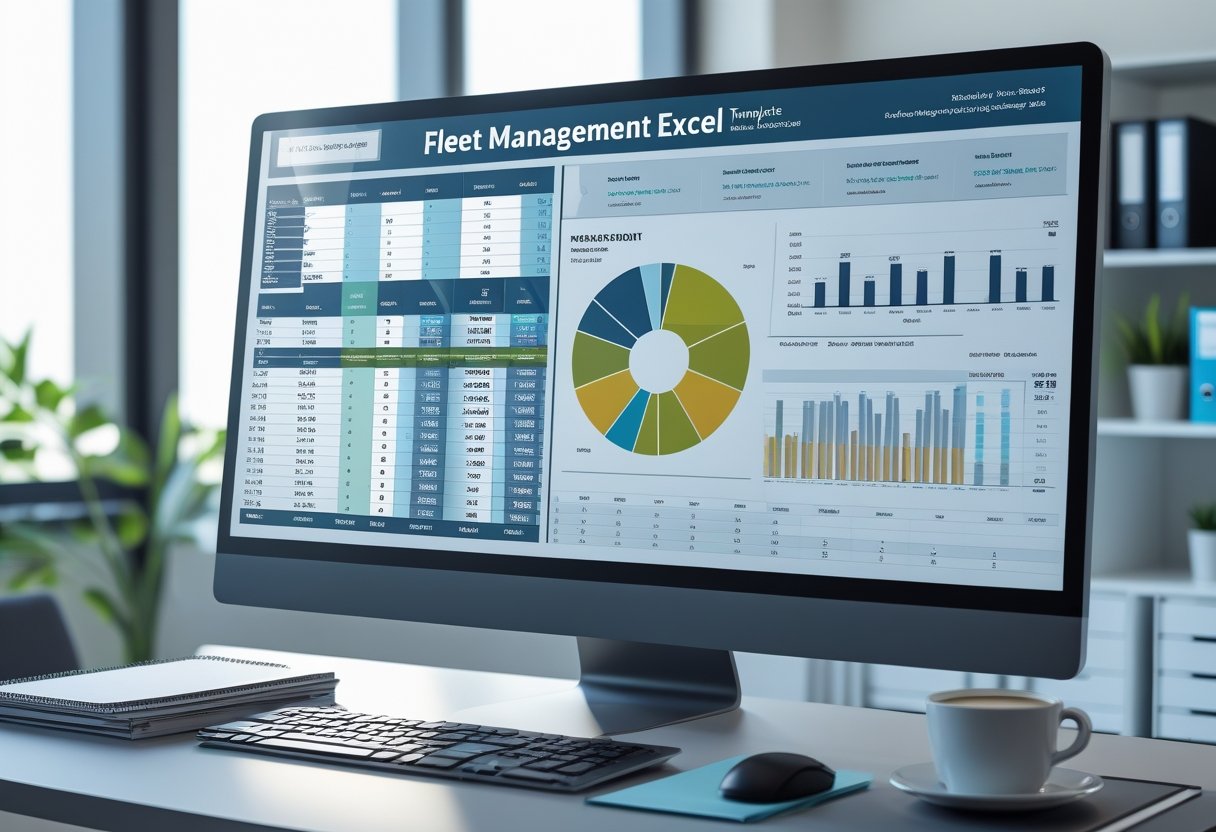
A good fleet management template organizes operational data into clear sections for tracking and reporting. It helps monitor vehicles, drivers, and maintenance activities so managers can make decisions with up-to-date information.
Vehicle Details and Specifications
A reliable template lists every vehicle with fields for make, model, year, VIN, license plate, and acquisition date. Recording these details creates a full inventory and makes scheduling maintenance or calculating costs easier.
Many templates add technical specs like engine type, fuel capacity, odometer readings, and payload limits. These help analyze performance and fuel efficiency.
A vehicle registry table keeps information organized:
FieldExample EntryVehicle IDFLEET-03Make / ModelFord Transit 250Year2022VIN1FTBR1C10NKA12345Fuel TypeDieselAssigned DriverJ. Moreno
Storing vehicle specs in one place ensures consistency and reduces errors when exporting or comparing data.
Driver Information Management
A driver information section stores data on people operating the fleet. Typical fields are full name, employee ID, license number, license expiration, contact details, and assigned vehicle.
This helps with regulatory compliance and makes reassignment easy if a driver changes routes or vehicles. The template may also include a training and certification log with dates for safety or defensive driving courses.
A simple view might track:
- License category and status
- Medical exam date
- Incident or violation record
- Certification renewal reminders
With this record, coordinators can confirm all drivers meet legal and company standards before deployment.
Maintenance Schedules and Logs
The maintenance log and schedule section keeps vehicles safe and working through regular service. A good maintenance spreadsheet lists each vehicle with service intervals and checklist items like oil changes, tire checks, brake testing, and emissions checks.
A fleet maintenance checklist tracks preventive and corrective actions. It often records service date, mileage, provider, cost, and notes on repairs or parts replaced.
Many templates calculate the next service date automatically using mileage or days since last maintenance.
Example entry:
Vehicle IDLast ServiceNext Service DueService TypeNotesFLEET-0310 Oct 202510 Jan 2026PreventiveReplaced brake pads
This digital log replaces paper records and provides a consistent maintenance history for the fleet.
Tracking Fleet Maintenance and Repairs
Accurate maintenance tracking reduces downtime and prevents expensive repairs. An Excel maintenance template lets teams document service data, spot repair trends, and plan future work.
Using Fleet Maintenance Logs
Fleet maintenance logs record service dates, mileage, part replacements, and repair costs for each vehicle. Entering this data in Excel creates a reliable record to spot patterns in wear, fuel use, or maintenance frequency.
Organizing information in columns like Vehicle ID, Last Service Date, Next Service Due, and Service Type keeps records consistent. Teams can filter or sort data to find overdue inspections or upcoming tasks.
FieldExample EntryPurposeVehicle IDTRK-002Links record to specific unitLast Service Date11/05/2025Confirms recent maintenanceNext Service Due02/05/2026Schedules future checkCost$325Tracks spending per vehicle
Digital logs make sharing updates easy. Mechanics can input results directly, and managers can review updates in real time.
Proactive Maintenance Strategies
Proactive maintenance fixes small issues before they grow. A fleet maintenance template helps managers calculate cost per mile, track service intervals, and schedule preventive maintenance by mileage or time.
Many spreadsheets use conditional formatting to highlight overdue services or mileage limits. This helps staff respond quickly.
Regular analysis of the log supports decisions about replacement cycles, warranty claims, and vendor performance. Tracking data over time helps managers plan parts orders and labor schedules.
With a simple Excel tool, proactive maintenance becomes routine and not reactive.
Managing Costs and Fuel Efficiency
Accurate cost tracking lets managers spot waste, improve performance, and make data-based decisions to lower operating costs. Good records reveal trends in maintenance, fuel use, and cost per mile that affect budgets and planning.
Monitoring Maintenance Costs
Regular tracking keeps vehicles reliable and reduces unplanned downtime. A structured Excel template lets users log scheduled services, part replacements, and repairs.
Each entry may include service type, date, cost, vendor, and vehicle ID. A steady log makes it easier to estimate total maintenance costs over time.
Managers can compare planned and actual expenses to spot overspending. Setting maintenance intervals based on mileage or engine hours can prevent both over-servicing and deferred repairs.
Short summary tables in Excel help with visual comparisons.
VehicleLast Service DateCostNext Service DueStatusTruck A10/15/2025$32012/20/2025ScheduledTruck B09/30/2025$41012/30/2025Pending
This format gives managers a quick view of fleet condition and upcoming costs.
Tracking Fuel Consumption
Fuel is a major operating cost, so detailed tracking is important. An Excel sheet can record fuel type, purchase date, quantity, cost, and mileage.
These entries allow calculation of fuel efficiency in miles per gallon or liters per 100 kilometers. A fuel efficiency calculator in the template helps check vehicle performance.
Managers can analyze monthly or route-based fuel use to spot drivers or routes that use more fuel. Combined with receipts or telematics, these numbers reveal waste or maintenance issues.
Dashboards with charts or formatting make results easy to see. For example, a bar chart comparing fuel cost per vehicle highlights problems quickly.
Over time, these tools help make informed decisions about fuel policies and driver training.
Calculating Cost per Mile
The cost per mile metric combines all operating expenses—maintenance, fuel, insurance, and depreciation—into one performance figure. Excel templates can automate this by dividing total operating costs by the total miles driven in a specific period.
Breaking expenses into categories shows where costs are highest. Managers may create a sheet that lists:
Expense TypeMonthly CostMiles DrivenCost per MileFuel$2,50012,000$0.21Maintenance$1,20012,000$0.10
Analyzing cost per mile helps compare vehicles or routes. High-cost outliers can indicate issues like poor fuel efficiency or deferred maintenance.
With this information, fleet operators can adjust usage, schedule repairs, and set budgets to improve profitability.
Optimizing Fleet Operations with Templates
Using structured templates in Excel helps track critical fleet data and reduces manual errors. Consistent logging of performance, fuel use, and mileage gives clear visibility into vehicle conditions and long-term costs.
This approach supports data-driven decisions that improve operational efficiency.
Improving Fleet Performance Metrics
Fleet management templates allow teams to record and monitor metrics like fuel efficiency, maintenance schedules, and driver performance. Tracking this data over time highlights problems such as high idle hours or unusual fuel use.
Managers can then schedule timely maintenance and retraining to keep vehicles running reliably.
Excel templates can use automated formulas for cost per mile, downtime percentage, or average utilization rate. These numbers help compare vehicle performance across the fleet.
A simple example might include columns for vehicle ID, maintenance dates, fuel volume, and cost per trip.
Example Table:
MetricDescriptionMeasured InFuel EfficiencyMiles per gallon (MPG)Distance ÷ Fuel UsedDowntimeHours vehicle unavailableHoursMaintenance CostCost per serviceCurrency
Regular updates to these templates ensure consistent monitoring. Stored data supports trend analysis and budget forecasting for replacements or upgrades.
Managing Mileage and Reporting
Mileage tracking in Excel templates helps maintain accurate records for compliance, budgeting, and performance review. A structured mileage log can show start and end odometer readings, total miles, route details, and driver assignments.
This information provides a factual basis for expense claims and fuel allocation.
With formulas or filters, a mileage report can summarize weekly or monthly usage patterns. Fleet managers can quickly spot underused or overworked vehicles and redistribute tasks to balance wear.
Common columns may include:
- Date
- Vehicle ID
- Driver Name
- Start/End Mileage
- Purpose of Trip
Such logs improve transparency in fleet operations. They also simplify audit preparation by keeping all mileage data centralized and current.
Integration with Fleet Management Systems
Efficient data handling allows fleet managers to move from manual spreadsheets to digital systems. Using Excel templates with set structures for vehicles, drivers, and maintenance records helps simplify transfers into professional fleet management platforms.
From Spreadsheets to Fleet Management Software
Many car fleet managers start with Excel because it is flexible and accessible. A well‑organized car fleet manager template can structure data such as vehicle details, service intervals, and inspection dates.
When a fleet grows, moving that data into a dedicated fleet management system improves tracking, reporting, and scheduling.
Fleet management software can import spreadsheet data using CSV or XLSX files. This lets teams keep existing information while adding real‑time tools like GPS tracking, fuel analytics, and automated maintenance alerts.
Integration avoids redundant work and improves data reliability across systems.
A simple comparison:
FunctionExcel TemplateFleet Management SystemData EntryManual updatesAutomated data captureReportingPivot tablesCustom dashboardsNotificationsNoneScheduled email or mobile alerts
Excel is useful for smaller operations or early planning. Larger fleets rely on system integration for efficiency and accuracy.
Customization and Automation in Excel
Excel offers flexibility for car fleet management. Users can customize templates to match their record layouts.
Formulas can be added to calculate service costs and maintenance intervals. You can also track ROI for each vehicle.
Conditional formatting highlights overdue maintenance or expiring registrations. This gives quick visual cues for priority work.
Automation features like macros, Power Query, and data validation help reduce repetition and errors. Macros can duplicate new vehicle entries across sheets.
Data validation ensures consistent input for license numbers or model types.
Excel data can be connected through APIs or import tools. This lets a fleet manager sync spreadsheets with external fleet management software.
You can keep using Excel while also using automated scheduling, fuel tracking, and repair reporting from a central platform.