How to start saving money
Lorem ipsum dolor sit amet, consectetur adipiscing elit lobortis arcu enim urna adipiscing praesent velit viverra sit semper lorem eu cursus vel hendrerit elementum morbi curabitur etiam nibh justo, lorem aliquet donec sed sit mi dignissim at ante massa mattis.
- Neque sodales ut etiam sit amet nisl purus non tellus orci ac auctor
- Adipiscing elit ut aliquam purus sit amet viverra suspendisse potent
- Mauris commodo quis imperdiet massa tincidunt nunc pulvinar
- Excepteur sint occaecat cupidatat non proident sunt in culpa qui officia
Why it is important to start saving
Vitae congue eu consequat ac felis placerat vestibulum lectus mauris ultrices cursus sit amet dictum sit amet justo donec enim diam porttitor lacus luctus accumsan tortor posuere praesent tristique magna sit amet purus gravida quis blandit turpis.

How much money should I save?
At risus viverra adipiscing at in tellus integer feugiat nisl pretium fusce id velit ut tortor sagittis orci a scelerisque purus semper eget at lectus urna duis convallis. porta nibh venenatis cras sed felis eget neque laoreet suspendisse interdum consectetur libero id faucibus nisl donec pretium vulputate sapien nec sagittis aliquam nunc lobortis mattis aliquam faucibus purus in.
- Neque sodales ut etiam sit amet nisl purus non tellus orci ac auctor
- Adipiscing elit ut aliquam purus sit amet viverra suspendisse potenti
- Mauris commodo quis imperdiet massa tincidunt nunc pulvinar
- Adipiscing elit ut aliquam purus sit amet viverra suspendisse potenti
What percentege of my income should go to savings?
Nisi quis eleifend quam adipiscing vitae aliquet bibendum enim facilisis gravida neque. Velit euismod in pellentesque massa placerat volutpat lacus laoreet non curabitur gravida odio aenean sed adipiscing diam donec adipiscing tristique risus. amet est placerat in egestas erat imperdiet sed euismod nisi.
“Nisi quis eleifend quam adipiscing vitae aliquet bibendum enim facilisis gravida neque velit euismod in pellentesque”
Do you have any comments? Share them with us on social media
Eget lorem dolor sed viverra ipsum nunc aliquet bibendum felis donec et odio pellentesque diam volutpat commodo sed egestas aliquam sem fringilla ut morbi tincidunt augue interdum velit euismod eu tincidunt tortor aliquam nulla facilisi aenean sed adipiscing diam donec adipiscing ut lectus arcu bibendum at varius vel pharetra nibh venenatis cras sed felis eget.
Managing complex equipment and tool inventories can quickly become challenging as operations grow. Delayed tracking or missing assets cause inefficiencies, waste time, and affect budgets.
Equipment inventory software helps organizations maintain control, reduce manual errors, and keep every asset visible in real time.
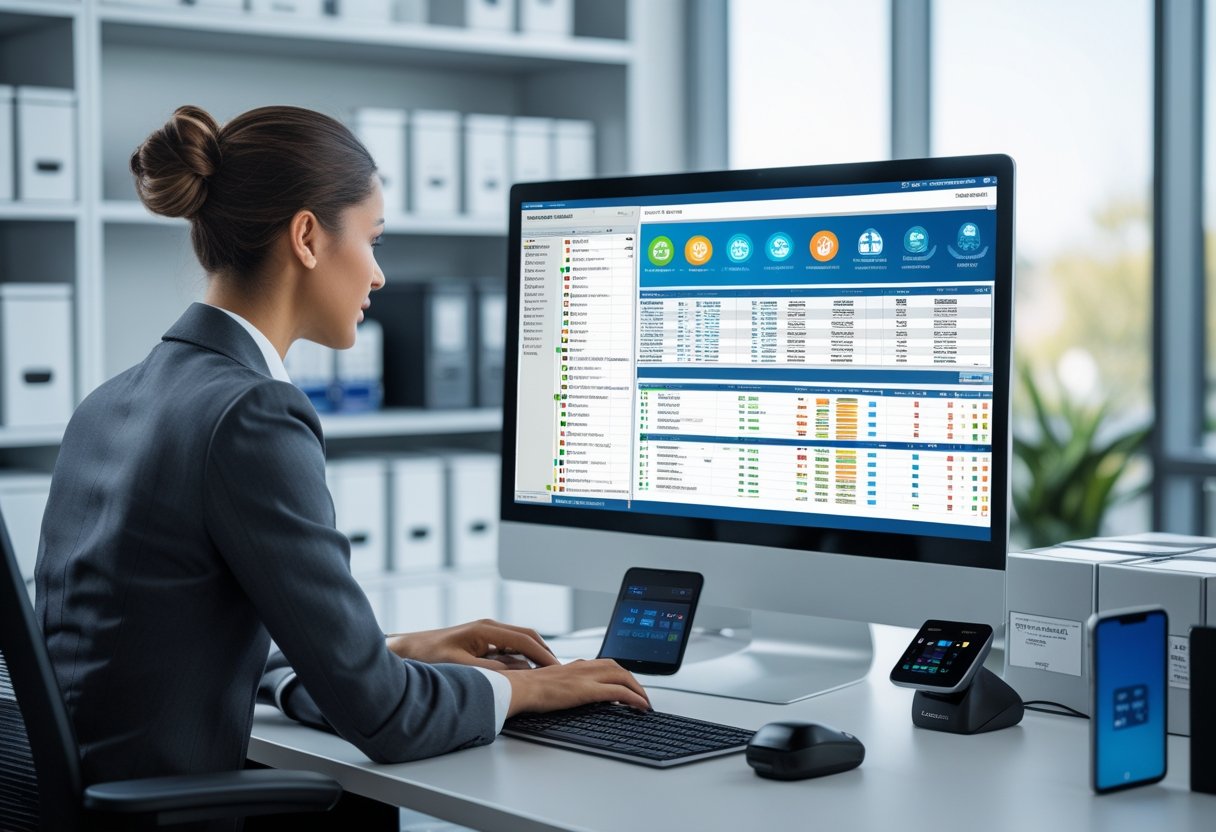
With the right platform, teams can monitor equipment locations and track maintenance schedules. Compliance with audit requirements becomes easier without relying on spreadsheets.
Modern systems integrate with existing business tools. They offer analytics that guide smarter purchasing and lifecycle decisions.
What Is Equipment Inventory Software?

Equipment inventory software provides a centralized system to monitor and control the lifecycle of physical assets. It improves asset visibility and ensures maintenance schedules are met.
This software reduces losses caused by misplaced or underutilized equipment through accurate digital tracking.
Core Functions and Capabilities
At its core, equipment inventory software tracks each asset’s location, status, and usage history. It often uses barcode or RFID scanning to automate check-in and checkout, reducing manual data entry and errors.
Most systems include modules for maintenance scheduling, warranty tracking, and depreciation management. Automation tools send alerts for upcoming service needs or calibration tasks.
A simplified view of core features:
FunctionDescriptionAsset TrackingRecords movement and usage of equipmentMaintenance ManagementSchedules and logs preventive serviceReporting & AnalyticsGenerates utilization, cost, and status reportsAudit TrailsTracks user activity for accountability
By maintaining structured, real-time data, these systems support data-driven decision-making.
Difference Between Equipment and Tool Management Solutions
Equipment inventory software manages a wide range of assets. Tool management software focuses on smaller, frequently used items such as hand tools, instruments, or portable devices.
Equipment management software typically handles larger items like machinery, vehicles, and heavy equipment. Tool management solutions emphasize speed and accountability in environments with high item turnover.
These systems often include kiosks, mobile apps, or RFID-tagged bins to track checkouts and returns. Equipment inventory systems prioritize lifecycle management—covering procurement, maintenance, and retirement.
Some platforms combine both approaches for organizations managing diverse asset categories.
Who Uses Equipment Inventory Software?
Businesses across industries use equipment inventory software to control assets used daily in operations. Construction firms, manufacturers, healthcare providers, and utilities rely on these systems to minimize equipment loss and track regulatory compliance.
Educational institutions use them to manage lab devices. IT departments monitor hardware distribution and maintenance across multiple sites.
Government agencies and service contractors use similar systems for field equipment allocation and inspection readiness. Standardizing asset data and automating tracking helps organizations of any size maintain accurate equipment records.
Key Features to Look For

Effective equipment inventory software improves visibility and reduces data entry errors. It helps manage asset lifecycles from acquisition to disposal.
Systems with reliable tracking, scanning, and security tools help staff maintain accurate records. They also keep assets in use longer.
Asset Tracking and Assignment
Accurate asset tracking ensures every piece of equipment can be located when needed. A good system logs serial numbers, location, condition, and usage history.
Staff can quickly see which items are in storage, in use, or under maintenance. Asset assignment tools record who has checked out each item and when it is due back.
This supports accountability and reduces loss or theft. Some platforms show equipment status in real time, linking updates from warehouses or field operations.
Clear assignment records simplify audits and help teams plan resource allocation. Reporting dashboards help managers identify underused assets or those nearing end-of-life.
Barcode and QR Code Tag Scanning
Modern inventory platforms use barcode or QR code tag scanning to capture equipment information instantly. Tags can be attached to each asset, letting users update records from mobile devices with a quick scan.
This reduces manual input and minimizes mistakes in data entry. Barcode scanning supports fast check-in and check-out operations.
It allows multiple users to update asset status simultaneously across different sites. QR codes can store more detail, such as maintenance history or warranty data, accessible through a single scan.
Systems that integrate barcode and QR code readers into mobile apps or handheld scanners give staff more flexibility. They can verify items in the field and sync changes to the central database.
Maintenance Scheduling and Tracking
Maintenance scheduling and tracking features keep equipment in working condition. The system can store service intervals, inspection notes, and part replacement records.
Automated reminders help technicians complete tasks on time. Maintenance logs support compliance with safety and warranty requirements.
Technicians can attach service reports, photos, or invoices to each asset record. Some software platforms show upcoming and overdue tasks in a shared dashboard.
Maintenance tracking provides cost data, helping identify items that require frequent repairs. Teams can decide whether to keep, refurbish, or retire equipment based on performance history and service costs.
Role-Based Access and Security
Role-based access defines who can view, edit, or delete data within the system. Administrators assign permissions by job role, such as technician or supervisor, to maintain data integrity.
This control prevents unauthorized changes to asset records. The software should include authentication and activity logging to show who made each update.
Audit trails document actions like asset assignment, scanning, or maintenance updates. Strong access controls protect sensitive information about equipment values, vendor contracts, and user activity.
Secure cloud storage and regular backups ensure reliable inventory management.
Maintenance Management and Optimization
Effective maintenance management keeps equipment reliable and cost-efficient. It uses digital tools to track performance, schedule repairs, and analyze maintenance data.
Preventive and Predictive Maintenance
Preventive and predictive maintenance reduce unexpected equipment failures and extend asset life. A CMMS (Computerized Maintenance Management System) records maintenance histories and schedules inspections.
Automated alerts are set based on usage or elapsed time. These actions help organizations avoid excessive downtime and emergency repairs.
Predictive maintenance monitors equipment conditions in real time. It uses sensor data and analytics to identify issues before they occur.
For example, vibration and temperature readings can signal component wear earlier than manual checks. Both approaches rely on consistent data entry and asset tracking.
When integrated with inventory software, technicians can access replacement parts quickly. This combination improves decision-making and reduces unnecessary maintenance costs.
Work Order Management
Work order management coordinates daily maintenance tasks. In a CMMS, every repair or service request becomes a digital record that tracks who performed the work and what parts were used.
Managers can prioritize urgent repairs and monitor task progress. Automated notifications help technicians stay informed about new assignments or status updates.
Mobile access allows on-site updates without manual reporting. A well-structured work order system simplifies regulatory documentation and safety compliance.
It also creates a performance archive that helps identify recurring failures. Accurate records help organizations analyze trends and refine their maintenance planning methods.
Maintenance Planning and Workflows
Maintenance planning and workflows define how maintenance activities are scheduled and executed. Planning tools within a CMMS help coordinate preventive maintenance schedules and balance workloads.
Structured workflows standardize procedures. They outline each step from inspection through final verification.
Integrating inventory, labor scheduling, and maintenance data into one platform enhances transparency. Teams can see what equipment is due for service and track progress in real time.
Clear workflows keep maintenance operations organized and predictable.
Compliance, Regulatory Needs, and Reporting
Equipment inventory systems help meet regulatory compliance and audit obligations. They consolidate asset data to simplify documentation and ensure timely inspections.
Compliance Tracking and Regulatory Requirements
Modern equipment inventory software includes tools for compliance tracking. These features log inspections, calibration dates, and maintenance records in a centralized database.
Real-time alerts notify teams when equipment approaches a compliance deadline. This reduces the risk of non-compliance.
Systems often integrate with regulatory frameworks such as OSHA, ISO 9001, and FDA requirements. This ensures organizations meet both internal and external obligations.
Data validation and automated report generation help organizations prepare accurate submissions for regulators. Dashboards can display regulatory compliance status by equipment category or department.
For example:
CategoryStatusNext ReviewSafety Equipment✅ CompliantMar 2026Calibration Tools⚠️ Due SoonJan 2026
Organizing compliance information in structured formats helps businesses make quick decisions during inspections.
Certification Management and Audits
Managing equipment certifications supports operational reliability and legal integrity. Inventory software tracks certificates for each asset, including safety and calibration records.
Automated reminders prompt updates before certificate expiration. This prevents lapses that could interrupt operations.
Audit preparation is easier when all documentation is accessible within the software. Auditors can view consistent records that confirm adherence to industry regulations and company standards.
Some platforms include customizable audit logs that capture user actions and compliance updates. This ensures organizations can present verifiable evidence of regulatory compliance.
Maintaining well-documented certification and audit data helps reduce administrative effort and promotes accurate reporting.
Technology Integrations and Real-Time Data
Equipment inventory software relies on connected systems that collect and update data in real time. These integrations enhance operational visibility and reduce manual entry errors.
Cloud-Based Platforms and Mobile App Access
A cloud-based CMMS (Computerized Maintenance Management System) gives teams access to inventory data from any location. Storing records in the cloud eliminates server maintenance and supports secure, role-based permissions.
Mobile apps extend these benefits to the field. Technicians can scan barcodes, update equipment statuses, or log parts used directly from their devices.
This reduces administrative delays and keeps data consistent between the warehouse and remote worksites.
Key advantages include:
- Real-time synchronization across devices and departments
- Offline functionality for areas without network coverage
- Automatic version updates that keep features and security current
Cloud hosting also simplifies integration with accounting, procurement, and ERP systems. This allows seamless movement of asset and cost data between platforms.
IoT Integration and GPS Tracking
IoT integration connects equipment and tools using sensors, BLE tags, or RFID. This allows continuous monitoring of condition and location.
IoT devices send updates like temperature, vibration, or power usage to a central system. With AI analytics, this information can predict maintenance needs before breakdowns happen.
GPS tracking provides live visibility of movable assets. Companies can see the exact location of vehicles, generators, or field tools on a map.
This reduces time spent searching for equipment and helps prevent loss. It also supports better scheduling for transportation or servicing.
Dashboards, Analytics, and Automated Alerts
Effective equipment inventory software uses dashboards to show real-time data in visual formats. Charts and status indicators display utilization rates, maintenance schedules, and stock levels.
Users can filter data by site, department, or equipment class. This makes it easier to focus on relevant information.
Built-in analytics tools highlight trends such as underused assets or frequent part shortages. These insights help with forecasting and planning.
Automated alerts send notifications by email, SMS, or in-app messages. Alerts include low stock warnings, overdue inspections, or unusual sensor readings.
This proactive system ensures timely action and improves equipment uptime.
Asset Lifecycle and Inventory Management
Efficient asset management requires clear visibility into each item's performance and lifecycle. Integration between tracking and lifecycle management helps reduce downtime and control costs.
Asset Utilization and Performance
Asset utilization measures how well equipment supports operations. Tracking operating hours, maintenance frequency, and idle time reveals underused or overworked assets.
This data helps decide when to redeploy or replace equipment. Monitoring indicators like mean time between failures (MTBF) and maintenance cost per asset supports maintenance planning.
Dashboards show these metrics in real time. Managers can quickly spot bottlenecks or declining assets.
Automated alerts notify teams about performance issues. For example, low utilization rates may prompt a review of scheduling or workload.
Accurate usage data helps extend equipment lifespan and improves capital allocation.
Inventory Tracking and Parts Management
Effective inventory management ensures the right parts are available when needed. Inventory software stores details like part numbers, supplier info, stock levels, and reorder points in a central database.
Data TrackedPurposePart IDIdentifies specific componentQuantity on HandPrevents stockouts or overstockingSupplier InfoSupports cost and lead time analysisMaintenance HistoryAligns part usage with service schedules
Barcode or RFID scanning reduces manual entry errors and speeds up audits. Maintenance teams avoid delays caused by missing parts.
Automated reordering keeps inventory at optimal levels. This boosts service efficiency and reduces unplanned downtime.
Lifecycle Management and Optimization
Asset lifecycle management covers acquisition, deployment, maintenance, depreciation, and disposal. Centralized records help teams evaluate total cost of ownership and plan replacements.
Predictive maintenance uses sensor data to estimate when components may fail. This reduces reactive repairs and increases uptime.
Lifecycle analysis helps identify equipment that can be repaired instead of replaced. Reviewing lifecycle trends guides decisions on refurbishing or retiring assets.
Clear lifecycle visibility keeps equipment investments aligned with operational goals and budgets.
Evaluating and Comparing Equipment Inventory Software
Choosing the right platform depends on how well it supports asset tracking, lifecycle visibility, and integration with current systems. Evaluation focuses on features, cost control, and scalability.
Popular Software Solutions and Vendors
Several systems lead in equipment tracking and asset management. Asset Panda, GoCodes, and GigaTrak offer barcode and mobile scanning for easy on-site tracking.
EZOfficeInventory provides real-time usage logs and customizable asset categories for mid-size businesses. Limble CMMS, UpKeep, and eMaint CMMS combine equipment tracking with preventive maintenance scheduling.
These tools help technicians document service activities and maintain uptime. Many platforms now offer cloud-based SaaS models for easier updates and remote access, while some, like ToolHound, also provide on-premise options.
Comparing automation, reporting, and user controls helps find the best fit for complex operations.
VendorPrimary StrengthKey FeatureAsset PandaAsset trackingMobile scanningGoCodesPortabilityQR code trackingLimble CMMSMaintenance managementWork order automationEZOfficeInventoryAsset oversightCustom reportingToolHoundTool controlOn-premise support
Scalability, Customization, and Cost Considerations
Scalability matters as inventories grow. Small firms may track hundreds of tools, while large enterprises manage thousands of assets.
Software like EZOfficeInventory and Limble CMMS offer tiered pricing and flexible user accounts to support scaling. Customization options, such as custom fields and approval workflows, help align the system with unique processes.
Custom dashboards and reports let managers focus on key metrics. Pricing varies—cloud tools often charge per user or asset, while enterprise systems use subscription tiers.
Evaluating total cost, including setup, training, and integration, gives a clear picture of long-term expenses.
Integration With Other Business Systems
Strong integration increases software value. Many inventory systems connect with fleet management, accounting, procurement, or enterprise asset management (EAM) tools.
These links improve asset visibility and reduce manual data entry. For example, connecting tracking data with accounting software simplifies depreciation reporting.
Integration with maintenance tools automates service scheduling. Asset Panda and Limble CMMS offer API access for custom connections.
Organizations in logistics or construction benefit from syncing usage data with project records. Systems like GoCodes and ToolHound enhance field operations with real-time data.
Verifying compatibility before deployment ensures data consistency and smooth workflows.
Implementation Best Practices and Future Trends
Effective software implementation depends on structured deployment, employee readiness, and integration with daily processes. Using new technologies increases visibility, automates tasks, and improves forecasting.
User Adoption, Training, and Support
Strong user adoption is essential. Staff need to understand how and why to use features like barcode scanning, custom fields, and signature capture.
Role-based training shortens learning curves and builds confidence. Ongoing sessions, not just one-time introductions, help staff adapt to updates and new workflows.
In-app guidance, FAQs, or chat support help users solve problems quickly. Monitoring adoption rates through dashboards keeps teams informed and encourages consistent data practices.
Reliable technical support maintains software performance and user trust.
Workflow Optimization and Operational Efficiency
Effective inventory control relies on good workflow design. Mapping current processes before implementation identifies redundant steps and automation opportunities.
Automating tasks like inventory counts or reorder triggers reduces manual work and errors. Integrating the platform with other systems, such as field service or accounting tools, improves data flow and eliminates duplicate entry.
Small adjustments can boost efficiency. For example, setting up custom fields lets departments track specific data, like maintenance history or equipment condition.
Precise reporting supports better purchasing decisions. Documenting and validating standard workflows after rollout keeps the system accurate as needs change.
Emerging Technologies in Equipment Inventory Management
Rapid advances in digital technology are changing equipment inventory software.
Artificial intelligence helps with predictive maintenance by forecasting equipment failure using usage and condition data.
Internet of Things (IoT) sensors offer real-time asset tracking and show performance across different locations.
Blockchain creates secure, tamper-resistant records of asset transactions. This improves audit transparency.
Cloud-based platforms allow on-site staff to update records from mobile devices. This makes logistics and field service operations more responsive.
New systems may use automation and data analytics to improve replenishment cycles and monitor asset usage trends. These tools help organizations stay efficient and accurate in their operations.