How to start saving money
Lorem ipsum dolor sit amet, consectetur adipiscing elit lobortis arcu enim urna adipiscing praesent velit viverra sit semper lorem eu cursus vel hendrerit elementum morbi curabitur etiam nibh justo, lorem aliquet donec sed sit mi dignissim at ante massa mattis.
- Neque sodales ut etiam sit amet nisl purus non tellus orci ac auctor
- Adipiscing elit ut aliquam purus sit amet viverra suspendisse potent
- Mauris commodo quis imperdiet massa tincidunt nunc pulvinar
- Excepteur sint occaecat cupidatat non proident sunt in culpa qui officia
Why it is important to start saving
Vitae congue eu consequat ac felis placerat vestibulum lectus mauris ultrices cursus sit amet dictum sit amet justo donec enim diam porttitor lacus luctus accumsan tortor posuere praesent tristique magna sit amet purus gravida quis blandit turpis.

How much money should I save?
At risus viverra adipiscing at in tellus integer feugiat nisl pretium fusce id velit ut tortor sagittis orci a scelerisque purus semper eget at lectus urna duis convallis. porta nibh venenatis cras sed felis eget neque laoreet suspendisse interdum consectetur libero id faucibus nisl donec pretium vulputate sapien nec sagittis aliquam nunc lobortis mattis aliquam faucibus purus in.
- Neque sodales ut etiam sit amet nisl purus non tellus orci ac auctor
- Adipiscing elit ut aliquam purus sit amet viverra suspendisse potenti
- Mauris commodo quis imperdiet massa tincidunt nunc pulvinar
- Adipiscing elit ut aliquam purus sit amet viverra suspendisse potenti
What percentege of my income should go to savings?
Nisi quis eleifend quam adipiscing vitae aliquet bibendum enim facilisis gravida neque. Velit euismod in pellentesque massa placerat volutpat lacus laoreet non curabitur gravida odio aenean sed adipiscing diam donec adipiscing tristique risus. amet est placerat in egestas erat imperdiet sed euismod nisi.
“Nisi quis eleifend quam adipiscing vitae aliquet bibendum enim facilisis gravida neque velit euismod in pellentesque”
Do you have any comments? Share them with us on social media
Eget lorem dolor sed viverra ipsum nunc aliquet bibendum felis donec et odio pellentesque diam volutpat commodo sed egestas aliquam sem fringilla ut morbi tincidunt augue interdum velit euismod eu tincidunt tortor aliquam nulla facilisi aenean sed adipiscing diam donec adipiscing ut lectus arcu bibendum at varius vel pharetra nibh venenatis cras sed felis eget.
A GPS tracker is a compact device that pinpoints an asset’s location and reports it to a cloud platform or mobile app in real time. Before comparing prices, identify the asset type, decide how often you need location updates, then match power source and connectivity to those requirements.
- Define the asset first. A hardwired vehicle tracker and a battery-powered trailer tracker solve different problems.
- Set your reporting frequency. Real-time updates every 30 seconds drain battery faster than a 5-minute interval; choose what your operation actually needs.
- Match connectivity to coverage. LTE/4G works in most urban and suburban corridors; Cat-M and NB-IoT extend coverage in rural areas.
- Calculate total cost of ownership. Device price is only part of the equation — data, SIM, and support costs add up over three years.
Pro Tip: Consider subscription-free hardware when you want predictable lifetime costs. Motowatchdog sells subscription-free 4G GPS tracking devices with no recurring fees, making total cost of ownership easy to calculate from day one.
Table of Contents
- How does a GPS tracker actually work?
- What types of GPS trackers fit which use cases?
- What specs and questions should you check before buying?
- How do installation and power options compare?
- What are the privacy and legal rules for GPS tracking in North America?
- How do subscription and no-fee GPS tracker costs compare?
- Key Takeaways
- The spec sheet is not the whole story
- Motowatchdog: subscription-free GPS tracking with no recurring fees
- Useful sources for GPS tracker research
How does a GPS tracker actually work?
Every GPS tracking device contains three core components working in sequence: a GNSS receiver that calculates position from satellite signals, a cellular modem that transmits that position, and a SIM card that connects to a data network. The data travels to a cloud server, where a web dashboard or mobile app displays it.
The signal chain looks like this:
Satellite signals → GNSS receiver → cellular modem → SIM/data network → cloud server → app or dashboard
Understanding that chain tells you which spec to scrutinize at each step.
Key technical terms you will see in spec sheets:
- GPS/GNSS: GPS is the U.S. satellite network; GNSS is the broader term covering GPS, GLONASS, Galileo, and BeiDou. Multi-constellation receivers fix position faster and more reliably.
- LTE/4G and 5G: Standard cellular bands used in most North American urban and suburban areas.
- Cat-M / NB-IoT: Low-power cellular standards that extend battery life and rural coverage — well suited for trailers and unpowered assets.
- OBD: The on-board diagnostics port found in most vehicles built after 1996; plug-in trackers use it for power and vehicle data.
- Geofence: A virtual boundary that triggers an alert when an asset enters or exits a defined area.
- Reporting interval: How frequently the device transmits a position fix — every 10 seconds, every minute, or on motion events only.
Accuracy depends on satellite view, antenna quality, and environment. In open sky, a quality GNSS receiver achieves 2–5 meters of accuracy. Urban canyons, dense tree cover, and indoor environments reduce that to 10–50 meters or more. No tracker eliminates this physics — any vendor claiming sub-meter accuracy in all conditions is overstating performance. Fit-for-purpose selection matters more than chasing the highest-spec sheet number.
What types of GPS trackers fit which use cases?
GPS tracking devices split into five practical categories. Each serves a different job, and picking the wrong category wastes budget regardless of device quality.

| Category | Best for | Power source | Reporting frequency | Mounting style |
|---|---|---|---|---|
| Vehicle / fleet | Cars, trucks, vans | Hardwired or OBD | Real-time (10 sec–2 min) | Under dash, OBD port |
| Trailer / unpowered asset | Trailers, containers | Battery (high capacity) | Motion-triggered or periodic | Magnetic or bolted |
| Equipment / tool | Heavy equipment, generators | Battery or hardwired | Periodic or motion-triggered | Bolted or magnetic |
| Personal safety | Workers, elderly, children | Rechargeable battery | Real-time or on-demand | Carried or worn |
| Pet / small object | Dogs, bags, bikes | Small rechargeable battery | On-demand or periodic | Collar or attached |
A few practical distinctions worth noting:
- Anti-theft vs. operational visibility. Vehicle and fleet trackers are often deployed for route verification, driver behavior, and mileage reporting. Trailer and asset trackers are more commonly used for theft recovery and location confirmation when assets move between job sites.
- Battery life on unpowered assets. Motion-triggered reporting combined with high-capacity batteries can extend standby time on trailers and containers to months or even years. Periodic reporting every few hours while idle, with higher frequency during movement, is the standard strategy for maximizing standby.
- Personal and pet trackers prioritize compact size and on-demand location over continuous reporting, which keeps battery consumption manageable.
For small equipment tracking specifics, the small equipment GPS guide covers battery and mounting considerations in detail.
What specs and questions should you check before buying?
The GPS tracking device market is projected to reach $4.5 billion in 2026, growing at over 13% annually. That volume means dozens of devices compete for your attention, and most spec sheets look similar at first glance. The right framework cuts through the noise.
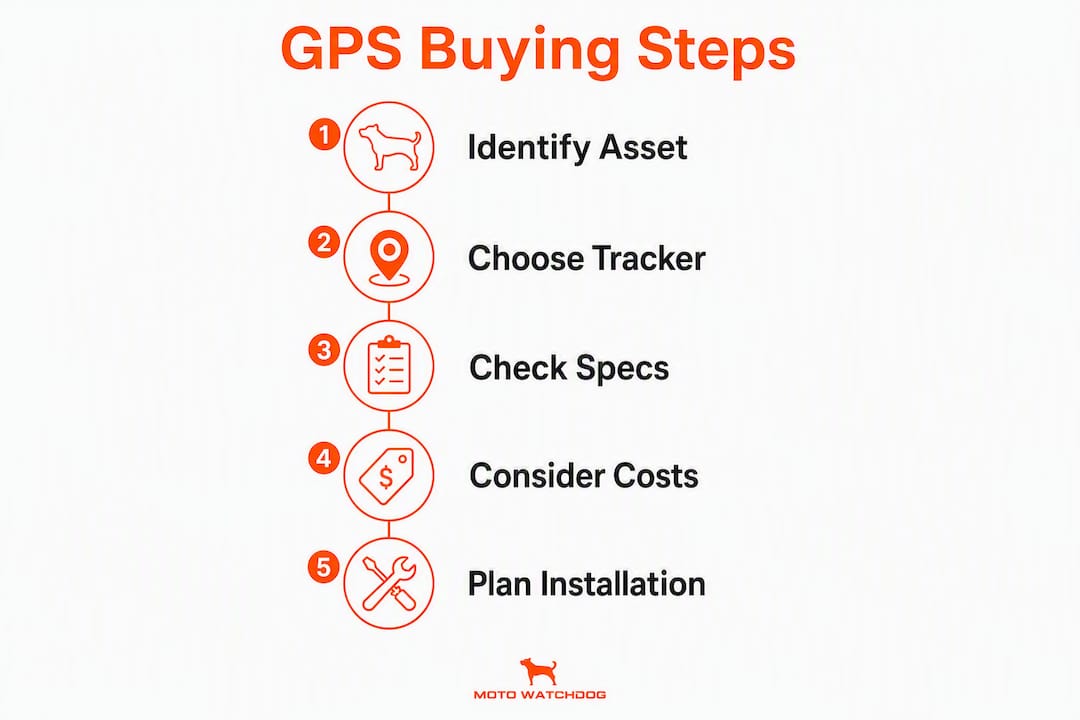
Start with the top-line match: power source, connectivity band, and reporting interval must align with the asset and your operational process before any other spec matters.
Critical specs checklist
- Power source. Hardwired (continuous, hidden), OBD plug-in (easy install, visible), or battery (portable, requires maintenance). Match to the asset’s power availability.
- Connectivity bands. Confirm LTE/4G coverage in your operating area. Cat-M or NB-IoT adds rural reach. Verify whether the device falls back to 2G — most North American carriers have retired 2G networks.
- Reporting interval. Can you configure it? Motion-triggered vs. fixed-interval reporting has a direct impact on battery life and data costs.
- Antenna type. Internal antennas are compact but weaker; external antennas improve signal in metal enclosures or under-vehicle mounting.
- IP rating. IP67 or IP68 is the minimum for outdoor or under-vehicle use.
- Tamper detection. Does the device alert you when it is removed, disconnected, or jammed?
- Installation method. Magnetic mount, bolt-on, hardwire, or OBD — each has a different detectability and reliability profile.
Questions to ask every vendor
- Who owns the location data, and where is it stored?
- What is the firmware update policy, and how are updates delivered?
- How long is data retained on the platform, and can you export it?
- What happens to the device and data if the vendor shuts down?
- What warranty and replacement process applies if the device fails?
- Does the platform offer APIs or integrations with fleet management software?
Red flags to watch for
- Opaque SIM or data arrangements with no clear carrier named
- No stated firmware update path or update history
- Vague accuracy claims (“GPS accurate”) with no specification of conditions
- No tamper detection or alert capability described in specs
Pro Tip: Run a cost comparison across a 36-month window. Device price plus monthly data and support fees often exceeds the device cost several times over — subscription-free hardware can change that math significantly for small fleets.
How do installation and power options compare?
Installation method determines reliability, detectability, and maintenance burden. No single approach is right for every asset.

| Method | Power | Pros | Cons |
|---|---|---|---|
| Hardwired | Continuous (vehicle battery) | Always on, hidden, tamper-resistant | Requires installation labor, not portable |
| OBD plug-in | Vehicle OBD port | No wiring, instant setup | Visible, easy to remove, limited to OBD-equipped vehicles |
| Battery (replaceable/rechargeable) | Internal battery | Portable, works on unpowered assets | Requires battery monitoring and replacement |
| Magnetic mount | Battery | Quick deploy, no tools | Easier to remove or steal, less tamper-resistant |
Maintenance considerations worth building into your deployment plan:
- Hardwired devices need periodic inspection of wiring connections, especially in high-vibration environments like heavy equipment.
- Battery devices require a replacement or recharge schedule. Set calendar reminders based on the manufacturer’s stated standby time, then subtract 20% as a conservative buffer.
- Firmware updates should be applied as released. Outdated firmware is the most common source of connectivity and accuracy issues in the field.
- Placement matters. Mount devices with a clear view of the sky where possible. Metal enclosures, thick roofing, and under-chassis positions all reduce GNSS signal quality.
For a detailed wiring walkthrough, the hardwired GPS tracker guide covers installation steps and reliability considerations for fleet vehicles.
What are the privacy and legal rules for GPS tracking in North America?
Tracking company-owned assets is generally legal in North America, but reasonableness and notice are what determine whether a deployment holds up in a dispute. Legality alone is not enough.
Legal practitioners stress that “reasonableness” — not legality alone — determines whether GPS tracking will be upheld in disputes. Employers should document the business purpose and set clear limits on what is tracked, when, and who can access the data.
— Littler
The Supreme Court’s GPS decisions, while focused on law enforcement, have shaped employer tracking expectations broadly. Littler’s analysis notes that employers should limit after-hours tracking and document legitimate business purposes to reduce exposure. Several states, including California, Minnesota, Tennessee, and Texas, have laws restricting the use of mobile tracking devices on individuals, with consent as the primary exception.
Academic frameworks recommend reserving covert or investigative tracking for narrow, time-limited circumstances. Continuous off-duty surveillance increases litigation risk significantly.
SHRM highlights that employers often fail to draft formal GPS policies, and that written notice, a stated business purpose, and employee acknowledgment reduce legal exposure even when tracking company-owned property.
Best practices for North American deployments:
- Publish a written GPS tracking policy that states the business purpose, which assets are tracked, tracking hours, who accesses data, and consequences for tampering.
- Limit tracking to working hours where practical, or configure the device to disable reporting outside defined hours.
- Restrict data access to personnel with a legitimate business reason.
- Set a data retention period and delete location records beyond it.
- Require employee acknowledgment of the policy before deployment.
Pro Tip: For company vehicle tracking compliance, a written policy is your primary legal protection. State requirements vary — consult employment counsel before deploying in California or any state with specific notification statutes.
How do subscription and no-fee GPS tracker costs compare?
Subscriptions usually deliver predictable platform support, carrier management, and ongoing firmware updates. No-fee devices lower recurring costs but shift SIM management, data costs, and platform upkeep to the buyer. Neither model is universally better — the right choice depends on your fleet size, technical capacity, and support expectations.
A simplified 36-month cost comparison illustrates the difference:
- Subscription model: $80 device + $20/month data and platform = $800 total over 36 months per device.
- No-fee model: $120 device + user-managed SIM at ~$5/month = $300 total over 36 months per device.
The gap narrows when you factor in the time cost of managing SIM cards, troubleshooting connectivity, and handling firmware updates yourself. For a single owner-operator, that trade-off is often worth it. For a fleet of 20 vehicles with no dedicated IT staff, a subscription’s managed support can justify the premium.
Subscription-based trackers generally provide better live-tracking reliability and ongoing platform updates; no-monthly-fee products have real trade-offs that buyers should weigh carefully.
Key differences at a glance:
- Subscription: Carrier managed, platform updates included, recovery assistance often available, higher monthly cost.
- No-fee: Lower total cost, buyer manages SIM and data, firmware updates may require manual action, no platform support contract.
Hidden costs to verify before committing to a no-fee device: SIM activation fees, roaming charges if assets cross borders, and device replacement costs outside warranty. Motowatchdog’s subscription-free model is designed to minimize these variables with a companion app and no recurring platform fees.
Key Takeaways
A GPS tracker delivers real-time location data only when power source, connectivity, and reporting interval are matched to the asset and the operational process — everything else is secondary.
| Point | Details |
|---|---|
| Match device to asset | Power source, connectivity band, and reporting frequency must align with the asset before comparing prices. |
| Verify vendor transparency | Confirm data ownership, firmware update policy, and SIM arrangements before purchase to avoid operational risk. |
| Calculate 36-month TCO | Device price plus data and support fees over three years reveals the true cost difference between subscription and no-fee models. |
| Document tracking policy | A written GPS policy stating purpose, hours, data access, and retention is the primary legal protection in North American deployments. |
| Motowatchdog for predictable costs | Motowatchdog offers subscription-free 4G GPS tracking with geofencing and a companion app, eliminating recurring platform fees for owners and small fleets. |
The spec sheet is not the whole story
Most buyers spend too much time comparing accuracy claims and not enough time asking who manages the SIM card when it stops working at 11 PM on a Friday. That is where deployments actually fail.
The conventional wisdom in GPS tracker buying is to lead with connectivity specs and battery life. Both matter, but they are table stakes. The real differentiator in a multi-year deployment is vendor support quality and data ownership clarity. A device that reports every 30 seconds is useless if the platform goes dark and you cannot export your historical trip data.
The other underestimated factor is reporting interval configuration. Most buyers set it and forget it. A contractor who runs 15 vehicles and sets every device to 30-second reporting is generating enormous data volume and burning through battery reserves on assets that sit idle for hours. Motion-triggered reporting with a 5-minute interval during movement is often the smarter default, and it extends battery life on unpowered assets from weeks to months.
For employee-facing deployments, the legal dimension is where small fleets consistently underinvest. A written policy takes two hours to draft and eliminates most of the liability exposure that comes from tracking company vehicles. Skipping it to save time is a false economy. The fleet safety guide covers the operational side of this well, but the legal documentation piece belongs in your HR process, not just your telematics setup.
Start with a pilot of two or three devices on your highest-priority assets. Measure real-world battery performance against the spec sheet, confirm app reliability in your coverage area, and validate that data exports work before you commit to a full fleet rollout.
Motowatchdog: subscription-free GPS tracking with no recurring fees
Owners and small fleet managers who want real-time location data without a monthly platform bill have a direct option in Motowatchdog. The device cost is a one-time purchase. There are no recurring subscription fees, no platform charges, and no SIM management complexity built into the pricing model.

Motowatchdog’s 4G GPS tracking devices cover real-time location, customizable geofencing alerts, trip and mileage reporting, push notifications, and multi-device management through a companion mobile app. Over 1,000 businesses rely on the platform for vehicle and asset monitoring. Battery life options make the devices practical for both hardwired vehicle fleets and unpowered trailer or equipment tracking.
Motowatchdog fits best when:
- You want a predictable total cost of ownership with no monthly surprises.
- You manage a small fleet or individual assets and do not need a managed carrier contract.
- Anti-theft recovery and geofencing alerts are the primary use cases.
- You need maintenance reminders and idle time tracking without paying for an enterprise platform.
Compare device models and start a pilot on your highest-priority assets at motowatchdog.com.
Useful sources for GPS tracker research
- Key Considerations When Monitoring Employees Using GPS Tracking Devices — National Law Review overview of employer tracking rules, consent requirements, and state-specific statutes across North America.
- What Does The Supreme Court’s “GPS Decision” Mean For Private Employers? — Littler’s analysis of how Supreme Court GPS rulings affect employer tracking expectations and after-hours monitoring limits.
- Company Vehicle GPS Tracking Policy: Laws and Compliance — LegalClarity’s practical guide to drafting a compliant GPS policy, including state notice requirements and policy elements.
- GPS and Cell Phone Tracking of Employees — University of Florida Law Scholarship review of investigative tracking limits and the narrow-tailoring standard courts apply.
- Monitoring Employees: How Far Can You Go? — SHRM guidance on written policy requirements, employee acknowledgment, and reducing legal exposure from GPS monitoring.
- Choosing the Right GPS Tracker for Vehicles, Assets, or Personnel — Queclink’s technical buying guide covering power source matching, connectivity selection, and battery strategy for unpowered assets.
- GPS Tracker Subscription vs No Monthly Fee — Comparative analysis of subscription and no-fee models, including trade-offs in platform support and live-tracking reliability.
- Motowatchdog — Subscription-free 4G GPS tracking devices for vehicles, fleets, trailers, and assets with companion app and no recurring fees.