How to start saving money
Lorem ipsum dolor sit amet, consectetur adipiscing elit lobortis arcu enim urna adipiscing praesent velit viverra sit semper lorem eu cursus vel hendrerit elementum morbi curabitur etiam nibh justo, lorem aliquet donec sed sit mi dignissim at ante massa mattis.
- Neque sodales ut etiam sit amet nisl purus non tellus orci ac auctor
- Adipiscing elit ut aliquam purus sit amet viverra suspendisse potent
- Mauris commodo quis imperdiet massa tincidunt nunc pulvinar
- Excepteur sint occaecat cupidatat non proident sunt in culpa qui officia
Why it is important to start saving
Vitae congue eu consequat ac felis placerat vestibulum lectus mauris ultrices cursus sit amet dictum sit amet justo donec enim diam porttitor lacus luctus accumsan tortor posuere praesent tristique magna sit amet purus gravida quis blandit turpis.

How much money should I save?
At risus viverra adipiscing at in tellus integer feugiat nisl pretium fusce id velit ut tortor sagittis orci a scelerisque purus semper eget at lectus urna duis convallis. porta nibh venenatis cras sed felis eget neque laoreet suspendisse interdum consectetur libero id faucibus nisl donec pretium vulputate sapien nec sagittis aliquam nunc lobortis mattis aliquam faucibus purus in.
- Neque sodales ut etiam sit amet nisl purus non tellus orci ac auctor
- Adipiscing elit ut aliquam purus sit amet viverra suspendisse potenti
- Mauris commodo quis imperdiet massa tincidunt nunc pulvinar
- Adipiscing elit ut aliquam purus sit amet viverra suspendisse potenti
What percentege of my income should go to savings?
Nisi quis eleifend quam adipiscing vitae aliquet bibendum enim facilisis gravida neque. Velit euismod in pellentesque massa placerat volutpat lacus laoreet non curabitur gravida odio aenean sed adipiscing diam donec adipiscing tristique risus. amet est placerat in egestas erat imperdiet sed euismod nisi.
“Nisi quis eleifend quam adipiscing vitae aliquet bibendum enim facilisis gravida neque velit euismod in pellentesque”
Do you have any comments? Share them with us on social media
Eget lorem dolor sed viverra ipsum nunc aliquet bibendum felis donec et odio pellentesque diam volutpat commodo sed egestas aliquam sem fringilla ut morbi tincidunt augue interdum velit euismod eu tincidunt tortor aliquam nulla facilisi aenean sed adipiscing diam donec adipiscing ut lectus arcu bibendum at varius vel pharetra nibh venenatis cras sed felis eget.
The OBD-II port is defined as a standardized 16-pin diagnostic interface present in nearly all US vehicles since 1996, and the role of OBD port in tracking is to give GPS devices instant access to real-time location data, engine diagnostics, and vehicle performance metrics without any wiring. Fleet managers and vehicle owners who understand this interface gain a significant operational edge. A plug-in tracker connected to the OBD-II port taps directly into the vehicle’s CAN bus system, pulling data like speed, fuel consumption, and VIN in real time. That data then travels wirelessly to a cloud dashboard where you can monitor your entire fleet from a single screen. This guide covers how the port works, what data it delivers, how it compares to other tracking methods, and how to put it all to practical use.
How does the OBD port enable vehicle tracking?
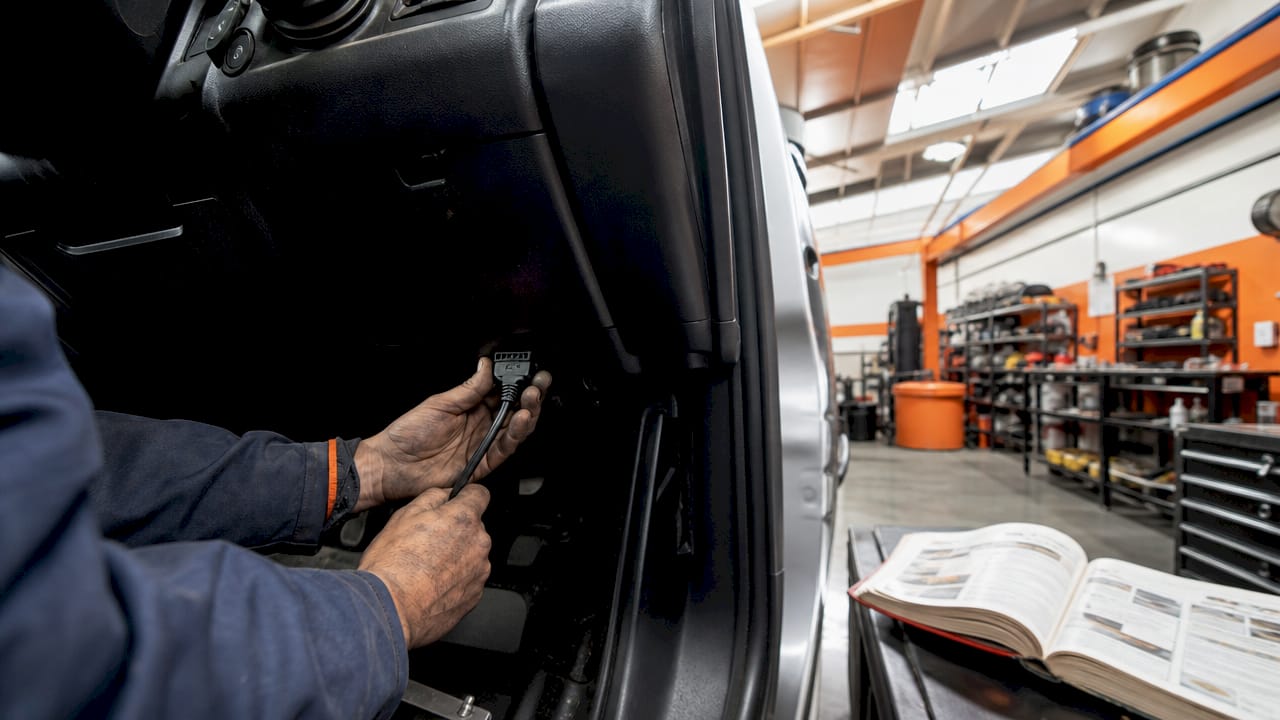
The OBD-II port connects directly to the vehicle’s Controller Area Network, commonly called the CAN bus. The CAN bus is the internal communication network that links every electronic module in the vehicle, from the engine control unit to the transmission and braking systems. When a GPS tracker plugs into the OBD-II port, it gains read access to all the data flowing through that network.
The types of data available through an OBD-II connection include:
- Real-time GPS location updated continuously via cellular network
- Engine diagnostic trouble codes (DTCs) that flag mechanical faults before they become failures
- RPM and coolant temperature for engine health monitoring
- Fuel level and consumption rates for cost tracking
- Vehicle Identification Number (VIN) for asset identification
- Ignition status showing when the vehicle is on or off
OBD GPS trackers draw power directly from the port itself, which means no external battery and no wiring harness. The device stays powered whenever the vehicle’s ignition circuit is active. Most modern OBD trackers use built-in 4G cellular modules to push this data to cloud servers in real time, making it accessible through a web or mobile dashboard.
Pro Tip: Place the tracker as far back in the OBD port as possible and confirm the port cover closes over it. A low-profile device that sits flush with the dashboard panel is far less likely to be noticed and unplugged.
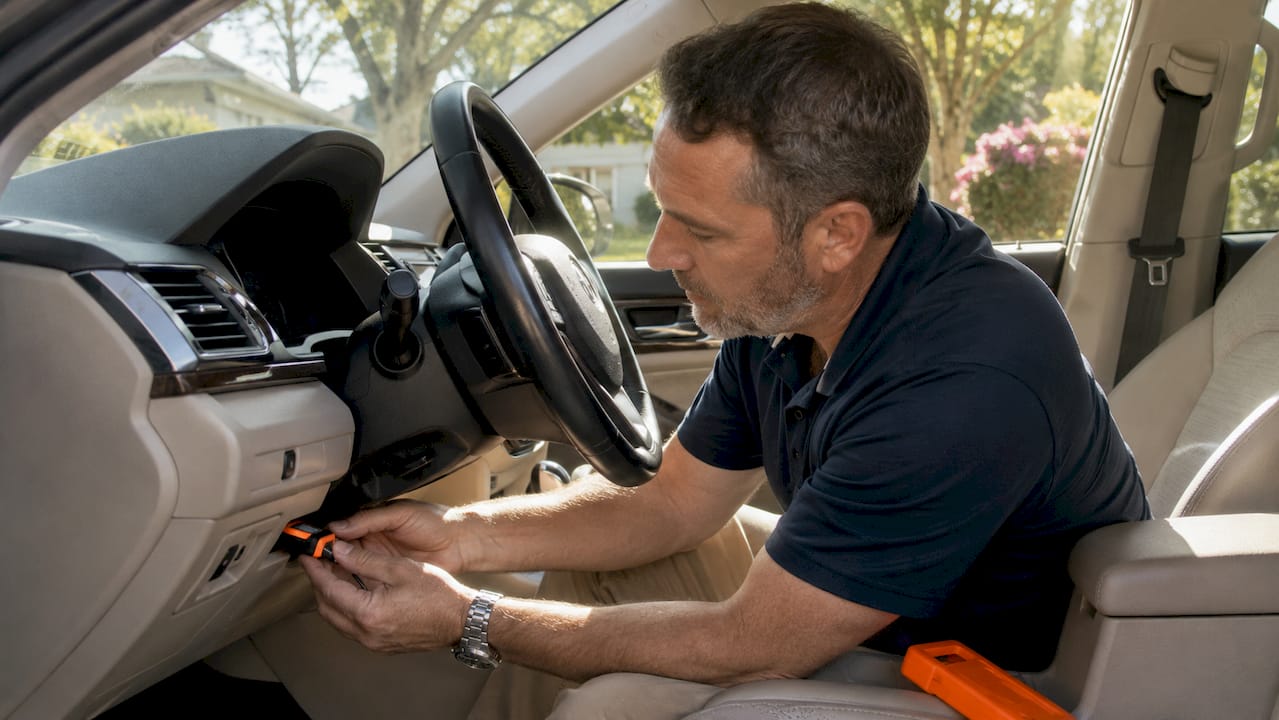
The data flow works in a simple sequence: the vehicle’s CAN bus generates sensor data, the OBD tracker reads and packages that data, the cellular module transmits it to a cloud server, and the fleet manager or vehicle owner views it through a dashboard. The entire process happens in seconds, giving you a live picture of every vehicle in your fleet.
OBD port tracking vs. other vehicle tracking methods
The most important distinction between OBD trackers and other vehicle tracking systems is installation speed. An OBD device installs in under 30 seconds with no tools and no professional help. A hardwired tracker requires routing wires through the vehicle’s electrical system, which typically takes a professional installer 30–90 minutes per vehicle.
That speed advantage comes with a real trade-off. OBD devices sit visibly under the steering column, making them easy for a driver or a thief to unplug. Hardwired trackers are concealed inside the vehicle’s panels and continue operating even when someone attempts to remove them. For fleets where driver accountability is a priority, that difference matters.
| Feature | OBD tracker | Hardwired tracker |
|---|---|---|
| Installation time | Under 30 seconds | 30–90 minutes, professional required |
| Power source | OBD port (ignition-dependent) | Direct vehicle battery circuit |
| Tamper resistance | Low (visible, easy to unplug) | High (concealed, continuous power) |
| Engine diagnostic data | Yes (DTCs, RPM, fuel, coolant) | Typically GPS and ignition only |
| GPS accuracy | Identical (both use 4G cellular) | Identical (both use 4G cellular) |
| Best use case | Light-duty fleets, quick deployment | High-value assets, tamper-sensitive operations |
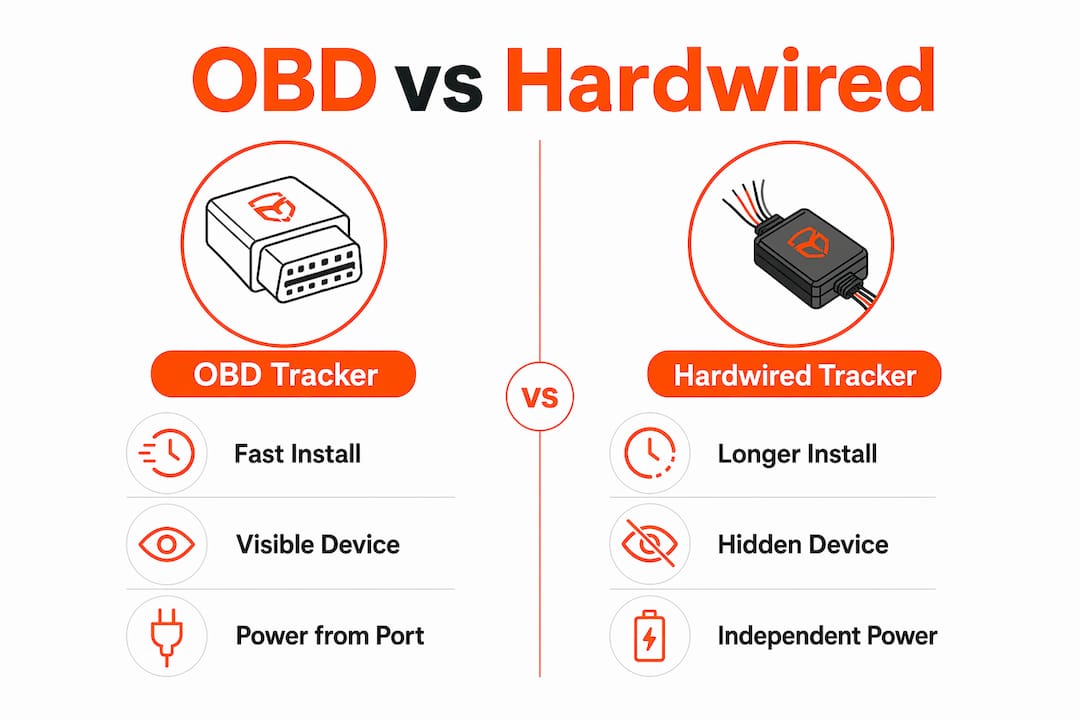
GPS accuracy is identical between both device types because both rely on modern 4G cellular networks for location updates. The real difference is not tracking precision. It is tamper resistance, power continuity, and access to vehicle health data. For a deeper look at the hardwired alternative, the hardwired GPS tracker guide covers installation and security differences in detail.
OBD trackers also stop reporting when the vehicle is off and the port loses power, unless the device has an internal backup battery. Hardwired units connected directly to the vehicle battery continue reporting regardless of ignition state. That matters for theft detection, where a vehicle going dark the moment someone cuts the ignition is a critical gap.
How to use OBD tracking data to improve performance and safety
OBD port data gives fleet managers and vehicle owners a direct window into vehicle health and driver behavior. The practical applications fall into four clear categories.
-
Predictive maintenance. OBD trackers read engine diagnostic trouble codes the moment the vehicle’s ECU generates them. A fleet manager who receives a DTC alert for a coolant temperature fault can schedule a repair before the engine overheats on a job site. That moves fleet operations from reactive repairs to scheduled maintenance, which reduces both downtime and repair costs.
-
Driver behavior monitoring. Many OBD trackers report speeding, hard braking, and rapid acceleration in real time. Fleet managers use this data to coach drivers, reduce accident risk, and lower insurance premiums. A driver who knows their behavior is monitored tends to drive more carefully, which directly reduces wear on the vehicle.
-
Geofencing and real-time location alerts. You can set virtual boundaries around job sites, customer locations, or restricted zones. When a vehicle crosses a geofence boundary outside of authorized hours, the system sends an immediate alert. This protects against unauthorized vehicle use and helps dispatchers confirm that drivers are on route.
-
Fuel and cost management. Fuel consumption data from the OBD port lets you identify vehicles that are burning more fuel than expected. A vehicle showing higher-than-normal fuel use alongside a stored DTC often has a fixable mechanical issue. Catching that early saves money on both fuel and repairs.
Pro Tip: Set up DTC alerts for your highest-mileage vehicles first. These are the units most likely to develop faults, and catching a fault code early on a high-use vehicle delivers the biggest return on your monitoring investment.
Fleet management platforms that integrate OBD telemetry consolidate all of this data into a single dashboard. You can view location, engine health, driver scores, and fuel consumption for every vehicle in one place, without switching between systems. For fleet managers running more than five vehicles, that consolidation alone justifies the investment in OBD tracking.
What security and privacy risks come with OBD port trackers?
OBD trackers carry security risks that are often underestimated. The core issue is physical accessibility. The device sits in plain view under the steering column, and any driver can remove it in seconds. That means data collection stops the moment someone unplugs the device, with no alert unless the platform has tamper detection built in.
The key risks fleet managers need to address include:
- Unplugging by drivers who want to avoid monitoring during personal use or policy violations
- Theft of the tracker itself, since OBD devices are small and valuable on the secondary market
- Unauthorized access to vehicle data if the tracker’s cellular connection is not encrypted
- Port-based cyberattacks, where a malicious device plugged into the OBD port injects false data or accesses vehicle systems
Organizational policies and tamper alert technologies are the primary defense for OBD tracker deployments. Hardware alone cannot prevent a driver from unplugging a visible device. A written policy that defines monitoring expectations, combined with a platform that sends immediate alerts when a device goes offline, creates accountability that hardware cannot provide on its own.
Privacy concerns are also real for individual vehicle owners. An OBD tracker continuously records location, speed, and driving patterns. If that data is stored on a third-party server without clear data retention policies, it creates exposure. Vehicle owners should review the data storage and sharing terms of any OBD tracking platform before deploying a device.
The practical solution for fleets is a two-layer approach. First, establish a clear written policy that all vehicles are monitored and that tampering with tracking devices is a policy violation. Second, select a platform that sends an immediate offline alert when a device loses connection. That combination makes tampering visible without relying on hardware security alone.
Key takeaways
The OBD-II port is the most accessible entry point for vehicle tracking, delivering real-time location and engine diagnostics through a single plug-in device, but its visibility makes policy and tamper detection as important as the hardware itself.
| Point | Details |
|---|---|
| Universal compatibility | OBD-II ports are standard in nearly all US vehicles sold since 1996, making plug-in trackers broadly compatible. |
| Rich data access | OBD trackers deliver GPS location, DTCs, RPM, fuel use, and VIN, far beyond what hardwired GPS-only units provide. |
| Installation speed | OBD devices install in under 30 seconds with no tools, making rapid fleet deployment practical. |
| Tamper vulnerability | OBD trackers are visible and easy to unplug; written policy and offline alerts are the primary mitigation. |
| Best fit by use case | Use OBD trackers for light-duty fleets needing quick deployment; use hardwired units for high-value or tamper-sensitive assets. |
Why I think most fleets underuse their OBD data
Most fleet managers I talk to deploy OBD trackers for location tracking and stop there. That is leaving most of the value on the table. The diagnostic data coming through the OBD port is arguably more valuable than the GPS coordinates, because it tells you what is happening inside the vehicle, not just where it is.
The fleets that get the most out of OBD tracking are the ones that set up DTC alerts, review driver behavior scores weekly, and use fuel consumption data to flag vehicles that need mechanical attention. They treat the OBD port as a health monitor, not just a location pin.
The technology is also evolving fast. Newer OBD trackers are beginning to support over-the-air firmware updates and deeper CAN bus integration, which means the data available through the port will only grow richer. Fleets that build data review habits now will be better positioned to use that expanded data set as it becomes available.
My honest recommendation: if you are running a mixed fleet, start with OBD trackers on your light-duty vehicles and use the OBD GPS tracker guide to evaluate which features matter most for your operation. Reserve hardwired units for your highest-value assets where tamper resistance is non-negotiable. That split approach gives you broad coverage quickly while protecting the assets that matter most.
— Louis
Motowatchdog’s subscription-free OBD-compatible GPS tracking
Motowatchdog offers subscription-free 4G GPS tracking built for vehicle owners and fleet managers who want real-time monitoring without paying monthly fees indefinitely. The plug-and-play design matches the ease of OBD port installation, and over 1,000 businesses already rely on Motowatchdog’s accuracy for daily fleet operations.
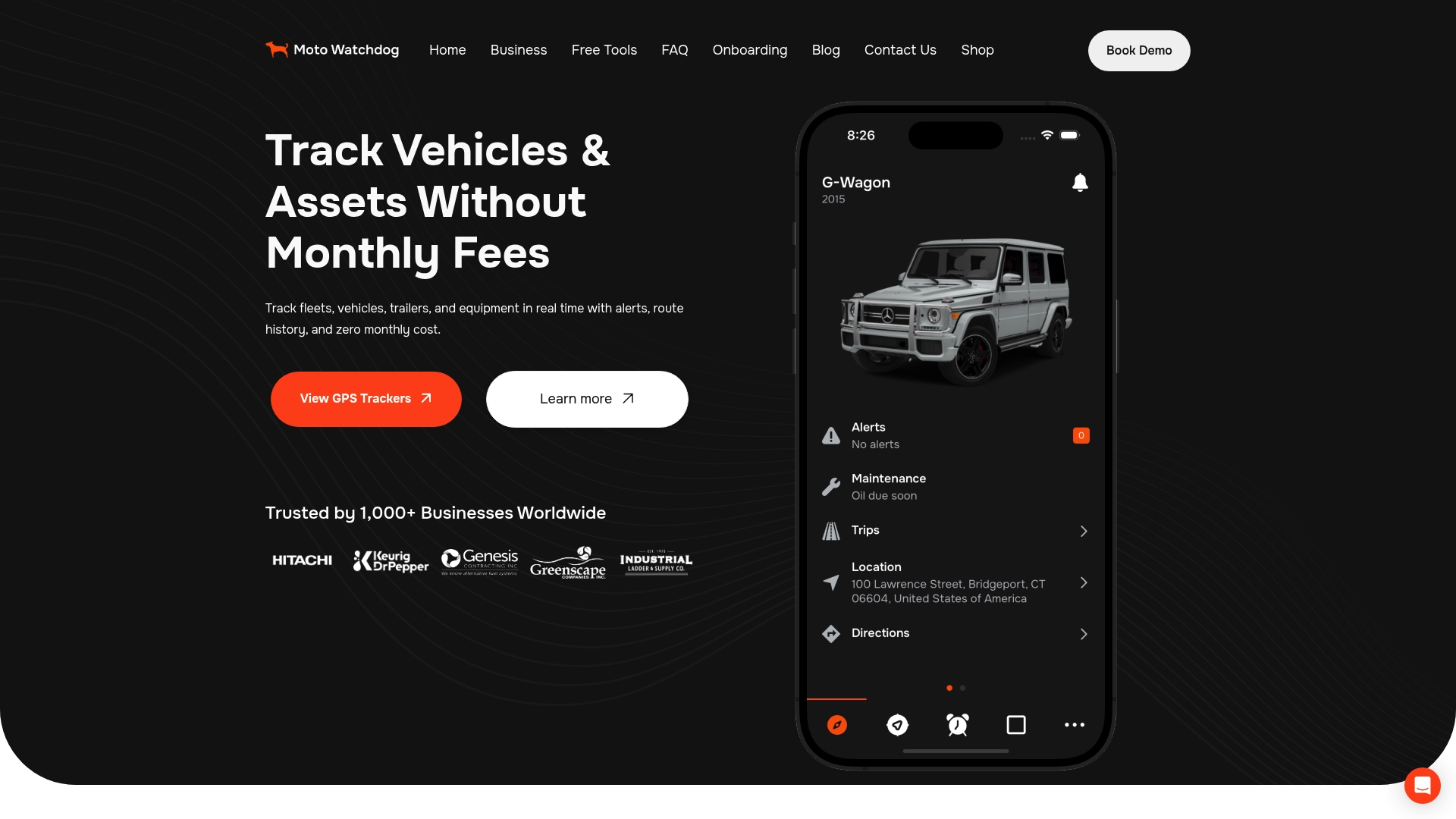
Motowatchdog’s platform includes geofencing alerts, detailed mileage reporting, and real-time location updates, all without the ongoing subscription costs that add up quickly across a fleet. For fleet managers evaluating the total cost of ownership, the subscription-free GPS model delivers measurable savings compared to per-device monthly billing. Setup takes minutes, and the user-friendly dashboard puts vehicle data where you need it, immediately.
FAQ
What is the role of the OBD port in vehicle tracking?
The OBD-II port gives GPS tracking devices direct access to a vehicle’s CAN bus, enabling real-time location reporting, engine diagnostics, and performance data through a single plug-in connection. It also powers the tracker, eliminating the need for external wiring or batteries.
Can the OBD port track a vehicle’s location?
Yes. An OBD GPS tracker plugged into the port uses a built-in 4G cellular module to transmit real-time GPS location to a cloud dashboard. Location accuracy is identical to hardwired GPS trackers because both use the same cellular network infrastructure.
What data does an OBD tracker collect beyond GPS location?
OBD trackers collect engine diagnostic trouble codes, RPM, coolant temperature, fuel level, ignition status, and VIN. This engine health data supports predictive maintenance and driver behavior monitoring well beyond what a GPS-only tracker provides.
Is an OBD GPS tracker easy to remove or tamper with?
OBD trackers install in under 30 seconds and can be unplugged just as quickly, making them vulnerable to tampering. Fleet managers should combine OBD tracking with a written monitoring policy and a platform that sends immediate alerts when a device goes offline.
Do OBD trackers work on all vehicles?
OBD-II trackers are compatible with nearly all vehicles sold in the US since 1996. Certain heavy equipment, older vehicles, and some commercial trucks may use non-standard diagnostic ports and require alternative tracking solutions.