
How to start saving money
Lorem ipsum dolor sit amet, consectetur adipiscing elit lobortis arcu enim urna adipiscing praesent velit viverra sit semper lorem eu cursus vel hendrerit elementum morbi curabitur etiam nibh justo, lorem aliquet donec sed sit mi dignissim at ante massa mattis.
- Neque sodales ut etiam sit amet nisl purus non tellus orci ac auctor
- Adipiscing elit ut aliquam purus sit amet viverra suspendisse potent
- Mauris commodo quis imperdiet massa tincidunt nunc pulvinar
- Excepteur sint occaecat cupidatat non proident sunt in culpa qui officia
Why it is important to start saving
Vitae congue eu consequat ac felis placerat vestibulum lectus mauris ultrices cursus sit amet dictum sit amet justo donec enim diam porttitor lacus luctus accumsan tortor posuere praesent tristique magna sit amet purus gravida quis blandit turpis.

How much money should I save?
At risus viverra adipiscing at in tellus integer feugiat nisl pretium fusce id velit ut tortor sagittis orci a scelerisque purus semper eget at lectus urna duis convallis. porta nibh venenatis cras sed felis eget neque laoreet suspendisse interdum consectetur libero id faucibus nisl donec pretium vulputate sapien nec sagittis aliquam nunc lobortis mattis aliquam faucibus purus in.
- Neque sodales ut etiam sit amet nisl purus non tellus orci ac auctor
- Adipiscing elit ut aliquam purus sit amet viverra suspendisse potenti
- Mauris commodo quis imperdiet massa tincidunt nunc pulvinar
- Adipiscing elit ut aliquam purus sit amet viverra suspendisse potenti
What percentege of my income should go to savings?
Nisi quis eleifend quam adipiscing vitae aliquet bibendum enim facilisis gravida neque. Velit euismod in pellentesque massa placerat volutpat lacus laoreet non curabitur gravida odio aenean sed adipiscing diam donec adipiscing tristique risus. amet est placerat in egestas erat imperdiet sed euismod nisi.
“Nisi quis eleifend quam adipiscing vitae aliquet bibendum enim facilisis gravida neque velit euismod in pellentesque”
Do you have any comments? Share them with us on social media
Eget lorem dolor sed viverra ipsum nunc aliquet bibendum felis donec et odio pellentesque diam volutpat commodo sed egestas aliquam sem fringilla ut morbi tincidunt augue interdum velit euismod eu tincidunt tortor aliquam nulla facilisi aenean sed adipiscing diam donec adipiscing ut lectus arcu bibendum at varius vel pharetra nibh venenatis cras sed felis eget.
Yes. A properly wired GPS tracker with a dedicated digital power-detect input and a backup battery can send a genuine power-cut alarm within seconds of disconnection. Reliability comes down to three things: how the device is wired, what the firmware supports, and how the monitoring platform is configured. Some GPS tracker hardware and apps are built around exactly this combination.
TL;DR:
- A dedicated digital input wired to constant power provides the fastest and most reliable power-cut alerts, with detection almost instant upon disconnection.
- Backup batteries with sufficient runtime are essential, as without them, trackers go silent, making alerts impossible if the device loses main power.
- Proper installation involves immediate testing of the disconnect, using tamper-resistant mounting, and ensuring wiring is to constant power sources to avoid false or missed alarms.
- Alert delays can occur due to sampling frequency, reset timers, cellular dead zones, or a depleted backup battery, affecting response times during power interruptions.
- Regularly reviewing event logs and confirming wiring correctness help distinguish wiring faults from firmware issues, reducing false alarms and missed notifications.
Table of Contents
- How Power Cut Alarm GPS Detection Actually Works
- What Features Actually Matter for Reliable Alerts
- Wiring and Installation Steps That Prevent Missed Alerts
- Why Some Alerts Are Instant and Others Aren’t
- Setting Up Alerts and Reading the Data Correctly
- Fixing False Alarms and Missed Notifications
- Why Moto Watchdog Handles This Well
- The Real Gap Between Marketing and Wiring
- Sources
How Power Cut Alarm GPS Detection Actually Works
A power cut alarm on a GPS tracker isn’t magic. It’s a hardware signal interpreted by firmware, then reported through a platform. There are three common detection paths, and each behaves differently.
- Digital input wiring: connecting the external power feed to a dedicated digital input lets the tracker register a state change the instant voltage disappears, which Digital Matter’s documentation identifies as the fastest and most reliable method.
- Voltage sampling: devices without a dedicated input compare supply voltage against loaded battery voltage on a polling schedule, so detection speed depends entirely on how often the device samples.
- External power good flags: firmware sets a flag the platform logs as an event, separate from location data.
- Backup battery behavior: a built‑in Li-Po cell keeps the device alive long enough to transmit one clean “power lost” upload before it goes fully dark.
That backup battery matters more than most buyers realize. Without it, a tracker that loses main power simply goes silent, and silence looks identical to a dead zone or a jammed signal.
What Features Actually Matter for Reliable Alerts
Not every tracker marketed with a “power cut alarm gps” feature behaves the same way once it’s mounted under a dashboard or bolted to a trailer frame. When comparing devices or platforms, check for these five things:
- A dedicated digital input built specifically for external power detection, not a repurposed generic pin.
- Backup battery capacity rated in hours, not just “included,” since that runtime determines whether an alert actually goes out before the device dies.
- Configurable voltage thresholds and a reset timer, so a flickering connection doesn’t flood your phone with duplicate alerts.
- Event-driven uploads that fire on state change, rather than a device that only reports on a fixed schedule.
- Multiple notification channels, including push, email, and SMS, so an alert doesn’t get buried in one inbox.
Pro Tip: Ask any device vendor directly what the backup battery’s rated standby time is at full charge. A tracker with a 30-second backup window is functionally useless for power-cut alerting on a vehicle parked overnight.
Wiring and Installation Steps That Prevent Missed Alerts
Detection reliability is decided at installation, not in the app settings. Get the wiring wrong and no amount of platform tuning will fix it.
- Wire to constant power, not accessory power. Connect the tracker’s power-sense lead to the vehicle’s constant-power (red wire) circuit, then map that circuit to a digital input. ACC-only wiring only tells you when the ignition is off, not when someone has physically cut power, which produces ambiguous or false signals.
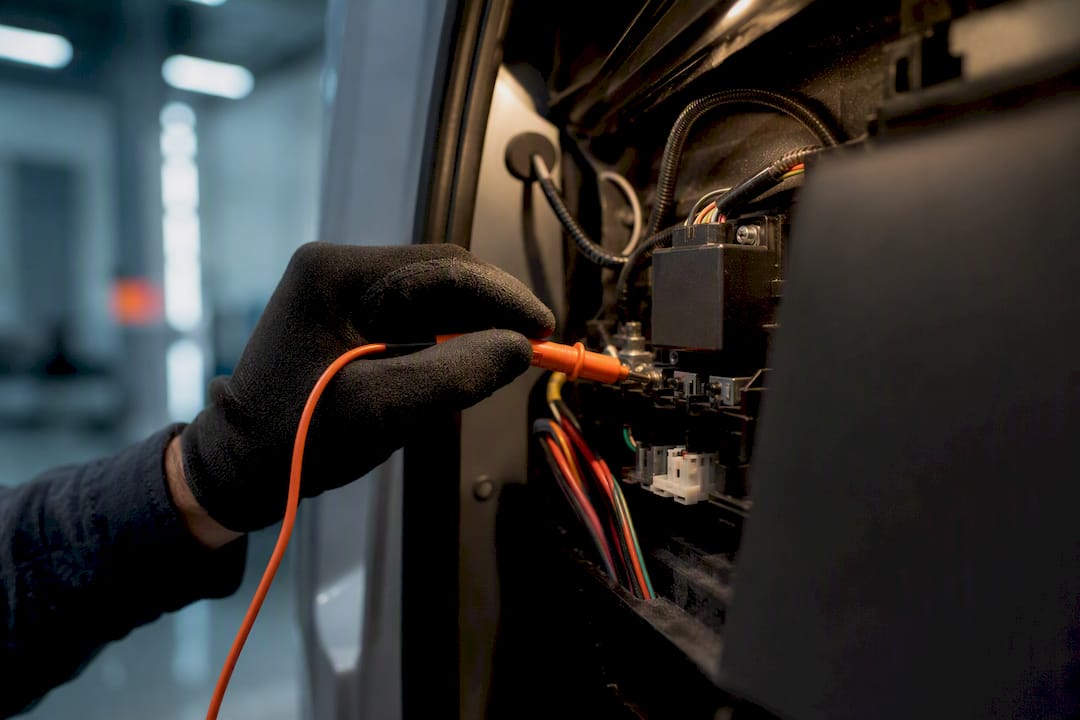
- Test the connection immediately after install. Check voltage at the tap point with a multimeter, then simulate a disconnect by pulling the fuse or unplugging the harness and confirming the app fires an alert within the expected window.
- Mount the device where wiring can’t be casually reached. Route cables behind panels and use a tamper-resistant mounting approach rather than leaving leads exposed near the OBD port.
- Use an inline fuse or relay on the power tap. This protects the tracker’s circuit and prevents a short from masking as a power-cut event.
Skipping the disconnect test is the single most common reason installers discover a “broken” alarm weeks later, usually during an actual theft.
Why Some Alerts Are Instant and Others Aren’t
The gap between “instant alert” and “alert eventually” trips up more fleet managers than any other part of this system. A digital-input trigger uploads the moment the circuit opens. Voltage sampling, by contrast, waits for the device’s next scheduled check, which can range from minutes to hours depending on the sampling interval Digital Matter describes.
Platforms also throttle alerts on purpose. Navixy’s documentation describes a reset timer, often around five minutes, that suppresses repeated notifications for the same event so a loose connection doesn’t spam your phone every thirty seconds. That’s good for your sanity but bad if you’re trying to catch a rapid disconnect-reconnect pattern that signals tampering rather than a wiring fault.
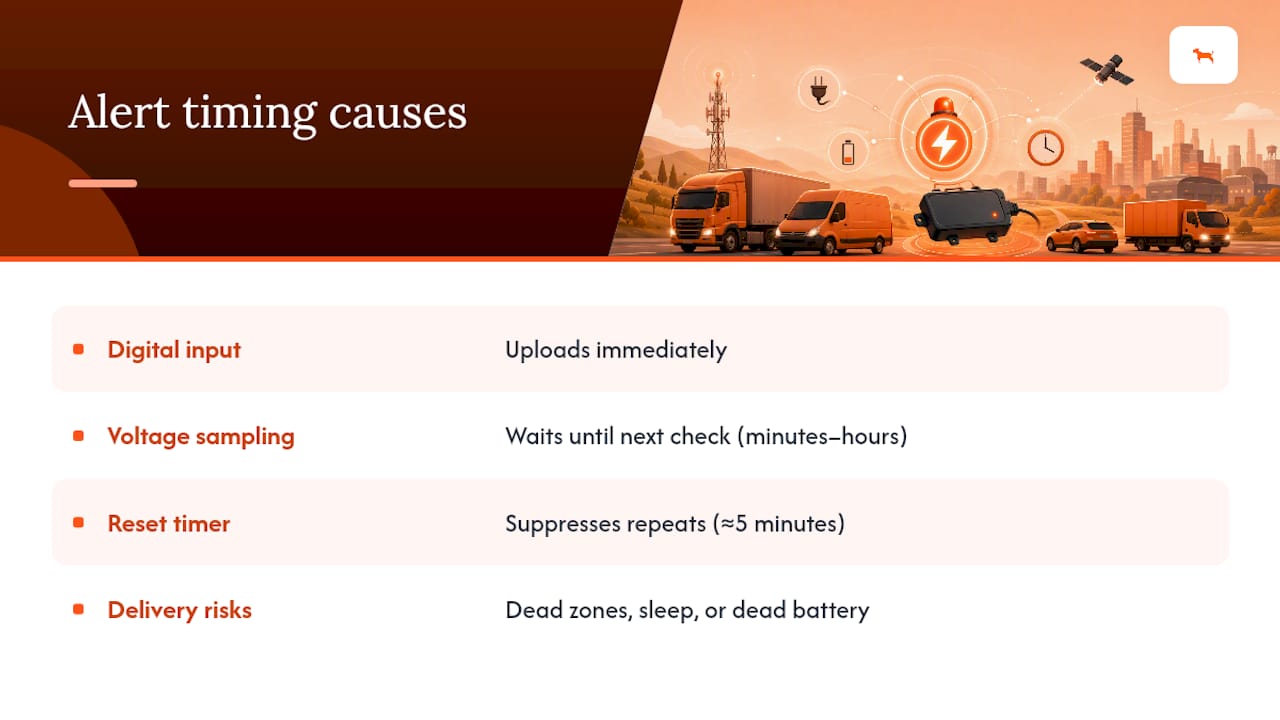
Cellular dead zones and device sleep modes add another layer of delay, and a depleted backup battery can silence the final upload entirely before it ever reaches the tower.
Setting Up Alerts and Reading the Data Correctly
Configuring the alert itself takes minutes. Interpreting what it tells you over time takes a bit more discipline.
- Create a rule named something specific, like “External Power Lost,” and assign it to push notification, email, or both, so it doesn’t get lost among routine geofence pings.
- Set the reset/throttle timer to a sensible interval; too short and you get spam, too long and you might miss a second, unrelated event.
- Pull the activity or detail report and check the voltage column for that vehicle to see whether power loss correlates with a specific time of day or location.
- Review trip history and report data alongside the event log after running a manual disconnect test, confirming the alert timestamp matches the moment you pulled power.
Fixing False Alarms and Missed Notifications
Most complaints about unreliable power-cut alerts trace back to one of four causes, roughly in order of likelihood:
- Loose or corroded wiring at the tap point, which mimics intermittent power loss.
- A digital input that isn’t actually mapped to the power-sense wire in the device configuration.
- A backup battery that’s degraded and can no longer hold enough charge to complete an upload.
- Weak cellular signal or a SIM issue that delays the alert from ever reaching the platform, something worth checking against regional coverage expectations.
Pro Tip: Before assuming a device is defective, check the event log for a “power restored” entry with no matching “power lost” entry. That mismatch almost always points to a wiring fault, not a firmware bug.
Why Moto Watchdog Handles This Well
Some subscription-free 4G GPS trackers are built around the detection chain covered here: configurable external power alerts, geofencing, and long battery life suited to vehicles, trailers, and equipment that sit idle for stretches at a time. Devices are already trusted by over 1,000 businesses for accurate, ongoing monitoring, with no recurring subscription fee eating into the ROI.

For contractors running trailers or heavy equipment that don’t always sit on a live circuit, the contractor and trailer tracking lineup is built specifically for that use case, pairing extended battery runtime with the same power-loss alerting logic. If you’re setting up a new fleet or replacing unreliable hardware, the practical next step is straightforward: install the device on constant power, run a disconnect test the same day, and confirm the alert lands in your app before you trust it on a live asset. Start on the Moto Watchdog homepage to see current device options and get one wired in this week.
The Real Gap Between Marketing and Wiring
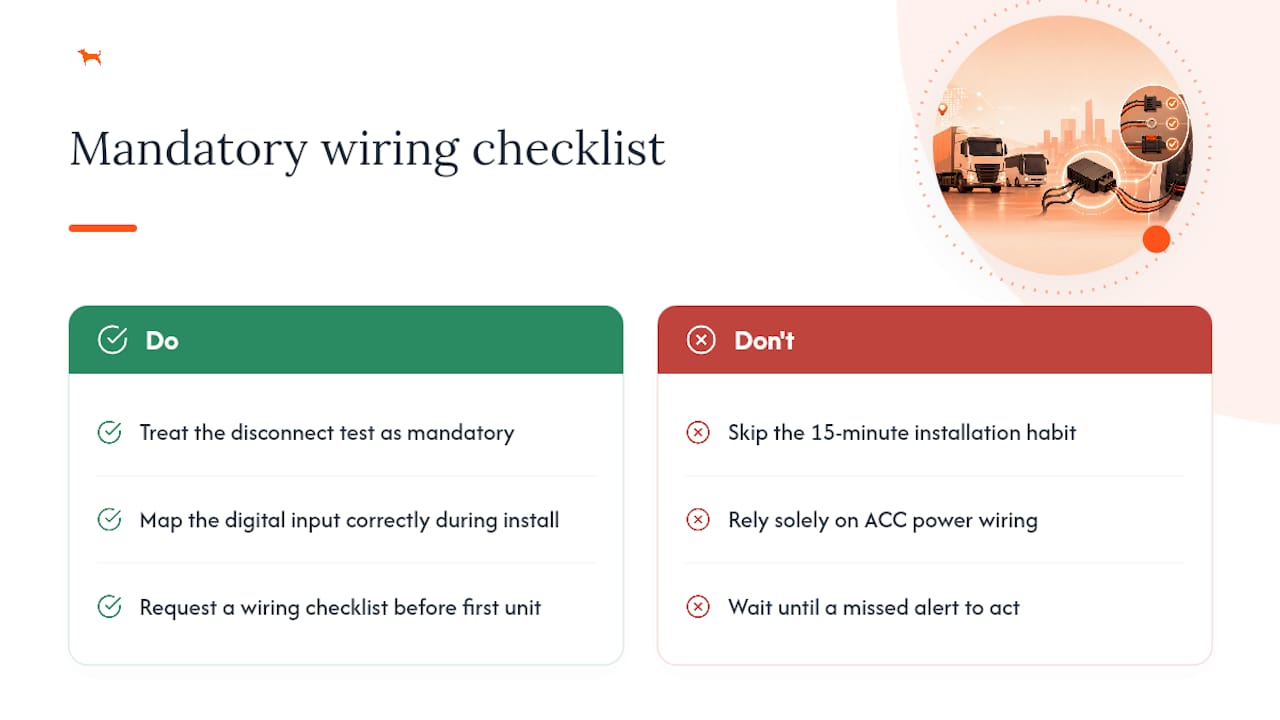
Most “power cut alarm gps” marketing glosses over the fact that the alert is only as good as the wire behind it. A $30 tracker with a backup battery and a properly mapped digital input will outperform a premium device wired to ACC power every time. The industry doesn’t talk about this enough because it’s less about the product spec sheet and more about a fifteen-minute installation habit that most people skip.
My recommendation is simple: treat the disconnect test as mandatory, not optional, on every install. If you manage more than one vehicle, request a wiring checklist from your installer before the first unit goes in, not after the first missed alert.
— Louis
Sources
- Eagle and Falcon - External Voltage Disconnects - Digital Matter
- External power cut — Navixy documentation

