
How to start saving money
Lorem ipsum dolor sit amet, consectetur adipiscing elit lobortis arcu enim urna adipiscing praesent velit viverra sit semper lorem eu cursus vel hendrerit elementum morbi curabitur etiam nibh justo, lorem aliquet donec sed sit mi dignissim at ante massa mattis.
- Neque sodales ut etiam sit amet nisl purus non tellus orci ac auctor
- Adipiscing elit ut aliquam purus sit amet viverra suspendisse potent
- Mauris commodo quis imperdiet massa tincidunt nunc pulvinar
- Excepteur sint occaecat cupidatat non proident sunt in culpa qui officia
Why it is important to start saving
Vitae congue eu consequat ac felis placerat vestibulum lectus mauris ultrices cursus sit amet dictum sit amet justo donec enim diam porttitor lacus luctus accumsan tortor posuere praesent tristique magna sit amet purus gravida quis blandit turpis.

How much money should I save?
At risus viverra adipiscing at in tellus integer feugiat nisl pretium fusce id velit ut tortor sagittis orci a scelerisque purus semper eget at lectus urna duis convallis. porta nibh venenatis cras sed felis eget neque laoreet suspendisse interdum consectetur libero id faucibus nisl donec pretium vulputate sapien nec sagittis aliquam nunc lobortis mattis aliquam faucibus purus in.
- Neque sodales ut etiam sit amet nisl purus non tellus orci ac auctor
- Adipiscing elit ut aliquam purus sit amet viverra suspendisse potenti
- Mauris commodo quis imperdiet massa tincidunt nunc pulvinar
- Adipiscing elit ut aliquam purus sit amet viverra suspendisse potenti
What percentege of my income should go to savings?
Nisi quis eleifend quam adipiscing vitae aliquet bibendum enim facilisis gravida neque. Velit euismod in pellentesque massa placerat volutpat lacus laoreet non curabitur gravida odio aenean sed adipiscing diam donec adipiscing tristique risus. amet est placerat in egestas erat imperdiet sed euismod nisi.
“Nisi quis eleifend quam adipiscing vitae aliquet bibendum enim facilisis gravida neque velit euismod in pellentesque”
Do you have any comments? Share them with us on social media
Eget lorem dolor sed viverra ipsum nunc aliquet bibendum felis donec et odio pellentesque diam volutpat commodo sed egestas aliquam sem fringilla ut morbi tincidunt augue interdum velit euismod eu tincidunt tortor aliquam nulla facilisi aenean sed adipiscing diam donec adipiscing ut lectus arcu bibendum at varius vel pharetra nibh venenatis cras sed felis eget.
Hardwired GPS trackers connect directly to a vehicle’s constant power, ground, and ignition wires to deliver uninterrupted, tamper-resistant fleet tracking. Unlike plug-in OBD devices, a properly hardwired unit cannot be removed by a driver without cutting wires, which makes it the preferred choice for serious fleet monitoring. This GPS tracker fleet hardwiring guide covers every stage of the process: tools, wiring identification, connection techniques, common mistakes, and quality assurance practices that scale across multi-vehicle deployments. Fleet managers who follow these steps move from reactive problem-solving to data-driven decision-making with confidence.
What tools and materials do you need for GPS tracker fleet hardwiring?
Preparation determines whether an installation takes 20 minutes or 2 hours. Arriving at a vehicle without the right tools creates safety risks and increases the chance of wiring errors that cause device failures weeks later.
Essential tools for every installation:
- Digital multimeter (for voltage testing and wire identification)
- Crimp connectors and a quality crimping tool
- Soldering iron and heat-shrink tubing (for permanent connections)
- Plastic trim removal tools (to access dash panels without scratching)
- Zip ties and adhesive cable mounts
- Inline fuse holders and 1A to 3A fuses
- Electrical tape and wire strippers
Required materials and documentation:
- Vehicle-specific OEM wiring diagram or a verified third-party wiring guide
- GPS tracker compatible with the vehicle’s electrical system (12V for standard vehicles, 24V for heavy trucks)
- Mounting hardware appropriate for the chosen installation location
- Safety glasses and insulated gloves
Before touching any wiring, verify the vehicle voltage with a digital voltmeter to confirm compatibility. Connecting a 12V-rated device to a 24V system destroys the tracker immediately and can damage the vehicle’s electrical circuit.
| Item | Purpose |
|---|---|
| Digital multimeter | Identifies wire function and confirms voltage levels |
| Inline fuse holder | Protects the GPS tracker and vehicle circuit from shorts |
| OEM wiring diagram | Prevents accidental connection to data or CAN bus wires |
| Crimp connectors | Creates secure, vibration-resistant wire connections |
| Zip ties | Secures cable runs to prevent loosening over time |
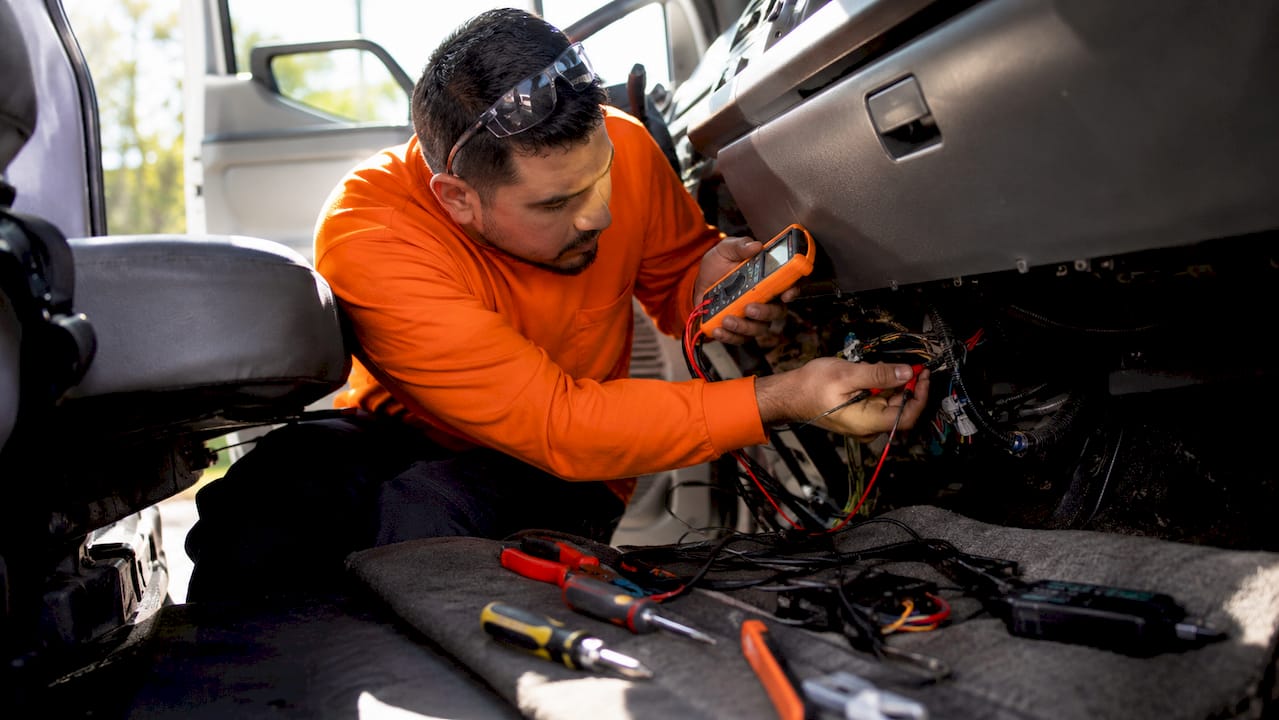
Pro Tip: Always disconnect the vehicle battery before starting any wiring work. This single step prevents accidental short circuits that can blow fuses, trigger ECM faults, or permanently damage the tracker.
How do you identify and connect wires when hardwiring a GPS tracker?
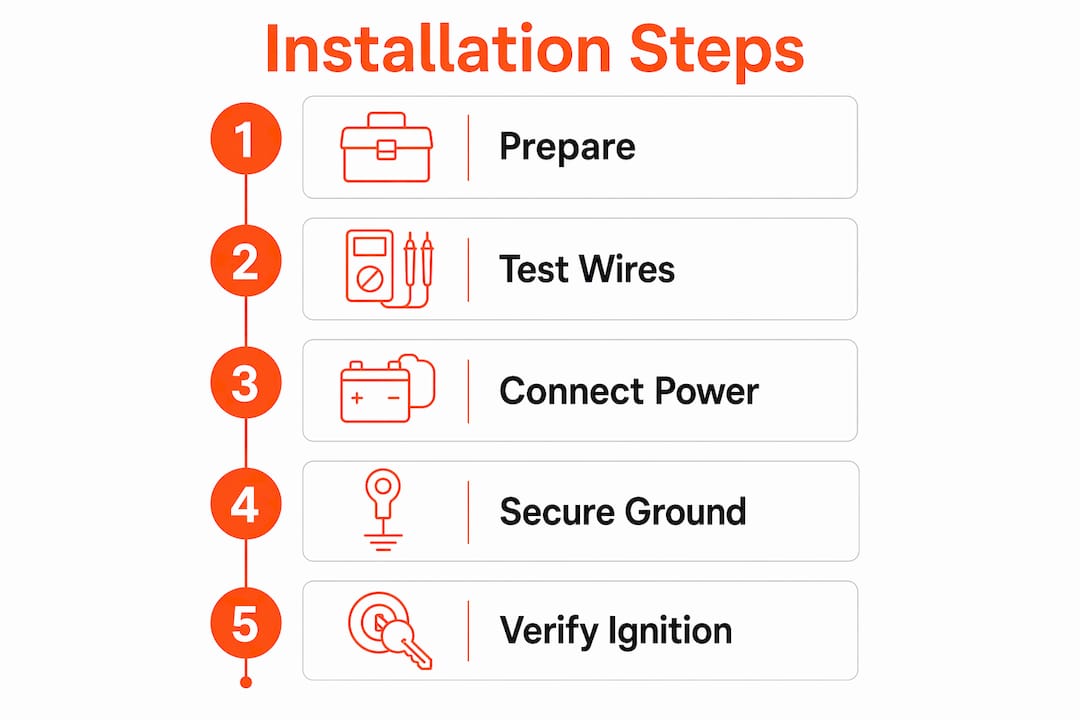
Hardwired GPS trackers require three wire connections: constant power, ground, and ignition. Each wire serves a distinct function, and connecting to the wrong wire is the most common cause of installation failure.
Step-by-step wiring process
-
Disconnect the vehicle battery. Remove the negative terminal first to eliminate shock and short-circuit risk before accessing any wiring.
-
Locate the fuse box. The fuse box is the safest and most accessible connection point for constant power and ignition wires. Use the vehicle’s OEM wiring diagram to identify the correct fuses.
-
Test for constant power. Reconnect the battery temporarily. Set your multimeter to DC voltage. Probe fuse terminals with the ignition off. A wire reading 12V to 24V with the ignition off is a constant power wire.
-
Test for ignition (switched) power. With the ignition on, probe fuse terminals again. A wire that reads 12V only when the ignition is on is your ignition sense wire. This tells the tracker when the vehicle is running.
-
Identify the ground wire. A verified ground point reads 0V on the multimeter. Chassis ground bolts near the fuse box or steering column are reliable options. Avoid using body panels, which can have poor conductivity.
-
Avoid low-voltage and data wires. Any wire reading below 8V is likely a data or signal wire. Connecting to these can corrupt CAN bus data and trigger false Diagnostic Trouble Codes throughout the vehicle.
-
Make the connections. Use crimp connectors for a secure, vibration-resistant join. For permanent fleet installations, soldering with heat-shrink tubing provides the most reliable long-term connection. Install an inline fuse on the constant power wire within 18 inches of the power source.
-
Route and secure the cable. Run the GPS tracker cable along existing wire harnesses. Use zip ties every 6 to 8 inches. Avoid routing near heat sources, moving parts, or sharp metal edges.
-
Mount the tracker. Position the device under the dash, behind the steering column, or inside a door pillar. The antenna side must face upward toward the sky. Metal surfaces directly above the antenna block GPS signal and degrade location accuracy.
-
Reconnect the battery and power up. Take the vehicle outdoors for the initial GPS lock. GPS devices need 5 to 15 minutes with a clear sky view to acquire the first position fix. Indoor or garage environments delay this process significantly.
Pro Tip: Label each wire connection with a small piece of tape before crimping. This practice saves significant time during troubleshooting and makes future technician handoffs far cleaner.
Loose or insufficient grounding causes electrical noise, false Diagnostic Trouble Codes, and battery drain. A ground connection that tests at anything other than 0V needs to be moved to a better chassis point before the installation is considered complete.

What are common mistakes and troubleshooting tips for hardwired GPS tracker installation?
Most hardwired GPS tracker failures trace back to a small set of repeatable errors. Recognizing these patterns before installation prevents the majority of post-deployment service calls.
The most frequent installation mistakes:
- Tapping accessory circuits instead of constant power. Accessory circuits lose power when the ignition is off, which causes the tracker to stop recording and falsifies engine hours. Always use a dedicated constant power wire.
- Connecting to wires below 8V. Low-voltage wires are data lines. Connecting to them corrupts vehicle electronics and causes erratic tracker behavior.
- Poor grounding. A ground connection with resistance causes electrical noise that produces false readings and drains the battery over time.
- Unprotected cable runs. Cables routed without zip ties vibrate loose over weeks of road use, creating intermittent connections that are difficult to diagnose remotely.
- Mounting with the antenna facing down or against metal. Metal surfaces absorb GPS signal. A tracker mounted face-down in a metal bracket will struggle to maintain a consistent fix.
Interpreting LED indicators: Most GPS trackers use LED blink patterns to communicate status. A solid green light typically indicates GPS lock and cellular connection. A blinking red light usually signals no GPS fix or no cellular signal. Consult the device’s installation manual for the exact pattern codes before assuming a unit is defective.
Troubleshooting steps when a tracker shows no GPS fix:
- Move the vehicle outdoors with a clear sky view and wait 15 minutes.
- Confirm the antenna side faces upward and is not obstructed by metal.
- Verify constant power reads 12V to 24V at the device connector.
- Check the ground connection with a multimeter for 0V.
- Confirm the inline fuse is intact and not blown.
Pro Tip: After completing a wiring connection, tug each wire gently with two fingers. A properly crimped or soldered connection will not move. Any movement means the connection needs to be redone before the vehicle returns to service.
How can fleet managers implement quality assurance for multi-vehicle GPS deployments?
Post-installation verification and documentation prevent data gaps and costly rework across multi-vehicle fleets. A single undocumented “ghost unit” that fails silently can leave a vehicle untracked for weeks without anyone noticing.
A standardized QA workflow makes large-scale fleet tracking installation repeatable and auditable. Here is a proven process for fleet-wide deployments:
-
Complete a per-vehicle installation checklist. Record the vehicle ID, device serial number, installation date, technician name, and connection points used.
-
Photograph every connection. Photos of the power, ground, and ignition connections, plus the mounted device location, create a reference record that speeds up future troubleshooting.
-
Verify serial number visibility in the platform. Post-install tests include confirming the device serial number appears in the fleet management software before the vehicle is returned to service.
-
Test GPS lock and cellular connectivity. Drive the vehicle for 5 minutes and confirm the platform shows an accurate position update. Check that trip start and stop events trigger correctly based on ignition status.
-
Assign the device to the correct vehicle profile. Misassigned devices produce mileage and location data attributed to the wrong vehicle, corrupting reports and compliance records.
-
Schedule routine inspections. Wiring connections and mounting hardware should be inspected every 6 months. Vibration, temperature cycles, and vehicle modifications can loosen connections over time.
Certified technicians rely on OEM wiring diagrams and device specifications to avoid faults in modern vehicles with complex electrical systems. For fleets larger than 10 vehicles, professional installation with certified technicians reduces early failure rates and protects vehicle warranties.
| QA Step | Why It Matters |
|---|---|
| Photo documentation | Creates a reference record for future troubleshooting |
| Serial number confirmation | Prevents ghost units from going undetected in the platform |
| GPS lock verification | Confirms antenna placement and signal quality before deployment |
| Ignition event testing | Validates ignition wire connection and accurate engine hour tracking |
| 6-month wiring inspection | Catches vibration-related loosening before it causes data gaps |
Pro Tip: Build your QA checklist into a shared digital form using tools like Google Forms or Microsoft Forms. Technicians complete it on a phone at the vehicle, and responses feed directly into a fleet maintenance log. This eliminates paper records and makes audit trails instant.
Key takeaways
Successful hardwired GPS tracker installation requires correct wire identification, secure connections, proper antenna placement, and documented post-install verification before any vehicle returns to service.
| Point | Details |
|---|---|
| Three-wire connection | Connect to constant power, ground, and ignition for accurate, uninterrupted tracking. |
| Voltage verification | Use a multimeter to confirm wire function before connecting; avoid wires below 8V. |
| Grounding quality | Ground points must read 0V; poor grounding causes electrical noise and false data. |
| Antenna placement | Mount with antenna facing upward, away from metal surfaces, for reliable GPS signal. |
| QA documentation | Photo records, serial confirmation, and platform testing prevent silent device failures. |
Why the wiring details matter more than the device brand
Fleet managers often spend significant time comparing GPS tracker brands and features, then rush through the physical installation. That is the wrong priority order. A premium tracker wired to an accessory circuit instead of constant power will produce worse data than a budget device wired correctly. The wiring is the foundation. The device is only as reliable as the connections supporting it.
In my experience reviewing fleet telematics deployments, the most common source of “bad data” complaints is not device quality. It is a ground wire connected to a painted body panel instead of a bare chassis bolt, or a power wire tapped from a circuit that loses voltage when the radio is on. These are not complex problems, but they require attention to detail that a rushed installation skips. The GPS role in fleet management is only realized when the hardware layer is solid.
The other underrated factor is documentation. Fleets that photograph every installation and log every serial number catch problems in days rather than months. A vehicle that goes untracked for three weeks because a fuse blew silently is a liability and a compliance risk. Documentation converts that risk into a manageable maintenance task.
For fleet managers scaling from 5 vehicles to 50, the difference between a smooth rollout and a chaotic one is almost always the QA process, not the technology. Build the checklist before the first installation, not after the third failure.
— Louis
How Motowatchdog supports fleet GPS tracking without subscription fees
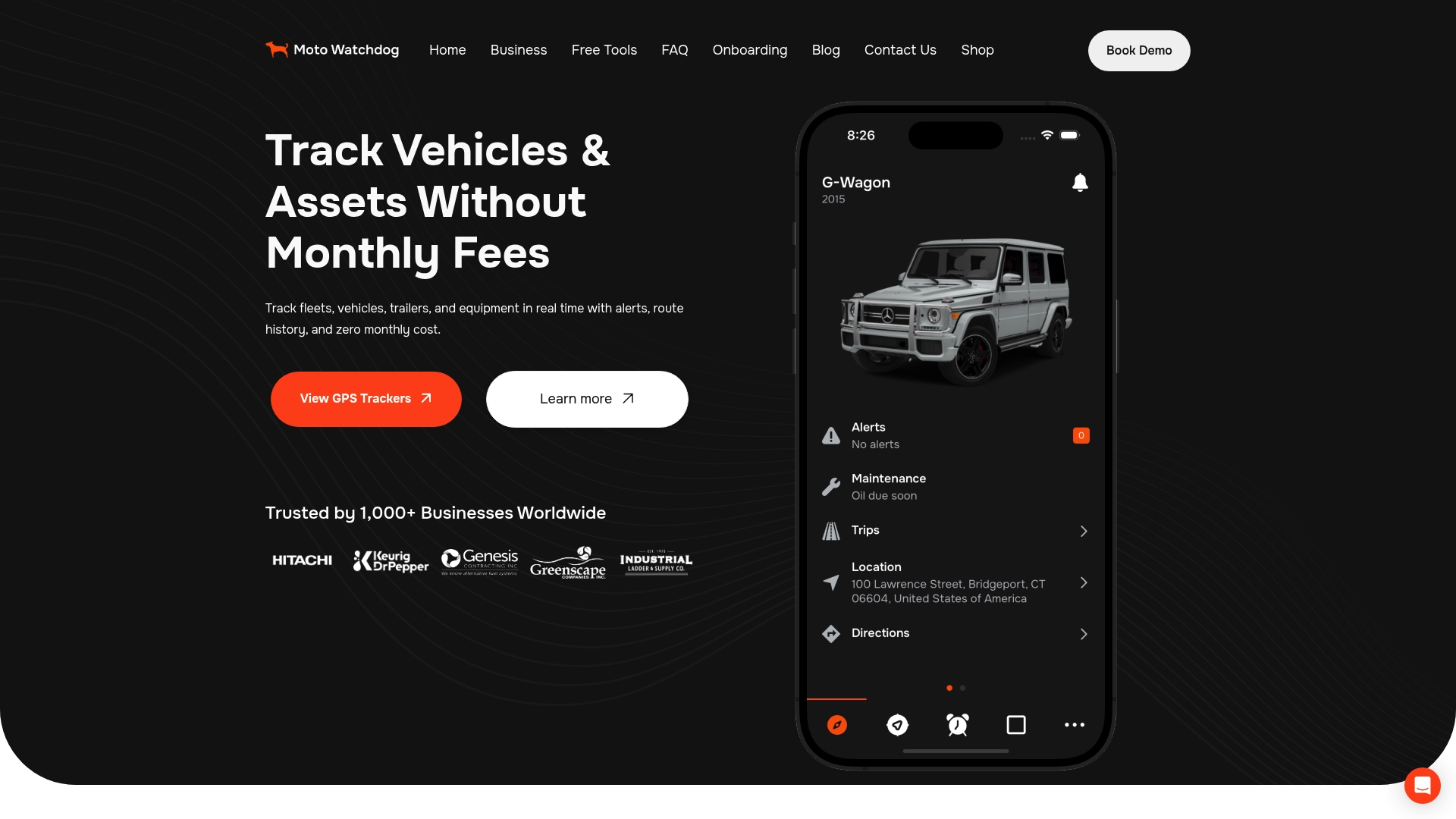
Motowatchdog provides subscription-free 4G GPS tracking built for fleet managers who need reliable, real-time vehicle monitoring without recurring monthly costs. Every device is compatible with standard hardwired installations connecting to constant power, ground, and ignition wires in 12V and 24V vehicle systems. The platform delivers real-time location updates, geofencing alerts, and detailed mileage reports that simplify compliance and billing. Over 1,000 businesses rely on Motowatchdog for accurate fleet data, and the setup process is designed to match the step-by-step wiring workflow covered in this guide. For fleet managers ready to scale tracking across multiple vehicles without the overhead of per-unit subscription fees, Motowatchdog is a direct fit.
FAQ
What three wires does a hardwired GPS tracker connect to?
A hardwired GPS tracker connects to constant power, ground, and ignition wires. These three connections provide continuous power, a stable electrical reference, and ignition status for accurate trip and engine hour tracking.
How long does it take to hardwire a GPS tracker in a fleet vehicle?
Installation takes approximately 20 to 40 minutes per vehicle when the technician has the correct tools and a vehicle wiring diagram available. Complex vehicles with difficult fuse box access may take longer.
Why does my GPS tracker show no position after installation?
The most common cause is indoor activation. GPS devices require 5 to 15 minutes outdoors with a clear sky view to acquire the first position fix. Also verify the antenna faces upward and is not obstructed by metal.
Can I connect a GPS tracker to any 12V wire in the fuse box?
No. You must verify each wire’s function with a multimeter before connecting. Wires reading below 8V are data or signal lines. Connecting to these can corrupt vehicle electronics and cause tracker malfunctions.
How often should hardwired GPS trackers be inspected after installation?
Wiring connections and mounting hardware should be inspected every 6 months. Road vibration and temperature changes loosen connections over time, and early detection prevents data gaps and device failures.

