How to start saving money
Lorem ipsum dolor sit amet, consectetur adipiscing elit lobortis arcu enim urna adipiscing praesent velit viverra sit semper lorem eu cursus vel hendrerit elementum morbi curabitur etiam nibh justo, lorem aliquet donec sed sit mi dignissim at ante massa mattis.
- Neque sodales ut etiam sit amet nisl purus non tellus orci ac auctor
- Adipiscing elit ut aliquam purus sit amet viverra suspendisse potent
- Mauris commodo quis imperdiet massa tincidunt nunc pulvinar
- Excepteur sint occaecat cupidatat non proident sunt in culpa qui officia
Why it is important to start saving
Vitae congue eu consequat ac felis placerat vestibulum lectus mauris ultrices cursus sit amet dictum sit amet justo donec enim diam porttitor lacus luctus accumsan tortor posuere praesent tristique magna sit amet purus gravida quis blandit turpis.

How much money should I save?
At risus viverra adipiscing at in tellus integer feugiat nisl pretium fusce id velit ut tortor sagittis orci a scelerisque purus semper eget at lectus urna duis convallis. porta nibh venenatis cras sed felis eget neque laoreet suspendisse interdum consectetur libero id faucibus nisl donec pretium vulputate sapien nec sagittis aliquam nunc lobortis mattis aliquam faucibus purus in.
- Neque sodales ut etiam sit amet nisl purus non tellus orci ac auctor
- Adipiscing elit ut aliquam purus sit amet viverra suspendisse potenti
- Mauris commodo quis imperdiet massa tincidunt nunc pulvinar
- Adipiscing elit ut aliquam purus sit amet viverra suspendisse potenti
What percentege of my income should go to savings?
Nisi quis eleifend quam adipiscing vitae aliquet bibendum enim facilisis gravida neque. Velit euismod in pellentesque massa placerat volutpat lacus laoreet non curabitur gravida odio aenean sed adipiscing diam donec adipiscing tristique risus. amet est placerat in egestas erat imperdiet sed euismod nisi.
“Nisi quis eleifend quam adipiscing vitae aliquet bibendum enim facilisis gravida neque velit euismod in pellentesque”
Do you have any comments? Share them with us on social media
Eget lorem dolor sed viverra ipsum nunc aliquet bibendum felis donec et odio pellentesque diam volutpat commodo sed egestas aliquam sem fringilla ut morbi tincidunt augue interdum velit euismod eu tincidunt tortor aliquam nulla facilisi aenean sed adipiscing diam donec adipiscing ut lectus arcu bibendum at varius vel pharetra nibh venenatis cras sed felis eget.
Trip history is the recorded log of everywhere a GPS tracker has been. Open it and you get a route replay on a map, a list of stops with arrival and departure timestamps, plus speed and idle data for the whole trip. You typically pull it up in one of two places: the tracker’s companion app on your phone, or the web dashboard tied to the tracking platform. Both usually let you pick a date, select a device, and hit play.
Two situations show why this matters. A contractor needs to prove a technician arrived at a job site at 9:14 AM and stayed 47 minutes. A fleet manager needs to reconstruct exactly where a stolen trailer went after the tracker last checked in.
- Route replay: mile-by-mile path shown on a map
- Stop data: timestamped arrivals, departures, and duration at each location
- Exportable logs: CSV, GPX, KML, or PDF depending on the platform
Key Takeaways
Trip history GPS data is only as useful as the settings behind it, sampling interval, stop-detection threshold, and export format all shape what you can prove later.
| Point | Details |
|---|---|
| Trip history location | Open route replay, stops, and speed data through the companion app or web dashboard. |
| Sampling interval tradeoff | Shorter intervals give smoother replay; longer intervals save battery and data. |
| Stop detection has a threshold | Short pauses often merge into the main trip unless they exceed a set dwell time. |
| Export format depends on use | Use CSV for spreadsheets, GPX/KML for mapping, and PDF for shareable reports. |
| Reliable hardware matters | Moto Watchdog’s subscription-free 4G trackers pair long battery life with mileage tracking and export tools for consistent trip logs. |
Table of Contents
- How Trip History GPS Data Gets Built
- How to View, Replay, and Export a GPS Trip Log
- What to Do With Trip History Once You Have It
- Choosing a Device and Setting Up Trip History Right
- Why Trip History Sometimes Looks Wrong
- How Moto Watchdog Supports Better Trip History
- What Most Guides Get Wrong About Trip History
- Get Trip History That Actually Holds Up Without a Monthly Bill
- Sources
How Trip History GPS Data Gets Built
Every trip log is really a string of GPS points stitched together, and the interval between those points determines how much detail you get later. A tracker pinging every 10 seconds produces a smooth, accurate replay but burns more battery and cellular data. One pinging every 60 seconds stretches battery life considerably but can make sharp turns and short detours look choppy or get skipped entirely on the replay.
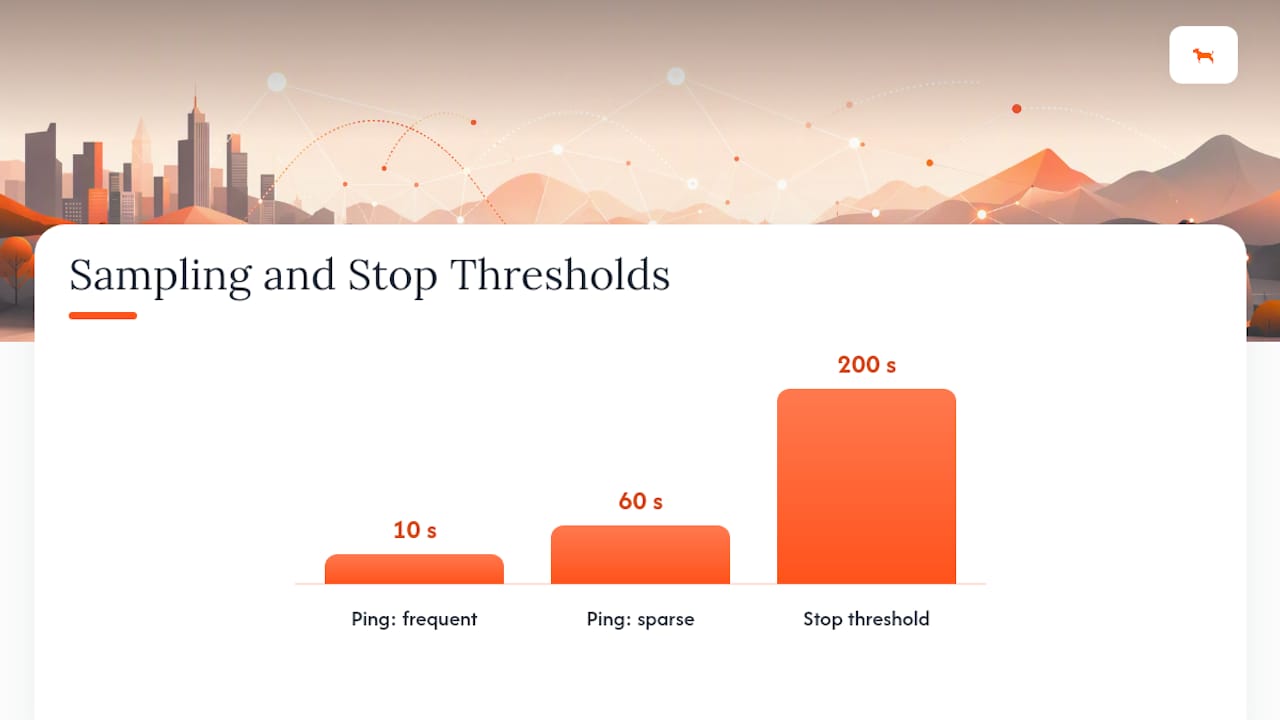
Stop detection works on a threshold, not a stopwatch glance. Most systems merge short pauses, like a red light or a quick drive-through, into the surrounding trip rather than logging them as a separate stop. Geotab’s own documentation notes that a common default is around a 200-second dwell time before a stop counts as its own event. That single setting explains a lot of confusion when someone expects to see five stops on a delivery route and the history shows two. If your use case depends on catching brief stops, most platforms let you lower that threshold.
Connectivity gaps are the other piece people misunderstand. When a device loses cellular signal, in a parking garage, a rural dead zone, or underground, it doesn’t stop recording. It caches location points locally and pushes them once signal returns, a process called store-and-forward. A trip log built this way still shows a continuous route; it just arrives on your dashboard later than real time.
Each recorded point typically carries more than just latitude and longitude:
- A timestamp down to the second
- Speed at that instant
- An accuracy or confidence indicator (often tied to satellite count or HDOP)
- Sometimes heading or direction of travel
How to View, Replay, and Export a GPS Trip Log
Opening a trip history follows roughly the same sequence on nearly every platform, whether you’re checking a personal route or auditing a fleet vehicle.
- Select the device or vehicle from your list
- Pick a date or date range for the trip you want to review
- Open the timeline or playback view for that period
- Scan the route for stops, speed spikes, or gaps, then click any point for details
Playback controls tend to follow a familiar pattern too. You can usually adjust playback speed to skim a long trip quickly, pause on a suspicious stretch, scrub the timeline back and forth, or jump directly to a flagged stop or speeding event. Garmin’s own trip-history documentation walks through enabling travel history layers and stepping through recorded dates, a workflow that mirrors what most consumer and fleet dashboards offer.
Export options matter once you need the data outside the map view:
- CSV for spreadsheets, mileage logs, or importing into accounting software
- GPX or KML for reloading the route into mapping tools or sharing with other GPS apps
- PDF for a clean, shareable report you can hand to a client or manager
Platforms like RideWithGPS build interactive activity history tools with bulk export options, and many fleet dashboards let you schedule recurring email reports so trip summaries land in your inbox weekly without manual exports.
What to Do With Trip History Once You Have It
Trip history only pays off when it answers a specific question. Different use cases pull different fields out of the same log.
Billing and proof of service rely on arrival and departure timestamps plus the stop duration and route map, the exact combination a customer needs to see before disputing an invoice. Mileage and expense reporting leans on exportable distance totals, often paired with a GPX file so an accountant can verify the route matches the claimed mileage. Theft or recovery cases depend on the last-known route, speed, and a timestamped breadcrumb trail law enforcement can follow. Driver coaching draws on idle time, route deviations, and speeding events to spot patterns worth correcting.
- Billing: timestamps + stop duration + map
- Mileage: distance totals + GPX export
- Recovery: breadcrumb trail + last speed reading
- Coaching: idle time + deviations + speed events
Route replay tools built for fleets work like a DVR for your vehicles, letting you scrub back through a timestamped, mile-by-mile record whenever a dispute or audit comes up.
Pro Tip: Before you dispute a customer complaint about a late arrival, pull the trip history first. Half the time the timestamp settles the argument before it starts.
Choosing a Device and Setting Up Trip History Right
The device you pick shapes what your trip history looks like months from now, so match the hardware to how you’ll actually use the data.
- Phone apps are the easiest starting point, no installation, works with a device you already carry, but battery life and background permissions limit reliability for all-day tracking.
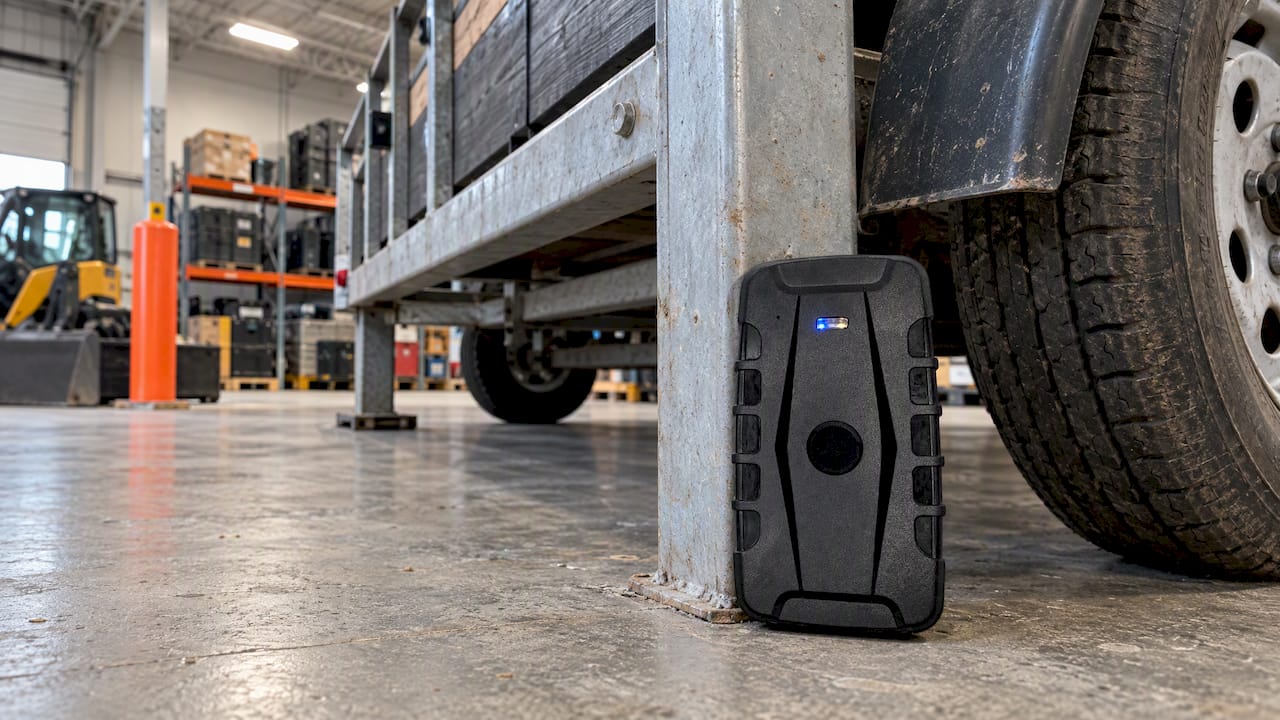
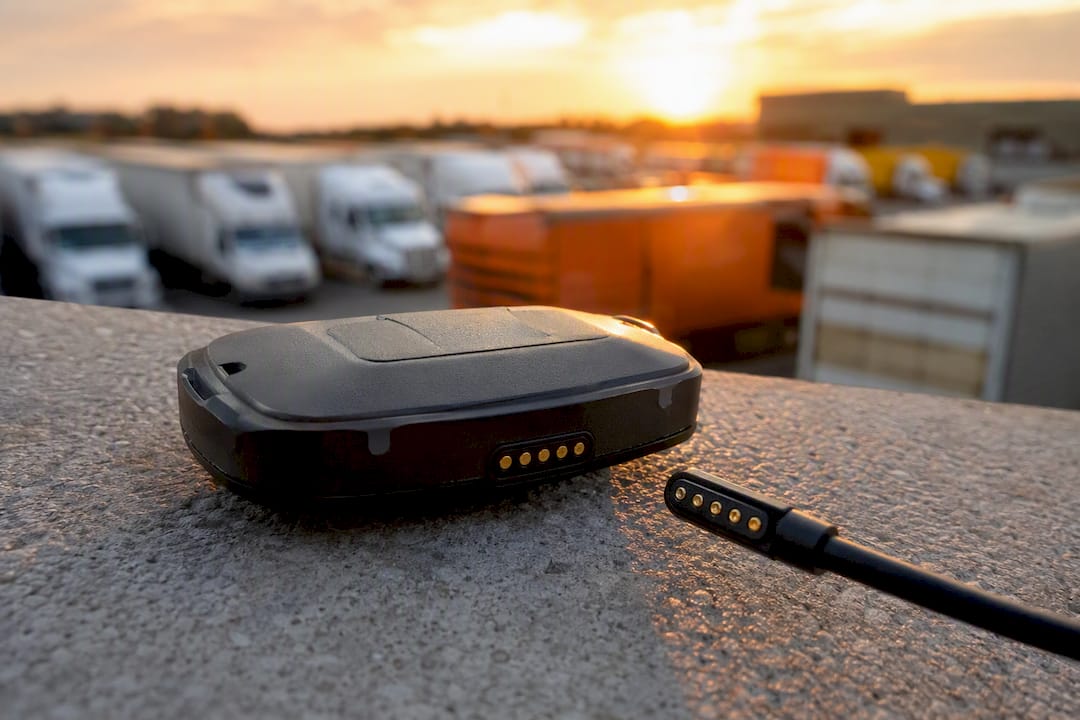
- Portable battery trackers go wherever you put them, a trailer, a generator, a borrowed vehicle, and suit assets that don’t have their own power source.
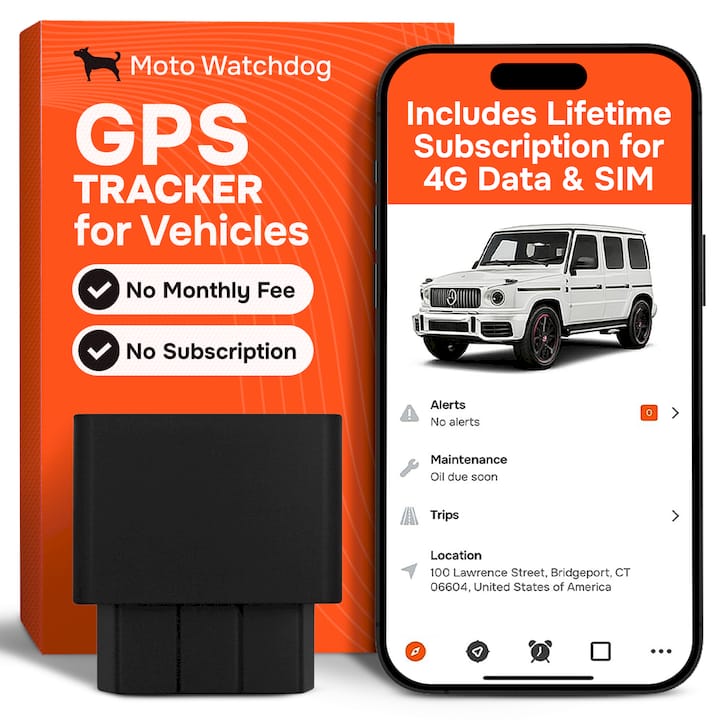
- OBD or hardwired units draw continuous power from the vehicle, which means uninterrupted recording and access to diagnostic codes alongside location data.
For sampling intervals, a 10 to 30 second ping rate covers most delivery and service routes without draining battery too fast; drop to shorter intervals only if you need precise cornering detail. Set geofences around job sites or depots so entries and exits log automatically, and pick an export cadence, weekly or monthly, that matches your reporting cycle.
Fleet rollouts fail more often from planning gaps than from bad hardware. Queclink’s guidance on large-scale deployments points to three recurring failure points: cellular connectivity across regions, installation logistics across many vehicles, and data volume overwhelming the dashboard. The fix is a phased rollout, pilot group first, then high-risk or high-mileage vehicles, then the full fleet, paired with multi-band LTE hardware and store-and-forward so gaps in coverage don’t turn into gaps in your trip logs.
Pro Tip: Standardize your device configuration profile before a rollout, not after. Retrofitting 40 vehicles to match one correct setting costs far more time than setting it once.
Data hygiene rounds out the setup: schedule recurring exports, define how long you retain trip history, and audit a sample of logs each quarter to catch drift before it becomes a pattern.
Why Trip History Sometimes Looks Wrong
Most “broken” trip history isn’t broken, it’s a known limitation showing up at an inconvenient time. GPS drift, where a parked vehicle appears to wander a few yards, happens most in urban canyons between tall buildings that bounce satellite signals. Check the accuracy or HDOP indicator on a point before assuming the tracker malfunctioned.
If a trip has a gap, confirm whether it lines up with a connectivity dead zone, then check that store-and-forward caught up and backfilled the missing points once signal returned. A choppy, angular route usually means the sampling interval is too long for that particular drive; shortening it fixes future trips, though it won’t retroactively smooth the one you’re looking at.
Before contacting support, gather:
- A screenshot of the map playback showing the issue
- The exact timestamp range in question
- The device ID or vehicle name
How Moto Watchdog Supports Better Trip History
Everything above, reliable playback, clean exports, sensible rollout, depends on the hardware doing its job in the background. Moto Watchdog builds its trackers around that principle: subscription-free 4G GPS tracking with no recurring bill, customizable geofencing, detailed mileage tracking, and battery life built to survive long gaps between charges.
That combination maps directly onto the workflows covered here. Long battery life keeps store-and-forward useful instead of academic, since a dead device can’t cache anything. Multi-device management makes phased fleet rollouts practical instead of a spreadsheet headache. Built-in mileage tracking and export tools handle the CSV and PDF outputs a billing or expense workflow actually needs.
- No monthly fees on the tracking service itself
- Geofence alerts tied to job sites or depots
- Long battery life suited to portable and hardwired setups
- Mileage and export tools built for reporting
Businesses evaluating a pilot device can start on the Moto Watchdog product page to compare specs against the setup checklist above.
What Most Guides Get Wrong About Trip History
Most advice on this topic treats trip history as a passive record you check only after something goes wrong, a theft, a billing dispute, a customer complaint. That’s backwards. The real value shows up when you review trip data on a schedule, weekly for a fleet, monthly for personal use, before a problem forces you to.
The conventional wisdom also oversells accuracy. GPS drift, stop-detection thresholds, and sampling intervals all shape what a trip log actually shows, and most guides gloss over that in favor of “just check the app.” Understanding those mechanics is what separates someone who reads a map correctly from someone who assumes every anomaly is a device failure.
If you’re setting up trip history for the first time, prioritize sampling interval and stop threshold before anything else. Those two settings determine whether your future data answers the questions you’ll actually ask it. Everything else, export formats, dashboard design, is secondary once the recording itself is trustworthy.
— Louis
Get Trip History That Actually Holds Up Without a Monthly Bill
Most trip-history platforms bundle their accuracy behind a subscription, so the better your data gets, the more you pay for it every month. Motowatchdog flips that: you buy the hardware once and keep full access to route replay, geofencing, and mileage exports with no recurring fee eating into the savings a good tracker is supposed to deliver.

That structure fits everyone this guide was written for. A contractor running three trucks doesn’t need enterprise software pricing to prove a job visit happened. A family tracking a teen driver or a shared vehicle doesn’t need a subscription clock running in the background. Moto Watchdog’s devices are built for the same workflows covered above, configurable sampling intervals, store-and-forward reliability, and export tools that produce clean mileage and stop reports without extra software.
Check device specs and pricing on the Moto Watchdog product page and see which tracker matches your setup, whether that’s a single portable unit or a small fleet rollout.
Sources
- Explore Your Activity History
- Viewing Your Trip History
- Fleet Route Replay & Trip History Software: Optimize Your Fleet