How to start saving money
Lorem ipsum dolor sit amet, consectetur adipiscing elit lobortis arcu enim urna adipiscing praesent velit viverra sit semper lorem eu cursus vel hendrerit elementum morbi curabitur etiam nibh justo, lorem aliquet donec sed sit mi dignissim at ante massa mattis.
- Neque sodales ut etiam sit amet nisl purus non tellus orci ac auctor
- Adipiscing elit ut aliquam purus sit amet viverra suspendisse potent
- Mauris commodo quis imperdiet massa tincidunt nunc pulvinar
- Excepteur sint occaecat cupidatat non proident sunt in culpa qui officia
Why it is important to start saving
Vitae congue eu consequat ac felis placerat vestibulum lectus mauris ultrices cursus sit amet dictum sit amet justo donec enim diam porttitor lacus luctus accumsan tortor posuere praesent tristique magna sit amet purus gravida quis blandit turpis.

How much money should I save?
At risus viverra adipiscing at in tellus integer feugiat nisl pretium fusce id velit ut tortor sagittis orci a scelerisque purus semper eget at lectus urna duis convallis. porta nibh venenatis cras sed felis eget neque laoreet suspendisse interdum consectetur libero id faucibus nisl donec pretium vulputate sapien nec sagittis aliquam nunc lobortis mattis aliquam faucibus purus in.
- Neque sodales ut etiam sit amet nisl purus non tellus orci ac auctor
- Adipiscing elit ut aliquam purus sit amet viverra suspendisse potenti
- Mauris commodo quis imperdiet massa tincidunt nunc pulvinar
- Adipiscing elit ut aliquam purus sit amet viverra suspendisse potenti
What percentege of my income should go to savings?
Nisi quis eleifend quam adipiscing vitae aliquet bibendum enim facilisis gravida neque. Velit euismod in pellentesque massa placerat volutpat lacus laoreet non curabitur gravida odio aenean sed adipiscing diam donec adipiscing tristique risus. amet est placerat in egestas erat imperdiet sed euismod nisi.
“Nisi quis eleifend quam adipiscing vitae aliquet bibendum enim facilisis gravida neque velit euismod in pellentesque”
Do you have any comments? Share them with us on social media
Eget lorem dolor sed viverra ipsum nunc aliquet bibendum felis donec et odio pellentesque diam volutpat commodo sed egestas aliquam sem fringilla ut morbi tincidunt augue interdum velit euismod eu tincidunt tortor aliquam nulla facilisi aenean sed adipiscing diam donec adipiscing ut lectus arcu bibendum at varius vel pharetra nibh venenatis cras sed felis eget.
A GPS tracker uses very little cellular data, and what it does use is controlled mostly by one setting: how often each unit reports. Set the interval by asset type (frequent while a truck is moving, rare while a skid steer sits in the yard), send only on change, and the same setting that trims data also stretches battery life. For a fleet or rental yard that wants to stop worrying about data altogether, we build trackers with lifetime 4G data included and no monthly fees, so usage never becomes a line on an invoice.
TL;DR
- A typical tracker uses roughly 1 to 10 MB per month, depending mainly on reporting interval, per 1NCE’s worked examples.
- Report frequently while an asset moves and rarely while it is parked. Calculate the two separately.
- Per-message overhead can outweigh the location itself, so fewer transmissions beat smaller ones.
- The reporting interval is also the main battery lever, so one change helps both data and battery.
- With lifetime 4G data included and no monthly fees, our trackers take data planning off your list.
Table of Contents
- How much data a GPS tracker actually uses
- Why overhead matters more than the coordinates
- Match the interval to the asset
- Reporting interval, accuracy and battery life
- Extend tracker battery life on rental equipment
- GPS drift: when the dot is slightly wrong
- Perspective
- A setup routine for a fleet or rental yard
- Where our trackers fit
- FAQ
- Sources
How much data a GPS tracker actually uses
Phone data advice (data saver mode, lower video quality) does not apply here. A tracker has no screen and no apps. Its SIM only transmits a position the GPS receiver has already calculated, and each ping is a small packet measured in kilobytes, as Simplex Wireless explains. A tracker that reports every five minutes around the clock sends about 288 pings a day.
1NCE’s example puts numbers on it, assuming roughly half a kilobyte per report including overhead:
| Reporting interval | Approx. monthly data |
|---|---|
| Every 5 minutes | about 4 MB |
| Every 1 minute | about 22 MB |
| Every 30 seconds | about 43 MB |
These are configuration-based estimates, not carrier measurements, so treat them as orders of magnitude. The pattern is the useful part: each update repeats its payload and its overhead, so halving the interval roughly doubles the data. Extra sensor readings, such as ignition state or battery voltage, and occasional firmware downloads add to the total independently.
Why overhead matters more than the coordinates
Most people try to shrink the location record. University of Illinois at Chicago researchers, in their paper Thrifty Tracking, showed why that misses the point. In their test, sending a 1-byte packet every second used 6.9 MB in a day on the US cellular service they tested. That was 84 times the 86,400 bytes of actual payload. Headers, acknowledgements and billing increments dominate tiny messages. It is an older result and not a universal carrier rate, but the lesson holds: sending fewer messages saves more than trimming each one.
For a fleet manager, that translates into three practical rules:
- Do not set one-second or ten-second reporting on assets that do not need it.
- Prefer a tracker that sends on a change in movement or status rather than on a constant timer.
- Treat the interval as the main control, and everything else as secondary.
Match the interval to the asset
A mixed fleet has very different needs. Jolt Wireless recommends scaling update frequency to necessity: real-time for assets in transit, less frequent for stationary ones. It also recommends sending only when location or status changes, and using compression and efficient transmission formats such as UDP rather than TCP.
A starting framework for fleets and rental equipment:
| Asset | Moving | Parked or idle |
|---|---|---|
| Service trucks and pickups | Every 30 to 60 seconds | Every 30 to 60 minutes |
| Dump trucks, haulers | Every 30 to 60 seconds | Hourly, plus a geofence alert on exit |
| Trailers | Every few minutes | A few times a day |
| Excavators, skid steers, lifts on rent | Every few minutes during work | Daily check-in plus a movement alert |
| Generators, compressors, small tools | Movement alert only | Daily check-in |
These are planning suggestions, not figures from a study. Adjust them to how closely you need to follow each job.
A worked example
Take a service truck that moves 8 hours a day and sits 16 hours. Jolt’s calculation assumes about 200 bytes of location payload per report. Reporting once a minute while moving and once an hour while parked gives 480 plus 16 reports a day, or 14,880 a month. That is about 2.976 MB of location payload over 30 days. Reporting every minute around the clock gives 43,200 reports and 8.64 MB. Splitting moving and parked behavior cuts payload by roughly two thirds, and the parked hours are where almost all of the saving lives.
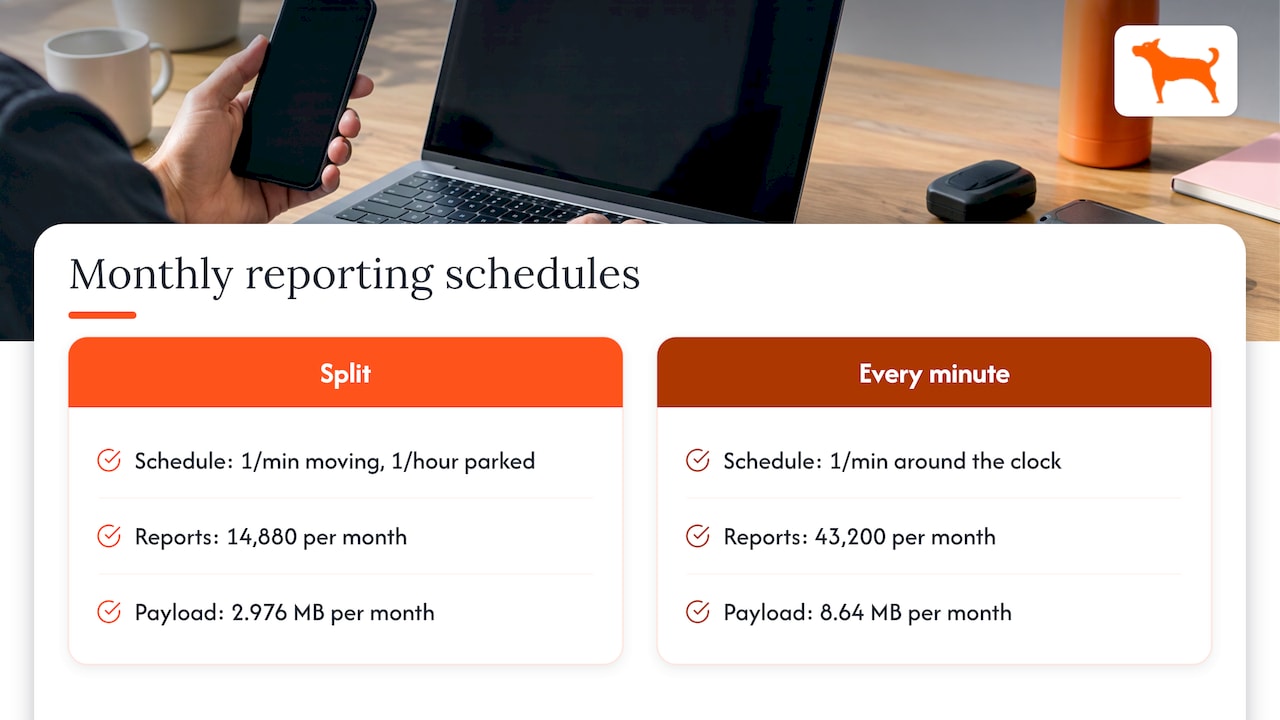
Multiply that by 50 trucks and you see why the setting matters on a metered plan, even though each single truck looks tiny.
Reporting interval, accuracy and battery life
Data is only one cost of frequent pings. Each transmission also wakes the radio, and that is the biggest drain on a battery-powered unit. Shorter intervals mean more points on the map, smoother trip lines and faster theft response, but shorter life between charges or replacements. Longer intervals mean sparser breadcrumbs, which is fine for confirming an asset is on site and not fine for reconstructing a route.
The extreme case shows the range. Construction Equipment reports that one small-equipment tracker defaults to four reports a day and lists up to seven years of battery life, with battery-status alerts so fleets can act before power runs out. Reporting four times a day is a very different product from live tracking of a moving truck, and the battery life follows the schedule.
The practical choice comes down to three questions per asset:
- Does anyone need to see it moving live, or only know where it ended up?
- Is theft or unauthorized use a risk that justifies tighter reporting after hours?
- Is the device hardwired to vehicle power or running on its own battery?
On a vehicle with constant power, battery is not the constraint. On a trailer, attachment or rented machine without power, it is.
Extend tracker battery life on rental equipment
The levers, in order of impact:
- Lengthen the parked interval. Most of a rental machine’s life is spent idle on a site or in the yard.
- Use movement-triggered reporting. A tracker that stays quiet until the asset moves spends its battery only on events that matter.
- Use geofences instead of polling. A geofence is a virtual boundary on the map. An alert when a machine leaves the yard or job site answers the question you would otherwise ask with constant pings.
- Place the unit with a clear view of the sky. A poor signal makes the receiver work harder to get a fix, which uses more power.
- Watch battery status. Replace or recharge on an alert, not on a failure.
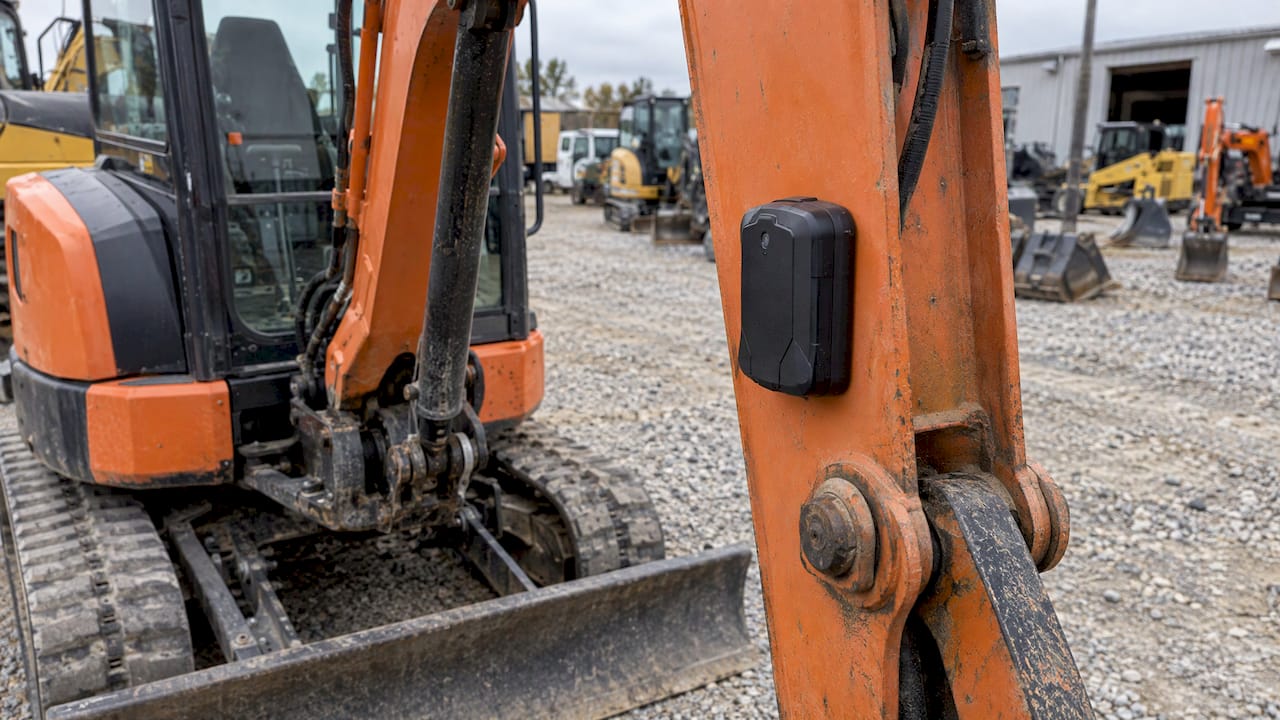
Our magnetic trackers are built around long battery life, and the MW-20000 with a one-year battery suits trailers and equipment that have no power source to draw on.
GPS drift: when the dot is slightly wrong
Drift is a small gap between where a tracker really sits and where the map shows it. It is not a data problem, but fleet managers often blame the reporting setup for it, so it is worth separating. The usual causes are tall buildings that bounce the signal (multipath), few visible satellites, interference and a tracker mounted where metal or the vehicle body blocks the sky. Typical errors are a few tens of feet.
What helps:
- Mount trackers where the sky view is clearest: under a plastic panel or dashboard edge on a truck, high and exposed on a trailer or machine.
- Do not judge a unit by a single point in a dense downtown or a covered yard. Look at several consecutive points.
- Use geofences with a margin, so a drifting dot at the edge of a yard does not trigger a false alert.
- Keep reporting intervals sensible. Raising frequency does not improve the underlying accuracy of each fix, it only adds more points and more data.
There is no calibration step for a tracker in the way there is for a scale or a sensor. The practical equivalent is a placement check: drive or move the asset on a known route after installation and confirm the trail follows it.
Perspective
We hear the same assumption from fleet managers: that tracking is a data problem, and that the safe answer is to buy a plan and watch the meter. Our view is the opposite. Data per tracker is tiny, and what drives it is a setting you control, so the real question is whether you want a recurring bill attached to it at all.
That is why our trackers come with lifetime 4G data included and no monthly fees, no activation fees and no add-ons. You can run one unit or hundreds on a single dashboard with unlimited users, and set geofence alerts, trip and mileage reports, idle time tracking and maintenance reminders without costing anything extra each month.
For heavy equipment rental, that changes the math. A machine that sits for weeks between jobs should not carry a subscription for the weeks it does nothing. Pay once for the hardware, set intervals that fit each asset, and let the battery and the budget both last.
Louis
A setup routine for a fleet or rental yard
- Sort assets into classes. Moving vehicles, powered trailers, unpowered equipment and small tools.
- Set a moving and a parked interval for each class. Use the table above as a starting point.
- Add geofences around yards, customer sites and no-go zones, with notifications for entry and exit.
- Turn on idle time and trip reports for vehicles, so the data you do send feeds mileage records and maintenance schedules.
- Review after two weeks. Look at battery levels and map trails, tighten intervals where the trail is too sparse, loosen them where nothing happens.
Where our trackers fit
For fleets and rental companies, we make GPS trackers with real-time location, customizable geofencing and alerts, trip and mileage reporting, idle time tracking, maintenance reminders and multi-device management in a free mobile app. Trackers start at $124.99 as a one-time purchase, with 4G data included for life. There is no monthly fee, so adding units to the fleet does not add recurring costs.
For vehicles with a power source, the OBD plug-in tracker installs in the diagnostic port with no subscription. For hidden or temporary placement, the MW-10000 magnetic tracker attaches to steel. You can see the full range on our trackers page.

FAQ
How much data does a GPS tracker use per month?
Usually between 1 and 10 MB. 1NCE’s example estimates about 4 MB a month at five-minute reporting and about 43 MB at 30-second reporting. Your number depends on interval, how much sensor data each report carries and protocol overhead.
Does reporting more often drain the battery faster?
Yes. Every transmission uses power, so shorter intervals shorten battery life. Lengthening the interval while an asset is parked is the simplest way to extend it.
Is it better to send smaller messages or fewer messages?
Fewer. Research from the University of Illinois at Chicago found that overhead can be many times larger than the tiny payload itself, so cutting unnecessary transmissions saves more than shrinking each record.
Can I fix GPS drift by changing the reporting interval?
No. Drift comes from signal reflections, weak satellite geometry and placement. Move the tracker to a clearer view of the sky, judge several points in a row, and add a margin to your geofences.
Sources
- GPS Tracker SIM Cards: Choose the Right One, 1NCE
- Thrifty Tracking: Online GPS Tracking with Low Uplink Usage, University of Illinois at Chicago
- How Cellular SIM Cards Power GPS Asset Trackers, Simplex Wireless
- How to Reduce Data Usage on GPS Tracker SIM Cards, Jolt Wireless
- Tracking devices for small equipment, Construction Equipment