How to start saving money
Lorem ipsum dolor sit amet, consectetur adipiscing elit lobortis arcu enim urna adipiscing praesent velit viverra sit semper lorem eu cursus vel hendrerit elementum morbi curabitur etiam nibh justo, lorem aliquet donec sed sit mi dignissim at ante massa mattis.
- Neque sodales ut etiam sit amet nisl purus non tellus orci ac auctor
- Adipiscing elit ut aliquam purus sit amet viverra suspendisse potent
- Mauris commodo quis imperdiet massa tincidunt nunc pulvinar
- Excepteur sint occaecat cupidatat non proident sunt in culpa qui officia
Why it is important to start saving
Vitae congue eu consequat ac felis placerat vestibulum lectus mauris ultrices cursus sit amet dictum sit amet justo donec enim diam porttitor lacus luctus accumsan tortor posuere praesent tristique magna sit amet purus gravida quis blandit turpis.

How much money should I save?
At risus viverra adipiscing at in tellus integer feugiat nisl pretium fusce id velit ut tortor sagittis orci a scelerisque purus semper eget at lectus urna duis convallis. porta nibh venenatis cras sed felis eget neque laoreet suspendisse interdum consectetur libero id faucibus nisl donec pretium vulputate sapien nec sagittis aliquam nunc lobortis mattis aliquam faucibus purus in.
- Neque sodales ut etiam sit amet nisl purus non tellus orci ac auctor
- Adipiscing elit ut aliquam purus sit amet viverra suspendisse potenti
- Mauris commodo quis imperdiet massa tincidunt nunc pulvinar
- Adipiscing elit ut aliquam purus sit amet viverra suspendisse potenti
What percentege of my income should go to savings?
Nisi quis eleifend quam adipiscing vitae aliquet bibendum enim facilisis gravida neque. Velit euismod in pellentesque massa placerat volutpat lacus laoreet non curabitur gravida odio aenean sed adipiscing diam donec adipiscing tristique risus. amet est placerat in egestas erat imperdiet sed euismod nisi.
“Nisi quis eleifend quam adipiscing vitae aliquet bibendum enim facilisis gravida neque velit euismod in pellentesque”
Do you have any comments? Share them with us on social media
Eget lorem dolor sed viverra ipsum nunc aliquet bibendum felis donec et odio pellentesque diam volutpat commodo sed egestas aliquam sem fringilla ut morbi tincidunt augue interdum velit euismod eu tincidunt tortor aliquam nulla facilisi aenean sed adipiscing diam donec adipiscing ut lectus arcu bibendum at varius vel pharetra nibh venenatis cras sed felis eget.
Manage multiple GPS trackers by centralizing device management on one platform, matching device types to asset roles, and enforcing standard reporting profiles instead of letting every unit report on its own schedule. Two actions fix most of the chaos fleet managers deal with. First, apply a naming convention (role, depot, vehicle ID) and build group views before you add device number 20. Second, pick exactly two reporting profiles: one for real-time vehicles that need live monitoring, and one lower-frequency profile for trailers, generators, and other low-priority assets.
- Action 1: Standardize naming and groups now, not after the fleet doubles.
- Action 2: Set two reporting profiles (real-time and low-priority) instead of configuring each device individually.
A phased rollout across mixed hardware, built on a platform that supports role-based rules, is what separates fleets that scale smoothly from those that drown in alerts and mismatched data.
Key Takeaways
Managing multiple GPS trackers well depends on matching device type to asset role, applying one consistent reporting structure, and rolling out in phases that build installer competence before tackling complex depots.
| Point | Details |
|---|---|
| Standardize naming early | Apply a role, depot, and vehicle ID format before the fleet grows past 50 devices. |
| Match hardware to asset role | Use hardwired units for daily vehicles, battery trackers for trailers, and BLE tags for small tools. |
| Filter data before it floods dashboards | Set event-based triggers and configurable reporting intervals instead of continuous streaming. |
| Roll out in phases | Start with high-impact vehicle groups, standardize install kits, then validate before scaling further. |
| Consider subscription-free hardware | Moto Watchdog’s no-fee model fits budgeting for trailers and equipment added in phases. |
Table of Contents
- What Makes Managing Multiple GPS Trackers So Hard?
- Which Hardware and Connectivity Options Actually Scale?
- How Do You Organize Devices and Permissions at Scale?
- How Should Tracking Data Feed Your Operations?
- What Does a Practical Rollout Timeline Look Like?
- How Do You Keep Dozens of Trackers Running Reliably?
- How Does Moto Watchdog Fit a Multi-Tracker Fleet Program?
- What Fleet Managers Get Wrong About Scaling GPS Programs
- Get Started With Subscription-Free Tracking for Your Fleet
- Frequently Asked Questions
- Sources
What Makes Managing Multiple GPS Trackers So Hard?
A pilot with 15 trucks feels manageable. The same approach applied to 300 vehicles, trailers, and pieces of equipment usually breaks. The fleet management market reached $27 billion in 2025 and continues growing at nearly 17% annually, and the common failure point isn’t the technology itself. It’s the jump from pilot to enterprise rollout, where data volume, installation logistics, and account sprawl overwhelm teams that never planned past the first 20 units.
Four problems show up again and again once a fleet crosses that threshold:
- Data overload. A platform built for 20 devices pinging every 30 seconds can choke when 300 devices do the same, flooding dashboards with noise instead of signal.
- Mixed-fleet fragmentation. Trucks, trailers, generators, and hand tools all have different protocols, power sources, and maintenance cadences, and treating them as one uniform tracking problem creates blind spots.
- Connectivity gaps. Rural routes and warehouse interiors kill single-band LTE signal, and devices without store-and-forward memory simply lose those location pings forever.
- Installation bottlenecks. Workshops with one or two technicians can’t hardwire 200 vehicles in a week without a standardized process, and improvised installs create long-term wiring headaches.
Mixed fleets that combine trucks, trailers, heavy equipment, and small tools often end up running fragmented tracking systems by accident, one for vehicles, a spreadsheet for trailers, nothing for tools, because nobody designed a unified approach from the start. That fragmentation is exactly why device count alone isn’t the real challenge. The challenge is asset diversity colliding with a system that assumes every tracker behaves the same way.
Which Hardware and Connectivity Options Actually Scale?
No single device type covers a mixed fleet well, and trying to force one does more damage than running multiple device families under one platform.
- Hardwired trackers suit vehicles that run daily routes and need continuous power, ignition detection, and precise mileage logs.
- OBD-II trackers work best for lighter vehicles and rentals where a plug-and-play install matters more than deep wiring integration.
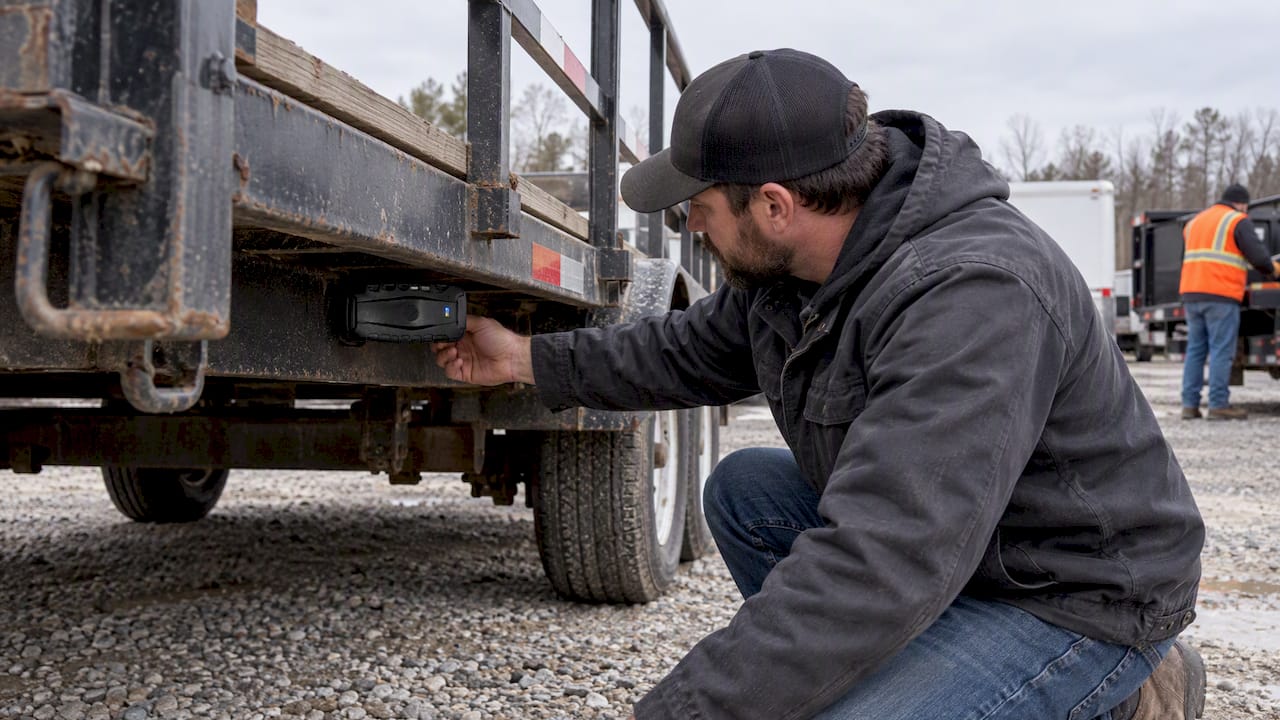
- Battery-powered GPS units fit trailers, generators, and equipment that sit idle for weeks, since they need long standby life rather than constant reporting.
- BLE beacons and RFID tags handle small tools and equipment where a scan-based check-in/out beats continuous GPS tracking on cost and battery grounds.
Small-equipment tracking commonly relies on BLE beacons, QR-code check-in, or long-life battery trackers, each trading tracking frequency for lower cost and simpler upkeep. That tradeoff matters when you’re deciding whether a $40 wrench cart needs the same tracking rigor as a $180,000 excavator.
Connectivity deserves its own checklist. Devices should support multi-band LTE so they aren’t dependent on a single carrier’s coverage map, plus a fallback mode when signal drops entirely. Devices with store-and-forward memory and multi-band connectivity substantially lower the risk of losing data in low-coverage areas, which matters most for construction sites, rural delivery routes, and warehouse interiors where a single dead zone can otherwise wipe out hours of position history.
Pro Tip: Before ordering hardware in bulk, map every asset class you own against a device type first. If you can’t answer “what device does this asset need” in one sentence, you’ll end up retrofitting the wrong tracker twice.
How Do You Organize Devices and Permissions at Scale?
Once you’re past 50 devices, ad hoc naming (“Truck 1,” “Van A”) stops working. A structured system pays for itself the first week you use it.
- Adopt a naming template. Something like
[Role]-[Depot]-[VehicleID](for example,DEL-CHI-014for a delivery van at the Chicago depot) lets anyone scan a device list and know exactly what they’re looking at. - Build groups and tags around function, not just location. Dispatch teams need a “live vehicles” group; maintenance needs a “trailers due for service” tag; finance needs a “mileage reporting” view.
- Apply least-privilege account access. Dispatchers see live positions; supervisors see historical reports and geofence history; finance sees mileage and maintenance logs only. A single account can display multiple trackers while letting authorized team members share visibility without every user needing full administrative rights.
- Document a device lifecycle procedure. Write down the steps for adding a new unit, reassigning a tracker when a vehicle is sold, and retiring a device that’s no longer active, so device records don’t silently pile up as ghost entries.
- Audit device lists quarterly. Stale entries from sold vehicles or decommissioned equipment clutter dashboards and waste the exact visibility you built the system to protect.
Getting this structure right before you scale past 100 devices saves weeks of cleanup later. Retrofitting naming conventions onto an existing mess of “GPS1,” “GPS2,” and “Test Unit” is far more painful than starting clean.
How Should Tracking Data Feed Your Operations?
Raw GPS pings aren’t useful on their own. What turns tracking data into something a dispatcher or maintenance manager can act on is filtering and structure applied before the data ever reaches a dashboard.
Configurable reporting intervals matter more than most fleets realize early on. Modern telematics hardware that supports configurable reporting intervals and on-device filtering reduces bandwidth and platform processing load, which is the difference between a dashboard that shows meaningful movement and one buried in redundant pings from a truck parked at a loading dock.
Event-based triggers beat continuous streaming for most use cases:
- Geofence enter and exit events for depots, job sites, and customer locations.
- Ignition on and off events to separate driving time from idle time.
- Long-idle alerts that flag a vehicle sitting still for an extended period, which often signals a mechanical issue or an unauthorized stop.
On the integration side, enterprise deployments need documented device protocols before procurement, not after. Device protocols with full technical documentation, including API examples and payload schemas, avoid weeks of custom parsing work when a fleet management system needs to ingest data from multiple device families at once. If you’re exporting tracking data into a separate reporting system, a clear data export process prevents format mismatches between what the tracker outputs and what your spreadsheet or ERP expects.
| Reporting element | Recommended setup |
|---|---|
| Live vehicles | 30 to 60 second interval, continuous streaming during active hours |
| Trailers and equipment | Event-based only (geofence, movement start/stop), hourly heartbeat |
| Small tools (BLE/RFID) | Scan-based check-in/out, no continuous GPS reporting |
| Alert retention | 90 days rolling for operational alerts, longer for compliance mileage logs |
Set retention policy deliberately. Keeping every raw ping indefinitely bloats storage without adding operational value; most fleets only need granular data for 60 to 90 days and summary mileage/maintenance data long term.
What Does a Practical Rollout Timeline Look Like?
Scaling a tracking program works best when it mirrors how batch installations should prioritize sites with the fastest return and simplest logistics before tackling your most complex depot.
- Phase one: high-impact vehicles. Start with the group generating the most fuel cost, mileage disputes, or safety incidents. Quick wins here build internal buy-in fast.
- Phase two: standardize the install kit. Lock down one wiring harness, one mounting bracket style, and one documented install variant per device type before your technicians touch vehicle number 50.
- Phase three: mix installation methods deliberately. Hardwire long-haul trucks, use OBD-II for pool vehicles and rentals, and battery-power the trailers and equipment, documenting each variant so any technician can follow the same steps.
- Phase four: validate before scaling further. Run data quality checks (are pings arriving at the expected interval?), integration smoke tests (is data reaching your dashboard correctly?), and brief driver training before adding the next batch.
Pro Tip: Run your pilot phase for at least two full billing or reporting cycles before expanding. Problems with reporting intervals or geofence accuracy often don’t surface until you’ve seen a full week of real-world movement, not just a test drive around the block.
A standardized hardwiring approach applied consistently across your fleet cuts install time per vehicle significantly once your technicians move past the first dozen units.
How Do You Keep Dozens of Trackers Running Reliably?
Ongoing maintenance is where a lot of fleet tracking programs quietly decay. Devices go dark, nobody notices for weeks, and by the time someone checks, the vehicle has been reporting nothing useful for a month.
- Set a firmware update cadence. Devices that support remote diagnostics let you push updates without pulling a vehicle off the road.
- Plan battery replacement before failure, not after. Keep spare units in stock for asset trackers, and track battery age by install date rather than waiting for a dead-device alert.
- Manage SIM lifecycle deliberately. Activation, suspension when a vehicle is sold, and pooling strategies where the vendor supports them all affect your monthly connectivity spend, since each cellular device typically needs its own service plan unless the vendor supports pooled options.
- Use device-level filtering to control data costs. Cutting unnecessary reporting frequency on idle assets reduces both bandwidth use and platform load without losing meaningful visibility.
How Does Moto Watchdog Fit a Multi-Tracker Fleet Program?
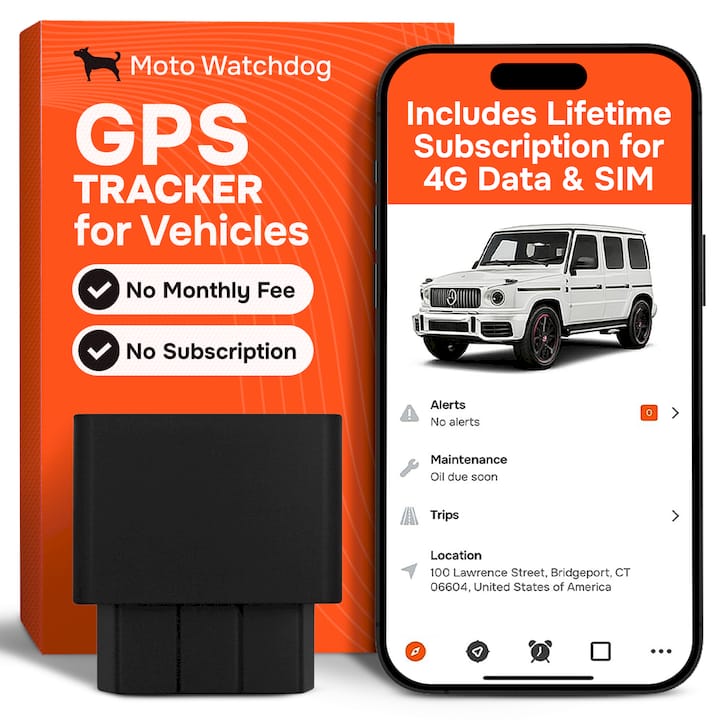
Every recommendation above assumes you’re paying for connectivity and platform access as an ongoing line item. Moto Watchdog removes one of those variables entirely: its devices carry no monthly subscription fee, which changes the procurement conversation from “what’s our recurring OPEX” to “what’s our one-time hardware cost per unit.”
That matters directly for the naming, grouping, and reporting structure covered earlier. Moto Watchdog’s multi-device views let you apply the same group-based organization discussed above, paired with customizable geofencing, long battery life suited to trailers and equipment, and mileage reporting that fits the low-priority reporting profile recommended for non-vehicle assets.
- Subscription-free pricing simplifies budgeting for fleets adding devices in batches rather than all at once.
- Long battery life fits the asset-tracker role described in the hardware section, not just powered vehicles.
- Multi-device account views support the grouping and permission structure fleet managers need at scale.
Over 1,000 businesses currently rely on Moto Watchdog for tracking accuracy across vehicles, trailers, and equipment, a scale that reflects the same mixed-fleet reality this playbook is built around.
For a phased rollout, Moto Watchdog units work well as the first wave for trailers and equipment. That is where subscription costs from other providers add up fastest, and where a subscription-free device removes the ongoing cost that usually stalls expansion into unpowered assets.
What Fleet Managers Get Wrong About Scaling GPS Programs
Most advice on this topic treats device count as the problem to solve, buy a “better” platform, add more dashboards, hire an analyst to watch alerts. That misses what’s actually breaking. The real failure point is treating a mixed fleet as one tracking program instead of several role-based programs sharing infrastructure.
The conventional wisdom pushes toward uniformity: one device type, one reporting interval, one alert threshold for everything. That’s backwards. A delivery van and an idle generator have nothing in common operationally, and forcing them onto identical settings is what buries dispatchers in irrelevant alerts within the first month.
What actually works is boring by comparison: decide asset roles first, assign device types second, and build your naming and grouping structure before you order hardware in bulk. Fleets that skip this step spend the following year retrofitting a mess. The businesses that get this right treat the platform decision, and whether it’s subscription-based or one-time-cost hardware, as secondary to getting the operational structure correct from day one.

Get Started With Subscription-Free Tracking for Your Fleet
Motowatchdog is the alternative to recurring monthly tracking fees for fleets adding trailers, equipment, and vehicles in phases. Every device you saw discussed in the rollout and hardware sections above, hardwired units, battery-powered asset trackers, and long-life beacons for equipment, comes without a subscription attached, so your connectivity budget doesn’t grow every time you add a device group.

That structure matters most for the phased approach covered earlier: you can equip your highest-impact vehicles first, then extend to trailers and equipment without recalculating monthly OPEX for each new batch. The companion app supports the same multi-device grouping, geofencing, and mileage reporting your platform strategy depends on, built for exactly the kind of role-based tracking rules this playbook recommends.
If you’re planning a phased rollout, start by checking device options and pricing on the Moto Watchdog product page and mapping your first batch against the naming and reporting structure outlined above.
Frequently Asked Questions
Do I need different tracking software for vehicles versus trailers and equipment? No. A single platform can handle both when it supports role-based grouping and different reporting profiles per asset type. Running separate systems for vehicles and equipment usually creates the fragmentation problem this guide addresses, not a solution to it.
How many GPS trackers can one account realistically manage? There’s no hard technical ceiling on most modern platforms. The limiting factor is your naming, grouping, and permission structure, not the device count itself. Fleets with solid organization manage hundreds of trackers from one account without confusion.
What’s the difference between real-time and store-and-forward reporting? Real-time reporting streams location data continuously while signal is available. Store-and-forward reporting saves data locally when connectivity drops and transmits it once signal returns, which prevents data loss in rural areas or warehouse interiors with poor cellular coverage.
Should every device use the same reporting interval? No. Live vehicles typically need frequent updates every 30 to 60 seconds, while trailers and equipment work fine on event-based reporting that only triggers on movement or geofence activity. Using one interval for everything wastes bandwidth and clutters dashboards.
Does switching to subscription-free GPS trackers limit multi-device management features? Not with Moto Watchdog’s model. Its companion app supports multi-device views, geofencing, and mileage reporting without a monthly fee, so the feature set that matters for fleet management stays intact while recurring costs drop out of the budget entirely.
Sources
- Fleet Management Market Size By Application, By End Use, Trend Analysis Report By Region, Segment Forecasts, 2025-2032
- Asset Tracking for Mixed Fleets | Complete Guide