How to start saving money
Lorem ipsum dolor sit amet, consectetur adipiscing elit lobortis arcu enim urna adipiscing praesent velit viverra sit semper lorem eu cursus vel hendrerit elementum morbi curabitur etiam nibh justo, lorem aliquet donec sed sit mi dignissim at ante massa mattis.
- Neque sodales ut etiam sit amet nisl purus non tellus orci ac auctor
- Adipiscing elit ut aliquam purus sit amet viverra suspendisse potent
- Mauris commodo quis imperdiet massa tincidunt nunc pulvinar
- Excepteur sint occaecat cupidatat non proident sunt in culpa qui officia
Why it is important to start saving
Vitae congue eu consequat ac felis placerat vestibulum lectus mauris ultrices cursus sit amet dictum sit amet justo donec enim diam porttitor lacus luctus accumsan tortor posuere praesent tristique magna sit amet purus gravida quis blandit turpis.

How much money should I save?
At risus viverra adipiscing at in tellus integer feugiat nisl pretium fusce id velit ut tortor sagittis orci a scelerisque purus semper eget at lectus urna duis convallis. porta nibh venenatis cras sed felis eget neque laoreet suspendisse interdum consectetur libero id faucibus nisl donec pretium vulputate sapien nec sagittis aliquam nunc lobortis mattis aliquam faucibus purus in.
- Neque sodales ut etiam sit amet nisl purus non tellus orci ac auctor
- Adipiscing elit ut aliquam purus sit amet viverra suspendisse potenti
- Mauris commodo quis imperdiet massa tincidunt nunc pulvinar
- Adipiscing elit ut aliquam purus sit amet viverra suspendisse potenti
What percentege of my income should go to savings?
Nisi quis eleifend quam adipiscing vitae aliquet bibendum enim facilisis gravida neque. Velit euismod in pellentesque massa placerat volutpat lacus laoreet non curabitur gravida odio aenean sed adipiscing diam donec adipiscing tristique risus. amet est placerat in egestas erat imperdiet sed euismod nisi.
“Nisi quis eleifend quam adipiscing vitae aliquet bibendum enim facilisis gravida neque velit euismod in pellentesque”
Do you have any comments? Share them with us on social media
Eget lorem dolor sed viverra ipsum nunc aliquet bibendum felis donec et odio pellentesque diam volutpat commodo sed egestas aliquam sem fringilla ut morbi tincidunt augue interdum velit euismod eu tincidunt tortor aliquam nulla facilisi aenean sed adipiscing diam donec adipiscing ut lectus arcu bibendum at varius vel pharetra nibh venenatis cras sed felis eget.
For always-on vehicle or fleet tracking, a dedicated GPS tracker is the right call; for short-term safety checks on a family member, built-in phone location sharing or a tracking app does the job. The choice comes down to reliability versus privacy versus cost. Start by identifying whether you need continuous monitoring independent of a phone, or occasional visibility into someone’s whereabouts.
TL;DR:
- Dedicated GPS can locate within about 10 meters under open sky, while phone location typically falls within 50 meters in everyday conditions.
- Grant continuous background access only when geofence alerts require it; otherwise, app access only while open limits tracking and battery concerns.
- Check an app’s privacy policy for outside data sharing, retention, and deletion controls; embedded software can expose precise location histories tied to persistent identifiers.
- For family tracking, agree on its purpose, who can view the data, and when sharing will end; undisclosed, constant monitoring can damage trust.
- Moto Watchdog trackers start at $124.99 with lifetime data, but the higher upfront price may beat recurring fees only after continued use.
Table of Contents
- Comparing hardware trackers, tracking apps, and phone location sharing
- How GPS and phone location actually work
- Feature checklist for choosing a tracking app
- Setting permissions correctly on iOS and Android
- Setting up and testing a tracker or app step by step
- Tuning battery life and accuracy together
- Troubleshooting a missing signal without panicking
- Where Moto Watchdog fits this checklist
- Connecting GPS tracking data to business software
- Customizing alerts and reports for your situation
- Subscription-free tracking versus ongoing subscription models
- Real-world use cases across fleets, families, and assets
- A caregiver’s perspective: consent matters as much as the technology
- Finding the right tracker for your vehicle or fleet
- FAQ
- Sources
Comparing hardware trackers, tracking apps, and phone location sharing
Three distinct approaches cover almost every tracking need, and each one solves a different problem.
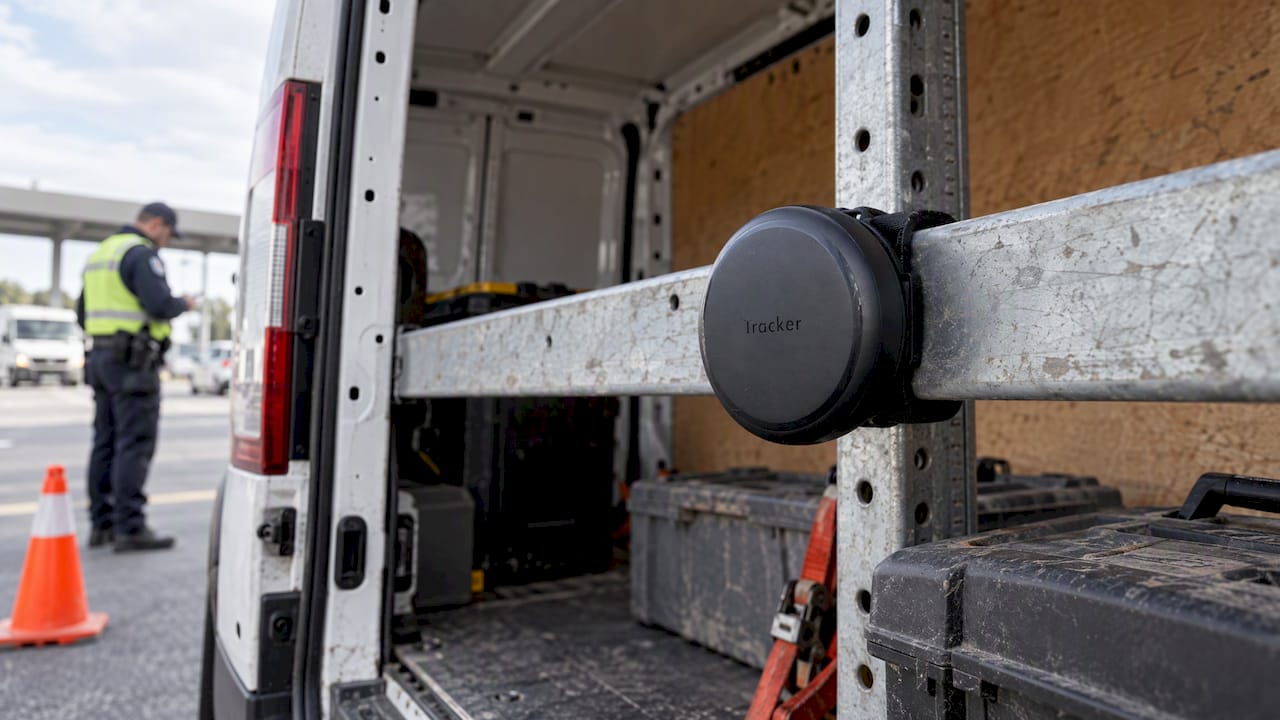
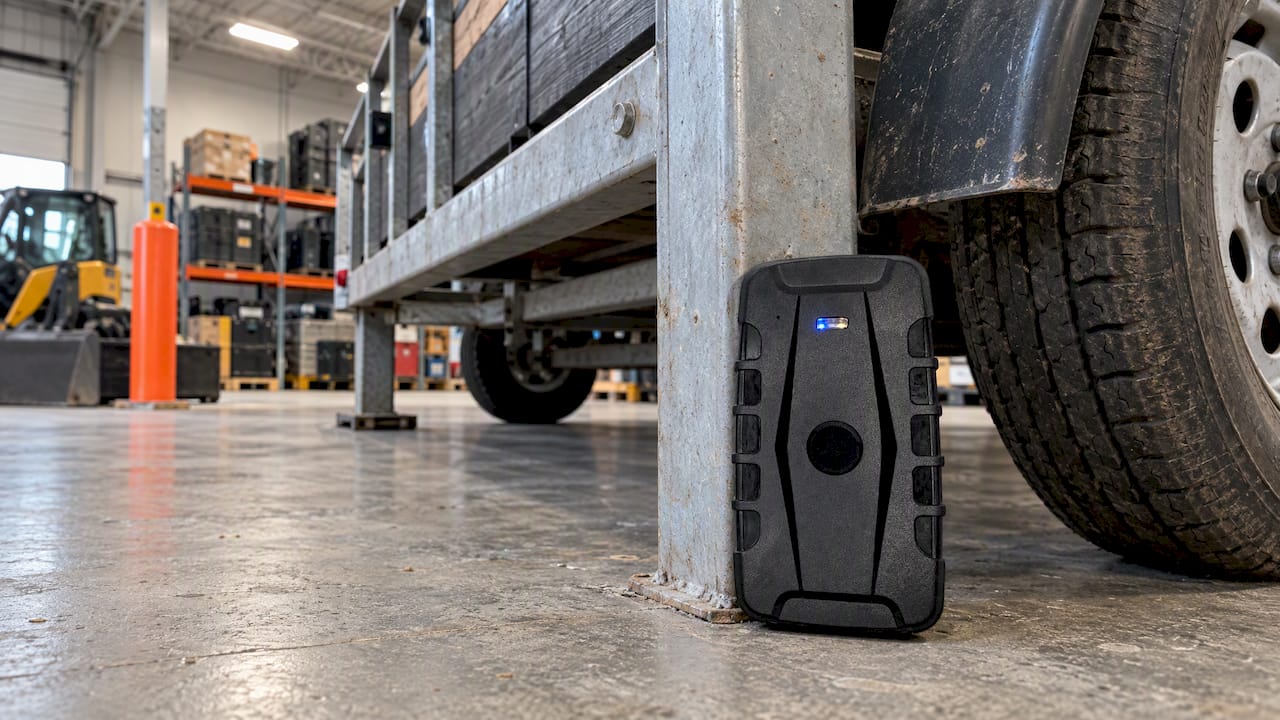
Dedicated hardware trackers are small devices installed in a vehicle, attached to equipment, or placed with an asset. They run on their own battery or hardwired power and transmit location data independent of any phone. This makes them the practical choice for fleet owners, contractors tracking trailers or equipment, and anyone monitoring something that does not carry a smartphone. Market research on the GPS tracking device sector backs this up: dedicated devices are recommended for long-term vehicle, fleet, or unpowered asset monitoring precisely because they keep working regardless of phone status, and the category is expanding as businesses look for continuous visibility over their vehicles and equipment.
Tracking apps sit on a smartphone and use the phone’s own location services to report position, often adding features like geofence alerts, trip history, and multi-user dashboards. They work well for people who already carry a phone, such as a teen driver or an older adult being looked after by family.
Built-in phone location sharing, the kind baked into iOS and Android, offers the lightest-touch option. No extra app, no setup beyond toggling a feature, and it is ideal for short-term situations: a single road trip, a hike, a one-off safety check during a first solo outing.
Here is how the three stack up on the factors that matter most:
- Reliability without a phone: hardware trackers win outright since they do not depend on another person keeping their phone charged and on them.
- Privacy control: built-in sharing typically offers the most granular, time-limited controls, followed by reputable tracking apps, with hardware trackers depending on the specific platform’s settings.
- Upfront versus ongoing cost: hardware trackers often involve a one-time device purchase, while many apps and sharing features are free but tied to a phone plan or app subscription.
- Best fit scenario: a fleet owner needs hardware installed in every vehicle; a caregiver for an older adult often prefers an app with alerts; a parent checking on a teen driver might start with built-in sharing before committing to anything more.
Think about who or what you are tracking, how long you need to track it, and whether a phone will reliably be present. Those three answers point you toward the right category almost every time, and our anti-theft tracking guide covers hardware-specific features worth comparing once you have settled on that route.
How GPS and phone location actually work
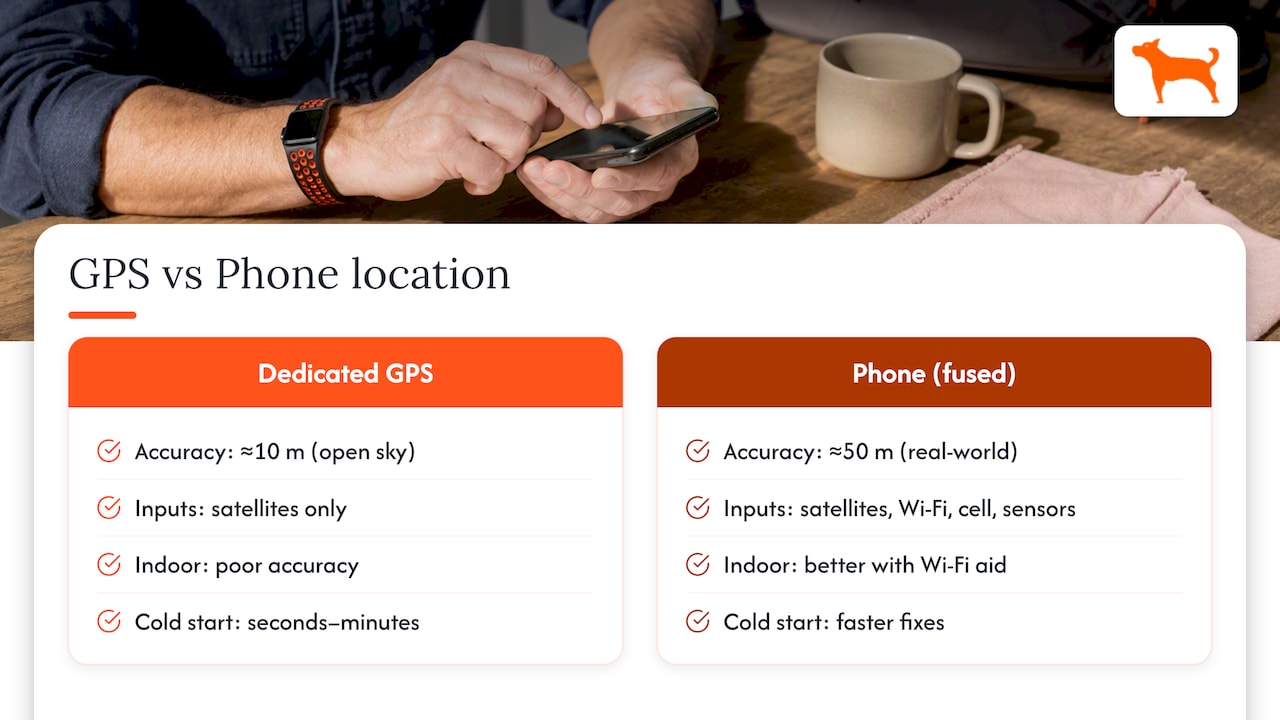
GPS, part of the broader GNSS family of satellite systems, works by triangulating signals from multiple satellites to calculate a position. A dedicated GPS chip, the kind found in standalone trackers, reads these signals directly and can produce accuracy within about 10 meters under open sky.
Smartphones usually do not rely on raw GPS alone. They use fused location, a method that blends satellite signals with Wi-Fi network data, cell tower triangulation, and sensors like the barometer for altitude. This fusion produces faster location fixes, especially indoors or in places where satellite signal is weak, but it trades off some precision. Fused location on a phone typically lands within about 50 meters of the true position in real-world conditions, a wider margin than dedicated GPS hardware.
Three situations commonly throw off accuracy, and understanding them helps set realistic expectations:
Cold start. When a GPS receiver has not been used recently, it needs time to download satellite almanac data before it can calculate a precise fix. This can take anywhere from several seconds to a couple of minutes, which is why a tracker or app sometimes shows a stale or approximate location right after being turned on.
Urban canyons. Tall buildings reflect and block satellite signals, causing multipath errors where the receiver picks up a bounced signal instead of a direct one. This is common in dense city centers and can shift a reported location by dozens of meters.
Indoor limitations. Satellite signals barely penetrate walls and roofs, so both dedicated GPS and fused phone location struggle indoors. Fused location compensates somewhat using Wi-Fi positioning, but accuracy still degrades noticeably compared to open-air conditions.
None of this makes tracking unreliable for everyday use. It does mean a dot on a map should be read as an estimate within a radius, not a pinpoint, especially in cities or indoors.
Feature checklist for choosing a tracking app
A good tracking app or companion app for a hardware device should cover a specific set of essentials before you commit to it.
- Live location with a visible accuracy circle: you should see not just a dot but a radius showing how precise that dot actually is.
- Location history: a log of past trips or movement over the last several days, useful for spotting patterns or confirming a route.
- Geofence alerts: notifications when a tracked person or vehicle enters or leaves a defined area, like home, school, or a job site.
- Trip and mileage reports: automatic logging of distance traveled, useful for families tracking a teen’s driving habits and essential for business mileage reporting.
- Multi-user access: the ability for more than one caregiver or team member to view the same tracker without sharing a single login.
Privacy and data controls deserve just as much scrutiny as features. Check how long the app retains location history, whether that history is shared with or sold to third parties, and whether you can delete past data on demand. The FTC’s complaint against location-data broker X-Mode documents how third-party SDKs embedded in ordinary apps can collect and sell precise location traces tied to persistent identifiers, sometimes revealing visits to sensitive locations. That is a strong reason to read an app’s privacy policy for any mention of third-party data sharing before installing it.
For caregivers specifically, usability matters as much as features. Look for simple setup that does not require technical know-how, clear notification settings so you are not buried in alerts, and a dashboard that makes sense at a glance rather than one built for a fleet dispatcher.
Pro Tip: Before trusting any app with a loved one’s location, search its name alongside “privacy policy” and “data sharing” to see what third parties, if any, receive that data.
Setting permissions correctly on iOS and Android
Both major mobile operating systems treat location access as a sensitive permission, and getting the settings right protects both privacy and battery life.
iOS and Android both offer a choice between “while using the app” and “always” location access, along with a further choice between approximate and precise location on newer versions. “While using” means the app only gets your location when it is open and active, which is sufficient for most one-off location checks. “Always” access lets an app track location even when closed, which is necessary for continuous geofence monitoring but is also the setting most likely to drain battery and raise privacy concerns.
Platform guidance is consistent on this point: Android’s permission documentation notes that background location is treated as a sensitive permission on both major platforms, and apps should request only what a given feature genuinely requires. Requesting “always” access without a clear, justified reason tends to trigger privacy warnings on the device and can lead users to reject or uninstall an app.
Before granting “always” access, ask whether the app actually needs constant background tracking or whether geofencing and significant-change location updates would serve the same purpose with far less battery draw. Many legitimate caregiver and fleet apps rely on these lower-frequency methods rather than polling location continuously.
A short privacy checklist worth running through for any sharing or tracking setup:
- Limit history retention to the shortest window the app allows if you do not need long-term logs.
- Use time-limited sharing when checking on someone for a single trip or event rather than leaving sharing on indefinitely.
- Audit who has access every few months, removing anyone who no longer needs visibility into your location.
Setting up and testing a tracker or app step by step
Getting a tracker or app working correctly the first time prevents false alarms and wasted troubleshooting later. Follow this sequence for either a phone app or a hardware device with a companion app.
- Install or pair the device. For a hardware tracker, follow the manufacturer’s pairing steps, which usually involve powering it on and connecting it to the companion app over Bluetooth or cellular activation. Our step-by-step activation guide walks through this process for beginners.
- Grant the correct permissions. Choose “while using” unless the app specifically needs background tracking for geofence alerts, in which case grant “always” access only after confirming the feature requires it.
- Create your geofences. Set up zones around home, work, school, or a job site, and name each one clearly so alerts make sense at a glance.
- Set alert preferences. Decide who gets notified, how often, and for which events, arrival, departure, or both, to avoid alert fatigue.
- Run a dry-run trip. Drive or walk a short route with the tracker active to confirm the app logs movement correctly and the accuracy circle looks reasonable.
- Check arrival notifications. Enter and exit a geofenced zone to confirm alerts actually fire and arrive promptly.
- Record key details. Note the device ID, the time of your last confirmed signal, and the support contact for the app or device manufacturer, so you have this information ready if something goes wrong later.
Pro Tip: Run your dry-run test during a time when you can watch the app in real time, so you catch any delay between actual movement and what the map shows.
This routine takes under half an hour for most setups and catches the majority of configuration mistakes before they become a real problem, like a geofence alert that never fires or a permission setting that silently stops tracking in the background.
Tuning battery life and accuracy together
Tracking accuracy and battery life pull in opposite directions, and the right setting depends on what you actually need to know.
The general rule: pick the lowest accuracy setting and the longest update interval that still meets your use case. Android’s own developer guidance recommends geofencing and significant-change location updates instead of continuous high-frequency GPS polling for most background tracking scenarios, since constant polling is one of the fastest ways to drain a battery. For everyday caregiver use, example, checking that a teen arrived safely, a cached last-known location refreshed every 30 to 60 seconds is typically sufficient according to practical GPS guidance for mobile apps, with high-frequency updates reserved for active navigation.
A few habits make a measurable difference:
- Use “balanced” accuracy mode rather than “high accuracy” for routine monitoring, since balanced mode draws on fused location rather than constant GPS chip use.
- Batch location updates where the app allows it, trading a small delay in reporting for a meaningful reduction in battery drain.
- Keep devices on a charging schedule that matches their use, overnight charging for a phone used during the day, or a dedicated charging dock for a hardware tracker between trips.
- Display the accuracy circle on the map so you can tell at a glance whether a reading is precise or approximate, rather than assuming every dot is exact.
These settings matter more for apps running in the background all day than for one-off checks, but getting them right early avoids the common complaint of a tracker that drains a phone battery by midafternoon.
Troubleshooting a missing signal without panicking
A tracker that stops reporting is unsettling, but most cases resolve with a few quick checks rather than an emergency.
Start with the basics: confirm the device or phone has battery, check that location permissions have not been accidentally revoked, rule out airplane mode, and confirm the app is updated to its latest version. These four checks resolve the majority of “lost signal” situations.
If the basics check out, follow a simple escalation protocol rather than jumping straight to alarm:
- Call or text first to reach the person directly before assuming the worst.
- Check the trip history to see the last confirmed location and timestamp, which often shows the device was simply indoors or in a dead zone.
- Verify device power separately, since a dead battery is the single most common cause of a missing signal.
- Escalate only if these steps fail, reaching out to additional contacts or, if genuinely warranted, local authorities, with the last verified location and timestamp ready to share.
This kind of structured approach reduces false alarms significantly, since a validated location trace and a clear timeline give responders something concrete to act on rather than a vague report of someone being unreachable.
Where Moto Watchdog fits this checklist
Our trackers are designed with priorities such as reliability without depending on a phone, clear alerts, and eliminating ongoing costs. Features include real-time location monitoring, customizable geofencing, detailed mileage and trip reporting, and long battery life, aligning with the feature checklist above; the subscription-free model avoids recurring bills.
Families monitoring a shared vehicle often choose hardware trackers for the same reason small fleet owners do: the device reports continuously regardless of whether anyone’s phone is charged or in range, and setup does not require technical expertise. Many businesses rely on devices like these for accuracy in day-to-day fleet operations, and the same reliability translates well to a family wanting peace of mind about a teen driver or an aging parent’s vehicle.
The underlying hardware approach matches the comparative analysis earlier in this guide: when continuous, phone-independent tracking matters more than the convenience of an app already on someone’s phone, a dedicated tracker is the more dependable route.
Connecting GPS tracking data to business software
For fleet owners and contractors, raw location data only becomes useful once it feeds into the systems already used to run the business. API access allows dispatching software, maintenance scheduling tools, or accounting platforms to pull trip logs, mileage totals, and vehicle status directly rather than requiring manual exports.
This matters most for businesses managing more than a handful of vehicles, where entering mileage or trip data by hand becomes a drag on time and introduces errors. An API connection can automate mileage reporting for tax purposes, trigger maintenance alerts based on actual usage rather than calendar estimates, and sync vehicle location with dispatch software so routing decisions use live data.
Our API access offering is built for exactly this kind of integration, letting fleet and business management platforms pull tracking data directly rather than relying on manual entry. Before committing to any tracking platform for business use, confirm that API documentation is available and that it covers the specific data points your existing software needs, whether that is location pings, geofence events, or mileage summaries.
Customizing alerts and reports for your situation
A one-size-setup for alerts rarely fits both a family and a business, which is why customization matters as much as the underlying tracking technology.
For personal and family use, useful customizations include setting different geofence zones for different people, for example, a wider radius for a teen driver and a tighter one for an elderly parent, and choosing which family members receive which alerts so not everyone gets notified about every event. Time-based rules also help, such as only sending alerts during school hours or evening curfew windows.
For business use, customization usually centers on reporting. Mileage reports formatted for tax deduction purposes, idle-time tracking to flag wasted fuel, and maintenance reminders tied to actual vehicle usage rather than fixed calendar intervals all reduce the manual work of running a fleet. Multi-vehicle dashboards that let a single manager monitor dozens of assets, with alerts grouped by vehicle, driver, or job site, scale far better than a single generic feed.
The right setup is the one that surfaces only the alerts you will actually act on. Too many notifications leads to the same outcome as too few: the important ones get ignored.
Subscription-free tracking versus ongoing subscription models
Many GPS tracking apps and devices on the market charge a recurring fee, whether monthly or annual, on top of the initial device or app cost. That model can add up significantly over a few years of use, particularly for a fleet running multiple trackers at once.
A subscription-free approach, where the device is purchased once and continues to function without further payment, removes that ongoing cost entirely. Our trackers are priced from $124.99 as a one-off purchase with lifetime data included, unlimited vehicles and users supported on a single dashboard, and no activation fees or hidden add-ons layered on top.
The tradeoff to understand with any subscription-free model is that the initial purchase price tends to be higher than a subscription app’s upfront cost, since the one-time fee covers data and service that a subscription would otherwise bill for over time. For a family tracking one vehicle for a few years, or a contractor outfitting ten trucks, the math generally favors the one-time purchase once you project the recurring fees of a subscription model out past the first year or two. For more on how one-time pricing compares to ongoing costs, our guide to affordable GPS tracking breaks down the cost tradeoffs in more detail.
Real-world use cases across fleets, families, and assets
Tracking needs look different depending on who is using the device, though the underlying technology stays largely the same.
Fleet management. A contractor running a dozen trucks needs mileage reporting for tax purposes, maintenance reminders tied to actual usage, and idle-time tracking to catch wasted fuel. Geofence alerts around job sites help confirm crews arrived on schedule without requiring a phone call.
Family vehicle and safety monitoring. Parents of teen drivers commonly set up geofence alerts around home and school, paired with trip history to review driving habits like speed or late-night trips. Our guide to tracking family members goes deeper into setting up this kind of family-focused monitoring.
Asset and equipment tracking. Equipment rental companies and contractors tracking trailers, generators, or heavy machinery rely on hardware trackers precisely because this kind of asset has no phone attached to it and often sits unused for stretches of time, making long battery life essential.
Theft prevention. Vehicle owners concerned about theft benefit from tamper and jammer detection features alongside standard location tracking, giving an added layer of security beyond a basic location dot.
Each of these scenarios points back to the same decision framework from earlier: match the tracking method to how long you need visibility, whether a phone will reliably be present, and how much the data needs to integrate with other systems.
A caregiver’s perspective: consent matters as much as the technology
Tracking a family member works best as a safety tool, not a surveillance habit, and that distinction depends entirely on how it is introduced and used.
Parenting and safety experts note that tracking should stay consensual and limited to specific, agreed situations, since constant, undisclosed surveillance tends to erode trust rather than build safety. The same principle applies to tracking an older adult or a partner: a shared understanding of why tracking is happening matters more than the technology itself.
A short checklist worth agreeing on before turning any tracking feature on:
- Agree on the purpose: a specific trip, an emergency plan, or ongoing safety for a new driver, rather than open-ended monitoring.
- Set a review date: revisit whether tracking is still needed every few months rather than leaving it on indefinitely.
- Decide who sees what: not every family member needs the same level of access to the same data.
— Louis
Finding the right tracker for your vehicle or fleet
Everything in this guide points toward the same practical conclusion: match the tool to the job, and favor options that keep working without adding a recurring bill to your budget. For vehicles, fleets, trailers, and equipment that need continuous, phone-independent visibility, our GPS trackers deliver real-time location, customizable geofencing, mileage reporting, and long battery life with no monthly fees attached.

Families watching over a shared vehicle and contractors managing a growing fleet both land on the same need: a device that reports reliably without another bill showing up every month. If theft prevention is part of what you are solving for, our jammer detection features add a layer of tamper awareness beyond basic location tracking, and businesses looking to connect tracking data to existing software can explore our API access for fleet and dispatch integrations.
Before buying, take a look at our setup documentation and reach out to support with any questions about which tracker fits your specific vehicles or assets. Browse the current lineup and find the tracker that matches your situation at Motowatchdog.
FAQ
What is the best app for GPS tracking?
The best choice depends on your situation: dedicated hardware trackers suit vehicles, fleets, and equipment that need continuous tracking independent of a phone, while apps built on phone location work well for tracking people who already carry a smartphone. Check an app’s privacy policy and permission requests before relying on it, since not all apps handle location data the same way.
Can someone track your location without you knowing it?
Yes, this is possible if an app with hidden location-sharing features is installed on a device, or if location sharing was enabled and later forgotten about. Regularly auditing which apps and contacts have access to your location, and checking your phone’s location permission settings, helps catch this.
How do I track my husband’s phone location for free?
Tracking another adult’s phone without their knowledge or consent raises serious privacy and, in some cases, legal concerns, and reputable guidance consistently recommends consent-based location sharing rather than covert tracking. Built-in features like Android’s location sharing or Apple’s Find My, used openly and with agreement from both people, are the appropriate free option for this.
What is the best app for tracking my GPS location?
For tracking your own location, such as sharing your whereabouts with family during a trip, built-in phone features like Find My or Google’s location sharing work well since they require no extra installation and offer time-limited sharing controls. If you need a dedicated device for a vehicle or asset rather than yourself, a hardware tracker is the better fit since it does not depend on your phone being present.
Sources
- Request location permissions | Android Developers
- FTC complaint: X-Mode location data practices
- GPS Tracking Device Global Market Report