

How to start saving money
Lorem ipsum dolor sit amet, consectetur adipiscing elit lobortis arcu enim urna adipiscing praesent velit viverra sit semper lorem eu cursus vel hendrerit elementum morbi curabitur etiam nibh justo, lorem aliquet donec sed sit mi dignissim at ante massa mattis.
- Neque sodales ut etiam sit amet nisl purus non tellus orci ac auctor
- Adipiscing elit ut aliquam purus sit amet viverra suspendisse potent
- Mauris commodo quis imperdiet massa tincidunt nunc pulvinar
- Excepteur sint occaecat cupidatat non proident sunt in culpa qui officia
Why it is important to start saving
Vitae congue eu consequat ac felis placerat vestibulum lectus mauris ultrices cursus sit amet dictum sit amet justo donec enim diam porttitor lacus luctus accumsan tortor posuere praesent tristique magna sit amet purus gravida quis blandit turpis.

How much money should I save?
At risus viverra adipiscing at in tellus integer feugiat nisl pretium fusce id velit ut tortor sagittis orci a scelerisque purus semper eget at lectus urna duis convallis. porta nibh venenatis cras sed felis eget neque laoreet suspendisse interdum consectetur libero id faucibus nisl donec pretium vulputate sapien nec sagittis aliquam nunc lobortis mattis aliquam faucibus purus in.
- Neque sodales ut etiam sit amet nisl purus non tellus orci ac auctor
- Adipiscing elit ut aliquam purus sit amet viverra suspendisse potenti
- Mauris commodo quis imperdiet massa tincidunt nunc pulvinar
- Adipiscing elit ut aliquam purus sit amet viverra suspendisse potenti
What percentege of my income should go to savings?
Nisi quis eleifend quam adipiscing vitae aliquet bibendum enim facilisis gravida neque. Velit euismod in pellentesque massa placerat volutpat lacus laoreet non curabitur gravida odio aenean sed adipiscing diam donec adipiscing tristique risus. amet est placerat in egestas erat imperdiet sed euismod nisi.
“Nisi quis eleifend quam adipiscing vitae aliquet bibendum enim facilisis gravida neque velit euismod in pellentesque”
Do you have any comments? Share them with us on social media
Eget lorem dolor sed viverra ipsum nunc aliquet bibendum felis donec et odio pellentesque diam volutpat commodo sed egestas aliquam sem fringilla ut morbi tincidunt augue interdum velit euismod eu tincidunt tortor aliquam nulla facilisi aenean sed adipiscing diam donec adipiscing ut lectus arcu bibendum at varius vel pharetra nibh venenatis cras sed felis eget.
When a GPS theft alert hits your phone, the right response is a fixed sequence: confirm the alert is real, call the police with your identifiers ready, notify your insurer, and let law enforcement make the recovery. Do not drive to the location yourself. The faster you complete those steps, the better the odds that a stolen truck, trailer or piece of heavy equipment comes back. This guide gives fleet managers and rental operators a response plan they can write down once and use every time.
TL;DR
- Verify the alert in a few minutes: check the last location, movement pattern and who had the asset, then stop checking and escalate.
- Call police first, then your insurer, then your GPS provider. Give make, model, serial number or PIN, loss location and last known position.
- Report heavy equipment to the National Equipment Register (NER) and keep serial numbers registered so the data is available around the clock.
- Share the live location with officers. Do not confront thieves or try to retrieve the asset on your own.
- Prepare before it happens: geofences, movement alerts, a written call list and an asset record with photos and identifiers.
Table of Contents
- What a theft alert actually tells you
- Step 1: Verify the alert in under five minutes
- Step 2: Call the police and give them what they need
- Step 3: Notify your insurer and your GPS provider
- Step 4: Report to the National Equipment Register
- Step 5: Support recovery, don’t run it
- A sample first-hour timeline
- Perspective: why no-subscription tracking suits theft response
- Prepare before an alert ever fires
- Choosing a tracker for theft response
- FAQ
- Sources
What a theft alert actually tells you
A GPS tracker reports a location and a trigger. The trigger is what you have to interpret. Common ones for fleets and equipment include:
- Geofence exit: the asset left a yard, job site or approved zone.
- Movement alert: the asset moved when it should be parked, for example overnight or on a weekend.
- Power or tamper alert: the device lost its power source or was disconnected.
- Speed or after-hours use: the asset is moving fast or outside scheduled hours.
Only some of these mean theft. A geofence exit at 7:10 a.m. on a workday is probably a driver heading to a job. A movement alert at 2 a.m. on a Sunday on a skid steer that no one scheduled is a different story. Your job in the first minutes is to sort the alert into one of three buckets: theft, unauthorized use, or false alarm.
Step 1: Verify the alert in under five minutes
Federal guidance on alarm assessment describes the same logic security teams use: evaluate the available audio and visual data to decide whether unauthorized access was attempted or occurred, then dispatch responders if needed (DHS Access Control Technologies Handbook). For a fleet, the available data is your tracker, your schedule and your people.
Run this quick check:
- Open the map. Is the asset moving, and does the route make sense for a job or a delivery?
- Check the schedule. Was the unit assigned, rented out or booked for service today?
- Call the last known driver, renter or yard manager. One phone call settles most false alarms.
- Look at the alert history. Repeated tamper or low-power alerts on the same device point to a wiring or battery issue, not a thief.
- Set a time limit. If you cannot account for the asset within about five minutes, treat it as stolen.
The cost of a false alarm is a short, slightly embarrassing call to police. The cost of waiting on a real theft is a machine that may be loaded on a trailer and miles away. Err toward escalating.
Step 2: Call the police and give them what they need
Report the theft immediately. Industry guidance on commercial heavy equipment theft is consistent: report to police right away, provide the correct product identification number (PIN), and notify the insurance company (NICB commercial heavy equipment guidance). Crime prevention guidance for rental operators adds that a missing unit should be reported as soon as it is discovered, because delay can hurt recovery, and that the registered owner may report it when the customer does not do so promptly (Crime Prevention Program of Southern California).
Which agency to call
Call the police department or sheriff’s office covering the place the asset was taken from. In California, guidance for rental companies says a theft from a customer’s job goes to the nearest police department or sheriff’s station, and a theft from a freeway job goes to the area’s CHP office (CPP SoCal). Other states follow the same principle: the jurisdiction where the loss happened takes the report. If you are unsure, dispatch can route you.
Have these details ready
For heavy equipment, the American Rental Association’s theft reporting guide lists what an initial report needs: make, model, serial number or PIN, loss date, loss location and circumstances. Renter information and the police agency and case number are helpful but not required (ARA, How to Report a Theft to NER).
Add what your tracker gives you:
- The current location and the time of the first alert
- Direction and speed of travel if the unit is moving
- A description: color, attachments, decals, damage, fleet number
- Photos from your asset record
- A contact who can stay reachable by phone
Note that police treat most motorized construction and farm equipment, such as backhoes and bulldozers, as vehicles for report processing and computer entry (Cincinnati Police procedure 12.420). Ask the call-taker to enter the serial number or PIN so the item is searchable.
Step 3: Notify your insurer and your GPS provider
Call your insurance company right after the police report. ICW Group’s theft-response guidance lists immediate police notification, insurer notification, GPS-provider engagement and site security as the first actions, and recommends supplying identifiers, descriptions and the last known location (ICW Group). Get the police case number and put it in your claim.
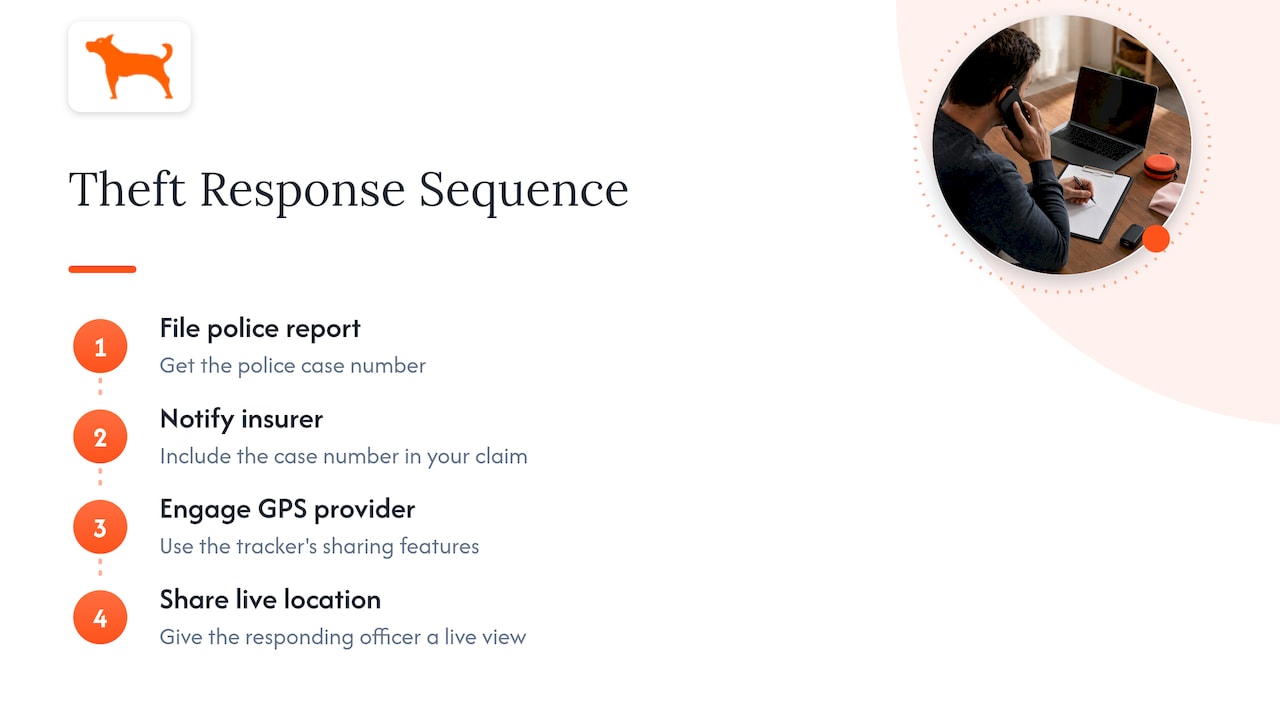
If your tracker has sharing features, give the responding officer a live view of the location instead of reading coordinates over the phone. That keeps everyone looking at the same position.
Step 4: Report to the National Equipment Register
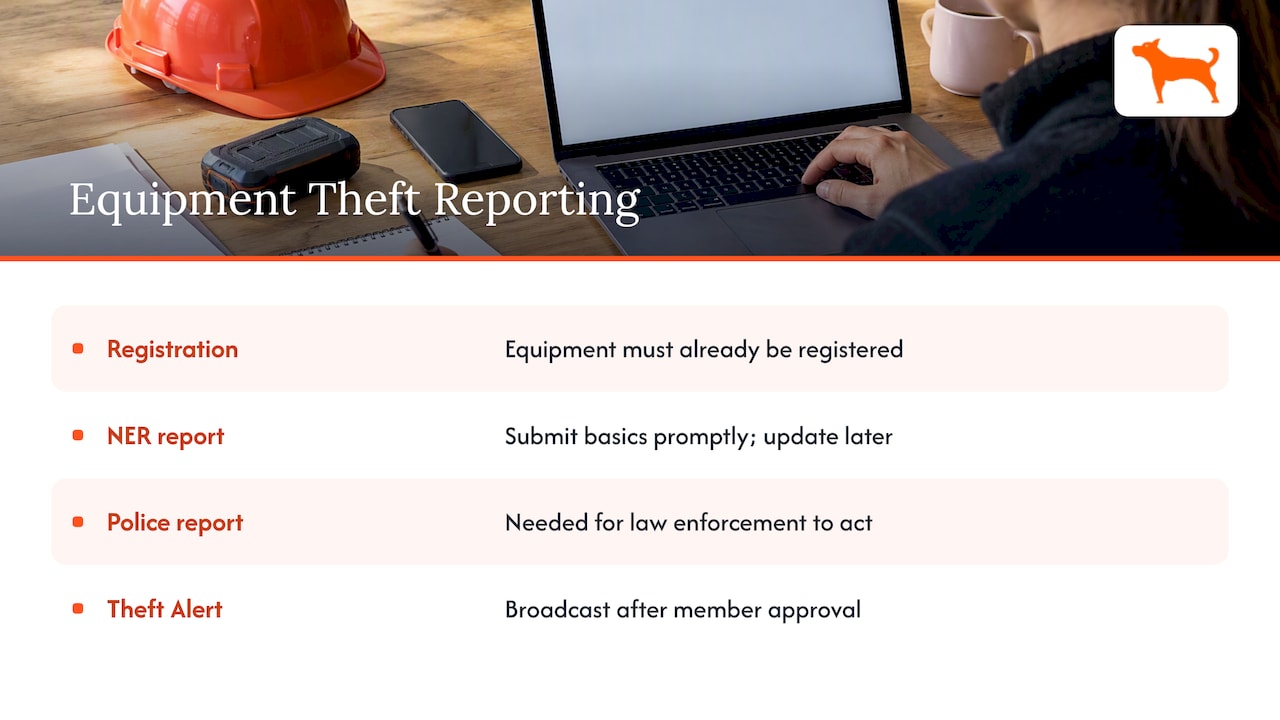
For heavy equipment, file a loss report with NER. The ARA guide says not to hold the report while you gather every detail: submit the basics promptly and update later. It also notes a police report is not required to file an NER loss report, but law enforcement needs a crime report to act, so file both. An NER Theft Alert is broadcast only after NER gets the member’s approval (ARA guide).
This works only if your equipment is already registered. NICB advises registering all equipment serial numbers with NER so the information is accessible to law enforcement 24 hours a day (NICB). A GPS location is valuable, but an officer who finds the machine still has to prove it is yours, and a registered serial number does that.
Step 5: Support recovery, don’t run it
Once a theft is reported, recovery systems are designed to pass the vehicle’s last known location and status to public-safety responders (ARC-IT stolen vehicle recovery). Your role is to keep that information current.
Do:
- Keep the tracker view open and update the officer when the position changes.
- Log times: first alert, call to police, case number, each position update.
- Secure your yard and check what else may be missing. Thieves often take more than one unit.
- Tell responders if the asset is a hazard, for example carrying fuel or attachments.
Don’t:
- Drive to the location and confront anyone.
- Post the location publicly or on social media.
- Let a renter’s delay slow the report. As the registered owner you can report it.
- Assume you may track rented units freely in every state. Some states regulate electronic tracking of rental vehicles. California, for example, permits a rental company to use electronic surveillance to locate a missing, stolen or abandoned vehicle after notice from the renter or law enforcement, or under specified overdue-return and AMBER Alert exceptions (California Civil Code 1939.23). Check your state’s rules and your rental contract language.
A sample first-hour timeline
| Minute | Action |
|---|---|
| 0 | Alert arrives: open the map, check the schedule |
| 1 to 5 | Call the driver, renter or yard manager; decide theft or not |
| 5 to 10 | Call police; give identifiers and the live location |
| 10 to 20 | Share live tracking with the officer; record the case number |
| 20 to 40 | Notify insurer; file the NER report for heavy equipment |
| 40 to 60 | Secure the yard, review other assets, keep updating police |
Perspective: why no-subscription tracking suits theft response
We built Motowatchdog around one idea: a theft alert is only useful if it is on, every time, on every asset. Monthly fees push fleets to track only their best units or to cancel devices in the slow season. Those are exactly the assets a thief targets.
Our trackers are one-time purchases with lifetime 4G data included, no activation fees and no add-ons. That makes it practical to put a device on every trailer, skid steer and pickup, and to keep it there. Geofence alerts, push notifications and live location sharing are part of the full feature set, and one dashboard supports unlimited vehicles and users, so your yard manager, owner and dispatcher can all see the same map when minutes count.
A good response plan and good coverage work together. Write the plan, test your geofences, and make sure every asset you cannot afford to lose is reporting.
Louis
Prepare before an alert ever fires
Most recovery is won or lost before the theft. A short checklist:
- Cover every asset. Trailers, attachments and small equipment are common targets because they are easy to move.
- Set geofences by site. Draw one around the yard and one around each active job site, with alerts for exits outside working hours.
- Use movement and idle alerts. After-hours motion is the cleanest early signal of theft.
- Keep an asset record. Make, model, serial number or PIN, photos, fleet number and tracker ID in one place that can be reached from a phone.
- Register serial numbers with NER. Do it once and keep it current.
- Write a call list. Local police non-emergency line, insurer claim line, tracker support, your own decision-maker.
- Run a drill. Once a year, trigger a test alert and time how long it takes to get the case-ready details to a dispatcher.
- Assign the alert recipients. Alerts that go to one person’s phone fail when that person is on vacation.
Reduce false alarms without muting alerts
Tune rather than silence. Use schedule-aware geofences, group alerts by site, and tag authorized after-hours moves in advance. Fewer false alarms mean your team still reacts quickly to the real one.
Choosing a tracker for theft response
Look for features that support the steps above:
- Real-time location with frequent updates
- Customizable geofencing and push notifications
- Long battery life, so a unit without vehicle power keeps reporting
- Easy sharing with police and teammates
- Multi-device management for the whole fleet
- No recurring fees, so coverage does not lapse
Our GPS trackers start at $124.99 as a one-time purchase, with no monthly fees, and the free companion app manages them from your phone.
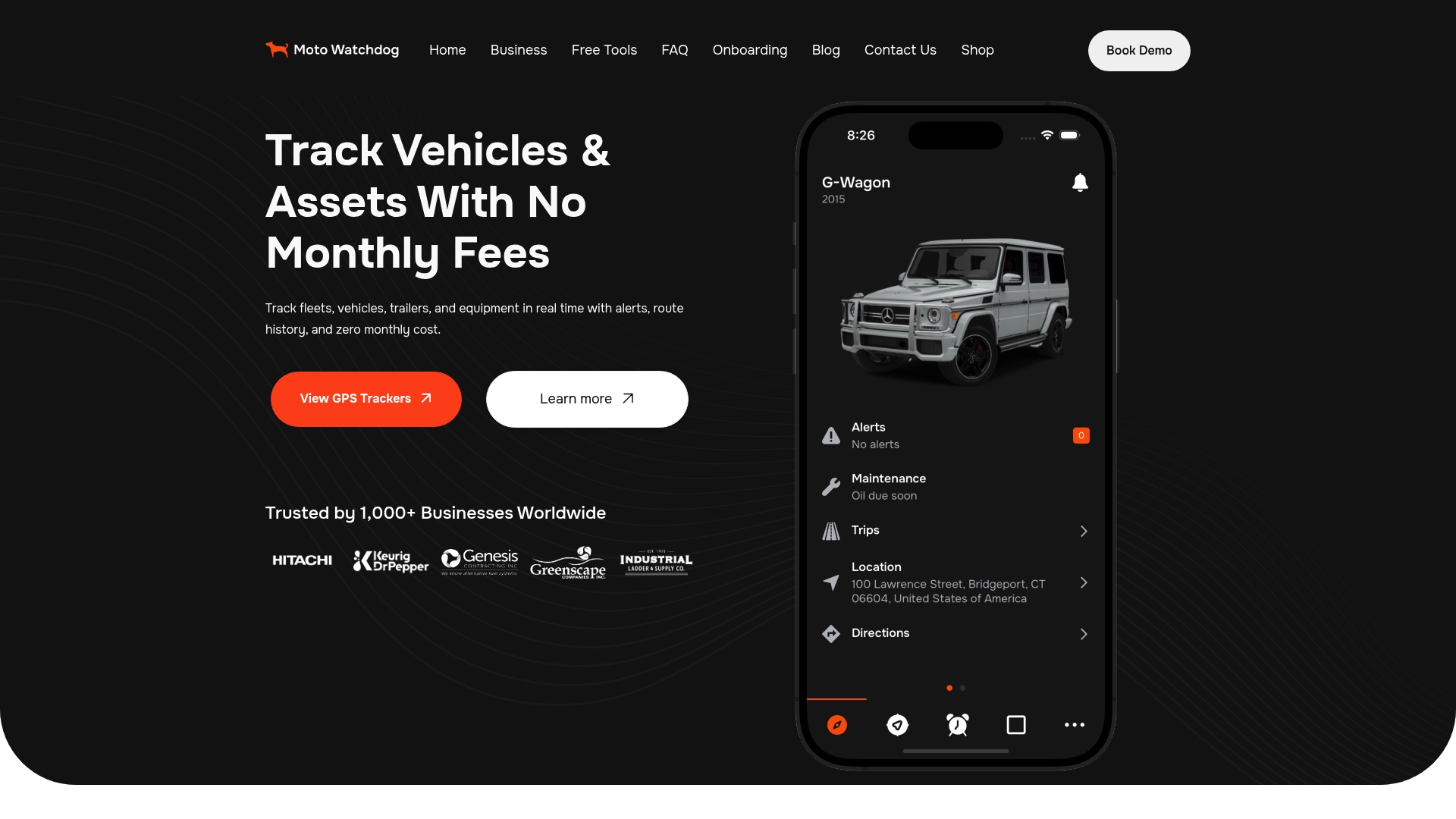
If you manage a rental fleet or contractor equipment, see the Motowatchdog tracker lineup and match a device to each asset type.
FAQ
Should I call the police or my GPS provider first?
Call the police first. Law enforcement is the only party who can act on a recovery, and industry guidance puts police notification ahead of the insurer and tracker steps. Then notify your insurer and bring your tracker provider in to help with location data.
Can I go get the stolen equipment myself if I can see it on the map?
No. You risk a confrontation, and you may complicate the case. Share the live location with the responding officer and let them handle it. Your job is to keep the position updated and the paperwork complete.
Do I need a police report before reporting to NER?
A police report is not required to submit an NER loss report, but law enforcement needs a crime report to act. File both quickly, then update NER with the case number and agency when you have them.
What if a renter has the machine and did not report it?
Report it yourself as soon as you discover it is missing. Guidance for rental operators says delay can impair recovery, and the registered owner may report when the customer does not. Also review state rules on electronic tracking of rental vehicles before you rely on it.
Sources
- NICB: Commercial heavy equipment theft guidance
- ICW Group: After the Theft, How to Respond Quickly
- DHS Access Control Technologies Handbook
- ARC-IT: Stolen Vehicle Recovery
- Cincinnati Police Procedure 12.420
- ARA: How to Report a Theft to NER
- Crime Prevention Program of Southern California: Who’s on First?
- California Civil Code 1939.23
- NICB: Equipment registration with NER

