How to start saving money
Lorem ipsum dolor sit amet, consectetur adipiscing elit lobortis arcu enim urna adipiscing praesent velit viverra sit semper lorem eu cursus vel hendrerit elementum morbi curabitur etiam nibh justo, lorem aliquet donec sed sit mi dignissim at ante massa mattis.
- Neque sodales ut etiam sit amet nisl purus non tellus orci ac auctor
- Adipiscing elit ut aliquam purus sit amet viverra suspendisse potent
- Mauris commodo quis imperdiet massa tincidunt nunc pulvinar
- Excepteur sint occaecat cupidatat non proident sunt in culpa qui officia
Why it is important to start saving
Vitae congue eu consequat ac felis placerat vestibulum lectus mauris ultrices cursus sit amet dictum sit amet justo donec enim diam porttitor lacus luctus accumsan tortor posuere praesent tristique magna sit amet purus gravida quis blandit turpis.

How much money should I save?
At risus viverra adipiscing at in tellus integer feugiat nisl pretium fusce id velit ut tortor sagittis orci a scelerisque purus semper eget at lectus urna duis convallis. porta nibh venenatis cras sed felis eget neque laoreet suspendisse interdum consectetur libero id faucibus nisl donec pretium vulputate sapien nec sagittis aliquam nunc lobortis mattis aliquam faucibus purus in.
- Neque sodales ut etiam sit amet nisl purus non tellus orci ac auctor
- Adipiscing elit ut aliquam purus sit amet viverra suspendisse potenti
- Mauris commodo quis imperdiet massa tincidunt nunc pulvinar
- Adipiscing elit ut aliquam purus sit amet viverra suspendisse potenti
What percentege of my income should go to savings?
Nisi quis eleifend quam adipiscing vitae aliquet bibendum enim facilisis gravida neque. Velit euismod in pellentesque massa placerat volutpat lacus laoreet non curabitur gravida odio aenean sed adipiscing diam donec adipiscing tristique risus. amet est placerat in egestas erat imperdiet sed euismod nisi.
“Nisi quis eleifend quam adipiscing vitae aliquet bibendum enim facilisis gravida neque velit euismod in pellentesque”
Do you have any comments? Share them with us on social media
Eget lorem dolor sed viverra ipsum nunc aliquet bibendum felis donec et odio pellentesque diam volutpat commodo sed egestas aliquam sem fringilla ut morbi tincidunt augue interdum velit euismod eu tincidunt tortor aliquam nulla facilisi aenean sed adipiscing diam donec adipiscing ut lectus arcu bibendum at varius vel pharetra nibh venenatis cras sed felis eget.
Driver privacy mode is a setting in fleet camera and telematics systems that stops the driver-facing camera, and sometimes audio or location capture, from recording when the driver is off duty or on a break. For a fleet or heavy equipment rental operation, the safest way to use it is to write down what is monitored and when, tell every driver and operator in writing, and keep monitoring tied to the vehicle or machine rather than the person. Location-based tracking of trucks, trailers and equipment makes that policy far simpler to write and defend than camera monitoring of people.
This guide explains what the setting does, what can still be captured while it is on, what the law asks of employers in a few key states, and how to set up a clear policy. It is written for fleet managers and rental operators, not for individual drivers shopping for a dash cam.
TL;DR
- Driver privacy mode usually disables or limits the inward-facing camera (and in some systems audio) so drivers are not recorded off duty. Each system defines it differently, so read the vendor’s settings page before promising anything to your crew.
- Privacy mode is a setting on camera-based systems. Location tracking of a vehicle or machine does not record the driver’s face or voice, which keeps the privacy question narrow.
- Several states require written notice before an employer monitors electronically, including New York and Connecticut. California’s AB 984 adds specific notice content and an off-hours right to disable monitoring for certain devices.
- A written policy that names what is tracked, when, who sees it and how long it is kept does more for trust and legal safety than any toggle.
- Moto Watchdog trackers are one-time purchases with no monthly fees, built to report where vehicles, trailers and equipment are, how far they went and how long they idled.
Table of Contents
- What driver privacy mode actually does
- What can still be captured when privacy mode is on
- What the law asks of employers
- How to set up privacy mode and a policy that works
- Location tracking as the lower-friction alternative
- Promo: tracking the asset, not the person
- Perspective: why we start with the asset
- Questions fleets ask about driver privacy mode
- Sources
What driver privacy mode actually does
In camera-based fleet systems, privacy mode is a control that limits what the in-cab hardware captures while a driver is not working. The most common form turns off the driver-facing lens. Some systems let the fleet restrict recording to working hours so the camera is inactive on personal time. Others let the driver trigger the mode with a button or a long press, and others store footage only temporarily and keep it only when an event, such as a hard brake, flags it.
Those are four different designs under one name. That is why the first question for any system is not whether it has privacy mode but what exactly the mode switches off, who can switch it on, and whether the fleet manager can override it.
Three practical points follow for a fleet:
- Who controls it matters. A mode that only the driver can toggle protects the driver but may leave you with gaps during work hours. A mode that only the administrator controls protects the company but may not satisfy a driver’s expectation of privacy on a break.
- Scheduling matters. The cleanest setup ties monitoring to a defined shift. Anything outside that window is simply not monitored.
- Scope matters. Disabling the driver-facing camera does not necessarily disable location, speed, harsh-event or audio data. Each is a separate stream with its own setting.
What can still be captured when privacy mode is on
This is the question drivers ask first and the one fleets answer worst. Do not assume the mode is all-or-nothing. In a typical camera system there are several separate data types:
| Data type | Often affected by privacy mode? | Question to answer before rollout |
|---|---|---|
| Driver-facing video | Usually yes | Is it off, or recording but not retained? |
| Cabin audio | Varies | Is audio a separate toggle? Is it recorded at all? |
| Road-facing video | Usually not | Does it keep recording while the vehicle is on? |
| Vehicle location and speed | Varies | Does tracking continue after hours? |
| Event triggers (hard braking, collision) | Varies | Can an event still save footage? |
Write the answers into your policy in plain words. A driver who reads “the inward camera is off outside scheduled shifts; vehicle location is still reported while the truck is moving” knows exactly where they stand. A driver told only that there is a privacy mode will assume the best and feel misled when they learn otherwise.
Why the distinction between vehicle data and driver data matters
Location data from a truck or a skid steer describes the asset. Video of a person’s face describes the person. The law and driver sentiment treat the two differently. Employers generally have a strong business case for knowing where a company vehicle or a rented excavator is, particularly after hours, when theft and unauthorized use happen. Continuous video of a person’s face and voice, by contrast, brings consent, retention and biometric questions that many fleets do not have staff to manage.
Heavy equipment rental is the clearest example. A mini excavator on a customer’s job site, a trailer parked overnight, a generator on a rental contract: none of these has a driver in the cab for most of the time. The fleet’s real exposure is theft, misuse, idle hours billed incorrectly and late returns. Those are location and usage problems, and they are answered without recording anyone.
What the law asks of employers
There is no single federal rule for monitoring drivers in company vehicles. The rules sit mostly at the state level, and they are changing, so treat this section as a starting point and have your attorney confirm what applies where your people work.
New York
New York’s Civil Rights Law section 52-c requires employers who monitor employee phone, email or internet use, or who transmit data electronically, to give written or electronic notice, acknowledged by the employee. The notice is given on hiring and the employer must also post it in a place employees can see. A signed acknowledgment in the onboarding packet is the simplest way to meet the first part.
Connecticut
Connecticut’s General Statutes section 31-48d requires employers that engage in electronic monitoring to give prior written notice to employees and to post a notice in a conspicuous place describing the types of monitoring they may use. The state labor department publishes a model notice employers can adapt.
California
California is the state to watch for off-duty monitoring. Under AB 984, as summarized by the California Lawyers Association, an employer may monitor employees through approved alternative devices during work hours when it is strictly necessary for their duties. The employer must give advance notice describing the monitored activities, the data collected, how it is used in employment, who receives it, which positions may access it, when monitoring happens, how it is stored and retained, and the employee’s right to disable monitoring outside work hours.
That last item is effectively a legal version of driver privacy mode: monitoring that employees can switch off when they are not working. If you run vehicles in California, build your policy around it even if your other states are less strict.
What this means in practice
You do not need to memorize every statute. You need a repeatable routine:
- Give every new hire written notice of what is monitored, and keep their signed acknowledgment.
- Post the same notice where crews check in, such as the yard office or shop.
- Describe monitoring by data type (location, speed, trip history, video if used), not by brand name.
- Re-issue the notice when you add a new type of monitoring.
- Ask counsel to review the notice for each state where you employ drivers or operators.
How to set up privacy mode and a policy that works
Whether your system has a formal privacy mode or you are deciding what to monitor in the first place, the same steps apply.
1. Decide what you actually need to know
List the business problems before choosing settings. For most equipment rental and contractor fleets the list looks like this: where is each asset right now, did it leave its authorized area, how many hours did it run, how long did it idle, when is service due, and did it come back on time. Every item is a question about a vehicle or machine. If your list contains nothing that requires seeing a driver’s face, you may not need an inward camera at all.
2. Define monitored hours
Set shift windows for each role. Office-based dispatchers, long-haul drivers and yard operators work differently, and a single rule for all of them will fit nobody. Where monitoring is limited to working hours, say so in the policy and set the system to match.
3. Separate vehicle monitoring from personal use
If drivers take company vehicles home, decide whether tracking continues overnight. Many fleets keep location active on trailers and heavy equipment around the clock, because the asset is the exposure, and limit tracking of take-home pickups to work hours. Whatever you choose, write it down and tell the drivers.
4. Set access and retention rules
Name the roles that can see location history and any recordings, and set how long data is kept. Limit access to people with a business reason, such as dispatch, safety and the owner. Shorter retention means fewer records to protect and produce. Give employees a way to ask what is held about them.
5. Explain the why to drivers
Crews accept monitoring more readily when the stated purpose is theft recovery, accurate billing, safety and maintenance rather than “checking up.” Show them the same dashboard managers see, if you can, and agree what happens when an alert fires. A geofence alert at 2 a.m. should lead to a call to the on-call manager, not an accusation.
6. Review twice a year
Laws, vendors and crews change. Put a policy review on the calendar, and check each new state you operate in.
Location tracking as the lower-friction alternative
A large share of fleet questions that lead people to search for driver privacy mode are really about reducing how much personal data the fleet holds. Asset and vehicle tracking does that by design.
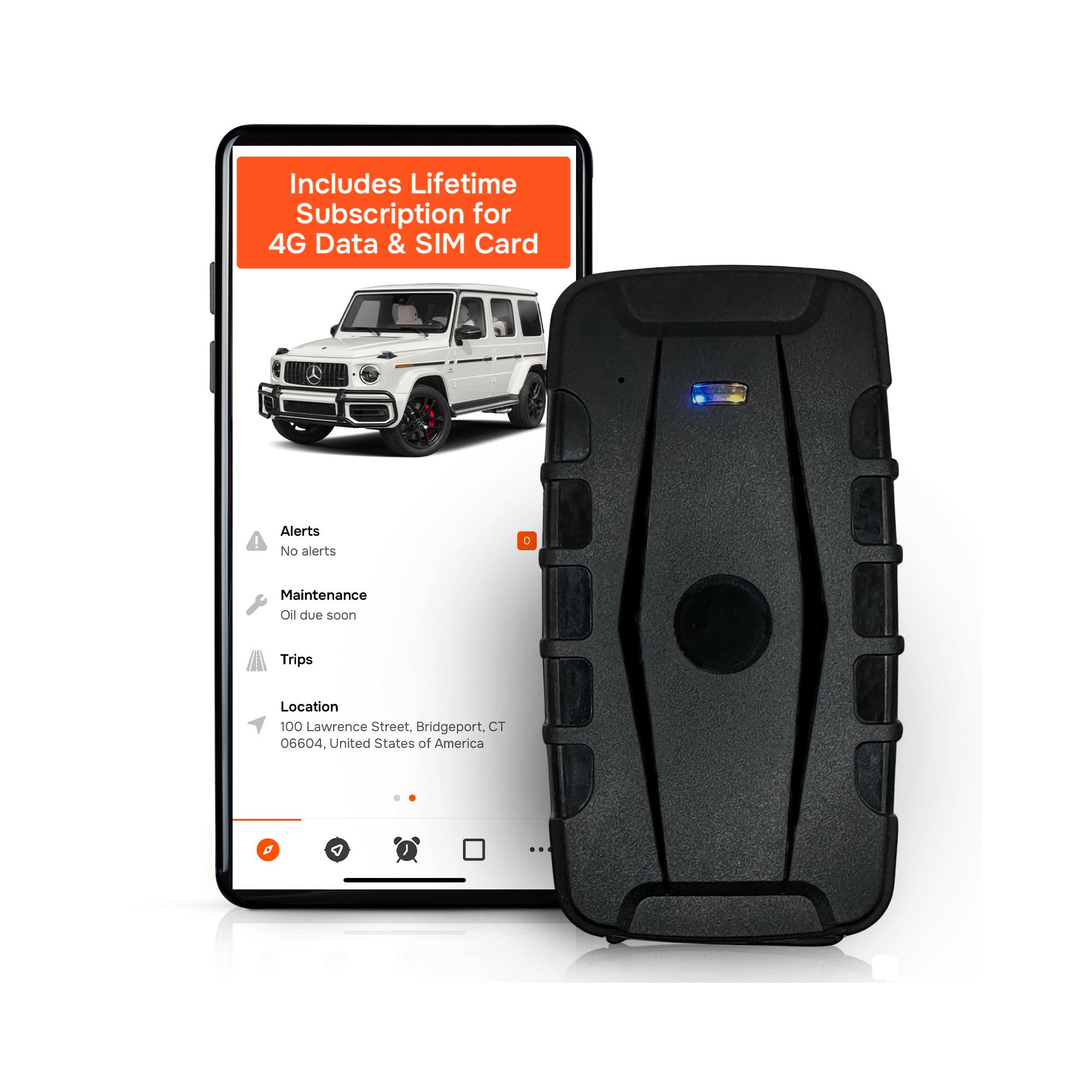
A GPS tracker mounted on a truck, a trailer or a piece of equipment reports position, trips, mileage and idle time. No lens points at the driver. There is no audio stream to configure, no biometric template to store and no facial footage to retain, review or produce on request. The notice you give is shorter and the retention question reduces to location history, which you can scope by asset and by hours.
For rental companies the benefits line up with the exposure:
- Theft and unauthorized use: a geofence around the yard or job site raises an alert when a machine leaves it.
- Billing accuracy: trip and idle records back up hours used against the rental contract.
- Maintenance: service reminders based on use rather than a calendar guess.
- Utilization: knowing which units sit idle helps you decide what to rebuy, rent out or sell.
None of that needs a camera on a person. Moto Watchdog’s trackers cover these uses with real-time location, customizable geofencing and alerts, trip and mileage reporting, idle time tracking and maintenance reminders, managed from a mobile app across multiple devices.
The cost side of the same decision
Camera systems and many tracking platforms are priced per vehicle per month, which turns a ten-unit pilot into a long-term bill. A one-time device purchase changes the math for a rental fleet with seasonal units and assets that sit for months. Moto Watchdog trackers start at $124.99 as a one-off price, with no monthly fees, no activation fees and lifetime 4G data included, according to the company’s published offer. Support for unlimited vehicles and users on one dashboard means adding a unit does not mean adding a seat.
Promo: tracking the asset, not the person
If your goal is to know where your trucks, trailers and equipment are without building a monitoring program around people’s faces, Moto Watchdog’s GPS trackers are made for that job. They start at $124.99 one-off, include lifetime 4G data and carry no monthly fee. You get geofence alerts, trip and mileage reports and idle tracking for every unit in one dashboard.
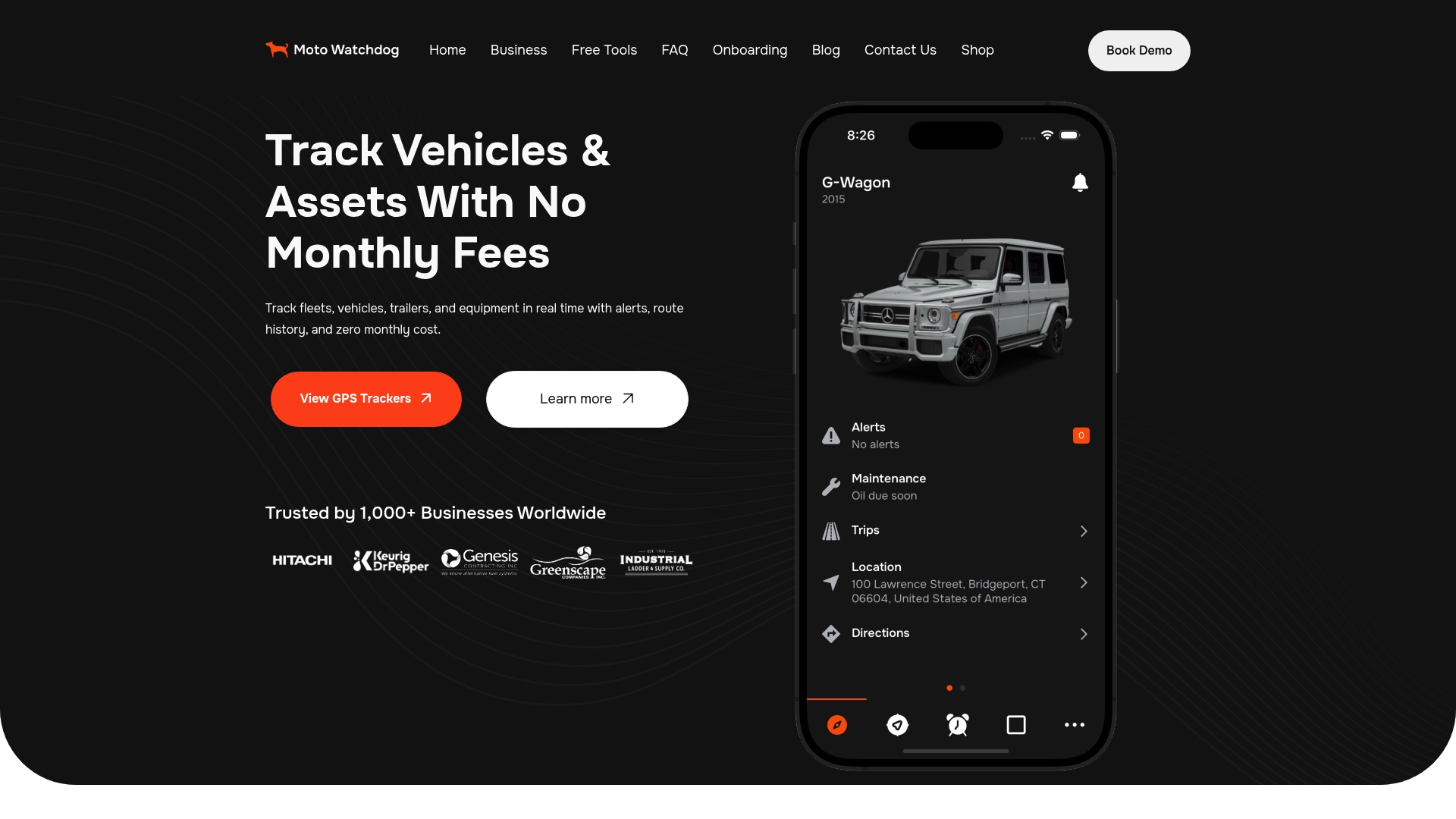
Fleets that need to connect tracking data to their own software can ask about API access on the business page.
Perspective: why we start with the asset
We built Moto Watchdog around a simple observation: most fleet and rental owners do not lose money because they cannot see a driver’s face. They lose it because a machine is gone, a trailer sat idle on a customer’s bill, or a service interval slipped by.
That is why our trackers follow the vehicle or equipment. Real-time location, geofence alerts, mileage and idle time answer those questions directly, and they do it without a monthly fee, because we believe a tracking tool should not become a recurring cost line for every unit you own.
When monitoring is about assets, the conversation with your crew gets easier. You can tell drivers and operators exactly what is tracked and why, and the policy fits on one page. Trust is a business asset too.
If you are weighing how much monitoring your operation needs, start with the list of problems you want solved. For many contractor and rental fleets, that list is answered by knowing where the equipment is.
Louis
Questions fleets ask about driver privacy mode
Can a driver turn privacy mode on whenever they want?
That depends on the system’s settings. Some let drivers trigger it with a button, while others let only an administrator control it. Decide which model fits your business, then state it in the written policy so no one is surprised.
Is it legal to track a company vehicle after hours?
Often yes, but the rules vary by state. New York and Connecticut require prior written notice of electronic monitoring, and California’s AB 984 gives employees the right to disable certain monitoring outside work hours. Ask your attorney to confirm the rules for each state where you have drivers.
Does privacy mode turn off location tracking too?
Not necessarily. In many camera systems it affects the driver-facing camera or audio, while vehicle location is a separate setting. Ask which data streams the mode covers, and list them in your driver notice.
Do we need cameras to protect rented equipment?
For theft, unauthorized use and billing disputes, location history, geofence alerts and idle records answer most questions without recording anyone. Trackers that report asset location suit this job well and keep your notice simple.