How to start saving money
Lorem ipsum dolor sit amet, consectetur adipiscing elit lobortis arcu enim urna adipiscing praesent velit viverra sit semper lorem eu cursus vel hendrerit elementum morbi curabitur etiam nibh justo, lorem aliquet donec sed sit mi dignissim at ante massa mattis.
- Neque sodales ut etiam sit amet nisl purus non tellus orci ac auctor
- Adipiscing elit ut aliquam purus sit amet viverra suspendisse potent
- Mauris commodo quis imperdiet massa tincidunt nunc pulvinar
- Excepteur sint occaecat cupidatat non proident sunt in culpa qui officia
Why it is important to start saving
Vitae congue eu consequat ac felis placerat vestibulum lectus mauris ultrices cursus sit amet dictum sit amet justo donec enim diam porttitor lacus luctus accumsan tortor posuere praesent tristique magna sit amet purus gravida quis blandit turpis.

How much money should I save?
At risus viverra adipiscing at in tellus integer feugiat nisl pretium fusce id velit ut tortor sagittis orci a scelerisque purus semper eget at lectus urna duis convallis. porta nibh venenatis cras sed felis eget neque laoreet suspendisse interdum consectetur libero id faucibus nisl donec pretium vulputate sapien nec sagittis aliquam nunc lobortis mattis aliquam faucibus purus in.
- Neque sodales ut etiam sit amet nisl purus non tellus orci ac auctor
- Adipiscing elit ut aliquam purus sit amet viverra suspendisse potenti
- Mauris commodo quis imperdiet massa tincidunt nunc pulvinar
- Adipiscing elit ut aliquam purus sit amet viverra suspendisse potenti
What percentege of my income should go to savings?
Nisi quis eleifend quam adipiscing vitae aliquet bibendum enim facilisis gravida neque. Velit euismod in pellentesque massa placerat volutpat lacus laoreet non curabitur gravida odio aenean sed adipiscing diam donec adipiscing tristique risus. amet est placerat in egestas erat imperdiet sed euismod nisi.
“Nisi quis eleifend quam adipiscing vitae aliquet bibendum enim facilisis gravida neque velit euismod in pellentesque”
Do you have any comments? Share them with us on social media
Eget lorem dolor sed viverra ipsum nunc aliquet bibendum felis donec et odio pellentesque diam volutpat commodo sed egestas aliquam sem fringilla ut morbi tincidunt augue interdum velit euismod eu tincidunt tortor aliquam nulla facilisi aenean sed adipiscing diam donec adipiscing ut lectus arcu bibendum at varius vel pharetra nibh venenatis cras sed felis eget.
Stop detection is the rule a GPS system uses to decide that a vehicle or machine has stopped moving. It turns a stream of location points into stops, trips, idle time and dwell time. For a fleet or an equipment rental yard, getting that rule right decides whether your mileage reports, geofence alerts and billing records can be trusted. We built Moto Watchdog trackers around one-time pricing, with no monthly fee, so you can put them on every truck, trailer and machine and read the stops without a subscription bill. Trackers start at $124.99.
Some readers who type this query want the opposite: how to stop a tracker from reporting. Section 5 covers that for owners and authorized managers, along with the legal limits.
TL;DR
- A stop is usually logged when speed stays under a low threshold for several consecutive readings inside a small radius. Heavy equipment needs different thresholds than pickups.
- Stops, idling and ignition-off events are different things. Reading them separately gives you accurate dwell time and idle cost.
- Treat a silent tracker as a signal. A tracker that stops reporting can mean lost cellular coverage, a dead power source or tampering.
- GPS jammers are illegal to use or sell in the U.S. Authorized users switch tracking off through the account, not with signal blockers.
- Moto Watchdog trackers have no monthly fees, include lifetime 4G data and support unlimited vehicles and users on one dashboard.
Table of Contents
- What stop detection actually does
- What a tracker can report at a stop
- Stops, idling and ignition-off: keep them separate
- How to set up stop detection for a mixed fleet
- How to tell whether a tracker is active
- What happens without cellular coverage
- 5. Stopping a tracker from reporting: what authorized users can do
- Keep only the stop data you need
- Why stop detection is easier without a subscription
- Perspective
- Put trackers on your equipment
- FAQ
- Sources
What stop detection actually does
A GPS tracker does not know a vehicle has stopped. It receives position fixes at intervals and software infers the rest. Stop detection is that inference layer, and it sits on top of cleaned location data. One analytics provider describes the common simple method: flag a stop when speed falls below a configurable floor, typically 3 km/h or less, for consecutive samples inside a bounding radius (RouteMatching). That is about 2 mph.
Three details matter in practice:
- Consecutive samples. One slow reading at a gate or a traffic light should not create a stop. Requiring several readings filters out noise.
- A bounding radius. GPS positions drift even when a machine sits still. The radius keeps that drift from looking like movement.
- A minimum duration. Many fleets only count a stop after a few minutes, so that a red light does not clutter the report.
The same source notes that mixed fleets need threshold calibration per vehicle class, because heavy vehicles can crawl at low speed during dock maneuvering without having stopped (RouteMatching). The same logic applies to an excavator trenching in place or a skid steer working a small pad.
What a tracker can report at a stop
A stop is only useful if it comes with context. For a contractor or rental fleet, the useful fields are:
- Where: the address or coordinates, and whether it falls inside a saved geofence such as a jobsite, yard or customer location.
- When it began and ended: the basis of dwell time and of rental hour disputes.
- How long: stop length, separated from idle time when the engine is running.
- What came before: the trip that ended there, with distance, so mileage reporting stays accurate.
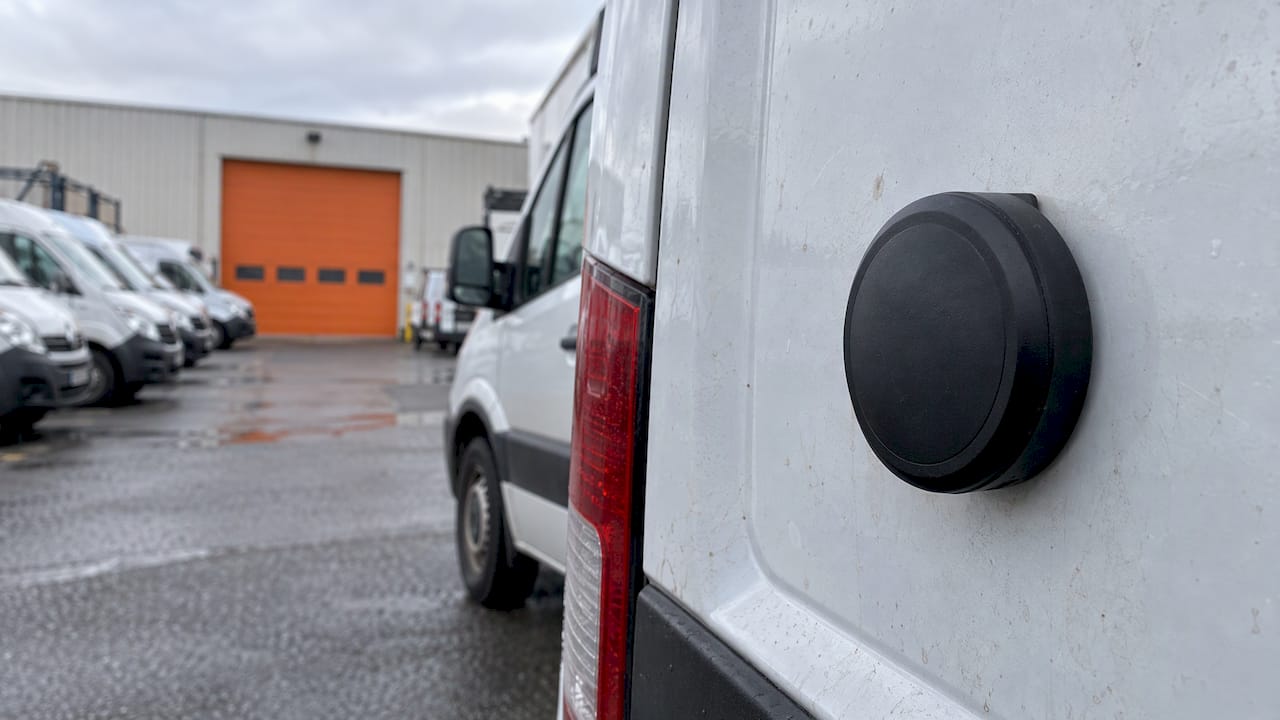
Moto Watchdog trackers cover the core of this: real-time location, trip and mileage reporting, idle time tracking, customizable geofencing with push notifications, and maintenance reminders, all managed from a mobile app. Because every device sits on one dashboard, you can compare stops across trucks, trailers and equipment instead of exporting reports one unit at a time.
Stops, idling and ignition-off: keep them separate
These three states get mixed up in reports, and the mix-up costs money.
| State | What is happening | What to do with it |
|---|---|---|
| Stopped, ignition off | Engine off, machine parked | Confirm arrival and departure, check against the geofence |
| Stopped, engine idling | Engine running, no movement | Track idle time to find wasted fuel and wear |
| Moving slowly | Maneuvering, crawling in traffic or on site | Do not count as a stop; set a class-specific threshold |
Idle time deserves its own line in your review. A truck waiting at a supply house with the engine running is stopped for mapping purposes but still burning fuel. A machine on a rental contract that idles for hours inflates engine hours. Reading the three states separately lets you answer different questions: did the crew arrive on time, how much fuel did idling waste, and did the rented machine stay where the contract said.
How to set up stop detection for a mixed fleet
Build the setup in this order.
1. Group assets by how they move
Pickups and vans move fast and stop clearly. Dump trucks and haulers inch around yards. Tracked trailers sit for days. Skid steers, loaders and excavators spend hours moving a few feet. Each group needs its own stop rule, so label assets by class when you add them to the dashboard.
2. Set a minimum stop length per group
For road vehicles, a few minutes is a common starting point. For equipment, count a stop only when the machine has been still for longer than a normal work cycle. Review one week of reports, then adjust. If the report shows dozens of tiny stops per truck, your threshold is too sensitive. If real jobsite visits vanish, it is too loose.
3. Draw geofences around the places that matter
Yards, jobsites, supplier locations and customer addresses are where stops carry meaning. A geofence turns a raw coordinate into “arrived at Site 12” and triggers a push notification when an asset enters or leaves. Make the fence slightly larger than the lot, so GPS drift does not create false exits.
4. Add after-hours alerts
A stop at the yard at 3 p.m. is normal. Movement at 2 a.m. is not. Set geofence exit alerts for nights and weekends on your high-value equipment. For theft recovery, the first alert matters most, and real-time location lets you see where the machine is going while you contact law enforcement.
5. Review weekly, then monthly
Check long stops, repeated stops at unexpected places and idle time per vehicle. Use mileage reporting to reconcile fuel receipts and billing. After a month, you will know which thresholds need tuning.
How to tell whether a tracker is active
Sometimes a “stop” is not a stop. The device has stopped reporting, and the map shows the last known point. Check three things before assuming a vehicle is parked.
- Last report time. A timestamp that is hours old on a machine that should be working is a flag.
- Power and battery. Devices with long battery life keep reporting longer in the field. A battery-powered unit on a trailer will behave differently from a hardwired one.
- Location of the last point. If it is inside the yard or at a known stop, a dead battery is more likely. If it is on a road far from a job, check the machine in person.
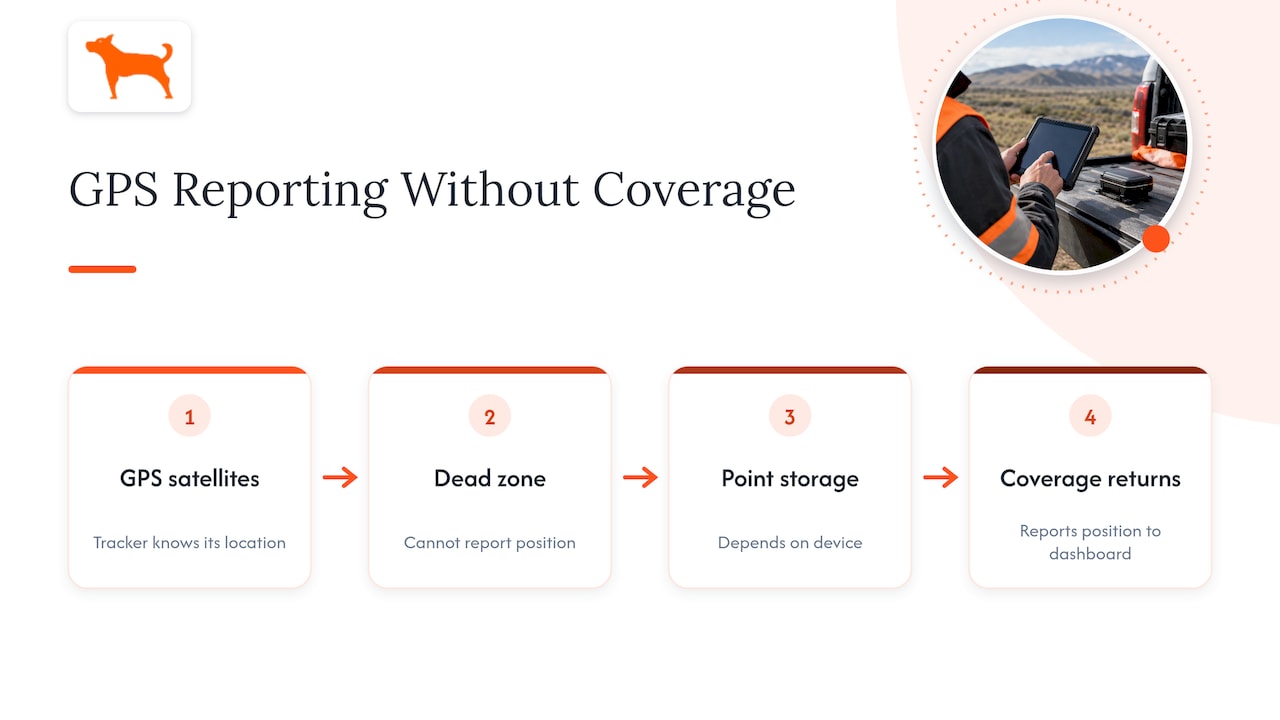
A tracker can also lose a fix in a covered yard, a parking structure or a steel container. In that case it reports again once it sees open sky and a cell signal, and the movement between fills in as a trip.
What happens without cellular coverage
GPS works from satellites and does not need a cell connection to know where it is. The cellular link is what sends the position to your dashboard. In a dead zone, a tracker can know where it is but cannot report it until coverage returns. Whether it stores points meanwhile depends on the device, so check the specifications of the model you buy. Our trackers include lifetime 4G data with global coverage, so network access is not something you renew or top up.
5. Stopping a tracker from reporting: what authorized users can do
Fleet owners sometimes need to stop reporting for good reasons: a machine is sold, a trailer leaves the fleet, or a vehicle is in a shop for a week. The right tools are the account and the hardware you own.
- Remove the asset from the dashboard. Because Moto Watchdog supports unlimited vehicles and users on one dashboard, adding and retiring units does not change what you pay.
- Move the device. Take it off the retired asset and put it on a new one. It is a one-time purchase, so the hardware carries on working.
- Restrict who can see data. Federal fleet guidance says agencies retain control of telematics data and can configure role-based access to limit who sees it (Department of Energy). The same approach works for a contractor: give dispatchers location and give accounting only mileage.
Do not use a jammer
It is a violation of federal law to use a jammer that blocks GPS or cellular signals, and retailers cannot lawfully sell them, whatever the marketing says (FCC). A jammer can also interfere with other devices nearby. If you need a vehicle or machine to stop reporting, remove the device or the asset from the account instead.
Employee and rental considerations
In the United States, few legal restrictions apply to employer tracking during work time, and courts and arbitrators have generally found that putting GPS in an employer-owned vehicle does not violate an employee’s privacy right (Williams Mullen). The same article points employers toward good practice: consider employee privacy, National Labor Relations Act obligations if you have a unionized workforce, morale, and keep tracking limited to work-related activity during work time. State rules vary, so have your attorney review your policy, especially if you track employees across several states.
For a rental business, put tracking in the rental agreement. A signed clause that states the machine is located by GPS, and that removing the device is a breach, sets expectations before the machine leaves the yard. For late returns, GPS is evidence, not authority to repossess. Recovery may require a late-return clause, a grace period, written notice and, in many jurisdictions, a misappropriation report (CarCEO). Ask your attorney to draft that language for your state.
Keep only the stop data you need
Stops produce a lot of data, and old data is a liability. Data minimization is recommended because unused data creates storage, breach and misuse risk (OpenClassActions). The same source warns about retention creep, the buildup of years of movement logs with no business purpose, which raises risk during subpoenas or data breaches. Pick a retention window that matches your billing and dispute cycle and delete beyond it. For most contractors, that is long enough to settle a customer dispute or a payroll question.
Why stop detection is easier without a subscription
Stop detection pays for itself over time, because it exposes idle fuel, unbilled machine hours and unauthorized use. A per-device monthly fee works against that, since each extra truck or trailer adds a recurring cost, and fleets tend to leave the cheapest assets untracked. Trailers and attachments are exactly the ones that go missing.
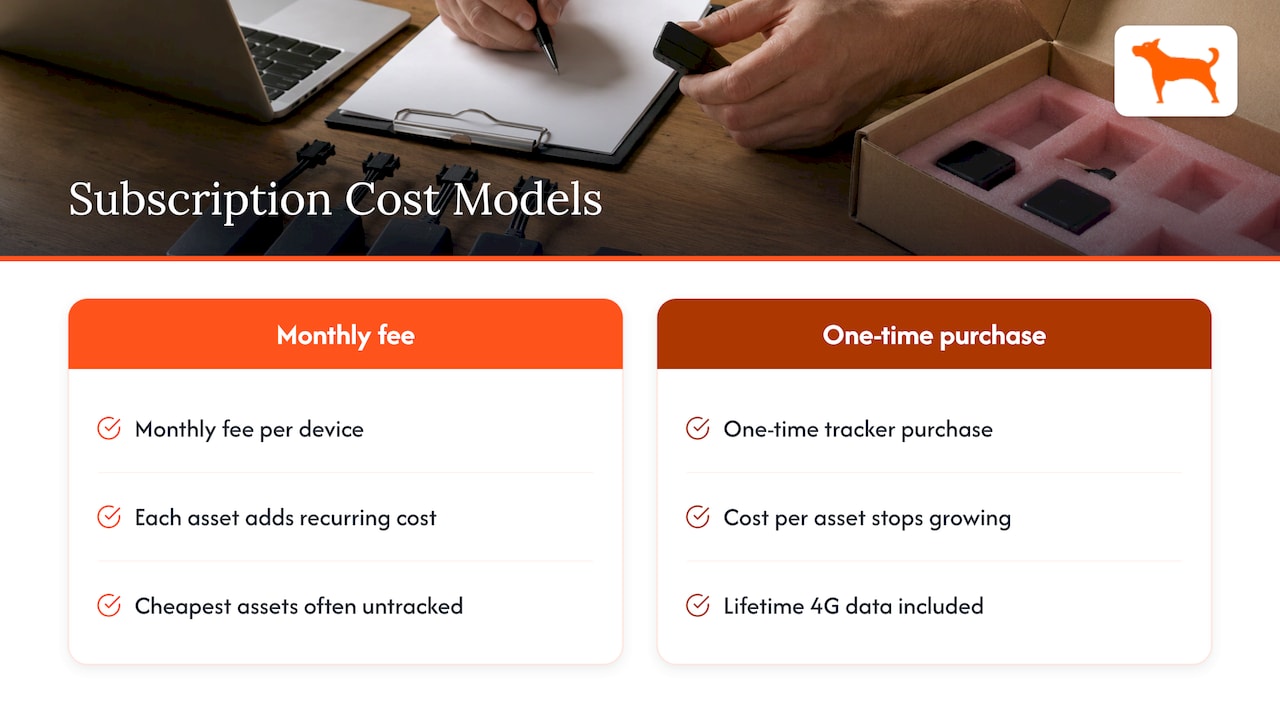
With a one-time purchase and no recurring fees, the math is simpler. You buy a tracker once, and the cost per asset stops growing. That is why we position the product the way we do: full features with no add-ons and no activation fees, lifetime 4G data included, and unlimited vehicles and users on a single dashboard.
Perspective
Most fleets we talk to do not have a stop detection problem. They have a coverage problem. They track the trucks and leave the trailers, light towers and attachments untracked, because a monthly fee on every unit adds up quickly.
We designed our trackers to remove that math. You pay once for the device, the 4G data is included for life, and all the features come with it: geofence alerts, trip and mileage reporting, idle time tracking, maintenance reminders. Then the question becomes which assets you want to see, not which ones you can afford to see.
Our advice is to start with the equipment that costs you the most when it sits unused or disappears. Set a geofence on the yard, add an after-hours alert, and read a week of stop reports before you tune anything. The data will show you where the thresholds belong.
Louis
Put trackers on your equipment
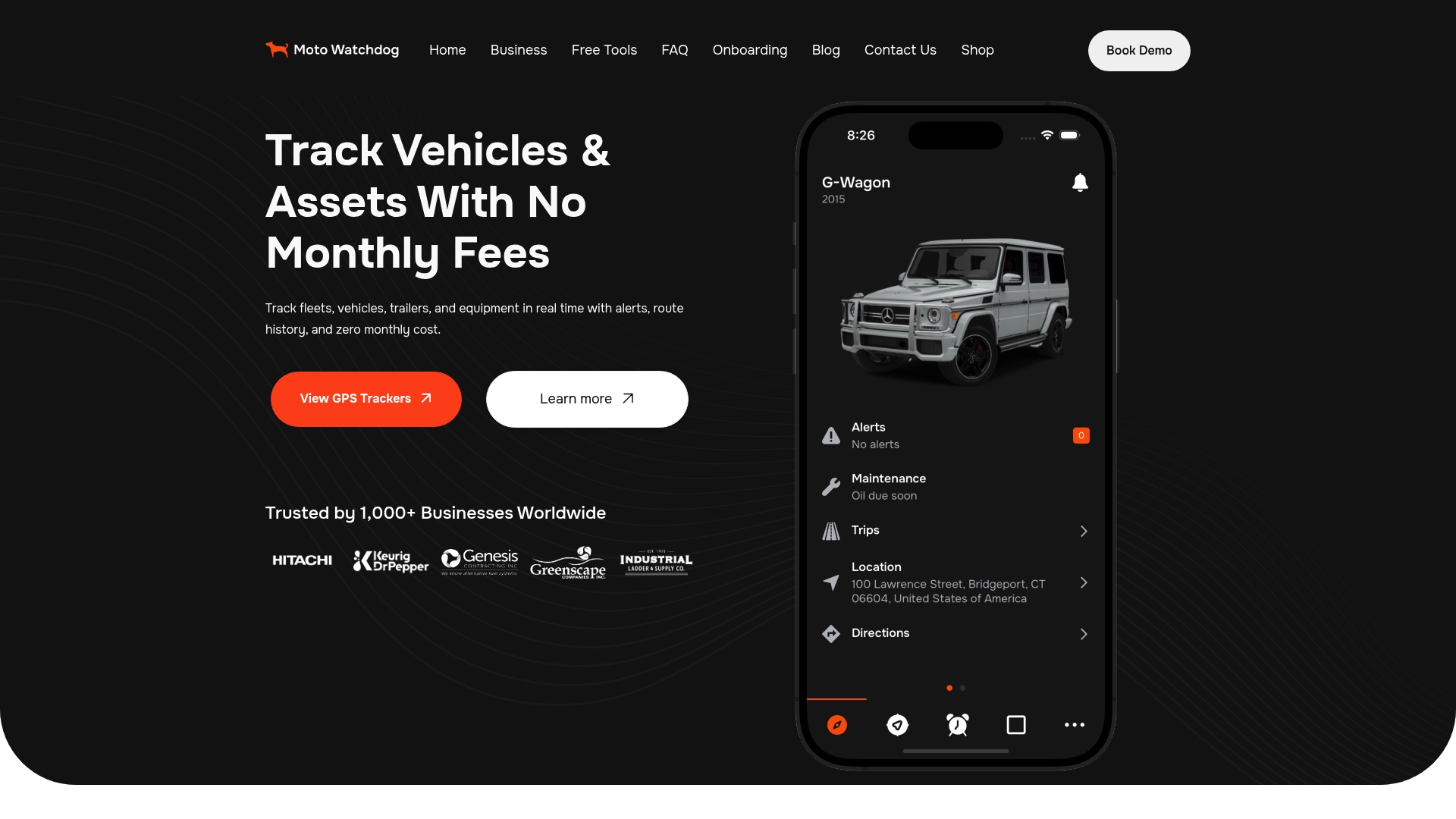
If you manage a rental yard or a contractor fleet, Moto Watchdog trackers start at $124.99 as a one-time price. That covers real-time location, geofencing with push notifications, trip and mileage reporting, idle time tracking and maintenance reminders, managed from a mobile app, with no monthly fees.
If you want to pull stop and trip data into your own dispatch or billing system, we also offer API access for businesses.
FAQ
What is stop detection in GPS tracking?
It is the logic that decides a vehicle has stopped, usually when speed stays below a low threshold for several consecutive readings within a small radius. The software then records the stop’s location, start time and duration. Mixed fleets need different thresholds for different vehicle types.
Is a stop the same as idling?
No. A stop means no movement, while idling means the engine is running during that stop. Tracking them separately shows you where fuel is wasted and where a machine is simply parked. Moto Watchdog trackers include idle time tracking for this reason.
Can I stop my own fleet’s GPS trackers from reporting?
Yes, as the owner or an authorized manager. Retire the asset from your dashboard, move the tracker to another unit, or limit which users can see the data. Do not use a GPS jammer, since using or selling one is illegal under federal law.
Can a tracker work without cell service?
The GPS receiver still finds its position from satellites, but the position cannot reach your dashboard until the device regains a cellular connection. Our trackers include lifetime 4G data, so you do not need to manage a data plan.
Is it legal to track employees in company vehicles?
In the U.S., few legal restrictions apply to tracking during work time in employer-owned vehicles, but employers should limit tracking to work activity and consider labor-law obligations. Have an attorney review your policy for your state.
Sources
- Stop Detection & Dwell Time Analytics, RouteMatching
- Telematics for Federal Fleets, U.S. Department of Energy
- Jamming Cell Phones and GPS Equipment is Against the Law, FCC
- Geofencing and Geotracking: Navigating Legal and Privacy Concerns for Employers, Williams Mullen
- GPS Tracking for Rental Fleet, CarCEO
- GPS Fleet Tracking and Privacy Laws, OpenClassActions