

How to start saving money
Lorem ipsum dolor sit amet, consectetur adipiscing elit lobortis arcu enim urna adipiscing praesent velit viverra sit semper lorem eu cursus vel hendrerit elementum morbi curabitur etiam nibh justo, lorem aliquet donec sed sit mi dignissim at ante massa mattis.
- Neque sodales ut etiam sit amet nisl purus non tellus orci ac auctor
- Adipiscing elit ut aliquam purus sit amet viverra suspendisse potent
- Mauris commodo quis imperdiet massa tincidunt nunc pulvinar
- Excepteur sint occaecat cupidatat non proident sunt in culpa qui officia
Why it is important to start saving
Vitae congue eu consequat ac felis placerat vestibulum lectus mauris ultrices cursus sit amet dictum sit amet justo donec enim diam porttitor lacus luctus accumsan tortor posuere praesent tristique magna sit amet purus gravida quis blandit turpis.

How much money should I save?
At risus viverra adipiscing at in tellus integer feugiat nisl pretium fusce id velit ut tortor sagittis orci a scelerisque purus semper eget at lectus urna duis convallis. porta nibh venenatis cras sed felis eget neque laoreet suspendisse interdum consectetur libero id faucibus nisl donec pretium vulputate sapien nec sagittis aliquam nunc lobortis mattis aliquam faucibus purus in.
- Neque sodales ut etiam sit amet nisl purus non tellus orci ac auctor
- Adipiscing elit ut aliquam purus sit amet viverra suspendisse potenti
- Mauris commodo quis imperdiet massa tincidunt nunc pulvinar
- Adipiscing elit ut aliquam purus sit amet viverra suspendisse potenti
What percentege of my income should go to savings?
Nisi quis eleifend quam adipiscing vitae aliquet bibendum enim facilisis gravida neque. Velit euismod in pellentesque massa placerat volutpat lacus laoreet non curabitur gravida odio aenean sed adipiscing diam donec adipiscing tristique risus. amet est placerat in egestas erat imperdiet sed euismod nisi.
“Nisi quis eleifend quam adipiscing vitae aliquet bibendum enim facilisis gravida neque velit euismod in pellentesque”
Do you have any comments? Share them with us on social media
Eget lorem dolor sed viverra ipsum nunc aliquet bibendum felis donec et odio pellentesque diam volutpat commodo sed egestas aliquam sem fringilla ut morbi tincidunt augue interdum velit euismod eu tincidunt tortor aliquam nulla facilisi aenean sed adipiscing diam donec adipiscing ut lectus arcu bibendum at varius vel pharetra nibh venenatis cras sed felis eget.
A route deviation alert tells you the moment a truck, trailer or machine leaves the path or zone it was supposed to stay in. For a fleet or a heavy equipment rental company, that means you find out about a detour, an after-hours move or a theft while it is happening, not at the end of the week in a mileage report. The alert only works if the tracker reports reliably, the boundaries are drawn sensibly and someone knows what to do when it fires. A tracker with no monthly fees, such as the Moto Watchdog trackers that start at $124.99 one-off, lets you put that coverage on every unit instead of only the most expensive ones.
TL;DR
- A route deviation alert fires when a GPS position falls outside a corridor or zone you defined around a planned route, yard or job site.
- Rental fleets get the most value from three uses: unauthorized after-hours moves, drivers leaving approved routes, and equipment leaving a job site or yard.
- Most false alarms come from boundaries that are too tight, weak GPS fixes and routes that were never updated. Wider corridors and a short confirmation delay fix most of them.
- Decide in advance who gets the alert, who calls the driver and when it escalates to dispatch or the police.
- Fewer recurring costs make it realistic to track every trailer, skid steer and truck, not just the biggest assets.
Table of Contents
- What a route deviation alert actually is
- Where fleets and rental companies use them
- How to set up route deviation alerts that work
- Why alerts come late, or never, or too often
- What to do when an alert arrives
- Managing route changes and driver expectations
- Choosing a tracker for deviation alerts
- Perspective
- Putting trackers on every unit
- FAQ
- Sources
What a route deviation alert actually is
A route deviation alert is a notification triggered when a tracked vehicle or asset moves outside a defined path. You set the expected route, or the area where the asset belongs, and the system compares each new GPS position against it.
The mechanics are simple. The tracker reports its coordinates at set intervals. Software checks each point against the route’s geometry. Mapping platforms document this in detail: HERE’s route-tracking documentation describes how each incoming GPS point is evaluated against a route corridor and waypoints, producing events such as leaving the corridor, returning to it, and the maximum distance the vehicle strayed in meters. You do not need to build anything like that yourself, but it explains what you are configuring: a corridor with a width, and a trigger when a position lands outside it.
Two terms are worth knowing:
- Corridor: the band around a planned route within which the vehicle is considered on route. Its width is your tolerance.
- Geofence: a virtual boundary around a place, such as a yard, a job site or a county. Alerts fire when an asset enters or leaves it.
For many rental and contractor fleets, geofences do most of the work that a formal route corridor would. A truck hauling a dozer from your yard to a site does not need a turn-by-turn route check. It needs to leave the yard, arrive at the site and not stop at an unknown address on the way.
Where fleets and rental companies use them
Equipment leaving the yard when it should not
The highest-value use for an equipment rental company is the after-hours move. A skid steer, light tower or trailer that starts moving at 2 a.m. is almost never part of a scheduled job. A geofence around the yard with an alert on exit, active only outside business hours, turns the tracker into an early warning.
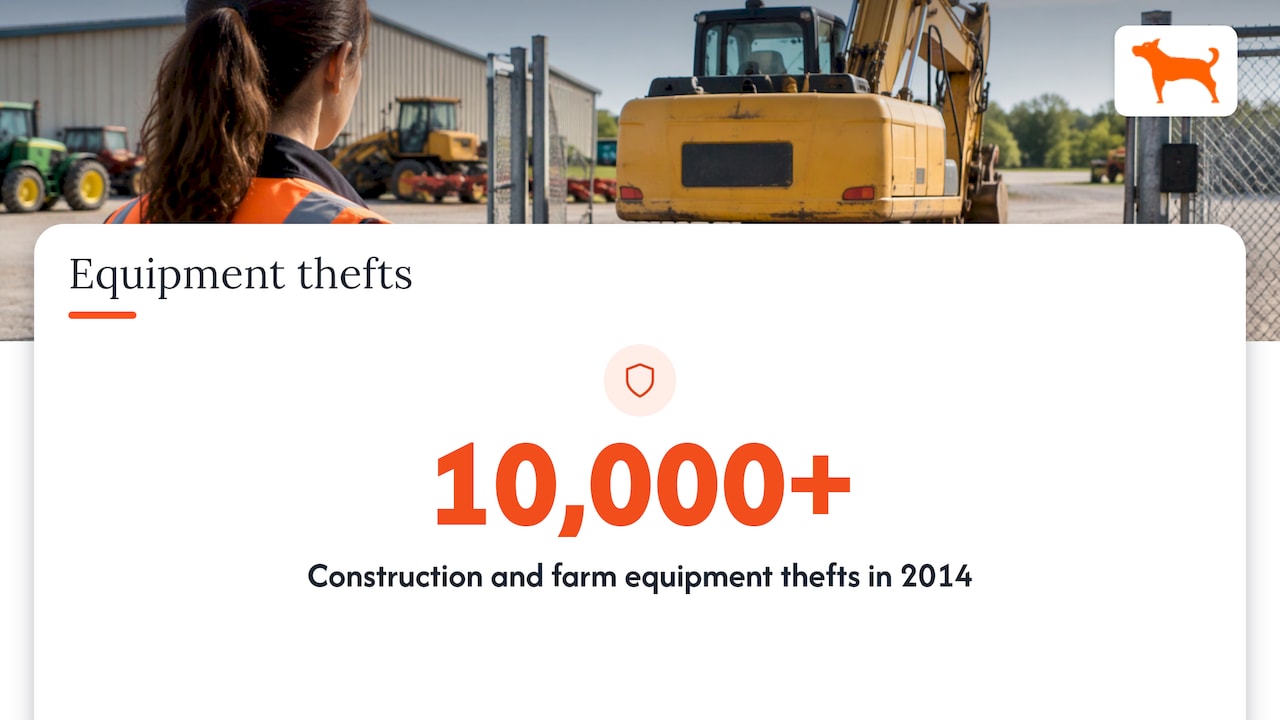
The stakes are real. A National Insurance Crime Bureau and National Equipment Register report counted more than 10,000 construction and farm equipment thefts in the FBI’s national crime database for 2014, and noted that wheeled machines such as wheel loaders are frequently stolen. It also advised owners to weigh how mobile a machine is, not only its value, when planning security. Mobile, mid-priced machines are exactly the ones that often go untracked.
Drivers leaving approved routes
For trucks and service vehicles, a corridor around the approved route flags detours, personal errands and unplanned stops. The goal is not to police every turn. It is to catch patterns: a driver who regularly runs 20 miles off route burns fuel, adds hours and extends wear on the vehicle.
Rented equipment going where it should not
Renters sign for a job site. If a machine leaves that site or crosses into another county or state, you want to know. A geofence around the agreed site, with an exit alert, gives you a documented timestamp and location for a conversation with the customer, and a trail if you need to recover the unit.
Trailers and towed assets
Trailers are easy to hook up and drive away. A tracker on each one, with an alert when it moves while parked, covers a gap that truck telematics never see.
How to set up route deviation alerts that work
The settings below apply to any tracker that supports geofencing and push alerts. The Moto Watchdog app, for example, provides customizable geofencing alerts, push notifications and multi-device management, so the same routine applies across a mixed fleet.
Step 1: Define what counts as normal
Write down, per asset type, what normal looks like:
- Service trucks: the daily route or service territory, plus the yard.
- Haul trucks and trailers: origin yard, destination site and the main road between them.
- Rental equipment on site: the job site boundary.
- Idle inventory: the yard fence line, any movement is abnormal.
If you cannot describe normal in a sentence, the alert will be noisy.
Step 2: Draw the boundary with realistic tolerance
GPS is accurate to a few meters in open sky and worse near tall buildings, tree cover and inside metal structures. A boundary drawn exactly on a property line will trigger on drift alone. Give yourself a buffer.
| Situation | Suggested starting tolerance |
|---|---|
| Fenced yard or equipment lot | Boundary extends past the fence by roughly 50 to 100 feet |
| Job site | Boundary drawn around the whole work area plus staging space |
| Delivery or service route | Corridor wide enough to cover alternate roads and detours for traffic |
| Long-haul move | Wide corridor, with alerts focused on stops and exits, not lane-level position |
These are starting points to adjust after a few weeks of data, not fixed standards. Tighten them only when the alerts you receive are all real.
Step 3: Choose the trigger type
- Exit alerts for yards and job sites.
- Entry alerts for areas that are off limits, such as a competitor’s yard or a customer’s other property.
- Time-based rules so a yard exit at 7 a.m. on a weekday is normal and the same exit at 11 p.m. on Sunday is not.
- Movement alerts for parked trailers and idle machines.
Step 4: Pick recipients and escalation
An alert nobody owns is worthless. Assign each alert type to a named person:
- First responder: the dispatcher or yard manager, who sees the push notification and checks the live map.
- Second step: a call or text to the driver or renter within a set time, for example 10 minutes.
- Escalation: if there is no explanation, a supervisor or owner is told, and for a suspected theft, the police are called with the live location.
Put this in writing and share it with dispatch. In a theft, minutes matter, and the live location is the thing you hand to law enforcement.
Step 5: Test, then review weekly for the first month
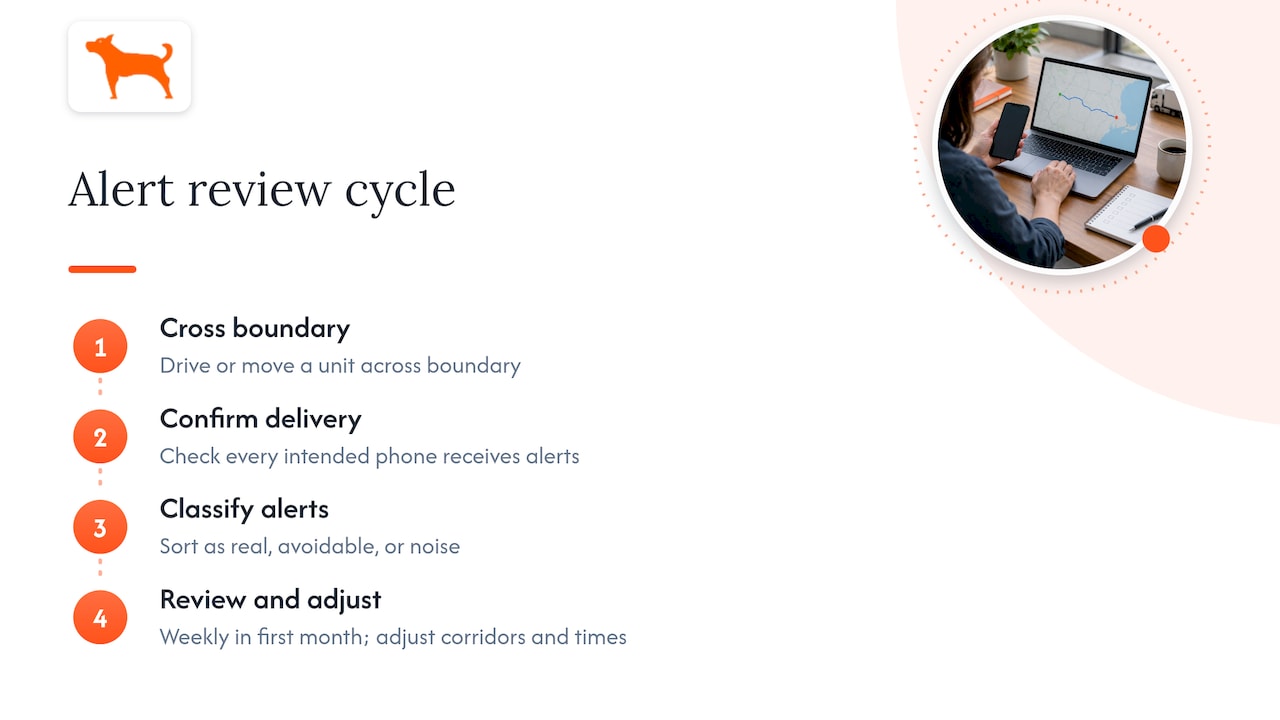
Drive or move a unit across a boundary and confirm the alert arrives on every phone it should. Then review every alert for the first month and sort it into real, avoidable and noise. Adjust the corridors and times accordingly.
Why alerts come late, or never, or too often
False alarms usually come from:
- Tight boundaries. GPS drift moves a parked asset a few meters. A buffer solves it.
- Stale routes. Jobs change. If the corridor still reflects last month’s site, every trip triggers an alert.
- Weak signal. Machines parked beside buildings or under cover report less precise positions.
- Overlapping rules. Several geofences with different hours create contradictory alerts.
Missed alerts usually come from:
- Reporting interval too long. If a tracker reports every few minutes, a fast move can cross a boundary between two points. Shorter intervals catch more, at the cost of battery.
- Dead battery or disconnected power. A tracker that has gone dark cannot report a departure. This is why battery life matters for assets with no vehicle power, such as trailers and attachments.
- Notifications switched off. Phones in power-saving mode or with app notifications disabled silently drop alerts. Check this on every recipient’s device.
The cure is the same in each case: match the settings to how the asset is used, then check the alert history rather than assuming silence means all is well.
What to do when an alert arrives
Have a short routine so nobody improvises:
- Open the live map. Confirm the position, the direction and the speed. A unit crawling at a few miles an hour near the boundary is probably drift. A unit at highway speed is not.
- Check the schedule. Was this move planned, a late job change or a driver detour for fuel or a break?
- Contact the driver or renter. A quick call resolves most alerts. Record the answer.
- Escalate if there is no answer or the explanation does not fit. For a suspected theft, call the police and give them the live location rather than pursuing the asset yourself.
- Log the outcome. A simple record of cause and result shows which routes, drivers or sites generate repeated alerts, and which rules should be adjusted.
The log is what converts alerts into policy. If one customer’s equipment leaves its site three times in a month, that is a rental terms conversation, with timestamps.
Managing route changes and driver expectations
Alerts work best when people know about them. Tell drivers that vehicles are tracked, what the alerts cover and what is expected, such as calling dispatch before a planned detour. Many deviation alerts are simply the result of an unannounced change.
A few practices keep the system useful:
- Update routes and sites when jobs change, not after the alerts start.
- Give a standard way to report an approved detour, such as a text to dispatch.
- Add a clause to rental agreements stating the equipment carries a tracker and that leaving the agreed site without approval is a breach. Have counsel review the wording for your state.
- Use reports, not just alerts. Trip and mileage history, and idle time, show the patterns behind the exceptions.
Choosing a tracker for deviation alerts
The tracker should match the asset:
- Vehicles with an OBD port: a plug-in unit installs in seconds. The OBD plug-in 4G GPS tracker is built for that.
- Vehicles where you want a concealed install: the hardwired HW-200 connects to the vehicle’s power.
- Trailers and unpowered equipment: a magnetic, battery-powered unit such as the MW-20000 with a one-year battery keeps reporting without vehicle power, which is what an after-hours movement alert depends on.
On a mixed fleet, the app’s multi-device management lets you see everything on one dashboard.
Perspective
Most fleets we talk about start with the same question: what will this cost every month, times every unit? That math is why trailers, light towers and small equipment so often go untracked, and why they are the assets that quietly walk off.
Our approach is a one-time purchase with lifetime 4G data included, with no activation fees and no add-ons. When there is no recurring charge per unit, the question changes from which five assets deserve tracking to which ones do not. We think that is the right way round, because a route deviation alert only protects the asset that carries a tracker.
Our devices come with customizable geofencing alerts, push notifications, trip and mileage reporting, idle time tracking and long battery life, and our system supports unlimited vehicles and users on one dashboard. That means the yard manager, the dispatcher and the owner can all see the same map and receive the same alerts.
Our advice is practical: start with the yard and the after-hours rule, add job-site geofences for rentals, then widen the tolerance until only real events reach your phone.
Louis
Putting trackers on every unit
If you are ready to cover vehicles, trailers and equipment, Moto Watchdog trackers start from $124.99 as a one-off purchase, with no monthly fees, and include lifetime 4G data. Setup is handled through the free mobile app, where you can manage geofences, alerts and multiple devices.
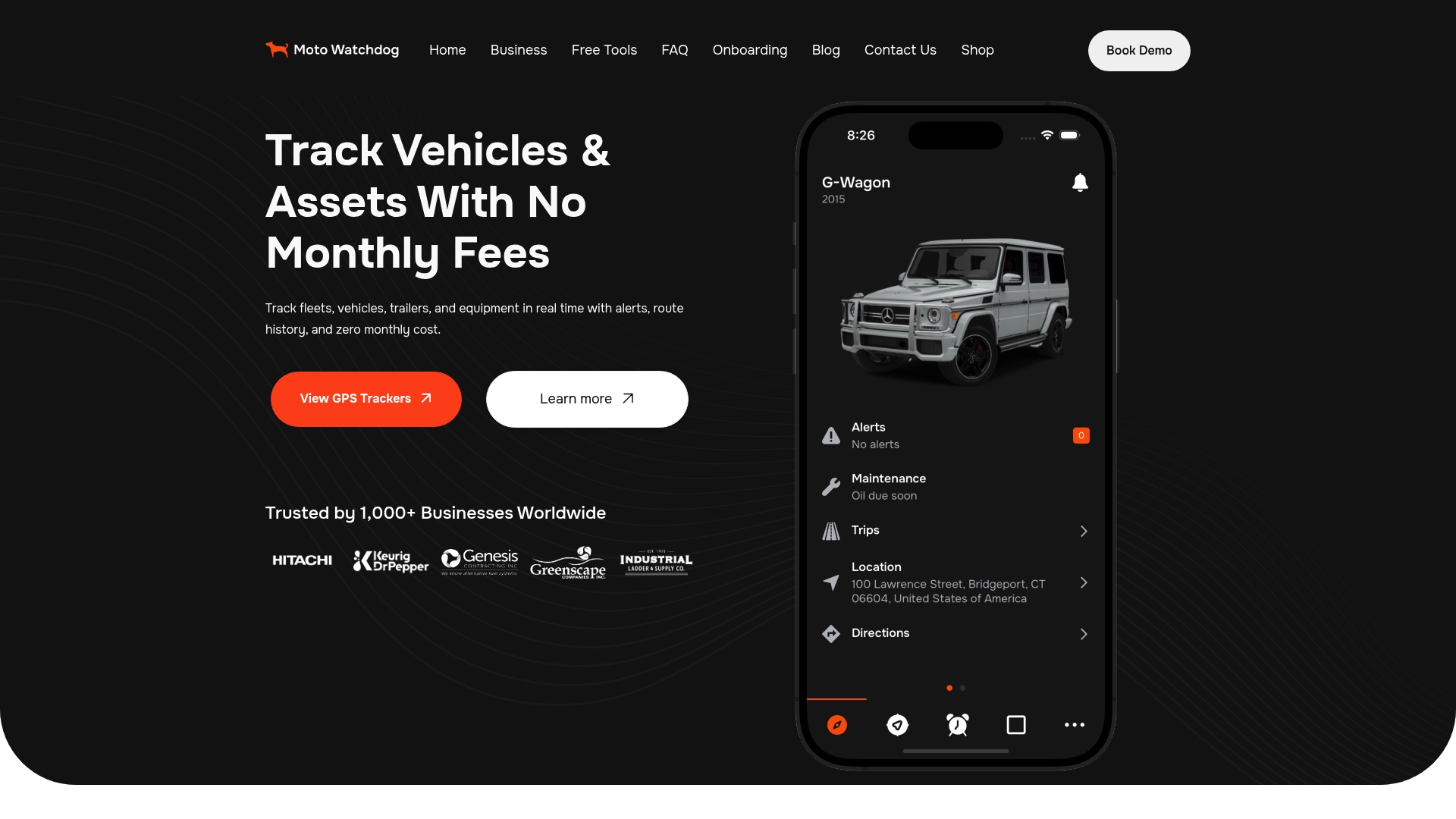
Pick the model by asset type, for example the MW-10000 magnetic tracker for quick attachment to a trailer or machine, or see the full range on the Moto Watchdog trackers page. If you want to connect tracking data to your own systems, API access is available through our business page.
FAQ
What is the difference between a route deviation alert and a geofence alert?
A geofence alert fires when an asset enters or leaves a defined area. A route deviation alert fires when it strays from a planned path. For most rental and contractor fleets, geofences around yards and job sites cover the important cases, and corridors add value for fixed delivery or service routes.
How wide should a route corridor be?
Wide enough that normal traffic detours and GPS drift do not trigger it. Start generously, for example a buffer of 50 to 100 feet around a yard, and tighten only after reviewing a few weeks of alerts. A corridor that fires constantly gets ignored.
Can I get alerts only outside business hours?
Yes, that is a common setup: alert on yard exits only between closing and opening time, plus all weekend. It keeps routine departures out of the notification stream and highlights the moves that matter.
What should I do if an alert looks like theft?
Check the live map, try to reach the driver or renter, and if there is no legitimate explanation, call the police with the live location. Do not try to recover the equipment yourself.
Do I need a monthly plan to receive alerts?
Not with Moto Watchdog. Our trackers are a one-off purchase with lifetime 4G data included and no activation fees, so alerts and tracking do not add a recurring charge per unit.

