How to start saving money
Lorem ipsum dolor sit amet, consectetur adipiscing elit lobortis arcu enim urna adipiscing praesent velit viverra sit semper lorem eu cursus vel hendrerit elementum morbi curabitur etiam nibh justo, lorem aliquet donec sed sit mi dignissim at ante massa mattis.
- Neque sodales ut etiam sit amet nisl purus non tellus orci ac auctor
- Adipiscing elit ut aliquam purus sit amet viverra suspendisse potent
- Mauris commodo quis imperdiet massa tincidunt nunc pulvinar
- Excepteur sint occaecat cupidatat non proident sunt in culpa qui officia
Why it is important to start saving
Vitae congue eu consequat ac felis placerat vestibulum lectus mauris ultrices cursus sit amet dictum sit amet justo donec enim diam porttitor lacus luctus accumsan tortor posuere praesent tristique magna sit amet purus gravida quis blandit turpis.

How much money should I save?
At risus viverra adipiscing at in tellus integer feugiat nisl pretium fusce id velit ut tortor sagittis orci a scelerisque purus semper eget at lectus urna duis convallis. porta nibh venenatis cras sed felis eget neque laoreet suspendisse interdum consectetur libero id faucibus nisl donec pretium vulputate sapien nec sagittis aliquam nunc lobortis mattis aliquam faucibus purus in.
- Neque sodales ut etiam sit amet nisl purus non tellus orci ac auctor
- Adipiscing elit ut aliquam purus sit amet viverra suspendisse potenti
- Mauris commodo quis imperdiet massa tincidunt nunc pulvinar
- Adipiscing elit ut aliquam purus sit amet viverra suspendisse potenti
What percentege of my income should go to savings?
Nisi quis eleifend quam adipiscing vitae aliquet bibendum enim facilisis gravida neque. Velit euismod in pellentesque massa placerat volutpat lacus laoreet non curabitur gravida odio aenean sed adipiscing diam donec adipiscing tristique risus. amet est placerat in egestas erat imperdiet sed euismod nisi.
“Nisi quis eleifend quam adipiscing vitae aliquet bibendum enim facilisis gravida neque velit euismod in pellentesque”
Do you have any comments? Share them with us on social media
Eget lorem dolor sed viverra ipsum nunc aliquet bibendum felis donec et odio pellentesque diam volutpat commodo sed egestas aliquam sem fringilla ut morbi tincidunt augue interdum velit euismod eu tincidunt tortor aliquam nulla facilisi aenean sed adipiscing diam donec adipiscing ut lectus arcu bibendum at varius vel pharetra nibh venenatis cras sed felis eget.
For a fleet or an equipment yard, push alerts are the better default. A push alert is a message sent from the tracking app to your phone, with no per-message charge and room for detail like asset name, location and time. SMS is a plain text sent over the carrier network, and it can reach a phone that has no data connection. Both can work, but they fail in different ways, so the real question is how to set up alerts so that the important ones always get seen.
This guide explains how each channel works, what can go wrong, which alert types fit which channel, and how to configure a fleet so a geofence breach on a rented excavator doesn’t sit unread.
TL;DR
- Push alerts come from the app, need the app installed, notifications allowed and a data connection on your phone. SMS alerts are texts that travel over the carrier network.
- Push is the strongest everyday channel for fleets: geofence entries and exits, ignition, idle time, trip and maintenance reminders can all arrive in one place.
- Most missed push alerts come from phone settings (permissions, Focus modes, battery limits), not from the tracker. A short setup checklist fixes most of it.
- Rank alerts by severity: routine events go to the app feed, urgent ones get a loud sound, a named recipient and a phone call or text from dispatch.
- Moto Watchdog trackers send push notifications to the mobile app, with no monthly fees, from $124.99 one-time.
Table of Contents
- How push and SMS alerts differ
- What each channel needs to arrive
- Why push alerts go missing, and how to prevent it
- Match the alert to the channel
- Alert design for heavy equipment rental
- Avoiding alert fatigue
- Push vs. SMS: how to decide
- Perspective: why we built around push and the app
- How to set up alerts in a Moto Watchdog tracker
- Get trackers with app alerts and no monthly fees
- FAQ
- Sources
How push and SMS alerts differ
A push alert is a message sent from an app to a registered user’s smartphone, even when the app isn’t open. An SMS alert is a text message carried over telecom networks, and it doesn’t depend on internet connectivity. Sendbird’s comparison of the two draws the same line: push can carry rich content and bring users back into the app, while SMS delivers text to a mobile number.
In a GPS tracking setup, that difference shows up in practice like this:
| Push alert | SMS alert | |
|---|---|---|
| Where it comes from | The tracking app’s servers | A text sent over the carrier network |
| What the phone needs | App installed, notifications allowed, data connection | A number and cell signal for texting |
| Content | Short title and body, can open straight to the asset on the map | Plain text, usually with a link if you want a map |
| Who can receive it | Users signed in to the app | Any phone number |
| Typical use | Everyday events across many assets | Urgent exceptions that need a person’s attention |
| Main failure points | Phone settings, battery limits, no data | Weak cell signal, carrier filtering, unread text pile-ups |
Neither is “better” in the abstract. What matters is the alert, the person receiving it and the state of their phone at 2 a.m.
What each channel needs to arrive
Push alerts
Push generally needs three things on the receiving phone: the tracking app installed, notification permission enabled and an internet connection over Wi-Fi or mobile data. MessageFlow’s overview of how push works on Android and iOS adds that a phone that is offline receives new pushes only after connectivity returns, and only if the message hasn’t expired.
For fleet managers this is good news, because every item is under your control. You can’t change the cell tower near a remote job site, but you can set up every supervisor’s phone the same way.
SMS alerts
Text messages ride the carrier’s messaging network, so a phone with a weak data connection can still receive them. The tradeoff is that the sender usually pays for each message, which is why systems built on texting tend to meter alerts or cap them by plan. Automated business texting is also filtered by carriers under their own conduct rules, so a high volume of identical automated messages can be throttled or blocked. A busy fleet with dozens of assets can generate a lot of those.
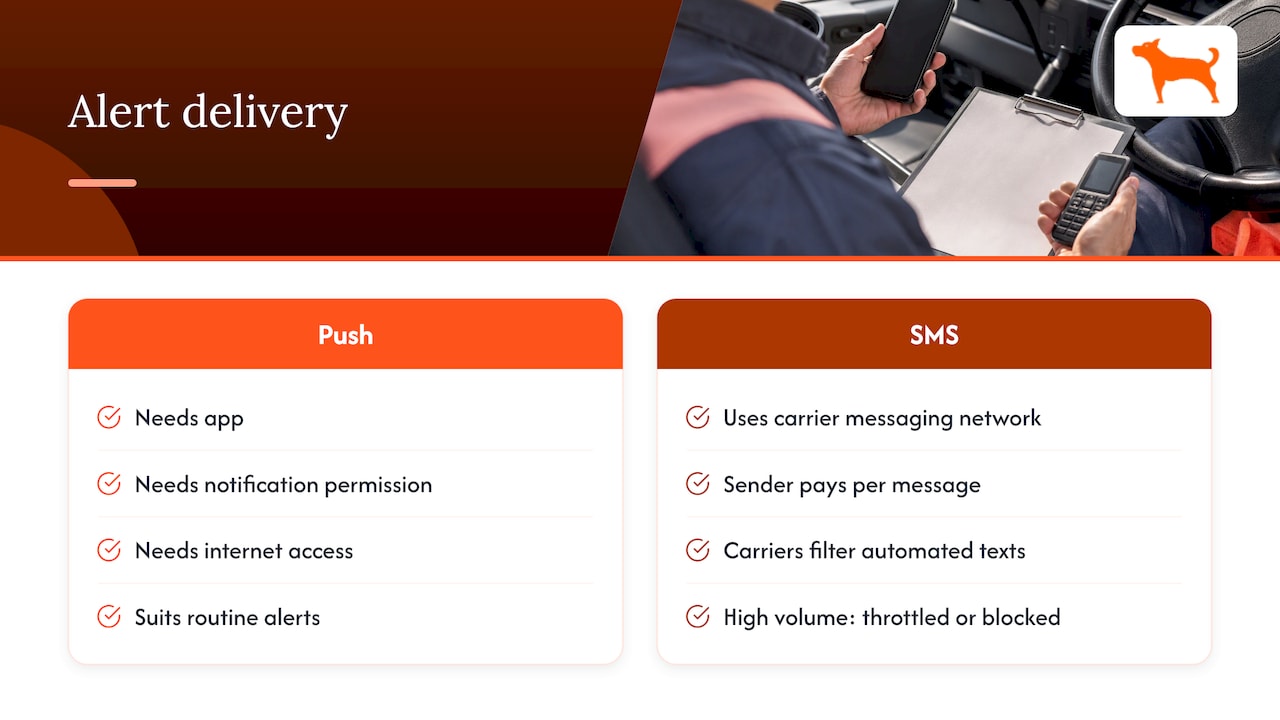
That cost and volume problem is one reason push suits routine alerts. A tracker that reports ignition, movement, idle time and geofence events for every asset would generate hundreds of messages a week if each one were a text.
Why push alerts go missing, and how to prevent it
It’s easy to blame the tracker when an alert doesn’t show up. More often the cause is the phone. According to MessageFlow’s push guide, delivery can fail or be delayed when app permission is denied, device notifications are turned off, Do Not Disturb or Focus is active, battery restrictions suppress background activity, or the phone has no internet access.
Turn that list into a setup checklist for every phone that receives alerts:
- Allow notifications for the app. On first launch, accept the permission prompt. If someone tapped “Don’t allow,” re-enable it in the phone’s notification settings.
- Set the alert style to banner or persistent, with sound. Silent alerts that land only in the notification tray get missed.
- Exempt the app from battery optimization. On Android, remove restrictions on background activity for the tracking app. On iPhone, keep Background App Refresh on for it.
- Allow the app through Focus and Do Not Disturb. If an after-hours theft alert matters, add the app or the on-call person’s contact rules to the allowed list.
- Keep the app updated and signed in. An expired session or an old version can interrupt delivery.
- Test with a real event. Drive the vehicle through a geofence boundary or move the tracker, and confirm the alert shows up on each recipient’s phone with sound.
Spend ten minutes on this per phone when you onboard a supervisor, and you remove most of the reasons an alert would be late.
Match the alert to the channel
Not every event deserves the same urgency. Courier’s guide to logistics notifications describes routing by audience and escalating by severity instead of pushing every event through every channel. Applied to a fleet, that means three tiers.
Tier 1: routine events, push to the app
These are events that keep operations moving and that people review during working hours:
- Vehicle or trailer arriving at or leaving a job site geofence
- Trip start and end, with mileage for reporting
- Idle time passing a threshold you set
- Maintenance reminders based on mileage or time
- Low battery warnings on a battery-powered tracker
These are well served by push because they are concise, frequent and useful with context. Tapping the alert opens the app to the asset on the map.
Tier 2: exceptions, push with sound and a named recipient
Some events need a response the same day:
- Equipment leaving a geofence outside rental hours
- Movement on a trailer parked overnight
- A rental unit crossing outside the agreed work area
Send these to specific people, not to everyone. A rental manager who gets every alert learns to ignore the feed. A named on-call person with sound enabled and Focus exceptions in place does not.
Tier 3: emergencies, escalate to a person
Theft or unauthorized movement of a high-value asset calls for a human step beyond any notification. Whoever receives the push alert should follow a written playbook: confirm the location in the app, call the driver or site lead, and contact local law enforcement if the asset shouldn’t be moving. If your dispatch team prefers a text or a call to reach a crew in the field, that is a sensible escalation step, because it puts a person in the loop for the highest-severity events only. Keeping the text for the real emergencies means it still stands out when it arrives.

Alert design for heavy equipment rental
Rental fleets have problems that a delivery fleet doesn’t. The asset leaves your yard in someone else’s hands, and you need to know whether it’s where the contract says it is.
A practical set of alerts for a rental yard:
- Yard geofence exit and entry. Know the moment a unit leaves and returns, which also timestamps check-out and check-in for billing disputes.
- Job site geofence. Draw a boundary around the agreed site. A push alert when the machine leaves it is an early signal of misuse or unauthorized relocation.
- After-hours movement. A schedule-based alert for movement overnight or on weekends catches theft attempts and unauthorized use.
- Idle and usage tracking. Idle time reports help you see whether a machine is working or just sitting with the engine on, which supports usage conversations with the renter.
- Maintenance reminders. Service intervals based on mileage or time keep the equipment ready for the next rental.
Set the thresholds to match the contract. If a renter agrees to eight hours a day on a site, set the after-hours window to match, so alerts mean something.
Avoiding alert fatigue
The most common failure isn’t a missed message. It’s a flooded phone that the team has learned to swipe away. Some GPS platforms let you switch alert channels on or off globally and per alert type, so a speed alert can be handled differently from a trip alert. Whatever platform you use, apply the same discipline:
- Start with the five or six alerts that support a decision, and add more only when someone asks for them.
- Set thresholds with some margin. An idle alert at two minutes will fire at every red light; ten to fifteen minutes is more likely to point to a real problem. Tune it to your work.
- Give each alert an owner. If nobody is responsible for it, turn it off.
- Review the alert log monthly. If an alert never led to action, change the threshold or drop it.
Push vs. SMS: how to decide
Use this short test for each alert you set up.
- Does someone need to act within minutes? If yes, give it sound, a named recipient and a phone-call backup.
- Is the receiving phone usually online? Supervisors and managers with smartphones and data plans are well served by push. Crews who work in dead zones need a plan, such as a check-in by radio or phone call.
- How often will it fire? High-volume events belong in the app feed, not in a text thread.
- Does the recipient need to see the map? Push can open the asset directly in the app, which saves a step.
For most contractors and rental companies, the answer is push for the whole system, with person-to-person calls reserved for emergencies.
Perspective: why we built around push and the app
We designed Moto Watchdog trackers around one idea: a fleet manager should see what’s happening to every asset without paying a monthly bill to do it. Alerts follow the same thinking.
Push notifications to the mobile app let you manage every alert type in one place: geofence entries and exits, trip and mileage reports, idle time, maintenance reminders and sharing with the people who need to know. Because the app runs on one dashboard for unlimited vehicles and users, you can give a yard manager, a dispatcher and an owner each the alerts that matter to them.
Our approach is to treat alert delivery as part of operations. Set up the phones, assign owners, tier the alerts, and test them. When that discipline is in place, push gives you the detail of a full tracking app and the speed of a notification, with no per-message charges adding to the cost of running the fleet.
The tracker’s price is one-time and its 4G data is included for life, so the alerts you set up today keep running without a subscription renewal.
Louis
How to set up alerts in a Moto Watchdog tracker
The exact screens depend on the app version, so use this as a workflow, not a click path.
- Install and sign in on every phone that will receive alerts. Do this before the tracker goes on the asset.
- Name every asset clearly. “CAT 305 yard 2” beats “Tracker 14” when the alert arrives at night.
- Draw geofences for the yard and each job site. Add entry and exit alerts for the ones that matter.
- Set idle and mileage thresholds to your operation. Match the reporting you need for billing, maintenance or tax records.
- Choose who receives which alert. Use the app’s multi-user and sharing features so each person sees the units and alerts they are responsible for.
- Run the phone checklist above. Permissions, battery settings and Focus exceptions.
- Test on a real asset. Move it across a boundary and confirm every recipient sees the alert.
Get trackers with app alerts and no monthly fees
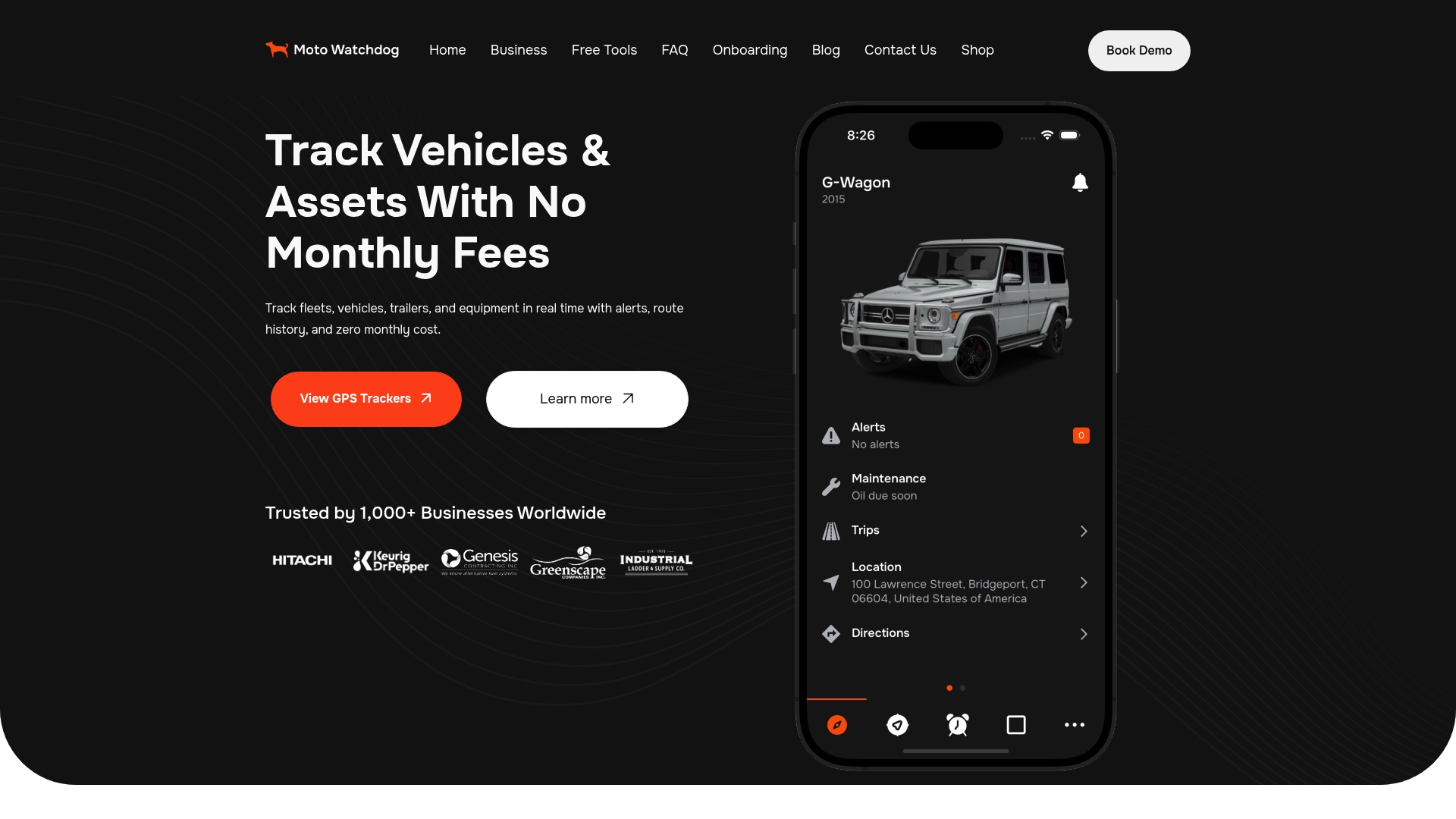
If you manage heavy equipment, trailers or a contractor fleet and want push alerts, geofencing, trip reports and maintenance reminders on one dashboard, Moto Watchdog GPS trackers start from $124.99 one-time, with no monthly fees and lifetime 4G data included.
Business teams that need to connect tracking data to their own systems can ask about API access on the business page. Pricing for API access isn’t published.
FAQ
Are push alerts faster than SMS for GPS tracking?
Both are typically quick when conditions are right, and the difference is usually seconds. What matters more is whether the phone is set up to show the alert: permissions on, battery limits off, Focus modes configured. A push alert on a well-configured phone is as dependable as a text, and it adds detail and a direct link to the asset.
Do push alerts work without cell service?
A push alert needs the phone to have an internet connection over Wi-Fi or mobile data. If the phone is offline, new pushes arrive after connectivity returns, provided the message hasn’t expired. For crews who work in dead zones, plan a phone-call or radio check-in for urgent events.
Can I send the same alert to several people?
Yes, with a multi-user setup you can have several people sign in to the app and receive alerts. Assign different alerts to different roles so each person sees what applies to them, such as geofence exits for the yard manager and maintenance reminders for the shop.
Why am I not getting my GPS push notifications?
Check the phone first. The usual causes are notification permission denied, notifications switched off for the app, Do Not Disturb or Focus active, battery restrictions on background activity, or no internet connection. Fix those, then test with a real geofence crossing.
Is there a monthly fee for Moto Watchdog alerts?
No. Moto Watchdog trackers are sold as a one-time purchase, from $124.99, with no monthly or recurring fees and lifetime 4G data included.