
How to start saving money
Lorem ipsum dolor sit amet, consectetur adipiscing elit lobortis arcu enim urna adipiscing praesent velit viverra sit semper lorem eu cursus vel hendrerit elementum morbi curabitur etiam nibh justo, lorem aliquet donec sed sit mi dignissim at ante massa mattis.
- Neque sodales ut etiam sit amet nisl purus non tellus orci ac auctor
- Adipiscing elit ut aliquam purus sit amet viverra suspendisse potent
- Mauris commodo quis imperdiet massa tincidunt nunc pulvinar
- Excepteur sint occaecat cupidatat non proident sunt in culpa qui officia
Why it is important to start saving
Vitae congue eu consequat ac felis placerat vestibulum lectus mauris ultrices cursus sit amet dictum sit amet justo donec enim diam porttitor lacus luctus accumsan tortor posuere praesent tristique magna sit amet purus gravida quis blandit turpis.

How much money should I save?
At risus viverra adipiscing at in tellus integer feugiat nisl pretium fusce id velit ut tortor sagittis orci a scelerisque purus semper eget at lectus urna duis convallis. porta nibh venenatis cras sed felis eget neque laoreet suspendisse interdum consectetur libero id faucibus nisl donec pretium vulputate sapien nec sagittis aliquam nunc lobortis mattis aliquam faucibus purus in.
- Neque sodales ut etiam sit amet nisl purus non tellus orci ac auctor
- Adipiscing elit ut aliquam purus sit amet viverra suspendisse potenti
- Mauris commodo quis imperdiet massa tincidunt nunc pulvinar
- Adipiscing elit ut aliquam purus sit amet viverra suspendisse potenti
What percentege of my income should go to savings?
Nisi quis eleifend quam adipiscing vitae aliquet bibendum enim facilisis gravida neque. Velit euismod in pellentesque massa placerat volutpat lacus laoreet non curabitur gravida odio aenean sed adipiscing diam donec adipiscing tristique risus. amet est placerat in egestas erat imperdiet sed euismod nisi.
“Nisi quis eleifend quam adipiscing vitae aliquet bibendum enim facilisis gravida neque velit euismod in pellentesque”
Do you have any comments? Share them with us on social media
Eget lorem dolor sed viverra ipsum nunc aliquet bibendum felis donec et odio pellentesque diam volutpat commodo sed egestas aliquam sem fringilla ut morbi tincidunt augue interdum velit euismod eu tincidunt tortor aliquam nulla facilisi aenean sed adipiscing diam donec adipiscing ut lectus arcu bibendum at varius vel pharetra nibh venenatis cras sed felis eget.
GPS tracker signal interference is anything that keeps a tracker from hearing satellites or from reporting its position over the cellular network. Most of it is ordinary: metal, tunnels, tree cover, a poor mounting spot or electrical noise. A smaller share is deliberate jamming or spoofing, which is illegal in the United States. For fleets and equipment rental yards, the fix usually comes down to where the device sits, how you read the gaps in your location history, and when you escalate.
TL;DR
- GPS signals are extremely weak when they reach the ground, so blockage, electrical noise and deliberate jamming can all cut a tracker off.
- Most dropouts are blockage, not attacks: tunnels, dense tree canopy, indoor storage, steel enclosures and metallic window tint.
- Mount the tracker with a clear view of the sky, away from motors, power electronics and USB or digital cables.
- Operating, selling or marketing a GPS jammer is prohibited under federal law, with no exemption for business or vehicle use.
- If good equipment in an open area loses signal, or several devices fail at once, treat it as possible interference and report it.
Table of Contents
- What GPS signal interference actually is
- Common causes of GPS tracker signal loss
- How to tell interference from a normal dropout
- What fleets and rental yards can do about it
- Perspective from Moto Watchdog
- Are GPS jammers illegal in the United States?
- What to do when tracking becomes inaccurate or stops
- Choosing a tracker that handles real job-site conditions
- Moto Watchdog trackers for fleets and equipment
- FAQ
- Sources
What GPS signal interference actually is
GPS satellites orbit roughly 12,000 miles up, and the signal that reaches your tracker is very faint. The FAA’s interference guide says GNSS signals are vulnerable because of their extremely low power. Anything that raises the noise floor near the antenna, or physically stands between antenna and sky, can make a tracker slow to lock or lose its fix.
Two terms come up constantly, and they are different problems:
- Jamming is emissions that do not imitate GPS signals but drown them out, so a receiver cannot acquire or track the real ones. The result is no position.
- Spoofing is emissions that imitate GPS signals so the receiver tracks the fake ones. The result is a wrong position that looks plausible. Both definitions come from the FAA’s resource guide.
For a contractor or rental fleet, jamming looks like a unit that goes quiet or reports stale positions. Spoofing looks like a machine “sitting” at a location it never was. Neither is the everyday cause of a missing dot on the map, which is why the next section matters more.
Common causes of GPS tracker signal loss
The U.S. Coast Guard’s Navigation Center groups GPS performance problems into several categories: signal in space issues, blockage and masking, interference, equipment failures, integrations and operator error. NAVCEN’s incident page is a good checklist because it separates problems you can fix from problems you can only report.
Blockage and masking
This is the most common reason a tracker drops out. Blockage happens when satellite signals cannot reach the antenna, such as in a tunnel, under a dense forest canopy or indoors. On job sites that translates to:
- Equipment parked inside steel buildings, shipping containers or concrete parking structures.
- Trailers backed against tall buildings or stacked between other trailers in a dense yard.
- Machines working in deep cuts, quarries, or under overpasses and bridge decks.
- Units mounted underneath the chassis or inside a metal toolbox or cab panel.
Metal is the key material. A Faraday cage works like a shield that blocks waves including GPS, and a tracker inside a metallic structure or other conductive enclosure becomes unusable for localization. The same source notes that vehicle windows treated with metallic particles can block GPS signals too, which matters if you place a device behind the windshield of a tinted pickup.
Electrical noise from the machine itself
Heavy equipment is a hostile radio environment. Documentation from one GNSS module maker lists digital lines, USB 3.x and noisy power supplies among the common sources of GPS noise. Its symptoms will sound familiar to any fleet manager: poor signal strength, long times to lock and slipping out of lock.
On a skid steer, excavator or generator-driven trailer, the noise sources sit close together: alternators, inverters, camera systems, aftermarket telematics and radios. A tracker wedged beside any of them can underperform even in a wide-open field.
Unintentional transmitters
CISA notes that interference can come from malfunctioning or incorrectly configured transmitters that accidentally broadcast in the same frequency range as GPS. You cannot fix someone else’s faulty radio, but you can recognize the pattern: the same location, the same time, multiple devices affected.
Space and atmosphere
The FAA guide also lists ionosphere effects, solar activity and GNSS repeaters among the sources of interference, alongside intentional jamming and spoofing. These are rare causes of a lost fix for a ground vehicle, but they explain occasional, short, wide-area degradation that no mounting change will cure.
Equipment failure
NAVCEN’s list includes equipment failures such as power loss, software bugs and physical damage. A tracker with a dead battery, a cracked housing or a loose power lead looks identical to interference on a map. Rule these out first.
Deliberate jamming and spoofing
The FAA guide notes that some commercial drivers of trucks and taxis use interference to jam or spoof their locations. For an equipment rental company or contractor, that is the case to plan for: an operator or thief who wants a machine to disappear from view. The legal section below covers why that is risky for them.
How to tell interference from a normal dropout
Start with context. CISA’s guidance says that if equipment in good working order normally gets a good signal in an area, such as a roadway with a clear view of the sky, but loses reception there, there is a good chance of interference. It also says that when GPS is unavailable across several receivers of different makes and models, interference may be the reason.
Turn that into a quick triage:
| What you see | Likely cause | First step |
|---|---|---|
| One unit drops out, always in the same building or yard corner | Blockage or masking | Check the sky view at that spot; relocate the device or the parking position |
| One unit has slow lock and jumpy positions on a running machine | Electrical noise or poor mounting | Move the tracker away from motors, inverters and digital cables |
| One unit goes silent and never comes back | Power loss, damage or tampering | Inspect the device, battery and mounting; check the last reported position |
| Several units fail at the same place and time on open ground | Possible external interference | Log times and locations, compare against other devices, report it |
| A machine shows a position it could not have reached | Possible spoofing or a faulty fix | Compare to the trip history and check with the operator |
| Straight-line gap, then the unit reappears miles away | Jammer in use for part of a trip, or a long blockage | Review the last position before the gap and the first one after |
If you manage a mixed fleet, look at gaps by location rather than by vehicle. A cluster on the map says “place”; a single vehicle says “device or driver.”
Can a GPS jammer be detected?
Yes, in practice. CISA says owners commonly monitor logs and use alarms to catch GPS disruptions. For a fleet, that means reviewing gaps in your location history, turning on notifications for devices that stop reporting, and looking for patterns across units.
Does a magnet block a GPS signal?
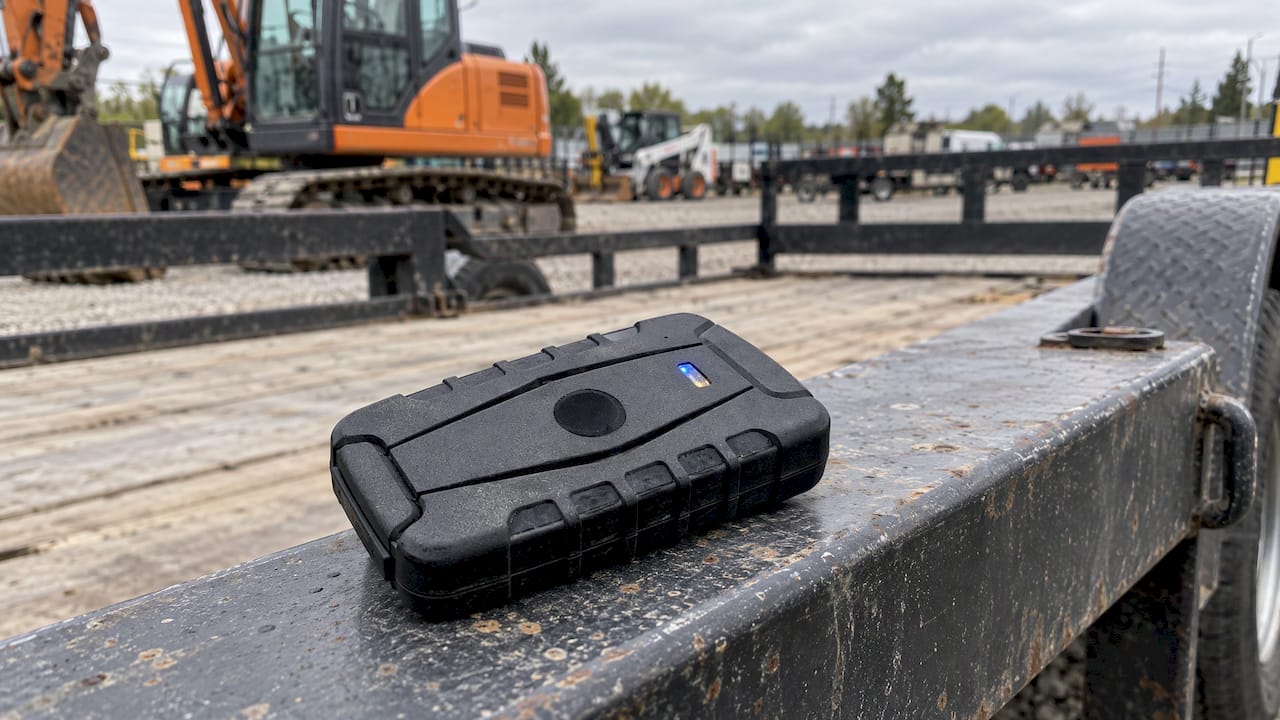
A magnet by itself does not block a GPS signal. Satellite signals are radio waves, and a magnetic field does not stop them. The real risk of a magnetic mount is where it puts the device. If the magnet holds the tracker flat against a steel frame, the metal body can shade the antenna and cut its view of the sky, and an enclosed steel box can act as the kind of shield described above. Place a magnetic unit where the antenna side faces up and the surrounding metal does not wrap over it, such as on a flat top surface of a trailer frame rather than inside a cavity.

What fleets and rental yards can do about it
1. Pick the mounting spot like it matters
The GNSS documentation recommends placing the antenna at the top of the vehicle, clear of obstructions and away from motors, processors, USB cables and other digital devices. It also notes that a small metallic ground plane, about 2 to 3 inches across, under the antenna improves noise ratio and sensitivity. That last tip applies to antenna design, so for a finished tracker the practical lesson is the first one: sky view and distance from noise.
For heavy equipment, a practical checklist:
- Find the flattest, highest non-metallic-covered spot with sky view: under a plastic panel, on a top surface, or behind a nonmetallic cover.
- Keep it away from alternators, inverters, camera hubs and radio equipment.
- Route power leads away from the antenna side of the device.
- Avoid enclosed steel boxes, tool bins and sealed compartments.
- For trailers and containers, mount on an exterior surface or in a spot with an open path to the sky.
2. Confirm the device is healthy
Before blaming interference, check battery level, mounting security and cabling. A device that is working should report from an open lot. That one test separates equipment problems from environmental ones.
3. Set up alerts that catch silence
A tracker that stops talking is the first sign of trouble. Use notifications and geofences so a machine leaving a yard or a job site raises a flag, and so a unit that goes quiet near a boundary gets attention. Our remote GPS tracker guide walks through what live monitoring looks like day to day.
4. Keep records
When dropouts repeat, log the date, time, location, vehicle and what the other units did. This is what turns “the tracker is flaky” into evidence you can hand to a provider, a carrier, an insurer or the authorities.
5. Use more than one signal source
A field study of GPS-controlled highway construction equipment found that systems receiving only GPS sometimes had nearly inconsequential downtime of 15 to 20 minutes a day, while systems that also received GLONASS had less. The study dates from 2008, but the takeaway still holds: short gaps are normal, and a device that can use more than one satellite constellation has more to work with. Short gaps are a reason to review trends, not to react to a single missed ping.
Perspective from Moto Watchdog
We hear the same story from contractors and rental managers: a machine “disappears” for an hour, and someone assumes the tracker failed. Most of the time the tracker is fine and the machine is sitting inside a steel building or under a bridge deck. The useful question is not “is my tracker broken?” but “where does this gap happen, and does it repeat?”
That is why we build around visibility rather than a monthly bill. Our trackers have no monthly fees, include lifetime 4G data and put unlimited vehicles and users on one dashboard. When every unit is on one screen, you can compare devices, spot clusters and see whether a dropout is one machine or a whole site.
Pair that with geofencing alerts, trip and mileage reporting and idle time tracking, and silence becomes information. A unit that stops reporting near a yard boundary is worth a phone call. A unit that reports from the same spot every night is just parked in a bad place.
Good placement, sensible alerts and clean records solve most signal problems before they cost you a machine.
Louis
Are GPS jammers illegal in the United States?
Yes. GPS.gov states that federal law prohibits operating, marketing or selling jamming equipment that interferes with authorized radio communications, including GPS, and that there are no exemptions for use in a business, classroom, residence or vehicle. Penalties can include substantial fines, seizure of the equipment and criminal sanctions including imprisonment.
The FCC explains the legal basis: Section 302(b) of the Communications Act of 1934 prohibits marketing a device that jams or blocks authorized radio communications, and Section 333 prohibits operating one. Violations can bring fines of up to $112,500 per violation and possible criminal prosecution. CISA adds that intentional interference is a violation of law enforced by the FCC.
For a fleet owner, two practical points follow:
- Never install or allow a jammer on company equipment, even to “stop tracking” a driver on personal time. Put the rules in a written policy instead.
- If you suspect a driver or a thief is using one, document it and report it rather than responding with your own countermeasures.
What to do when tracking becomes inaccurate or stops
CISA advises users to work with their equipment providers to determine whether equipment has malfunctioned and to set up troubleshooting procedures. Providers may also help with alternate timing sources or extended holdover capabilities. CISA also says suspected interference should be reported whenever an outage is believed to have occurred, because timely reports help attribute the source.
A workable sequence:
- Check the basics. Power, battery, mounting and sky view.
- Compare with other units. Are other devices nearby affected too?
- Review the history. Look at the last good position and the first one after the gap.
- Contact your tracker provider with your notes.
- Report suspected interference. CISA’s guidance points to reporting to the appropriate operations center. Check the GPS.gov jamming page for current reporting contacts.
- Update your site routine. Move parking spots, relocate a device, or add a second tracker on high-value machines.
Choosing a tracker that handles real job-site conditions
No tracker can see through a steel enclosure, so what matters is how it fits your workflow: reporting without recurring fees, alerts that flag silence, mileage and idle reporting, and the ability to see every asset on one screen. Our real-time tracking guide covers how accurate location tracking works in practice, and our container tracking article looks at one of the hardest placement cases, steel boxes stacked in yards.
Moto Watchdog trackers for fleets and equipment
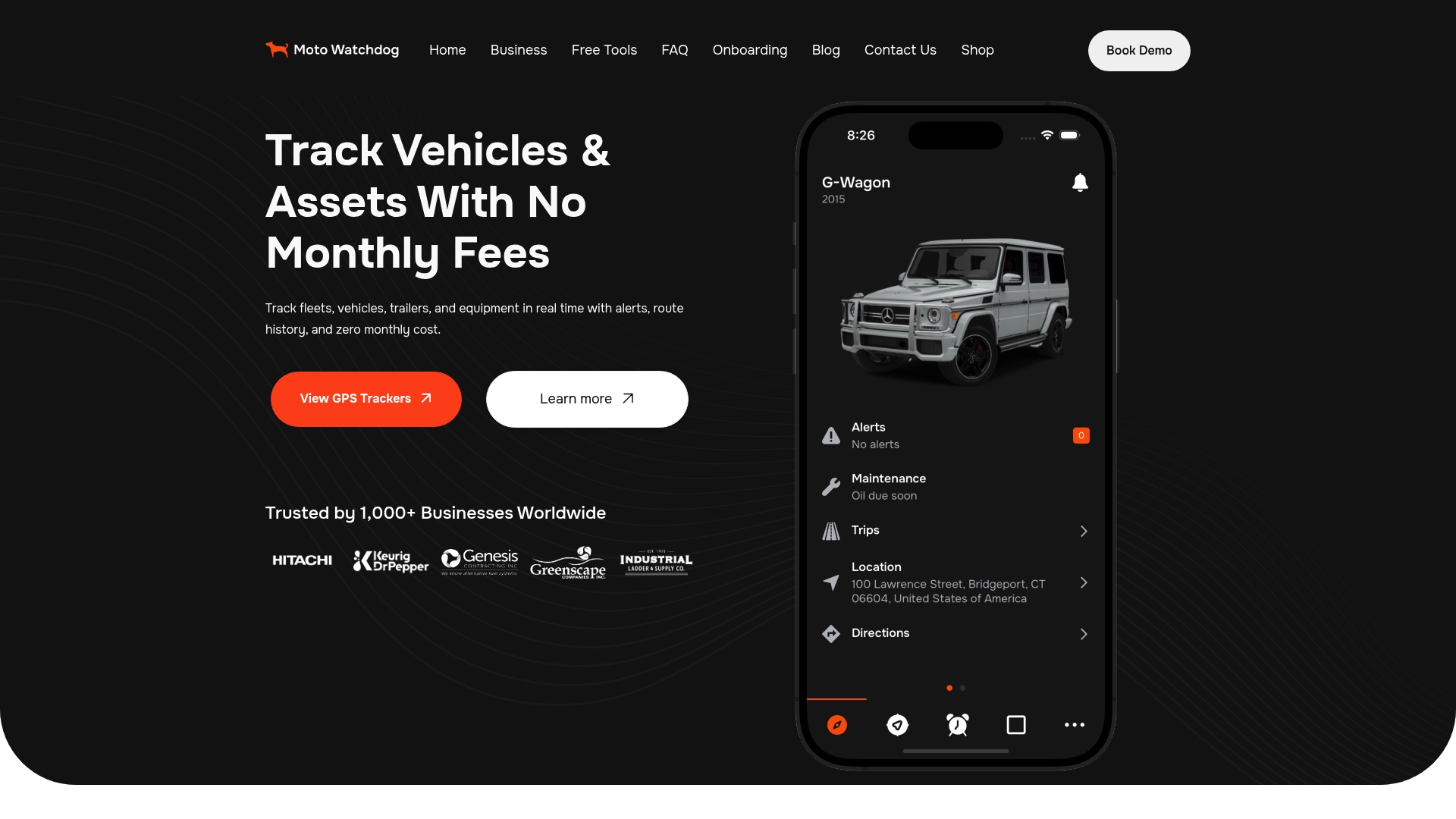
If you manage trucks, trailers or rental equipment, Moto Watchdog GPS trackers start from $124.99 as a one-time purchase. There are no monthly or recurring fees, no activation fees and no add-ons for features. Lifetime 4G data is included, and you manage every device from the free mobile app, with geofencing, push notifications, trip and mileage reporting, idle time tracking and maintenance reminders.
Businesses that want to connect tracking data to their own systems can ask about API access on our business page. Sales and support replies come the same day.
FAQ
What interferes with GPS tracking?
The most common causes are physical blockage (tunnels, dense tree cover, indoor storage and metal enclosures), electrical noise from nearby equipment, and equipment problems such as power loss. Less often, accidental transmitters, solar activity or deliberate jamming and spoofing are to blame. NAVCEN and the FAA both describe these categories.
Are GPS signal jammers illegal?
Yes, in the United States. Federal law prohibits operating, marketing or selling them, and GPS.gov says there is no exemption for businesses or vehicles. Penalties include fines, seizure and possible prison time.
Can a GPS jammer be detected?
Often, yes, through patterns. Unexplained gaps in location history, several devices dropping out together on open ground, and alerts for units that stop reporting are all signs. CISA recommends monitoring logs and alarms and reporting suspected interference.
Will a magnet block a GPS signal?
No, a magnet does not block satellite signals. The risk is the steel surface or enclosure a magnetic tracker is attached to, which can shade the antenna. Mount it on an exposed top surface with the antenna side facing the sky.
How do I know whether it is interference or a faulty tracker?
Test the unit in an open lot. If it reports normally there, the device is likely fine and the problem is placement or environment. If several different devices fail in the same open area at the same time, suspect interference and report it.
Sources
- GPS and GNSS Interference Resource Guide (FAA)
- GPS Incidents and Anomalies (U.S. Coast Guard Navigation Center)
- CISA Insights: GPS Interference Event
- Interference (InertialSense documentation)
- Faraday Cage: What Is It and How Does It Affect GPS Trackers (Invoxia)
- Implementation of GPS Controlled Highway Construction Equipment (Mid-America Freight Coalition)
- Information About GPS Jamming (GPS.gov)
- Cell Phone and GPS Jamming (FCC)

