
How to start saving money
Lorem ipsum dolor sit amet, consectetur adipiscing elit lobortis arcu enim urna adipiscing praesent velit viverra sit semper lorem eu cursus vel hendrerit elementum morbi curabitur etiam nibh justo, lorem aliquet donec sed sit mi dignissim at ante massa mattis.
- Neque sodales ut etiam sit amet nisl purus non tellus orci ac auctor
- Adipiscing elit ut aliquam purus sit amet viverra suspendisse potent
- Mauris commodo quis imperdiet massa tincidunt nunc pulvinar
- Excepteur sint occaecat cupidatat non proident sunt in culpa qui officia
Why it is important to start saving
Vitae congue eu consequat ac felis placerat vestibulum lectus mauris ultrices cursus sit amet dictum sit amet justo donec enim diam porttitor lacus luctus accumsan tortor posuere praesent tristique magna sit amet purus gravida quis blandit turpis.

How much money should I save?
At risus viverra adipiscing at in tellus integer feugiat nisl pretium fusce id velit ut tortor sagittis orci a scelerisque purus semper eget at lectus urna duis convallis. porta nibh venenatis cras sed felis eget neque laoreet suspendisse interdum consectetur libero id faucibus nisl donec pretium vulputate sapien nec sagittis aliquam nunc lobortis mattis aliquam faucibus purus in.
- Neque sodales ut etiam sit amet nisl purus non tellus orci ac auctor
- Adipiscing elit ut aliquam purus sit amet viverra suspendisse potenti
- Mauris commodo quis imperdiet massa tincidunt nunc pulvinar
- Adipiscing elit ut aliquam purus sit amet viverra suspendisse potenti
What percentege of my income should go to savings?
Nisi quis eleifend quam adipiscing vitae aliquet bibendum enim facilisis gravida neque. Velit euismod in pellentesque massa placerat volutpat lacus laoreet non curabitur gravida odio aenean sed adipiscing diam donec adipiscing tristique risus. amet est placerat in egestas erat imperdiet sed euismod nisi.
“Nisi quis eleifend quam adipiscing vitae aliquet bibendum enim facilisis gravida neque velit euismod in pellentesque”
Do you have any comments? Share them with us on social media
Eget lorem dolor sed viverra ipsum nunc aliquet bibendum felis donec et odio pellentesque diam volutpat commodo sed egestas aliquam sem fringilla ut morbi tincidunt augue interdum velit euismod eu tincidunt tortor aliquam nulla facilisi aenean sed adipiscing diam donec adipiscing ut lectus arcu bibendum at varius vel pharetra nibh venenatis cras sed felis eget.
Fleet tracking data export is the process of extracting vehicle telemetry, trip records, and fleet event data from a GPS or telematics platform for analysis, reporting, or integration into other business systems. Done well, it gives fleet managers the raw material to move from reactive problem-solving to data-driven decision-making. Platforms like Fleetio, Levy Fleets, and ShipHero each handle this process differently, and choosing the right approach depends on your fleet size, analytics goals, and how frequently you need fresh data. This guide covers every stage of the process, from file formats to automation to compliance.
What are the main methods and file formats for fleet tracking data export?
Fleet management data export falls into two broad categories: full account exports and record-specific exports. Fleetio offers full account exports emailed as XLS files, while record-specific exports deliver CSV or XLSX files for individual data types like Vehicles, Parts, or Work Orders. Each approach serves a different purpose. Full exports work best for audits or platform migrations. Record-specific exports are better for targeted analysis.

The file format you choose shapes how useful the data is downstream. Here is a breakdown of the most common formats and when to use each:
| Format | Best use case | Typical file size |
|---|---|---|
| CSV | Spreadsheet analysis, simple reporting | Small to medium |
| XLS/XLSX | Excel-based dashboards and pivot tables | Small to medium |
| JSON | API integrations and developer workflows | Medium |
| Parquet | Big data ingestion into warehouses like BigQuery or Snowflake | Large |
CSV and Excel formats suit fleet managers who work in spreadsheets daily. Parquet is the right choice when you are feeding data into a warehouse for long-term analytics. Armis delivers daily Parquet files via API with expiring download URLs, a pattern that reflects how enterprise-grade platforms handle large-scale telemetry.
Beyond format, you also choose between scheduled exports and manual exports. Scheduled exports run automatically on a set cadence, keeping your data warehouse current without manual effort. Manual exports work for one-off reports or audits. For ongoing fleet analytics, scheduled exports are the more reliable path.
Pro Tip: Always confirm which record types your platform exports before committing to a workflow. Some platforms exclude certain fields by default, which creates gaps in your reporting later.
How do you automate fleet tracking data exports and maintain fresh datasets?
Automation is the difference between a fleet analytics program that runs consistently and one that depends on someone remembering to click a button. The standard approach combines a one-time historical backfill with ongoing incremental updates, often called delta exports.
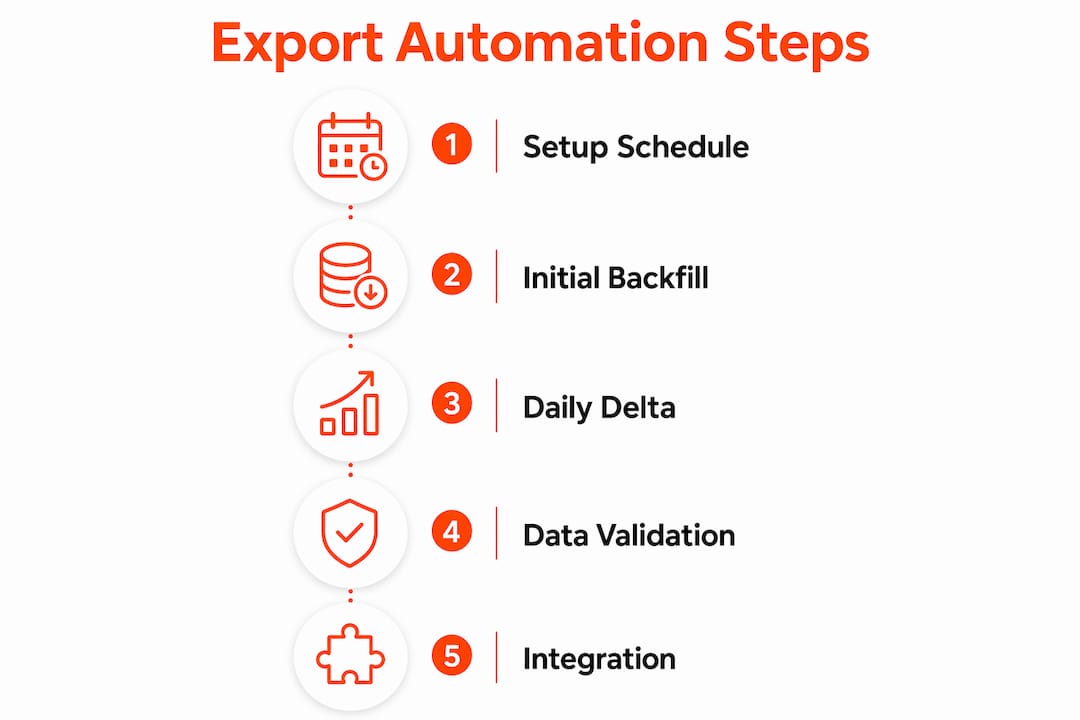
Levy Fleets provides scheduled daily delta exports with an initial backfill that completes within 30–60 minutes for fleets around 50,000 rides. That backfill populates your warehouse with historical data. Every subsequent delta export adds only the records that changed since the last run. This keeps data transfer lean and your warehouse current.
Setting up a reliable automated export workflow requires attention to several prerequisites:
- Confirm API access. Your platform must provide an export API or scheduled export feature. Review the documentation before building any pipeline.
- Set your export frequency. Daily exports suit most reporting needs. Hourly exports are appropriate when you need near-real-time data for dispatch or compliance monitoring.
- Handle signed URL expiration. ShipHero supports up to four recurring exports daily with signed URLs that expire after a short window. Your automation must download the file immediately after the export job completes.
- Store raw files before transforming. Always save the original export file to a staging location before running any transformations. This gives you a recovery point if a pipeline step fails.
- Monitor for schema changes. Platforms occasionally add or rename fields. A schema change that goes undetected can silently corrupt your downstream reports.
Daily delta exports combined with a historical backfill are the emerging standard for keeping fleet data current while enabling retrospective analysis. Fleet managers who adopt this pattern avoid the data gaps that come from relying on manual exports alone.
Pro Tip: Treat every export download link as temporary. Build your automation to trigger the download within minutes of the export job completing, not hours later.
How do you use exported GPS fleet data for reporting and integration?
Raw GPS trackpoints are rarely useful on their own. Exporting pre-processed events like trips, stops, idling incidents, and maintenance logs produces consistent analytics across teams. These structured records map directly to business KPIs like cost per mile, vehicle utilization, and driver behavior scores.
Fleet managers typically work with two types of exports: pre-built report exports and raw telemetry exports. Pre-built reports from platforms like Levy Fleets cover Maintenance Logs, Vehicle Status, and Utilization Reports in CSV, Excel, or PDF formats. These are ready to share with stakeholders immediately. Raw telemetry exports require more processing but give you full flexibility for custom analysis.
For integration into data warehouses, the workflow generally follows this pattern:
- Export data in Parquet or CSV format from your telematics platform.
- Load the file into a staging table in BigQuery or Snowflake.
- Run transformation queries to align field names with your internal data model.
- Schedule the pipeline to run on the same cadence as your export frequency.
Ensuring field coverage is the most overlooked step in this process. Evaluating both export frequency and schema coverage is vital for maintaining parity between your platform dashboards and your data warehouse. If your warehouse is missing fields that appear in the platform UI, your reports will diverge over time.
Pro Tip: Map your export schema against your business KPIs before going live. A field that looks irrelevant at setup often turns out to be critical six months later.
For fleet managers exploring how different GPS system types affect data availability, understanding GPS system types and capabilities helps you ask the right questions during vendor evaluation.
What are the common challenges in fleet tracking data export workflows?
The most common failure point in export workflows is expired download links. Signed URLs expire after a short window, and any automation that does not account for this will produce failed downloads and data gaps. The fix is straightforward: build your pipeline to act on the export job completion event, not on a fixed time delay.
Partial exports create a subtler problem. If an export job fails midway through, you may load incomplete data into your warehouse without realizing it. Always validate record counts after each load. A significant drop in row count compared to the previous export is a reliable signal that something went wrong.
Compliance is a challenge that many fleet managers underestimate. Exporting personal data linked to drivers requires governance, access controls, and audit logging to avoid violations under laws like GDPR and CCPA. Fleet data security must include permission management and audit trails for every export event. Limiting export access to authorized roles and logging who downloaded what and when are non-negotiable practices.
“Pilot tests with acceptance criteria improve data quality and operational smoothness.” — Fleet Management Advisor
Before committing to a full production pipeline, run a pilot export covering at least two weeks of data. Check field coverage, confirm data freshness against the platform UI, and validate that your KPI fields are populated consistently. Catching gaps at the pilot stage costs far less than fixing them after your reporting is live.
For practical examples of how fleet managers connect GPS data to business systems, the fleet GPS data integration examples guide covers real-world workflows worth reviewing.
Key Takeaways
Reliable fleet tracking data export requires matching your export method, file format, and automation cadence to your specific analytics goals and platform capabilities.
| Point | Details |
|---|---|
| Match format to use case | Use CSV or Excel for spreadsheets; use Parquet for data warehouse ingestion into BigQuery or Snowflake. |
| Automate with delta exports | Combine a one-time historical backfill with daily incremental exports to keep data current without full re-downloads. |
| Handle signed URLs immediately | Download export files within minutes of job completion to avoid expired links and data gaps. |
| Validate field coverage early | Map your export schema against business KPIs before going live to prevent reporting gaps later. |
| Enforce compliance controls | Apply access controls and audit logging to every export that includes driver or personal data. |
Why most fleet managers underestimate their export setup
I have reviewed export workflows for fleets ranging from a dozen vehicles to tens of thousands, and the pattern is consistent. Fleet managers invest heavily in their telematics platform but treat the export layer as an afterthought. They set up a manual CSV download, build a spreadsheet around it, and call it done. Six months later, the spreadsheet is out of date, the fields no longer match the platform UI, and nobody trusts the numbers.
The real issue is that export setup requires the same rigor as any other data pipeline. Practical acceptance criteria for export systems include SLA freshness, field coverage aligned with KPIs, and schema stability. These are engineering standards, not fleet management standards. Most fleet managers were never trained to think this way, which is why the gap exists.
My recommendation is to evaluate export capabilities during vendor selection, not after. Ask for the API documentation. Ask how schema changes are communicated. Ask whether delta exports are supported or whether you are expected to pull full datasets every time. A vendor that cannot answer these questions clearly will cost you significant rework later.
Data governance is the other area where I see consistent gaps. Exporting driver location history and behavior data without access controls is a compliance risk that most fleets are not prepared for. Build the permission model before you build the pipeline. It is far easier to add controls at the start than to retrofit them after an audit.
The good news is that the tools and patterns are mature. Platforms like Fleetio, Levy Fleets, and ShipHero have documented export APIs. Data warehouses like BigQuery and Snowflake handle Parquet ingestion reliably. The infrastructure exists. The gap is almost always in how the export workflow is designed and maintained, not in the technology itself.
— Louis
Motowatchdog and subscription-free GPS tracking for fleet data access
Fleet managers who want reliable GPS data without monthly subscription costs have a direct path forward with Motowatchdog.
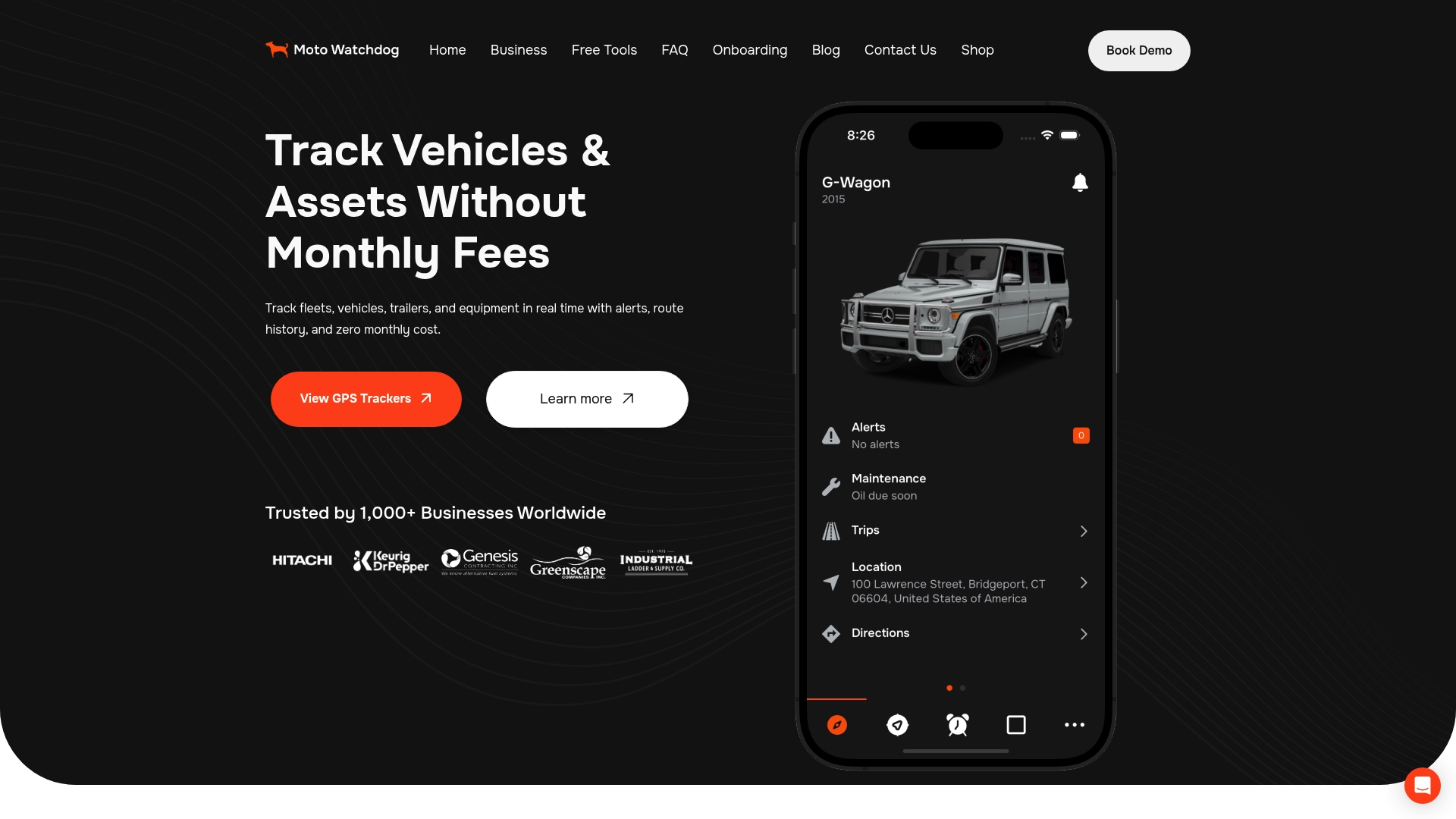
Motowatchdog serves over 1,000 businesses with subscription-free 4G GPS tracking that delivers real-time vehicle monitoring, geofencing alerts, and detailed mileage tracking. Those mileage and location records are exactly the data you need for the export and integration workflows covered in this guide. Without recurring fees eating into your budget, you can put more resources toward the analytics infrastructure that turns raw tracking data into business results. Explore subscription-free GPS tracking from Motowatchdog to see how it fits your fleet’s reporting and data export needs.
FAQ
What is fleet tracking data export?
Fleet tracking data export is the process of extracting vehicle telemetry, trip records, and fleet event data from a telematics platform for use in reporting, analysis, or integration into other systems.
What file formats are used for fleet management data export?
The most common formats are CSV, Excel (XLS/XLSX), JSON, and Parquet. CSV and Excel suit spreadsheet reporting, while Parquet is optimized for big data ingestion into warehouses like BigQuery or Snowflake.
How do I set up automatic data export for fleets?
Configure your telematics platform to run scheduled exports on a daily or hourly cadence. Combine an initial full backfill with ongoing delta exports, and automate the download immediately after each export job completes to avoid expired signed URLs.
How do I handle compliance when exporting driver data?
Exporting personal driver data requires access controls, permission management, and audit logging to comply with regulations like GDPR and CCPA. Limit export access to authorized roles and log every download event.
What is the difference between a full export and a delta export?
A full export extracts all records from your fleet platform at once. A delta export extracts only the records that changed since the last export run, making it faster and more efficient for ongoing data warehouse updates.