How to start saving money
Lorem ipsum dolor sit amet, consectetur adipiscing elit lobortis arcu enim urna adipiscing praesent velit viverra sit semper lorem eu cursus vel hendrerit elementum morbi curabitur etiam nibh justo, lorem aliquet donec sed sit mi dignissim at ante massa mattis.
- Neque sodales ut etiam sit amet nisl purus non tellus orci ac auctor
- Adipiscing elit ut aliquam purus sit amet viverra suspendisse potent
- Mauris commodo quis imperdiet massa tincidunt nunc pulvinar
- Excepteur sint occaecat cupidatat non proident sunt in culpa qui officia
Why it is important to start saving
Vitae congue eu consequat ac felis placerat vestibulum lectus mauris ultrices cursus sit amet dictum sit amet justo donec enim diam porttitor lacus luctus accumsan tortor posuere praesent tristique magna sit amet purus gravida quis blandit turpis.

How much money should I save?
At risus viverra adipiscing at in tellus integer feugiat nisl pretium fusce id velit ut tortor sagittis orci a scelerisque purus semper eget at lectus urna duis convallis. porta nibh venenatis cras sed felis eget neque laoreet suspendisse interdum consectetur libero id faucibus nisl donec pretium vulputate sapien nec sagittis aliquam nunc lobortis mattis aliquam faucibus purus in.
- Neque sodales ut etiam sit amet nisl purus non tellus orci ac auctor
- Adipiscing elit ut aliquam purus sit amet viverra suspendisse potenti
- Mauris commodo quis imperdiet massa tincidunt nunc pulvinar
- Adipiscing elit ut aliquam purus sit amet viverra suspendisse potenti
What percentege of my income should go to savings?
Nisi quis eleifend quam adipiscing vitae aliquet bibendum enim facilisis gravida neque. Velit euismod in pellentesque massa placerat volutpat lacus laoreet non curabitur gravida odio aenean sed adipiscing diam donec adipiscing tristique risus. amet est placerat in egestas erat imperdiet sed euismod nisi.
“Nisi quis eleifend quam adipiscing vitae aliquet bibendum enim facilisis gravida neque velit euismod in pellentesque”
Do you have any comments? Share them with us on social media
Eget lorem dolor sed viverra ipsum nunc aliquet bibendum felis donec et odio pellentesque diam volutpat commodo sed egestas aliquam sem fringilla ut morbi tincidunt augue interdum velit euismod eu tincidunt tortor aliquam nulla facilisi aenean sed adipiscing diam donec adipiscing ut lectus arcu bibendum at varius vel pharetra nibh venenatis cras sed felis eget.
Engine hour tracking means recording how long each engine has actually run, then using that number to schedule service, bill rentals and judge utilization. For anything that idles, works in place or runs a power take-off, hours describe wear better than miles or calendar days. The practical setup is simple: pick one trusted hour source per machine, log it on a fixed routine, tie service intervals to it, and use location and trip data to cross-check it.
This guide covers what engine hours measure, the four common ways to capture them, how to set up tracking across a mixed fleet, and how to handle gaps and bad readings. It is written for contractor fleets and heavy equipment rental operators.
TL;DR
- Engine hours count running time. Odometers count distance, so they miss the wear on excavators, generators, lifts and idling trucks.
- Hour meters, ECM readings, ignition-based calculations and telematics do not always measure the same thing. Match your service trigger to the counter the manufacturer specifies.
- Record a starting reading for every asset, check it on a schedule, and write down every manual adjustment or meter replacement.
- Use location, trip and idle data as a second opinion on hours, and to catch unauthorized use.
- Keep calendar intervals as a backstop for machines that sit for long periods.
Table of Contents
- What engine hours actually measure
- Four ways to capture engine hours
- How to set up engine hour tracking across a mixed fleet
- Using engine hours to schedule maintenance
- Engine hours in rental: utilization and billing
- When readings are missing, wrong or need adjusting
- Where GPS tracking fits in
- Our perspective
- Track more of your fleet without monthly fees
- FAQ
- Sources
What engine hours actually measure
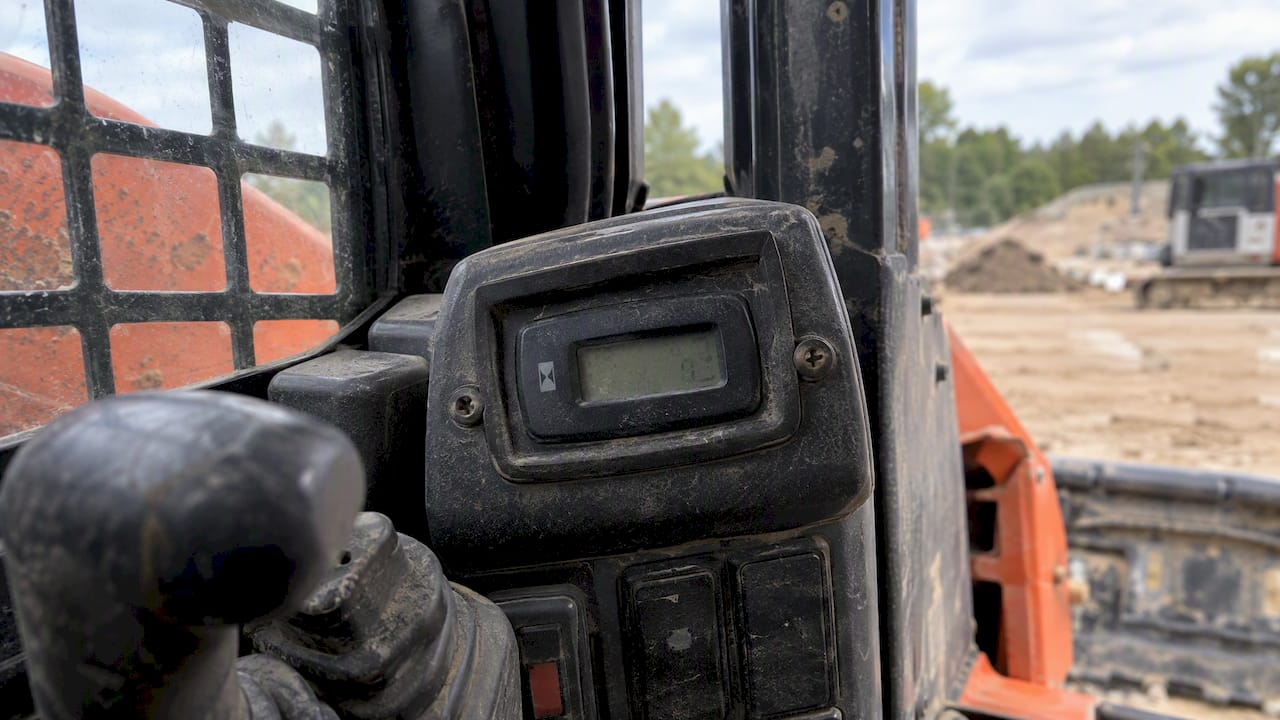
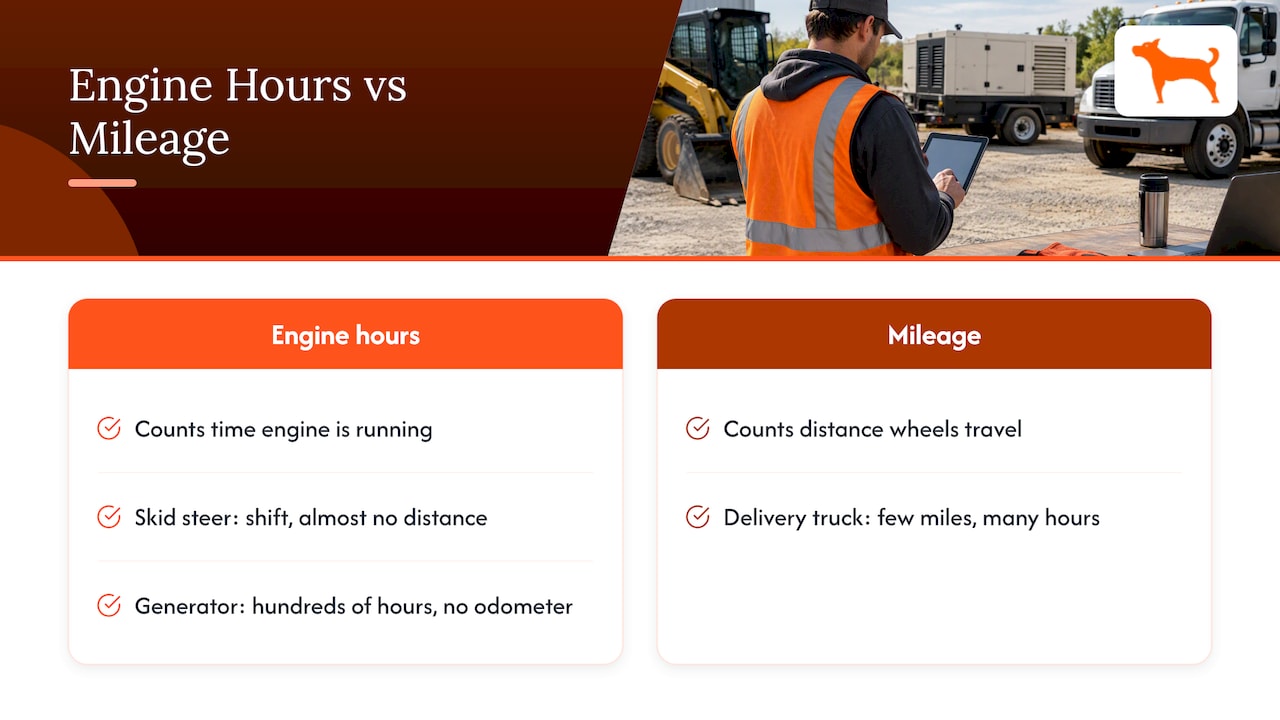
An engine hour is one hour with the engine running. A meter or controller adds up that running time over the life of the engine, and the total tells you how hard the machine has worked, regardless of whether it moved.
That is the whole reason the number exists. A skid steer can spend a full shift digging in one spot and add almost no distance. A delivery truck can crawl through stop-and-go traffic and add hours quickly with few miles. A backup generator may log hundreds of hours with no odometer at all. In each case the hour count reflects what the engine went through, while mileage reflects only what the wheels did.
Manufacturers think the same way. A John Deere operator manual for one of its machines, for example, describes an hourmeter that shows engine-run hours and a service reminder that tells the owner when lubrication and engine service intervals are reached. The service schedule is written in hours because hours are what the engine accumulates.
Why hours beat miles and days for equipment
Three reasons come up again and again for contractors and rental yards:
- Idle and stationary work. Pumps, compressors, generators, boom lifts and loaders do real work without covering ground.
- Variable conditions. Heavy equipment in dust, heat or heavy loads wears faster than a calendar suggests. Run time tracks that wear more closely than elapsed days.
- Guesswork. Servicing by calendar means some machines get oil changes they do not need while others run past due. Hour-based service ties the work to actual use.
Industry practice follows this logic. The IPAF Rental Standard, which sets out good practice for access equipment rental companies, points to manufacturer guidance for the frequency and scope of maintenance, and manufacturer schedules for this kind of equipment are commonly stated in operating hours.
Four ways to capture engine hours
Not every hour count is produced the same way. Before you build a tracking routine, know which of these you are looking at.
| Method | What it counts | Strengths | Watch for |
|---|---|---|---|
| Mechanical or digital hour meter | Time the meter circuit is powered or the engine is turning, depending on the model | Independent of any software, readable on site | Can be replaced, reset, tampered with or fail; some run on key-on, not engine-on |
| Engine control unit (ECU/ECM) reading | The engine computer’s own total, often shown on the dash or read with a diagnostic tool | Usually the figure the manufacturer references | Requires a compatible tool or connection; some engines weight hours by load or RPM |
| Ignition-based calculation | Time the ignition signal is on | Works on nearly any vehicle with a tracker | Overcounts when the key is on with the engine off |
| Telematics with engine data | Hours reported from the engine bus or calculated from motion and ignition | Remote, automatic, fleet-wide | Depends on the device, the wiring and what the engine actually broadcasts |
The differences are not academic. EquipFlow, a maintenance software company, notes that not all hour meters measure the same thing, and that failing to match your maintenance triggers to the counter the manufacturer used can cause service intervals to drift against specification. A key-on meter and an ECM total can disagree by a meaningful amount on a machine that sits with the key on during breaks.
The working rule: find out which counter your manufacturer’s service schedule is based on, and treat that as the primary source for that machine. Everything else is a cross-check.
How to set up engine hour tracking across a mixed fleet
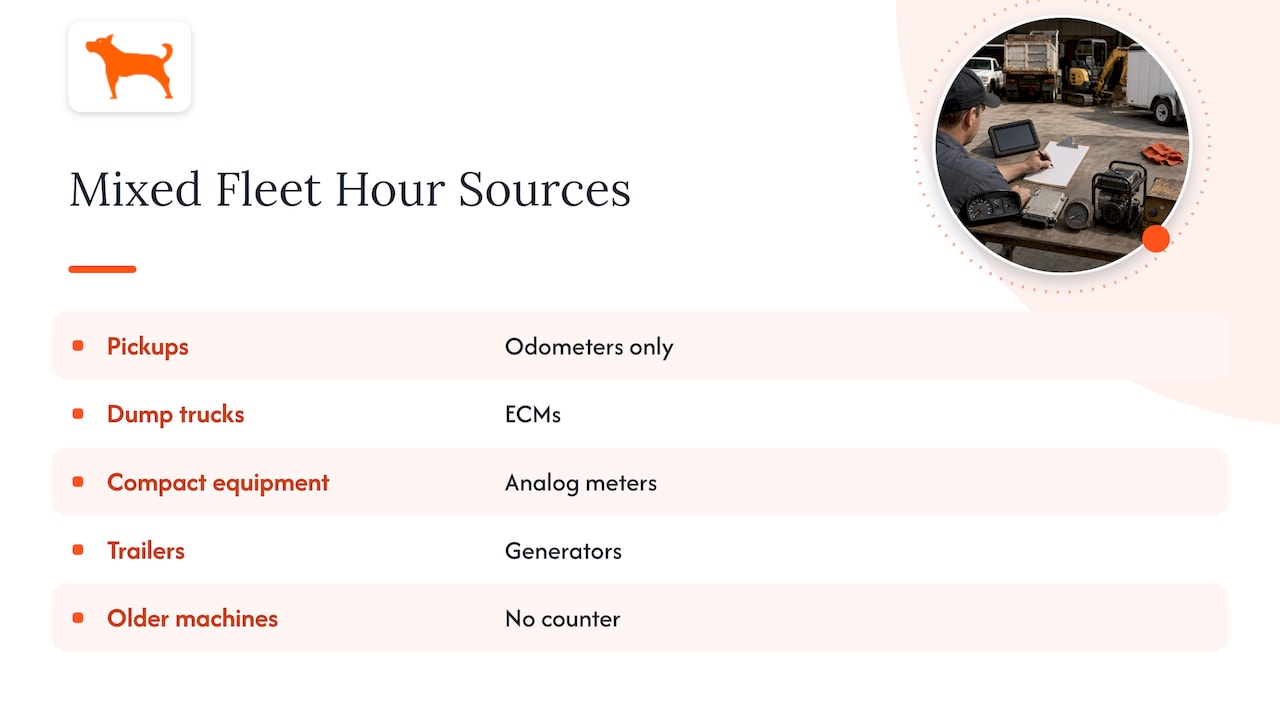
Most fleets are mixed: pickups with odometers only, dump trucks with ECMs, compact equipment with analog meters, trailers with generators, and a few older machines with nothing at all. A workable setup does not force one method on all of them.
Step 1: Build the asset list and tag each one by hour source
List every asset and note what it has: a working hour meter, an ECM total, both, or neither. Add the manufacturer’s service interval and which counter it references. This one spreadsheet prevents most later confusion.
Step 2: Record a baseline
Before you track anything, photograph the hour meter or ECM reading for each machine and record the date. The baseline is what every later reading is measured against. For machines without a meter, set the baseline at zero hours of tracked use and say so in the record.
Step 3: Choose a trigger for each asset
A simple way to group the fleet:
- Hours-primary: excavators, loaders, lifts, compressors, generators, tractors, and trucks with heavy idle or PTO time.
- Miles-primary with an hours check: over-the-road trucks and light-duty vehicles that mostly drive.
- Calendar backstop: anything that can sit idle for months, because fluids, belts, batteries and seals age regardless of use.
The usual approach in the industry is service “whichever comes first”: hours or time. That keeps seasonal and standby machines from going too long without attention.
Step 4: Decide how readings get into your system
There are three options, and most fleets end up using a mix:
- Manual logging by operators at the start or end of a shift, by photo or entry in an app.
- Scheduled walk-around checks by a yard or shop lead, weekly or at every check-out and check-in for rentals.
- Automated reporting from a device on the machine that sends location, run state and trip data to a dashboard.
Automation reduces missed readings, but a periodic physical check of the meter is still the best way to confirm that what the system reports matches the machine.
Step 5: Verify accuracy on a schedule
Compare your tracked hours with the physical meter or ECM reading at a regular interval, such as monthly for active machines and at every service. Investigate any gap that grows over time. A steady small difference usually means two counters measure differently. A sudden jump means a data problem, a swapped meter or unauthorized use.
Using engine hours to schedule maintenance
Hours only help if they trigger something. Tie each interval from the operator manual to a reading and set a reminder ahead of the due point, not at it.
- Enter the manufacturer’s intervals for each model: oil and filter, fuel filter, hydraulic service, greasing, belts, coolant, and major inspections.
- Set reminders at a lead point, for instance 10 percent before the interval, so the shop can schedule the work around jobs.
- Record the hour reading at the time of each service, not the date alone.
- Reset the next-due reading from the actual service hour, not the planned one.
- Review overdue items weekly.
This is the difference between reactive and data-driven maintenance. Instead of waiting for a warning light or a breakdown on a job site, the shop sees which machines will cross a threshold in the next two weeks and plans around that.
For trucks and trailers, add the odometer to the schedule as well. Brakes, tires and drivetrain components wear with distance, so a truck can be due for service on miles while its hour count looks low.
When calendar and mileage intervals still matter
Hours are not a replacement for everything. Keep a calendar trigger for:
- machines in seasonal storage, where fluids degrade and batteries drain with time;
- annual or statutory inspections, which run on dates regardless of use;
- warranty terms that specify a date as well as an hour limit;
- over-the-road vehicles where mileage drives brake, tire and suspension wear.
The best schedule uses hours as the main signal for working equipment and keeps the other two as limits.
Engine hours in rental: utilization and billing
For a rental operator, engine hours serve three jobs beyond maintenance.
Utilization. Compare hours run against hours rented. A machine on rent for 160 hours of a month that logged 40 engine hours was lightly used, which is useful for pricing and for deciding which units to retire or replace. A machine that logs far more hours than the contract expects points to heavy use.
Shift-based billing. Many rental agreements price extra shifts. One published example, a Modern Machinery rental agreement, sets double-shift rates at 150% for 320 hours and triple-shift rates at 200% for 480 hours per four weeks. If your terms work this way, a clean hour record at check-out and check-in is what makes the bill defensible.
Dispute prevention. Time-stamped hour readings at pickup and return, along with photos of the meter, settle most arguments about how much a machine was used.
Limits to account for
- A running engine is not always productive work. Long idling counts as hours, so pair hours with idle data to separate working time from standing time.
- Hours say nothing about load. Two machines with identical hours can have lived very different lives.
- A reading is only as good as its source. A replaced or reset meter breaks the record unless you document it.
- Location and trip data tell you where a machine went and when, which hours alone cannot do.
When readings are missing, wrong or need adjusting
Every fleet eventually faces a meter that fails, a reset after a repair, or an asset with no hour source. A defensible process matters more than a perfect one.
- Failed meter: record the final reading, the date and the replacement’s starting reading. Many maintenance teams then use estimated average daily use to keep a continuous total, a practice EquipFlow describes for keeping a defensible hours history. Mark estimated hours as estimates.
- Reading disagrees with the ECM: determine which counter the manufacturer’s schedule uses, keep that one as primary, and note the offset.
- Manual correction in your system: log who changed it, when, the old value, the new value and why. An adjustment with no trail is the first thing questioned in a warranty or sale dispute.
- No hour source at all: use trip and run-state data from a tracker to build an estimate of use, and label it as such. A consistent estimate beats a blank.
- Unexpected hours: if a machine shows run time overnight or on weekends, check location and movement data before assuming a meter error. It may be unauthorized use.
Where GPS tracking fits in
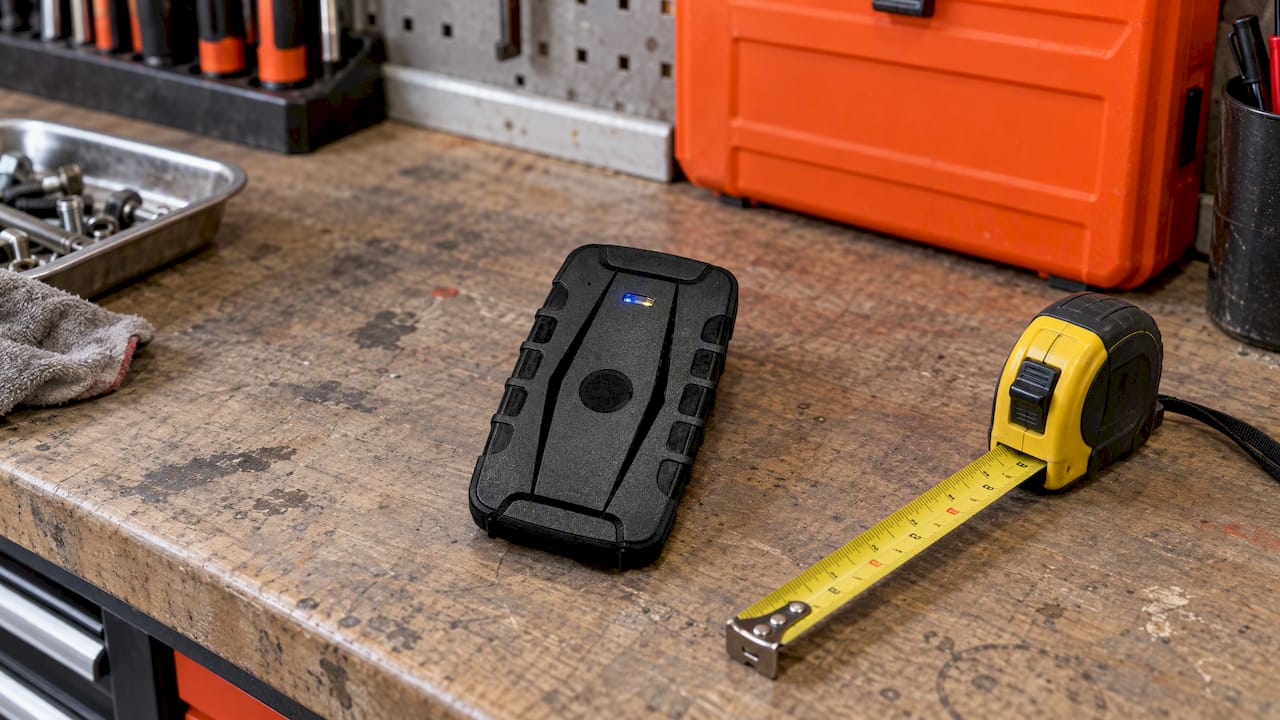
A tracker does not replace the meter, but it covers what the meter cannot. Location history shows where each asset is and where it has been. Geofence alerts flag a machine that leaves a job site or the yard. Idle-time reports show how much running time was not productive. Trip and mileage reports support both maintenance and reporting. Maintenance reminders keep service from slipping.
For fleets that want those capabilities without a recurring bill on every unit, the cost model matters. Subscription fees multiply across dozens of trailers, lifts and compact machines, and that cost often decides which assets get tracked at all.
Our perspective
We talk to fleet managers and rental operators who are tired of paying monthly for every unit and still not knowing which machines are running. Our view is that tracking should be something you buy once and own. That is how we build Moto Watchdog: one-time hardware, lifetime 4G data included, no activation fees and no add-on charges for features.
For engine-hour programs, that matters in three ways. First, you can put a device on the low-value assets, such as trailers, light towers and small equipment, that would never justify a subscription. Hours, idle time and location on those machines are often where the surprises are. Second, one dashboard supports unlimited vehicles and users, so the yard, the shop and the office look at the same data. Third, our maintenance reminders, trip and mileage reporting and idle tracking give you the usage record you need to cross-check meter readings and keep service on schedule.
Our advice is practical: keep your manufacturer’s hour meter as the reference for service, and use tracking data to confirm it, find gaps and prove use. The two together give a record that stands up with a customer, an insurer or a buyer.
— Louis
Track more of your fleet without monthly fees
If you are building an engine-hour and utilization program for trucks, trailers and equipment, our GPS trackers start from $124.99 as a one-off purchase. They include real-time location, geofencing alerts, trip and mileage reporting, idle time tracking and maintenance reminders, managed from a free mobile app.

Business customers can also ask about API access for connecting tracking data to their own systems, through our business page.
FAQ
What is the difference between engine hours and mileage?
Engine hours count how long the engine has run. Mileage counts distance traveled. Equipment that works in place, idles or powers attachments adds hours without miles, so hours reflect its wear more accurately.
How do I find a machine’s engine hours?
Check the hour meter on the dash or instrument panel, or read the engine computer’s total with a diagnostic tool or the machine’s display. Telematics can report hours remotely if the device reads engine data or calculates run time from ignition. Confirm which counter the manufacturer uses for service.
Can a GPS tracker track engine hours?
That depends on the device and how it is connected. Some read engine data, others estimate run time from ignition or motion. Either way, treat tracker-reported hours as a cross-check against the physical meter, and use trip, idle and location data to understand how the machine was used.
What should I do if an hour meter breaks or is replaced?
Record the last reading and the replacement meter’s starting reading, with dates. Then keep a running total by adding the old reading to the new one, and use estimated average daily use only for the gap, marked as an estimate.
Should I still schedule maintenance by the calendar?
Yes, as a limit. Use hours as the main trigger for working equipment, and keep a calendar interval for stored machines, required inspections and warranty terms. Service at whichever comes first.