How to start saving money
Lorem ipsum dolor sit amet, consectetur adipiscing elit lobortis arcu enim urna adipiscing praesent velit viverra sit semper lorem eu cursus vel hendrerit elementum morbi curabitur etiam nibh justo, lorem aliquet donec sed sit mi dignissim at ante massa mattis.
- Neque sodales ut etiam sit amet nisl purus non tellus orci ac auctor
- Adipiscing elit ut aliquam purus sit amet viverra suspendisse potent
- Mauris commodo quis imperdiet massa tincidunt nunc pulvinar
- Excepteur sint occaecat cupidatat non proident sunt in culpa qui officia
Why it is important to start saving
Vitae congue eu consequat ac felis placerat vestibulum lectus mauris ultrices cursus sit amet dictum sit amet justo donec enim diam porttitor lacus luctus accumsan tortor posuere praesent tristique magna sit amet purus gravida quis blandit turpis.

How much money should I save?
At risus viverra adipiscing at in tellus integer feugiat nisl pretium fusce id velit ut tortor sagittis orci a scelerisque purus semper eget at lectus urna duis convallis. porta nibh venenatis cras sed felis eget neque laoreet suspendisse interdum consectetur libero id faucibus nisl donec pretium vulputate sapien nec sagittis aliquam nunc lobortis mattis aliquam faucibus purus in.
- Neque sodales ut etiam sit amet nisl purus non tellus orci ac auctor
- Adipiscing elit ut aliquam purus sit amet viverra suspendisse potenti
- Mauris commodo quis imperdiet massa tincidunt nunc pulvinar
- Adipiscing elit ut aliquam purus sit amet viverra suspendisse potenti
What percentege of my income should go to savings?
Nisi quis eleifend quam adipiscing vitae aliquet bibendum enim facilisis gravida neque. Velit euismod in pellentesque massa placerat volutpat lacus laoreet non curabitur gravida odio aenean sed adipiscing diam donec adipiscing tristique risus. amet est placerat in egestas erat imperdiet sed euismod nisi.
“Nisi quis eleifend quam adipiscing vitae aliquet bibendum enim facilisis gravida neque velit euismod in pellentesque”
Do you have any comments? Share them with us on social media
Eget lorem dolor sed viverra ipsum nunc aliquet bibendum felis donec et odio pellentesque diam volutpat commodo sed egestas aliquam sem fringilla ut morbi tincidunt augue interdum velit euismod eu tincidunt tortor aliquam nulla facilisi aenean sed adipiscing diam donec adipiscing ut lectus arcu bibendum at varius vel pharetra nibh venenatis cras sed felis eget.
Construction site geofencing draws a virtual boundary around a jobsite, yard or restricted zone, then sends an alert or logs an event when a tracked vehicle, machine or trailer crosses it. For contractors and equipment rental fleets, it is one of the simplest ways to know when assets leave, arrive or move at the wrong time, without someone watching a screen. This guide covers how it works, how to set zones up well, which alerts are worth turning on, what privacy rules to keep in mind and what to budget.
TL;DR
- A geofence is a virtual perimeter. When a GPS-equipped asset or phone crosses it, the system logs the event or sends an alert.
- The most useful construction alerts are after-hours movement, exit from the yard, entry to a restricted zone and arrival at a job.
- Draw zones slightly larger than the physical site, test them with a real vehicle, and set alert schedules that match your work hours.
- If you track people, put the policy in writing: when location is captured, who sees it and how long it is kept.
- Look at the full cost of ownership. A one-time device with no monthly fee, like our trackers from $124.99, changes the math across a large fleet.
Table of Contents
- What construction site geofencing is
- How a geofence works, step by step
- Setting up a geofence for a jobsite or yard
- Geofencing for equipment security and theft response
- Geofencing for fleets and rental equipment
- Using geofencing for worker time tracking
- What geofencing can and cannot do
- Perspective: why we build trackers without monthly fees
- What construction geofencing costs
- Choosing a tracker for geofencing
- Get started with Moto Watchdog
- A simple rollout plan
- FAQ
- Sources
What construction site geofencing is
Geofencing uses location data, such as GPS, RFID, Wi-Fi or cellular signals, to create virtual barriers around a geographic area. When a location-enabled device crosses the boundary, a preset action can follow: logging the event, alerting a supervisor or, on some systems, disabling a machine. The National Safety Council describes this approach, and notes that the device can be a phone, a wearable sensor or an in-cab GPS unit, in its paper Advancing Workplace Safety with Location Geofencing.
On a construction project, that translates into a few practical jobs:
- Equipment security. Know the moment an excavator, skid steer, generator or trailer leaves the site or yard.
- Dispatch and arrival confirmation. See when a machine reaches the job it was sent to, and when it comes back.
- Restricted zones. Flag entry into an area that is off limits, such as an excavation, a utility corridor or a laydown area for another trade.
- Time and attendance. Confirm that a crew member clocked in at the jobsite rather than somewhere else.
- Rental management. Confirm that rented equipment stays within the agreed work area.
The idea is simple. The value comes from setting it up so the alerts you receive are the ones you will act on.
How a geofence works, step by step
Every geofencing setup, whatever the hardware, follows the same four-part logic.
- A device reports its position. A GPS tracker on a vehicle or machine, a phone in a worker’s pocket or a wearable determines where it is and sends that location over a cellular connection.
- The platform compares position to your zone. The software checks each new location against the shapes you have drawn.
- A crossing is detected. The system sees that the device moved from outside to inside the zone (an entry) or from inside to outside (an exit).
- A rule fires. The rule might push a notification to a phone, send an email, write a line in a log or trigger something else you have configured.
Because this runs on location reports, the quality of the result depends on how often the device reports, how clear its view of the sky is and how you draw the boundary. We come back to those below.
Setting up a geofence for a jobsite or yard
Most geofencing tools let you create zones by drawing on a map. In one common method, you draw a polygon by clicking its corners, or a circle by clicking the center and dragging out the radius. Some tools also accept an address and add an adjustable buffer around it, as described in SpatialFlow’s geofence documentation. Whatever platform you use, the same practical choices apply.
Pick the right shape
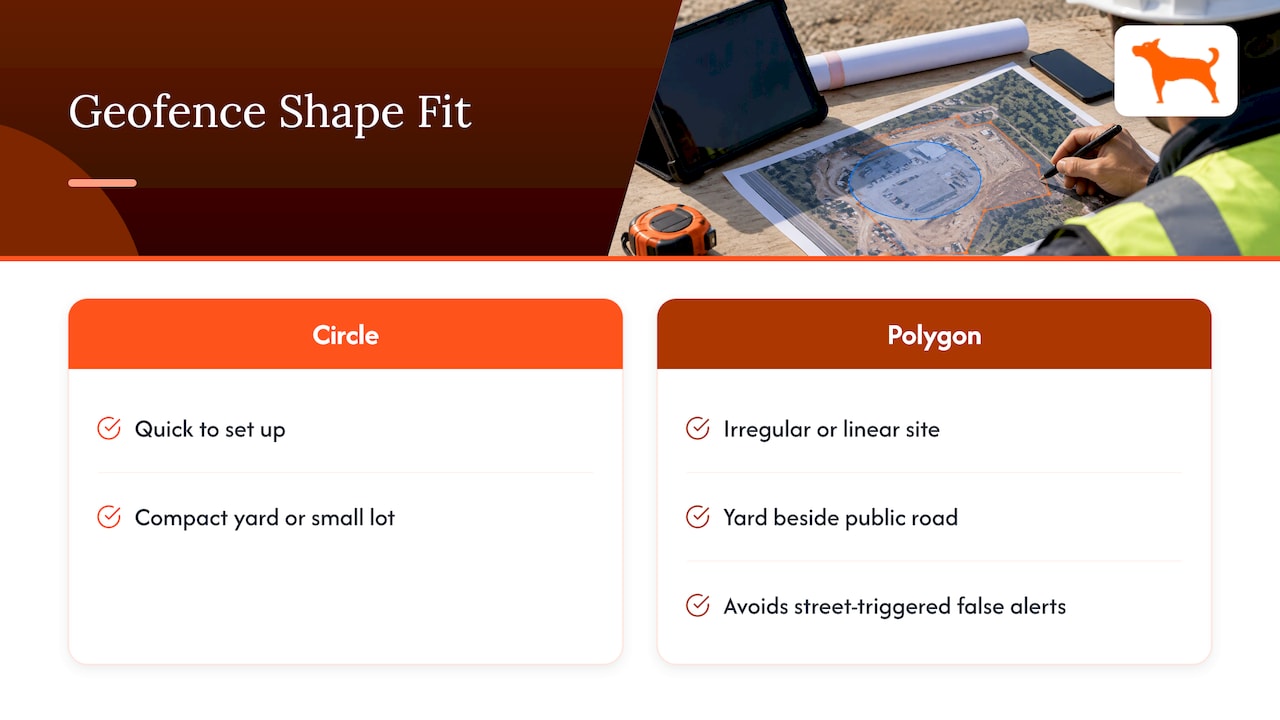
A circle is quick and works for a compact yard or a small lot. A polygon is better for irregular sites, long linear projects, or a yard next to a public road where a circle would spill onto the street and trigger false alerts every time a truck passes.
Size the boundary with room to spare
GPS readings drift by a few feet, and a vehicle moving at speed can cross a line between two location reports. If you draw the fence exactly on the property line, you will get flickering entry and exit alerts when a parked machine sits near the edge. Drawing the zone somewhat larger than the fence line, or the yard gate, gives you a stable reading. The National Safety Council points out that object speed, the angle at which something crosses the boundary and distance from the receiver can all affect alert accuracy, and it recommends asking about accuracy in different conditions when you evaluate a system. That is a good reason to allow a margin.
Use more than one zone per site
A single big circle tells you very little. Layering zones gives you real information:
| Zone | What it covers | Typical alert |
|---|---|---|
| Outer site zone | The whole jobsite or yard, with a margin | Exit alert for any tracked asset, or entry alert for arrivals |
| Equipment staging area | Where machines are parked overnight | Movement alert outside work hours |
| Restricted area | Excavations, hazard zones, other trades’ areas | Entry alert for assigned vehicles |
| Supplier or dealer location | Repair shop or yard where equipment goes for service | Arrival and departure log |
| Home yard | The company or rental yard | Return confirmation at end of a rental |
Match alerts to your schedule
An exit alert at 7:00 a.m. on a workday is normal. The same alert at 11:30 p.m. is not. Alerts that fire all day teach people to ignore them. Where your platform allows it, restrict the strictest alerts to nights, weekends and holidays, and keep daytime alerts for arrivals and departures you actually need to log.
Test before you rely on it
Drive or walk a vehicle across each boundary in both directions and confirm the alert reaches the right phones. Do this on each new site. It takes minutes and catches the usual mistakes: a zone drawn in the wrong place, a notification muted on someone’s phone or a margin that is too tight.
Geofencing for equipment security and theft response
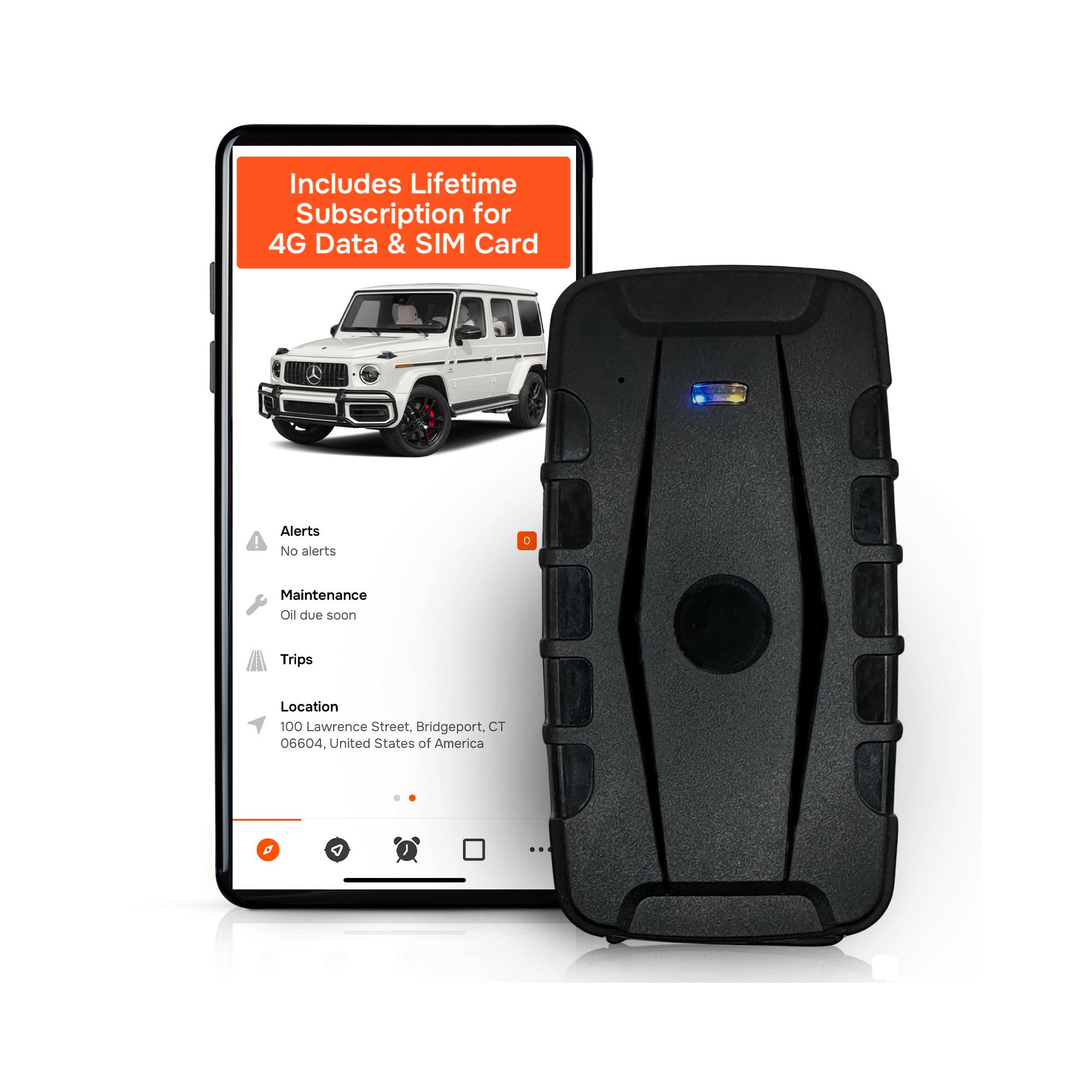
Theft is the reason many contractors and rental companies start looking at this technology. The scale of the problem is documented. The National Equipment Register and the NICB reported that 11,574 equipment theft reports were submitted to the National Crime Information Center in 2016, with 2,442 recoveries, a 21 percent recovery rate. The same report estimates that between $300 million and $1 billion worth of heavy equipment is stolen in the United States each year. The figures are from 2016, but they show why time matters: the longer a machine is gone before anyone notices, the harder it is to find.
Geofencing shortens that gap. Instead of discovering a missing machine on Monday morning, a supervisor sees an alert when it leaves the staging area at night. A useful response plan looks like this:
- Receive the alert on the phones of the people who can act, not only the owner.
- Confirm it is not authorized. A quick call to the foreman or driver clears the common false alarms.
- Open live location and note the direction of travel.
- Contact law enforcement with the machine’s description, serial number and current position.
- Keep following the unit and update the officers as it moves.
Write this plan down and share it before an incident, so nobody is improvising at midnight. Geofencing is one layer. Good lighting, fencing, locked fuel tanks and removing keys still matter, and the tracker is what tells you when one of those layers failed.
Geofencing for fleets and rental equipment
For a heavy equipment rental business, geofencing answers questions that otherwise take phone calls and paperwork.
- Did the machine reach the customer’s site? An arrival alert confirms delivery and timestamps it.
- Is it staying where the contract says? An exit alert for the rental work area flags equipment moving to an unapproved location.
- When did it come back? An entry event at your yard documents the return time, which supports accurate billing.
- Is it being used? Combined with idle time and trip data, movement tells you whether a machine on rent is working or sitting.
For a contractor fleet, the same alerts help with dispatch and accountability. Trucks leaving the shop in the morning, arriving on site and returning at night produce a log you can use for scheduling, mileage reporting and customer disputes about arrival times. Mileage and trip reports reduce the paperwork around reimbursement and job costing, and maintenance reminders based on use help you service machines before something fails in the field.
Using geofencing for worker time tracking
Geofencing is also used on people, not only machines. In one common model, a worker clocks in on a phone and the system checks whether that punch happened inside a preapproved boundary around the jobsite. Construction HR guidance describes the same idea: once workers install the companion app, the system can automatically record each time they enter and exit the zone, which helps replace self-reported hours with logged on-site time (HH2 on geofencing in construction).
This is where policy matters more than technology.
Put privacy rules in writing
Employment law firm Fisher Phillips advises employers to limit geolocation tracking to legitimate business purposes, protect the data with security measures, define and follow retention periods, and document what is collected, why, how long it is kept and who can access it. It also recommends informed consent: tell employees clearly that geolocation tools will be used, including the scope, purpose and duration, and avoid coercion or nondisclosure that could undermine that consent.
A practical policy for a contractor covers five points:
- What is tracked (a company vehicle, a company device, a phone app).
- When location is captured (at clock-in and clock-out only, or continuously).
- Who can see it.
- How long it is kept.
- What it is used for, and what it is not used for.
State laws differ on electronic monitoring notice, so check the rules where your crews work and talk to an employment attorney before rolling out worker tracking. Tracking company-owned vehicles and equipment is a simpler situation than tracking personal phones, and many contractors begin there.
What geofencing can and cannot do
The National Safety Council is clear that geofencing reduces workplace hazards but does not remove them. It should sit alongside safety training, physical barriers and lockout/tagout procedures. Treat it the same way for security: it gives you early warning and a record, and your site controls and response plan turn that warning into action.
Three habits keep a geofencing program accurate and trusted:
- Check device placement. Mount trackers where they have a reasonable view of the sky and are hard to reach for someone who wants to remove them.
- Review alerts monthly. Disable alerts nobody acts on, and tighten the ones that matter.
- Update zones when the site changes. A phase change, a new fence line or a moved staging area makes the old boundary wrong.
Perspective: why we build trackers without monthly fees
Contractors often tell us the same thing: the tracker itself was never the hard part. The hard part was the bill that kept coming for every machine, every month, for as long as the machine stayed in service. On a mixed fleet of pickups, trailers, skid steers and rental units, those recurring fees add up quickly, and they punish the owner who wants to track everything instead of only the most valuable asset.
That is why we sell hardware as a one-time purchase. Our trackers include lifetime 4G data, full features with no add-ons, and no activation fees. Geofencing alerts, trip and mileage reporting, idle time tracking, maintenance reminders and push notifications are part of the device, not tiers you unlock. You can manage unlimited vehicles and users on one dashboard, which suits a rental yard where several people need to see the same units.
Our view is that a geofence is only worth having on every asset if it is affordable on every asset. Putting a tracker on the trailer, the generator and the compact loader, not just the truck that pulls them, is where recovery and accountability improve. More than 1,000 businesses use our devices, and what we hear most is that setup was straightforward and the alerts were easy to tune.
If you are planning geofences for a new site, start with the exit alert on your most valuable machines, add an after-hours movement alert and run a test drive. Then extend to the rest of the fleet.
Louis
What construction geofencing costs
Costs vary a lot by approach, and it helps to separate three categories before comparing quotes.
- Software-only geofencing. Phone-based tools for time tracking are usually priced per user per month, so the cost scales with headcount.
- Hardware with a subscription. A GPS device is paired with a monthly or annual service plan, billed for each tracked asset. Over several years, the plan can cost more than the device.
- Hardware with no recurring fees. You pay once for the device, and data and app access are included.
When you compare options, ask for the total cost over the period you plan to use the equipment, and check each of these items:
- The device price per unit.
- Any monthly, annual or per-asset service fee.
- Activation or setup fees.
- Whether geofencing, alerts, reports and extra users cost extra.
- Whether cellular data is included for the life of the device.
- Contract length and what happens if you cancel.
- How many geofences and users the plan allows.
Our trackers start at $124.99, one time. There is no monthly fee, and API access for businesses that want to connect tracking data to their own systems is available through our business page; pricing for it is not published.
Choosing a tracker for geofencing
When you shortlist devices for a construction fleet, weigh them against how you actually work:
- Power and battery life. Trailers, attachments and parked machines have no steady power source, so long battery life matters. A vehicle-powered unit suits trucks and heavy equipment with a reliable electrical system.
- Reporting frequency. Faster updates give you tighter geofence response.
- Alert delivery. Push notifications to several phones help the right people see an event quickly.
- Multi-device management. You want every asset on one dashboard, filtered by site or crew.
- Sharing. Letting a foreman, a dispatcher or an owner see the same assets, with appropriate access, avoids relaying information by phone.
- Reports. Trip, mileage and idle time data support billing, reimbursement and maintenance planning.
- Ownership cost. Add up the total cost over the years you expect to keep the equipment.
Get started with Moto Watchdog
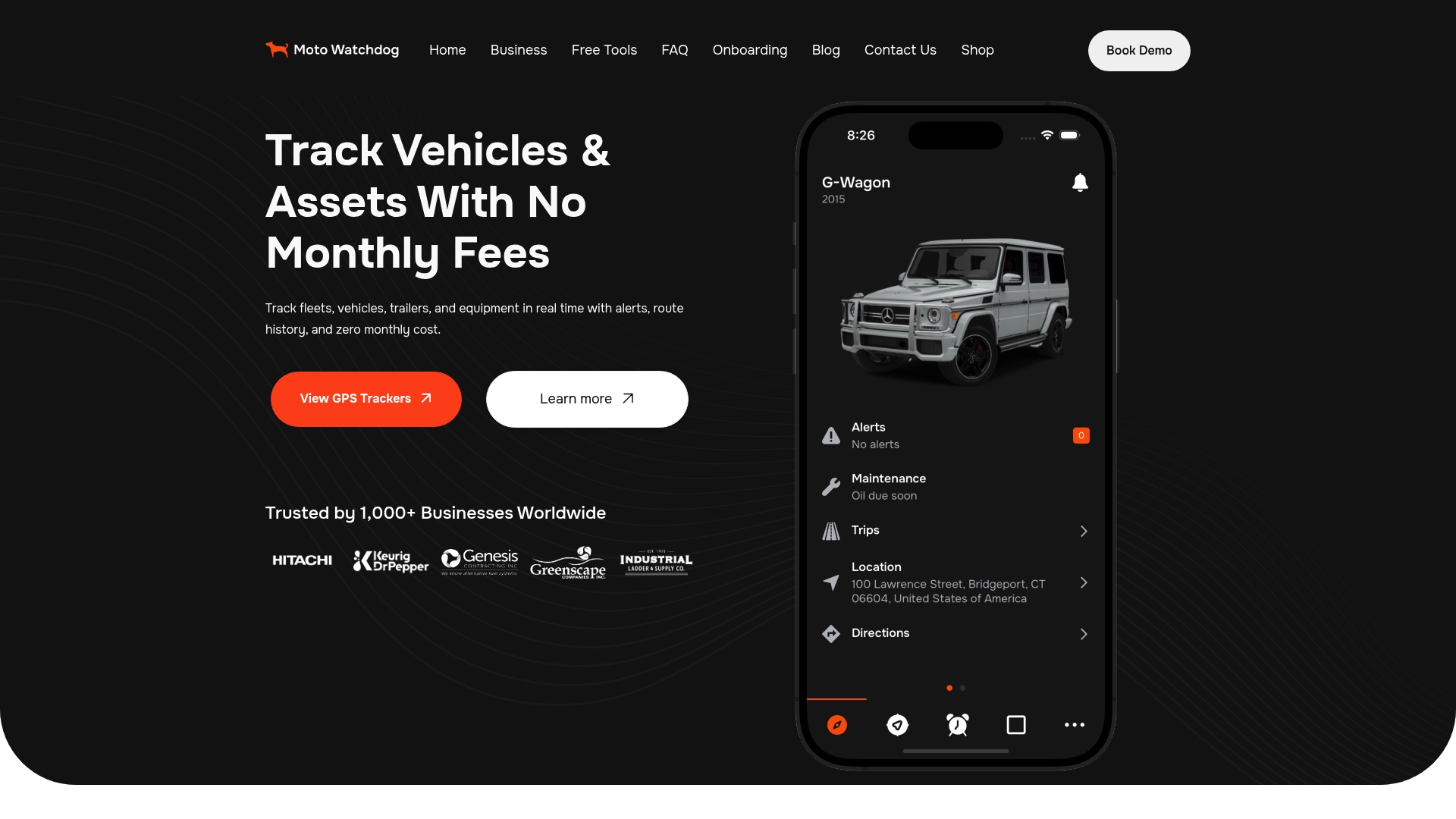
If you are ready to put geofences around your yard and active jobsites, our trackers give you real-time location, customizable geofencing and alerts, trip and mileage reports, idle time tracking, maintenance reminders and a mobile app to manage everything, with no monthly fees and lifetime 4G data included. Devices start at $124.99 as a one-time purchase. See the Moto Watchdog GPS trackers and choose the units that fit your trucks, trailers and equipment.
Support and sales replies come the same day, with no sales sequence, so you can ask about your fleet mix before you order.
A simple rollout plan
A phased approach keeps the first month manageable.
- List your assets and rank them by value, theft risk and how often they move.
- Map your sites. Note each yard, active jobsite, shop and regular supplier location.
- Install trackers on the top-ranked assets first, then extend.
- Draw zones with a margin, using an outer zone and, where useful, an inner staging zone.
- Set alert schedules for after-hours movement and for exits from the site.
- Assign responders and write the escalation steps.
- Test each zone by moving a vehicle across it.
- Review after 30 days and remove the alerts that produced noise.
FAQ
How accurate is construction site geofencing?
Accuracy depends on the device, its view of the sky, reporting frequency and how you draw the zone. The National Safety Council notes that object speed, crossing angle and distance from the receiver can affect alert accuracy. Drawing zones with a margin and testing each one with a real vehicle gives the most reliable results.
How much does geofencing cost for a construction fleet?
It depends on whether you pay per user, per asset each month or once for hardware. Compare the total cost over the years you will use the equipment, including activation fees and data. Our trackers are a one-time purchase starting at $124.99, with no monthly fees.
Can I use geofencing to track workers?
Yes, but it needs a written policy. State when location is captured, who can see it and how long it is kept, and tell employees clearly before you start. State rules on electronic monitoring vary, so check them with an employment attorney.
What alerts should I set first?
Start with an exit alert on your highest-value machines and an after-hours movement alert for equipment parked overnight. Then add arrival alerts for deliveries and returns. Review them monthly and switch off any that nobody acts on.
Does geofencing work on trailers and attachments?
Yes, as long as the asset carries a tracker. Trailers and attachments often have no power source, so a long-life battery device is the practical choice. Place it where it has a clear view of the sky and is hard to reach.
Sources
- Advancing Workplace Safety with Location Geofencing (National Safety Council)
- Geofences (SpatialFlow Documentation)
- 2016 Equipment Theft Report (National Equipment Register and NICB)
- What is Geofencing in Construction (HH2)
- 7 Best Privacy Practices for Employers When Using Geolocation (Fisher Phillips)