How to start saving money
Lorem ipsum dolor sit amet, consectetur adipiscing elit lobortis arcu enim urna adipiscing praesent velit viverra sit semper lorem eu cursus vel hendrerit elementum morbi curabitur etiam nibh justo, lorem aliquet donec sed sit mi dignissim at ante massa mattis.
- Neque sodales ut etiam sit amet nisl purus non tellus orci ac auctor
- Adipiscing elit ut aliquam purus sit amet viverra suspendisse potent
- Mauris commodo quis imperdiet massa tincidunt nunc pulvinar
- Excepteur sint occaecat cupidatat non proident sunt in culpa qui officia
Why it is important to start saving
Vitae congue eu consequat ac felis placerat vestibulum lectus mauris ultrices cursus sit amet dictum sit amet justo donec enim diam porttitor lacus luctus accumsan tortor posuere praesent tristique magna sit amet purus gravida quis blandit turpis.

How much money should I save?
At risus viverra adipiscing at in tellus integer feugiat nisl pretium fusce id velit ut tortor sagittis orci a scelerisque purus semper eget at lectus urna duis convallis. porta nibh venenatis cras sed felis eget neque laoreet suspendisse interdum consectetur libero id faucibus nisl donec pretium vulputate sapien nec sagittis aliquam nunc lobortis mattis aliquam faucibus purus in.
- Neque sodales ut etiam sit amet nisl purus non tellus orci ac auctor
- Adipiscing elit ut aliquam purus sit amet viverra suspendisse potenti
- Mauris commodo quis imperdiet massa tincidunt nunc pulvinar
- Adipiscing elit ut aliquam purus sit amet viverra suspendisse potenti
What percentege of my income should go to savings?
Nisi quis eleifend quam adipiscing vitae aliquet bibendum enim facilisis gravida neque. Velit euismod in pellentesque massa placerat volutpat lacus laoreet non curabitur gravida odio aenean sed adipiscing diam donec adipiscing tristique risus. amet est placerat in egestas erat imperdiet sed euismod nisi.
“Nisi quis eleifend quam adipiscing vitae aliquet bibendum enim facilisis gravida neque velit euismod in pellentesque”
Do you have any comments? Share them with us on social media
Eget lorem dolor sed viverra ipsum nunc aliquet bibendum felis donec et odio pellentesque diam volutpat commodo sed egestas aliquam sem fringilla ut morbi tincidunt augue interdum velit euismod eu tincidunt tortor aliquam nulla facilisi aenean sed adipiscing diam donec adipiscing ut lectus arcu bibendum at varius vel pharetra nibh venenatis cras sed felis eget.
A working asset tracking checklist for a fleet or rental yard covers the whole life of each machine: identify it, record it, assign it, locate it, maintain it, inventory it and retire it. The list is easy to write. The hard part is keeping the location, hours and custodian current on every unit across several jobsites. For that, a tracker on each machine that reports its own position and use does the work a spreadsheet leaves to people. Moto Watchdog trackers cost from $124.99 once, with no monthly fees, so the checklist below can run on live data instead of memory.
This guide is written for fleet managers, contractors and heavy equipment rental operators. It skips IT software licenses and office furniture and sticks to trucks, trailers, skid steers, excavators, generators, light towers and the other machines that move between sites.
TL;DR
- Build the checklist around the asset life cycle: acquisition, utilization and disposition, the three stages the U.S. General Services Administration (GSA) uses.
- Give every unit one record: ID, serial number, photo, custodian, jobsite, hours or mileage and service status.
- Track location automatically. A tracker with geofences tells you when a machine leaves a site, instead of a count telling you weeks later.
- Audit on a schedule, treat “not found” as an event with a deadline, and measure record accuracy.
- A spreadsheet works for a very small fleet. Once units move between jobsites, a dedicated system pays for itself in time and recovered equipment.
Table of Contents
- What an asset tracking checklist should cover
- The asset tracking checklist, step by step
- Jobsite and project-based asset tracking
- Keeping records accurate
- Spreadsheet or dedicated system?
- Get the checklist running on live data
- Our perspective
- FAQ
- Sources
What an asset tracking checklist should cover
Most checklists that rank for this term are templates: columns for name, serial number, purchase date and location. That is a useful start, but it describes an asset on the day it was entered. A fleet needs a checklist that follows the asset until it is sold.
The GSA’s Asset Management Review Guide, which cites ASTM standards E2279 and E2453, splits the life cycle into three stages:
- Acquisition: identify the need, purchase, receive the asset, identify it and record receipt on the accountable record.
- Utilization: set it up, train operators, maintain, calibrate and repair it, move and store it, run physical inventories and file reports for loss, damage or destruction.
- Disposition: report the asset as excess, get approval, dispose of it and record the action.
The guide is written for federal property, but the logic carries straight over to a rental yard. Every machine you own passes through the same three stages, and the money is lost in the middle one, when equipment is working away from your sight.
The Tennessee state accounting office MTAS, which serves public works departments, lists the aims of a fleet management system as better efficiency, less downtime, longer vehicle life, lower total cost of ownership and better replacement decisions. A checklist exists to deliver those outcomes, not to fill a form.
The asset tracking checklist, step by step
Use this as your process. Each step says what to do, where it usually goes wrong, and where a GPS tracker takes work off your hands.
1. Build the asset register
List every unit you own, lease or rent out: on-road vehicles, trailers, heavy equipment, attachments and high-value small tools. For each, record:
- Unit number and description (make, model, year)
- Serial number or VIN
- Purchase date, cost and funding source (owned, financed, leased)
- Photo of the unit with the unit number visible
- Tracker ID, if fitted
- Insurance and registration details where they apply
Where it goes wrong: attachments, trailers and small powered equipment get left off because they were never “purchased as assets.” Decide a dollar threshold and a category rule, and write both down. SJSU’s Asset Services Procedure Manual, for instance, inventories equipment of $5,000 or more on a three-year cycle. Your threshold will be different, but you need one.
Where we help: one dashboard in the Moto Watchdog app holds as many vehicles and users as you need, so a new unit is added the day it arrives, not at the next spreadsheet cleanup.
2. Tag and identify each unit physically
Put a durable asset number on the machine and match it to the register. A tag that peels off in the first month of mud and pressure washing is worse than none, because it creates records nobody can match to a machine.
Where it goes wrong: missing tags. A March 2026 inspector general audit of one federal agency’s IT inventory found more than 2,500 missing asset tags among over 25,000 records. That was office equipment. On a yard with a hundred machines, an untagged unit gets lost the same way.
3. Assign a custodian and a location
Every asset needs a named person responsible for it and a current location. The same audit found that 19,000-plus records, about 78%, had no “assigned to” value. A record without a custodian cannot be audited, because nobody is answerable for the machine.
For fleets, “custodian” means the driver, site foreman or rental customer. Rental operators should record the customer, the contract or job reference and the expected return date.
Where we help: the location part of this step does not need to be typed. The tracker reports the position in real time, and the app can share a unit’s location with the people who need it.
4. Set up geofences and alerts
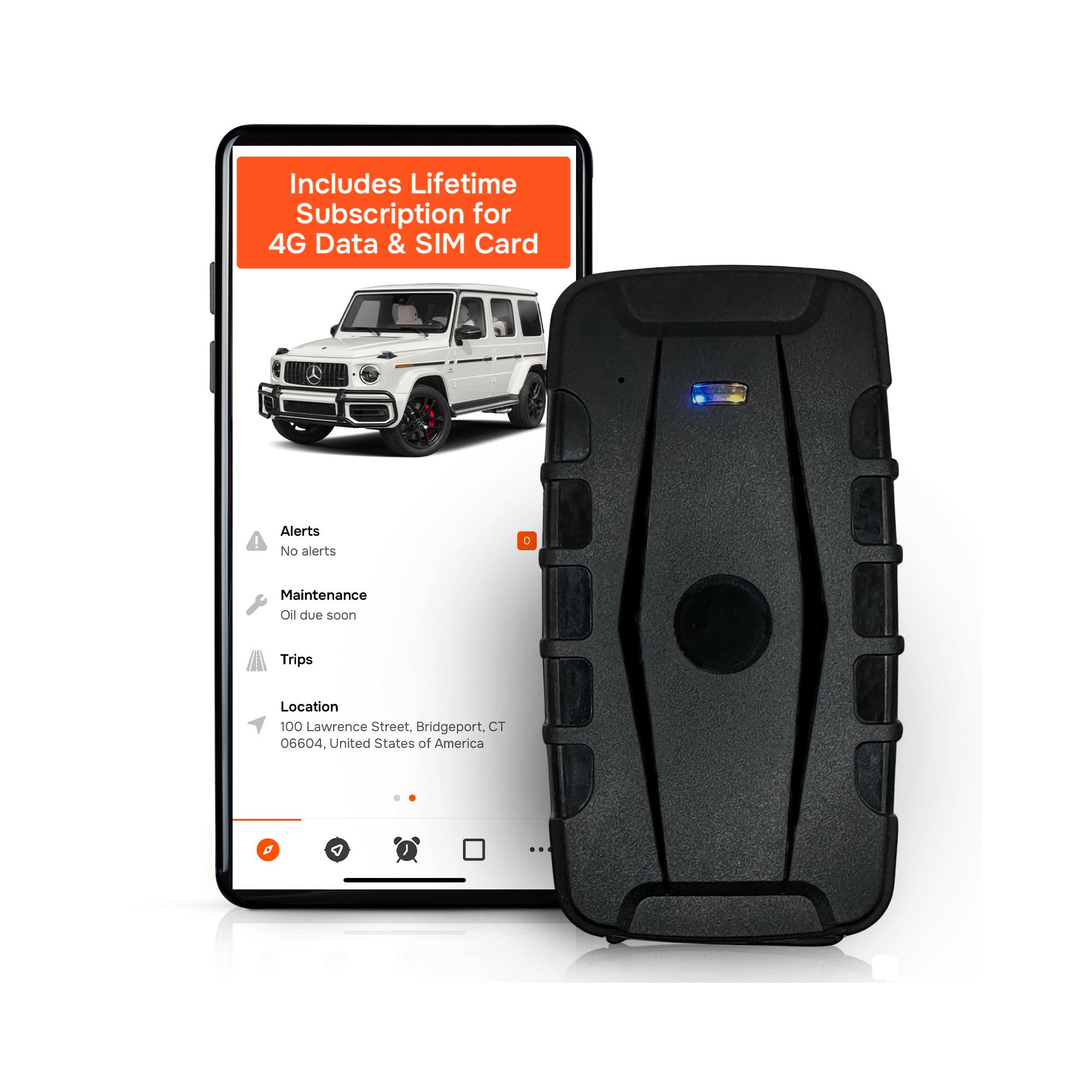
A geofence is a virtual boundary drawn around a place, such as your yard, a customer’s site or a restricted area. When a tracked unit crosses it, you get a notification. For a yard this turns a few checklist lines into live control:
- Alert when a unit leaves the yard or a jobsite
- Alert when a unit enters a site it was not assigned to
- Alert on movement outside working hours
Moto Watchdog trackers offer customizable geofencing alerts and push notifications through the free companion app. Draw one fence per active jobsite and one around the yard, then name each fence after the job number so an alert reads as plain information.
Where it goes wrong: fences nobody maintains. Close a fence when the job closes, or the alerts become noise and people stop reading them.
5. Capture hours, mileage and idle time
Usage drives service intervals, billing and replacement decisions. Record mileage for road units and operating hours for machines, and watch idle time, since a machine that runs without working burns fuel and wears out for nothing.
Moto Watchdog provides trip and mileage reporting and idle time tracking. For business use, the mileage report replaces handwritten logs. MTAS says dedicated fleet software should at minimum track mileage or hours, fuel usage, downtime and operating cost per vehicle, so make those fields part of the checklist even if you start in a spreadsheet.
6. Schedule maintenance from real usage
For each unit, set service intervals by miles, hours or calendar time, and log every service with date, cost and what was done. Preventive and scheduled maintenance, repairs and their costs are on MTAS’s minimum list for fleet software.
Where it goes wrong: intervals tied to the calendar when the machine has worked twice as hard as planned, or hours read once a quarter. Maintenance reminders based on tracked usage keep the schedule honest. Moto Watchdog includes maintenance reminders in the app, so the due date follows the machine’s actual use.
7. Handle transfers and returns
When a unit moves from one jobsite to another, or goes out on rent, update the custodian, the location and the condition. At return, check three things: the machine’s condition against its outbound photo, the hours or mileage used, and whether all attachments came back.
A transfer that is not recorded is how a machine ends up “missing” when it is sitting on another crew’s site. The GSA guide lists movement and storage as its own part of the utilization stage for that reason.
8. Run physical inventories on a schedule
A physical inventory is a count of what is actually in the field and the yard, checked against the register. Do two passes: from the list to the floor, to find records with no machine (ghost assets), and from the floor to the list, to find machines with no record.
Pick a cycle that fits the risk. Higher-value, higher-theft assets deserve more frequent checks. When a tracker already shows each unit’s last position, the count becomes a quick confirmation, not a day of driving around.
9. Treat “not found” as an event with a deadline
When a unit does not turn up, set a clock. SJSU’s manual requires custodians to account for any equipment not found in an inventory within 10 business days, either by locating it or filing a formal survey report. For stolen items it requires a missing equipment report and immediate notification of the police and the property coordinator.
Adopt the same pattern: a fixed number of days, a named owner and a written outcome. If theft is suspected, call the police first and give them the unit’s serial number, photos and last reported position from your tracker.
10. Retire the asset properly
When a machine is sold, scrapped or traded in, record the date, the buyer or disposal method, and the final hours or mileage. Remove or reassign the tracker so the next unit inherits a clean record. This is the disposition stage in the GSA guide, and skipping it leaves ghost assets on your books.
Jobsite and project-based asset tracking
Project work changes the question from “where does this asset live?” to “which job is it on today, and who pays for it?” A few rules make that manageable:
- Treat the project as a location. Each job gets its own site name and geofence, and the register shows the job number alongside the unit.
- Assign on mobilization, release on demobilization. The moment a machine is dispatched, the job and custodian change. The moment it leaves, they change again.
- Allocate cost by usage. Hours and idle time per job let you charge equipment to the right project and spot a site that ties up machines it does not need.
- Check at both ends. Confirm arrival at the site and departure at the end. A geofence alert does the first automatically.
- Keep a trailer or attachment link. Track the carrier unit and the towed or attached equipment together so they are not separated in the paperwork.
Sites with many contractors make this harder, because several crews handle the same machines. A named custodian per machine per day, plus a location that updates itself, removes most of the arguments about who had what.
Keeping records accurate
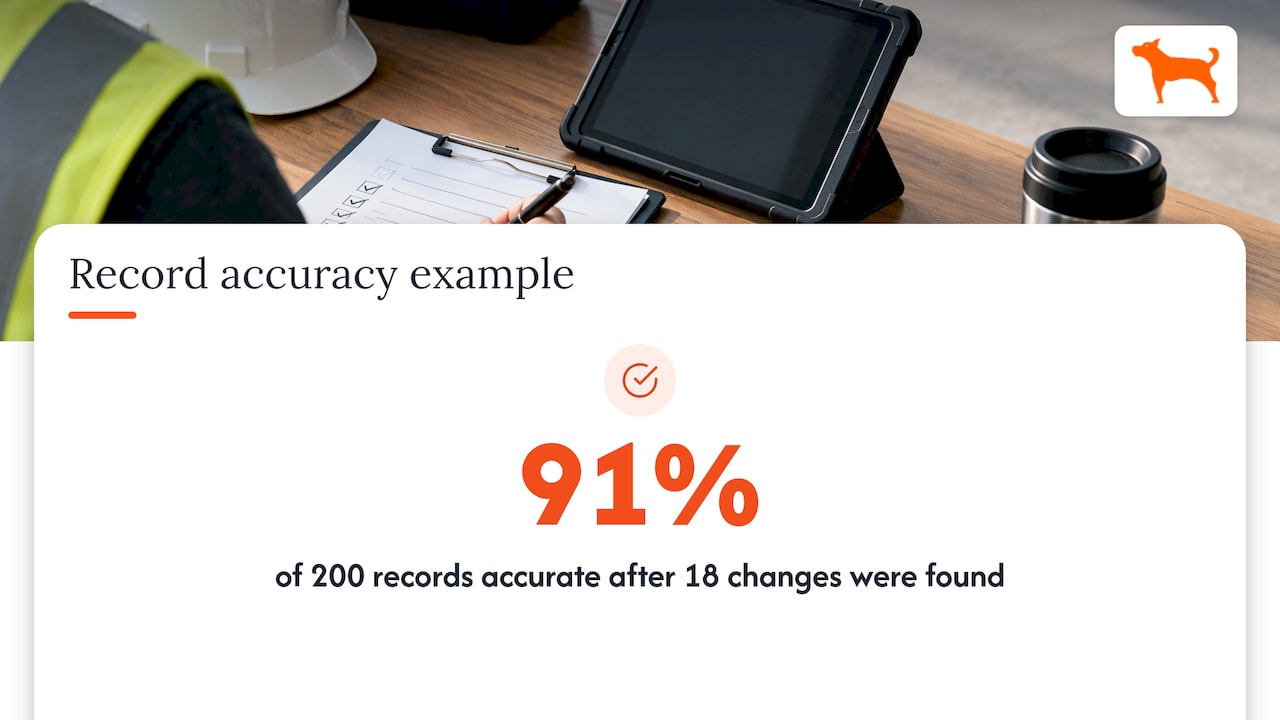
A register is only worth what its accuracy is. The GSA defines the asset record accuracy rate as the number of accurate asset records found at physical inventory, less changes including new records, divided by total records, times 100. It counts gains, condition changes and location changes, not only losses. A high rate shows that status changes are entered promptly.
A worked example: you inventory 200 records and find 12 with the wrong location, 4 with the wrong custodian, and 2 machines that were never entered. That is 18 changes. (200 minus 18) divided by 200 gives 91%. Track that number after every count and aim to raise it. If it falls, the fault is almost always in transfers and returns, steps 3 and 7 above.
Automatic location data raises the number without extra effort because the location field is no longer typed by hand.
Spreadsheet or dedicated system?
A spreadsheet is a fair place to start. MTAS notes that very small fleets may be managed with spreadsheets, and that dedicated software should track maintenance, repairs, fuel, mileage or hours, downtime and cost per vehicle, and connect with telematics and GPS where practical.
It stops working when:
- Units move between jobsites faster than anyone updates the sheet
- More than one person edits it
- Service is missed because hours are not current
- You cannot say where a machine is without phoning someone
That is the point at which the checklist should move onto a tracker and an app. The cost question is usually what holds fleets back, since many tracking plans carry a monthly fee for every unit. Our guide to lifetime GPS trackers with no fees explains how one-time pricing works and what to look for.
Get the checklist running on live data
Moto Watchdog GPS trackers are built for the yard and the road: real-time location, customizable geofencing and alerts, long battery life, trip and mileage reporting, idle time tracking, maintenance reminders and push notifications, all managed from one free app. Lifetime 4G data is included, there are no activation fees and no add-on charges, and one dashboard supports unlimited vehicles and users. Trackers start at $124.99, paid once.
That means a 20-unit fleet is not paying a recurring fee on every machine to keep the checklist current. For larger operations, API access is available for business accounts, and sales and support replies come the same day.
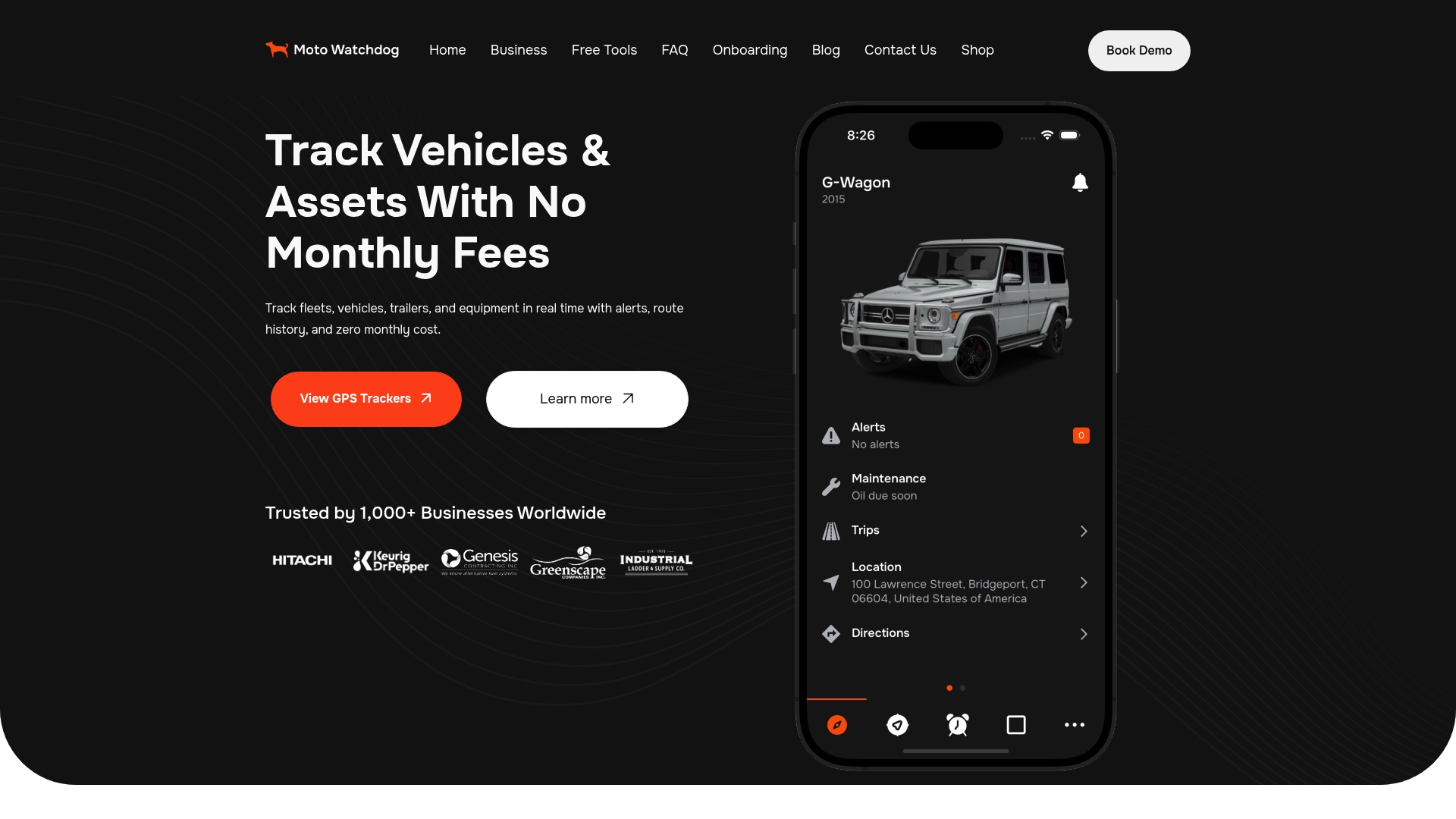
See the Moto Watchdog trackers and pick the one that fits your equipment.
Our perspective
Most asset losses we hear about in fleets are not dramatic thefts. They are quiet failures of record keeping: a machine moved to another site and never logged, a service interval missed because nobody had the hours, a trailer nobody can place.
That is why we build our trackers around the checklist, not around a subscription. A fleet manager should be able to put a tracker on every unit, including the cheap trailer and the old generator, without doing the math on monthly fees across the whole yard. When data is included for the life of the device, the sensible decision is to track everything.
Our advice is simple. Write the checklist, assign every machine a custodian, draw a geofence for every active job, and let location, mileage and idle time arrive on their own. Then spend your audit time on the exceptions, not on counting.
Louis
FAQ
What should an asset tracking checklist include?
It should include a register with unit ID, serial number, photo, cost and custodian, plus current location, hours or mileage, maintenance schedule and disposal record. Follow the three life cycle stages of acquisition, utilization and disposition. For fleets, add geofences and return checks.
How often should we inventory equipment?
There is no single legal interval for private fleets, so set it by risk and value. SJSU, for example, runs a three-year cycle for equipment worth $5,000 or more. Theft-prone or high-value machines justify far more frequent checks, and live tracking makes frequent checks cheap.
What do we do when a machine cannot be found?
Set a deadline, name an owner and document the outcome. A university procedure gives custodians 10 business days to locate the item or file a formal report. If theft is possible, notify the police and give them the serial number and last tracked position.
How do we track assets across several jobsites?
Treat each job as a location with its own geofence, assign a custodian when a unit is dispatched, and update both when it moves. Record hours per job so equipment cost lands on the right project.
Is a spreadsheet enough?
For a very small fleet that stays in one place, it can be. Once machines move between sites or several people maintain the data, a tracker and app keep the location and usage fields current without manual entry.